
How to find the RSS feed for your Podcast Channel
Overview
This article explains how to find the RSS feed for your Podcast Channel in the Media Cloud.
When to use this article
Use this article when you need the RSS feed for a Podcast platform connected to your Podcast Channel, such as Spotify, Apple Podcasts, or Amazon Music. This is helpful when you are submitting your Podcast to a platform, checking your connected Podcast setup, or sharing the feed with your team.
Instructions
Step 1
Log in to your Media Cloud account.
Step 2
Go to PLATFORMS.
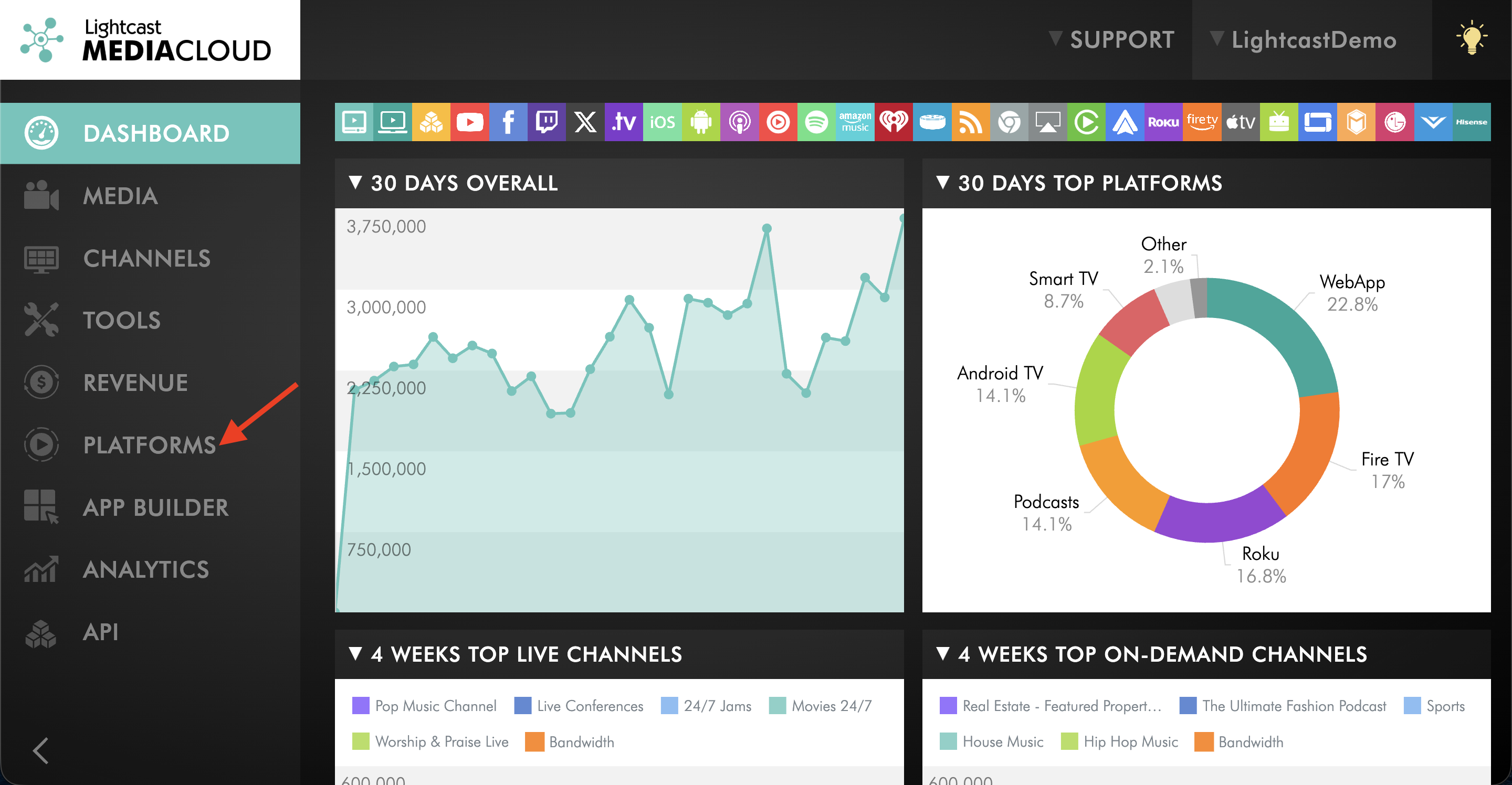
Step 3
Click on the connected Podcast platform you want to use, such as Spotify, Apple Podcasts, or Amazon Music.
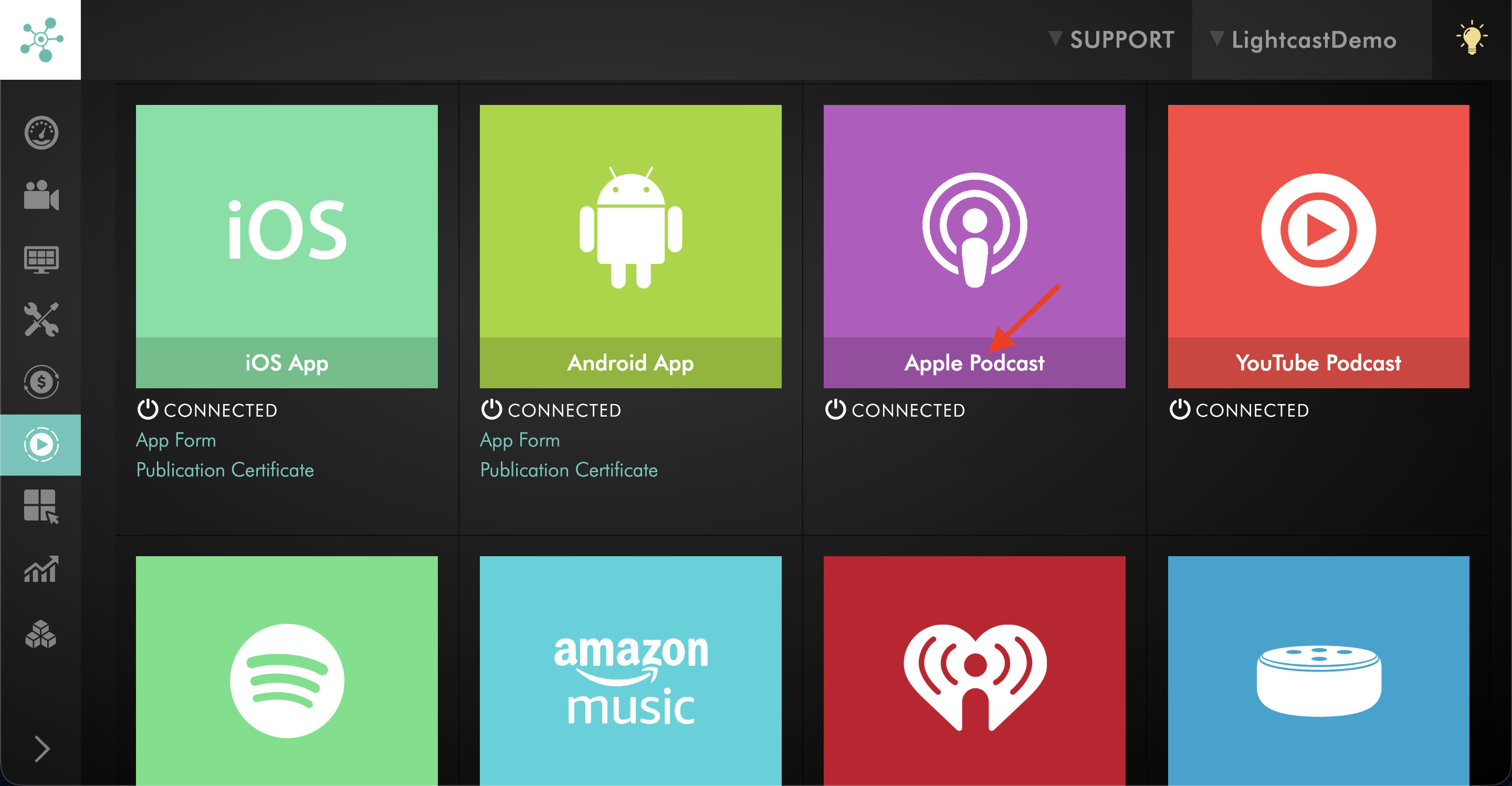
Step 4
Select the connected Podcast Channel to open its details.
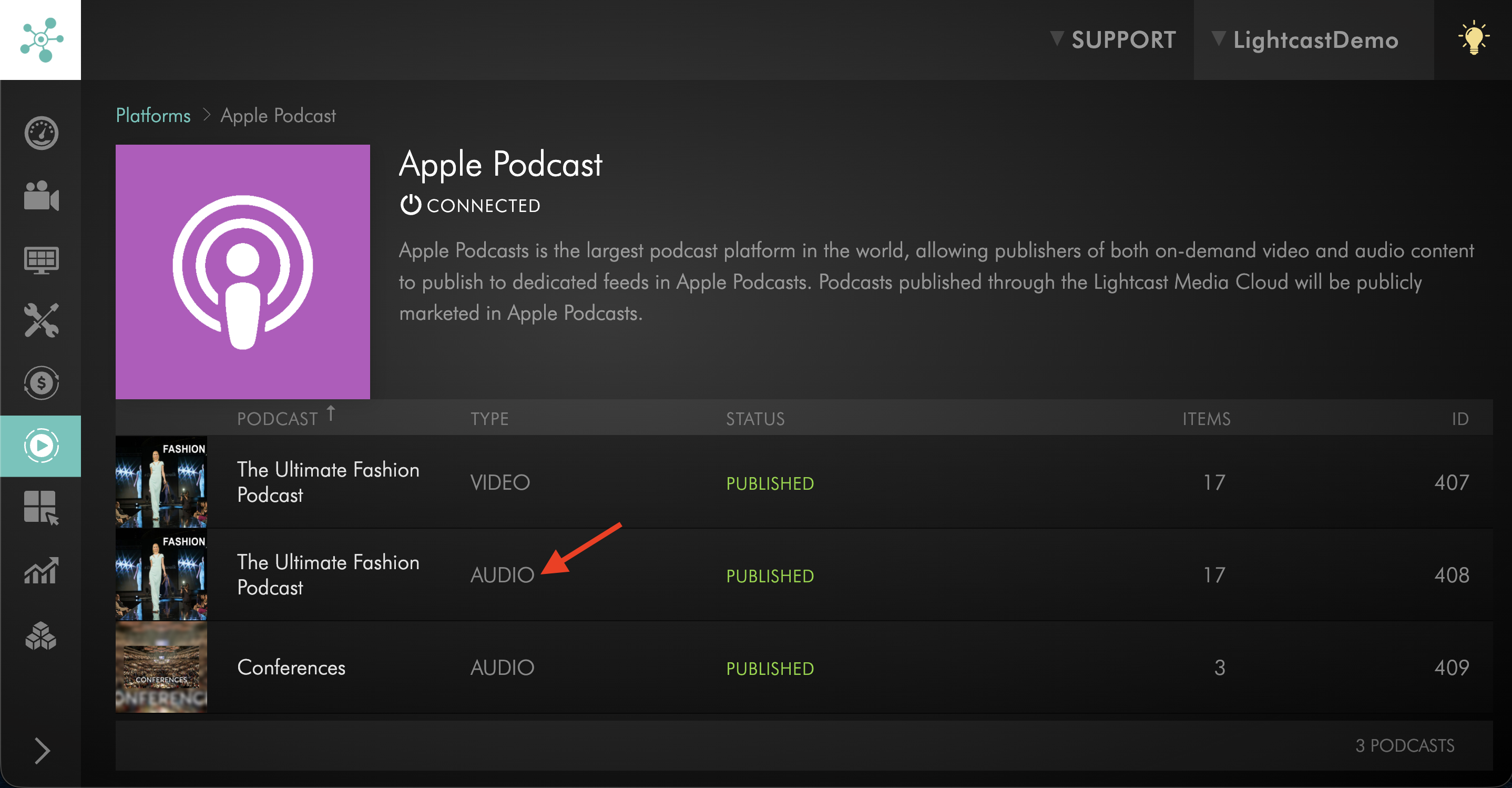
Step 5
In the PROPERTIES area, click the connected Podcast feed link for that platform.
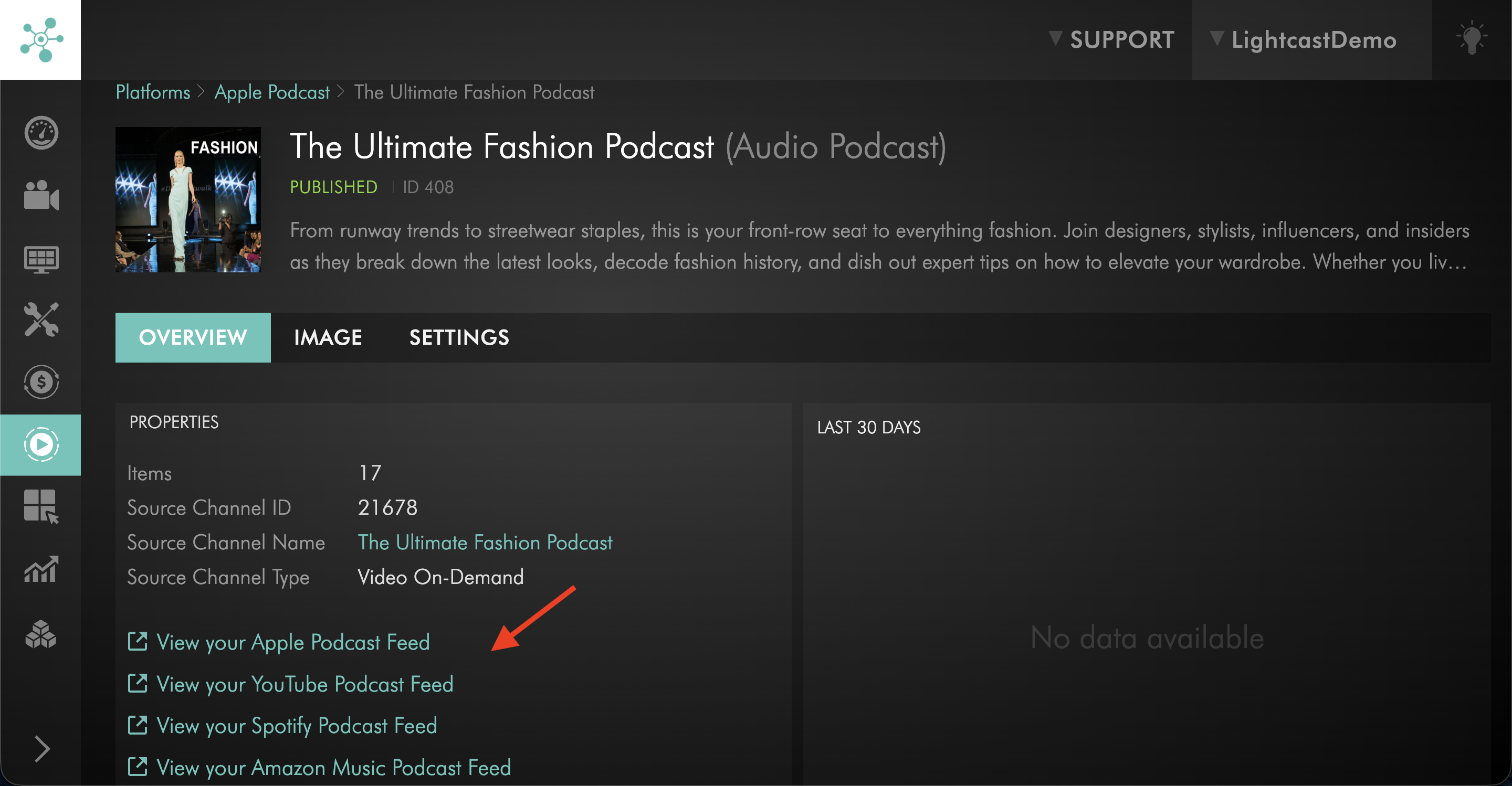
Step 6
Copy the RSS feed from the browser's URL bar.

FAQs
Where can I find the RSS feed in the Media Cloud?
Go to PLATFORMS, click the connected Podcast platform, select the connected Podcast Channel, then click the Podcast feed link in the PROPERTIES area.
Can I use the same RSS feed for every Podcast platform?
Your podcast setup may include multiple connected Podcast platforms. Open the platform you want to use and copy the RSS feed shown for that platform.
What should I do if I do not see a Podcast platform connected under PLATFORMS?
Make sure the Podcast platform has already been connected to your Channel. If it is not connected yet, complete the platform setup first.
If you have completed the platform setup but still do not see the Podcast platform connected, contact Customer Support.
What should I do if I click the feed link and do not see the RSS feed right away?
After you click the feed link, the RSS feed opens in a new browser tab. Copy the RSS feed from the browser’s URL bar.