
How to submit your podcast to Spotify
Overview
This article explains how to submit your Podcast to Spotify using the RSS feed provided by Lightcast. Use these steps when you want to make your Podcast available on Spotify.
How it works
Spotify uses the RSS feed to import your Podcast information and episodes. Before you begin, make sure you have a Spotify account, the RSS feed link provided by Lightcast, and access to the email address listed in the RSS feed so you can complete the ownership verification step.
Instructions
Step 1
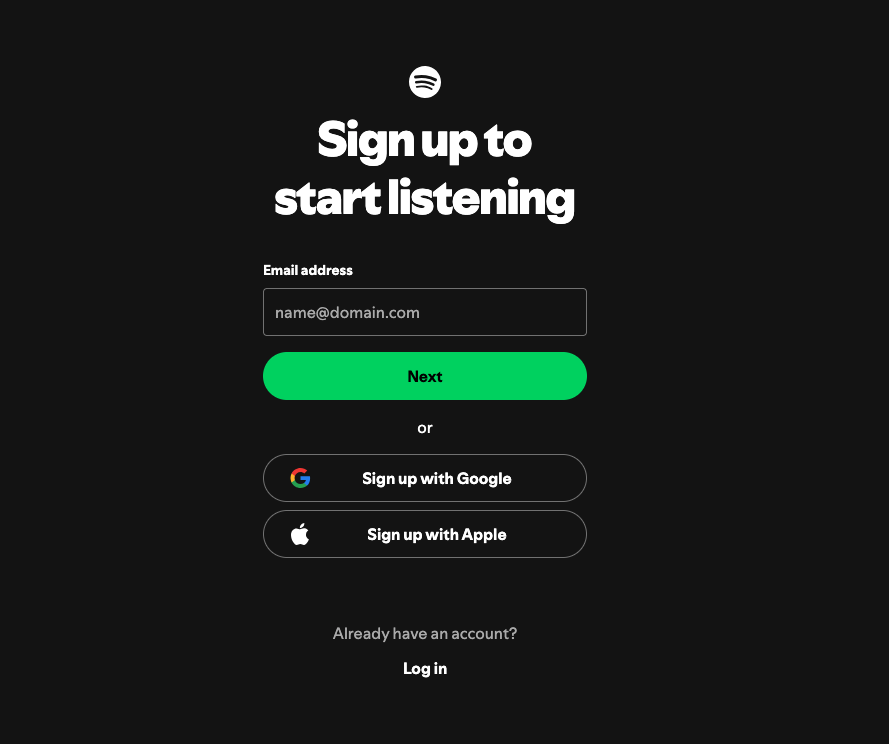
If you do not already have a Spotify account, go to spotify.com/signup and create one.
Step 2
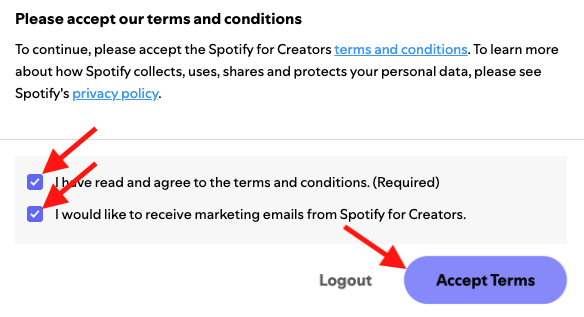
Go to creators.spotify.com, sign in, and accept Spotify’s Terms and Conditions.
Step 3
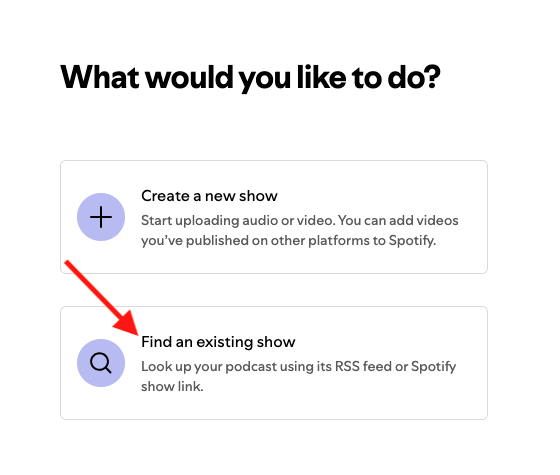
Select Find an existing show.
Step 4
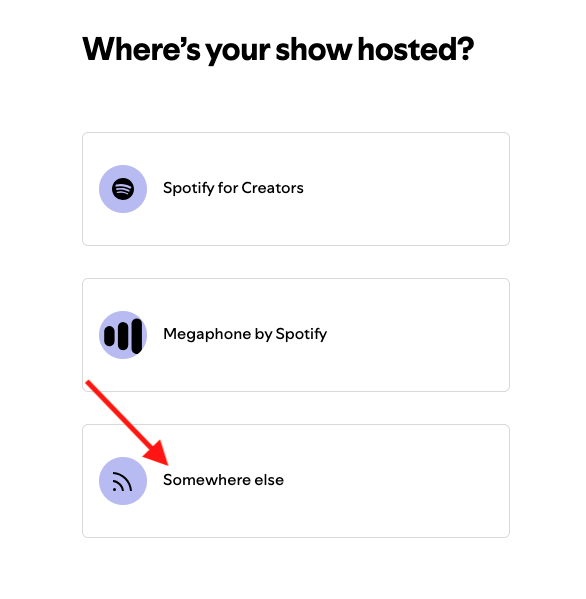
Select Somewhere else.
Step 5
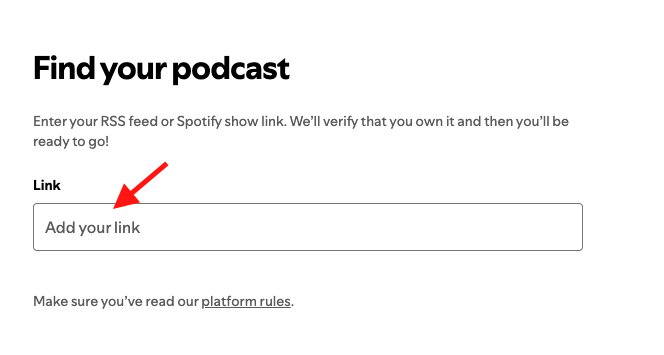
Paste the RSS feed link provided by Lightcast.
Step 6
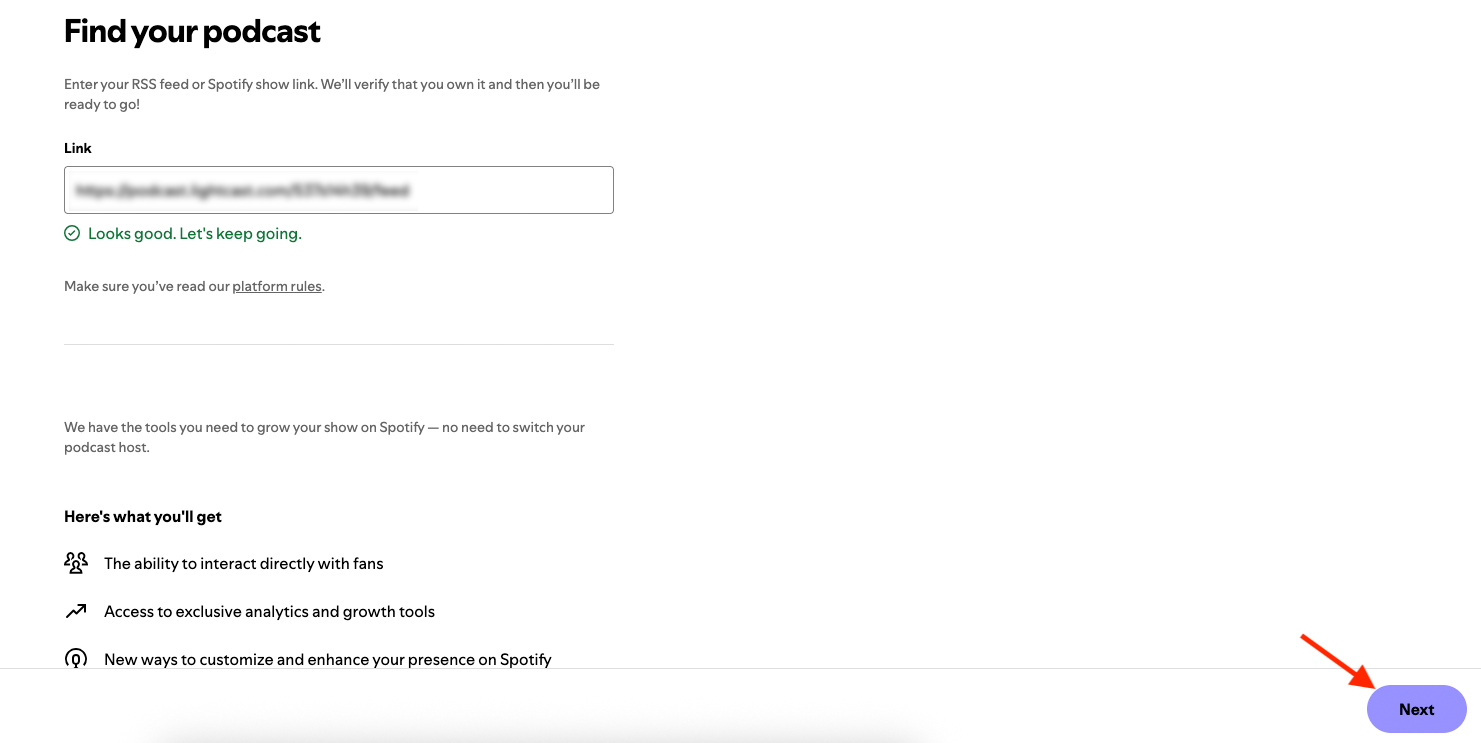
If the RSS feed is valid, click Next.
Step 7
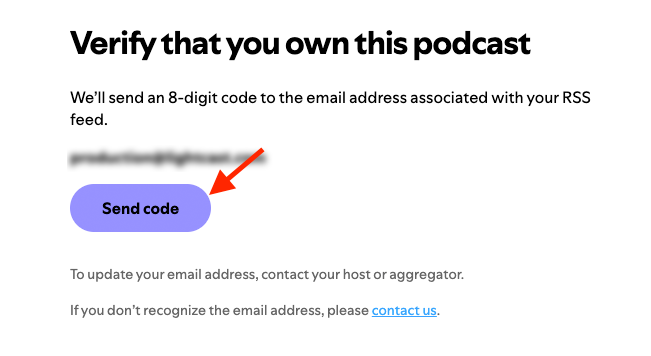
Click Send Code and Spotify will send a verification code to the email address listed in your RSS feed.
Step 8
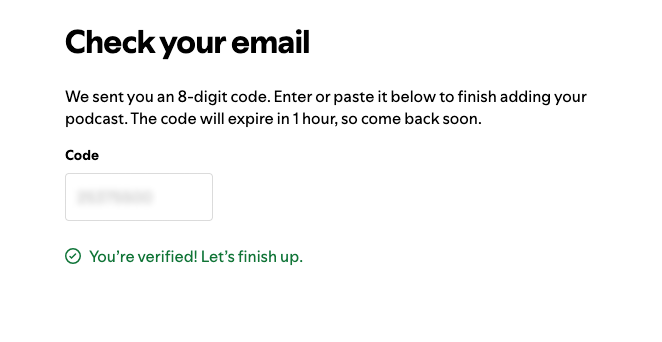
Open the email sent by Spotify and enter the verification code.
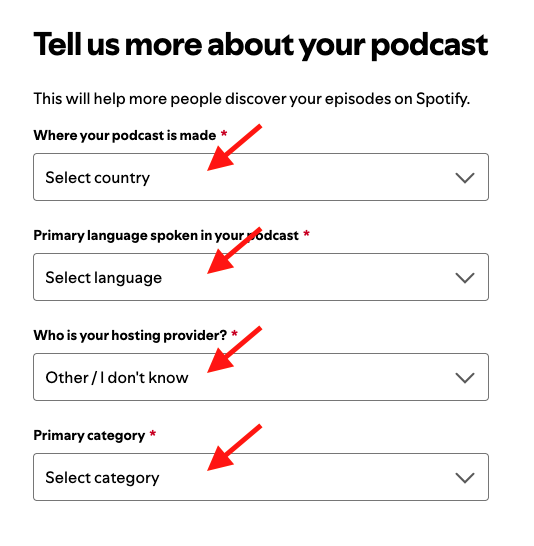
Step 9
Add the requested information about your Podcast.
Step 10
Review the information, then click Submit.
FAQs
How long does Spotify take to publish my Podcast?
Spotify usually reviews the Podcast within a few hours, and Podcasts typically go live within 48 hours.
Will Spotify notify me when my Podcast is published?
No. Spotify does not send a publication notification.