
How to submit your Podcast to Apple Audio/Video
Overview
This article explains how to submit your Apple Audio Podcast or Apple Video Podcast to Apple using the RSS feed provided by Lightcast. Use these steps when you are ready to make your Podcast available on Apple Podcasts.
When to use this article
Use these steps when you are ready to make your Podcast available on Apple Podcasts.
How it works
The submission process is the same for Apple Audio Podcasts and Apple Video Podcasts. Before you begin, you will need an Apple ID and the RSS feed link provided by Lightcast.
After you submit your RSS feed in Apple Podcasts Connect, Apple processes the Podcast information and checks the details you provide before the Podcast is published.
Instructions
Step 1
If you do not already have an Apple ID, create one at appleid.apple.com/account.
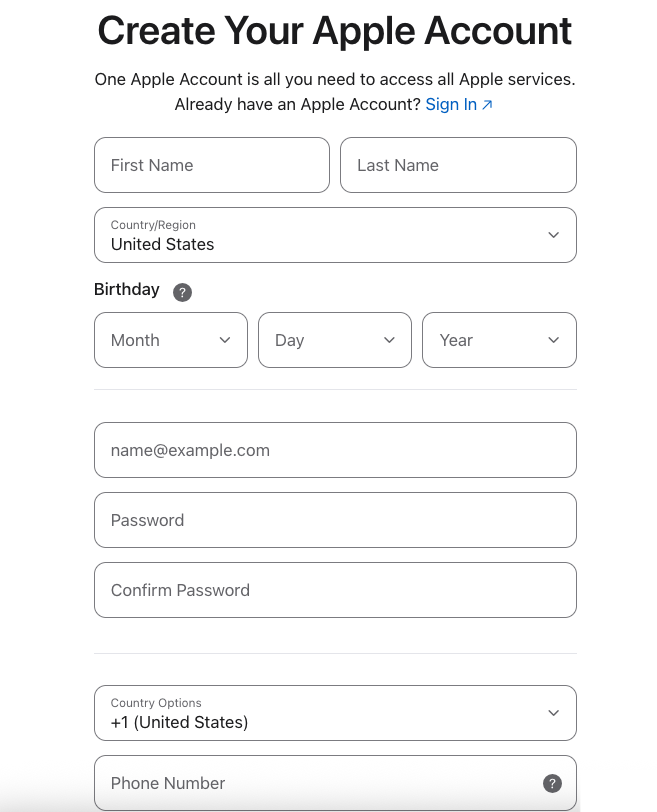
Step 2
Go to podcastsconnect.apple.com/my-podcasts and sign in using your Apple ID
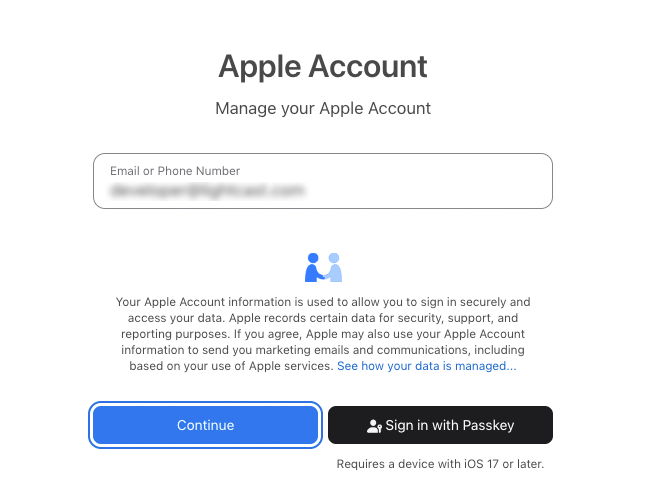
Step 3
Click the + icon in the top-left corner next to Podcasts to add a New Show (podcast).
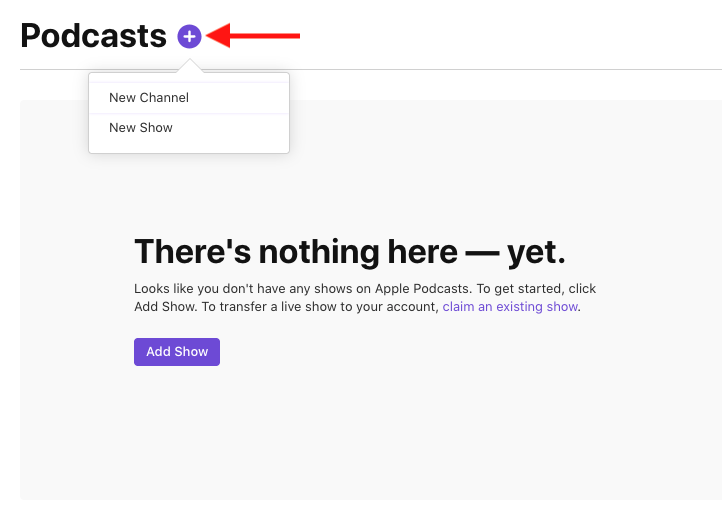
Step 4
Select Add a show with an RSS feed, then click Next.
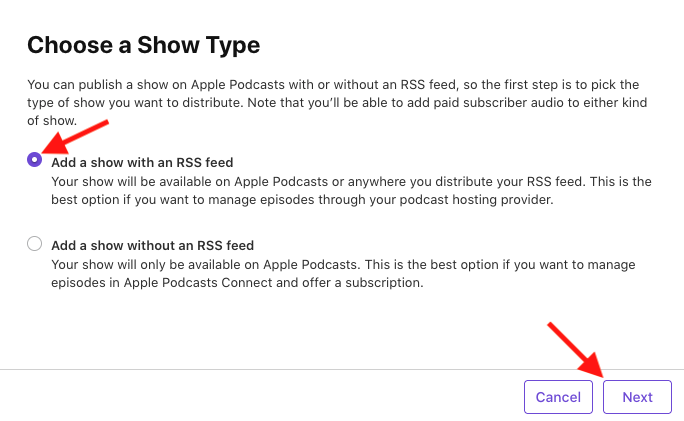
Step 5
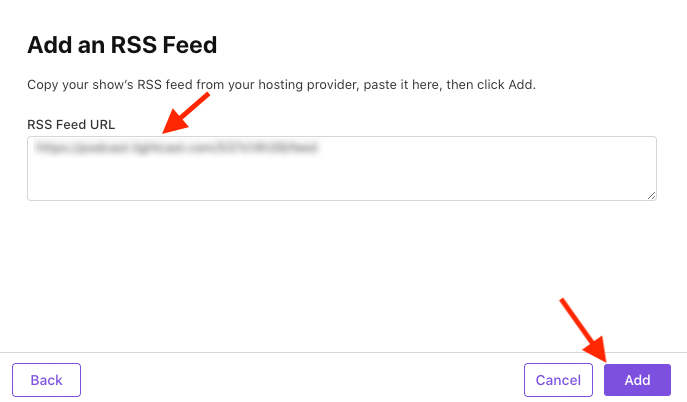
Paste the RSS feed link provided by Lightcast, then click Add.
Step 6
Wait while Apple processes the Podcast information. This usually takes about 1 hour.

Step 7
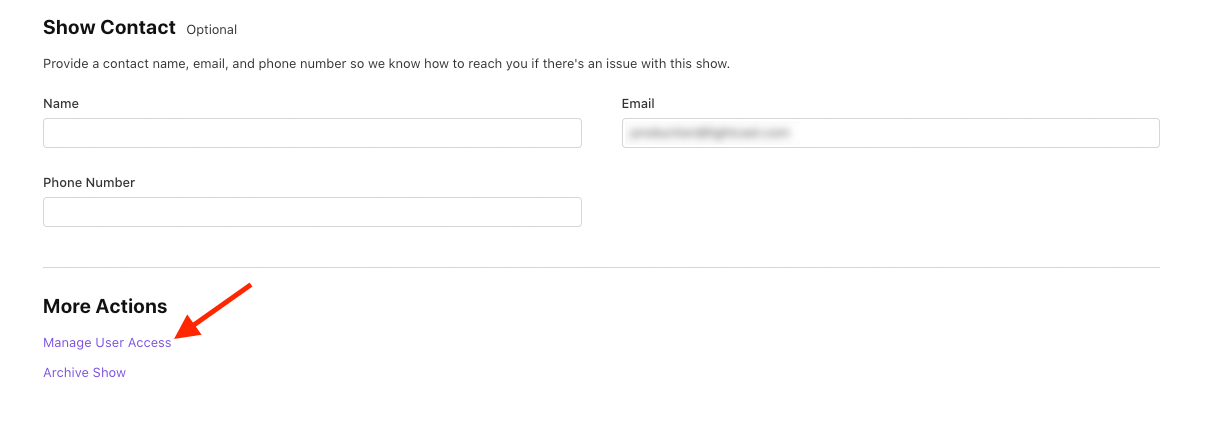
Select who should have access to manage the podcast in Apple Podcasts Connect.
This is useful if multiple people on your team need permission to view or edit the Podcast.
Step 8
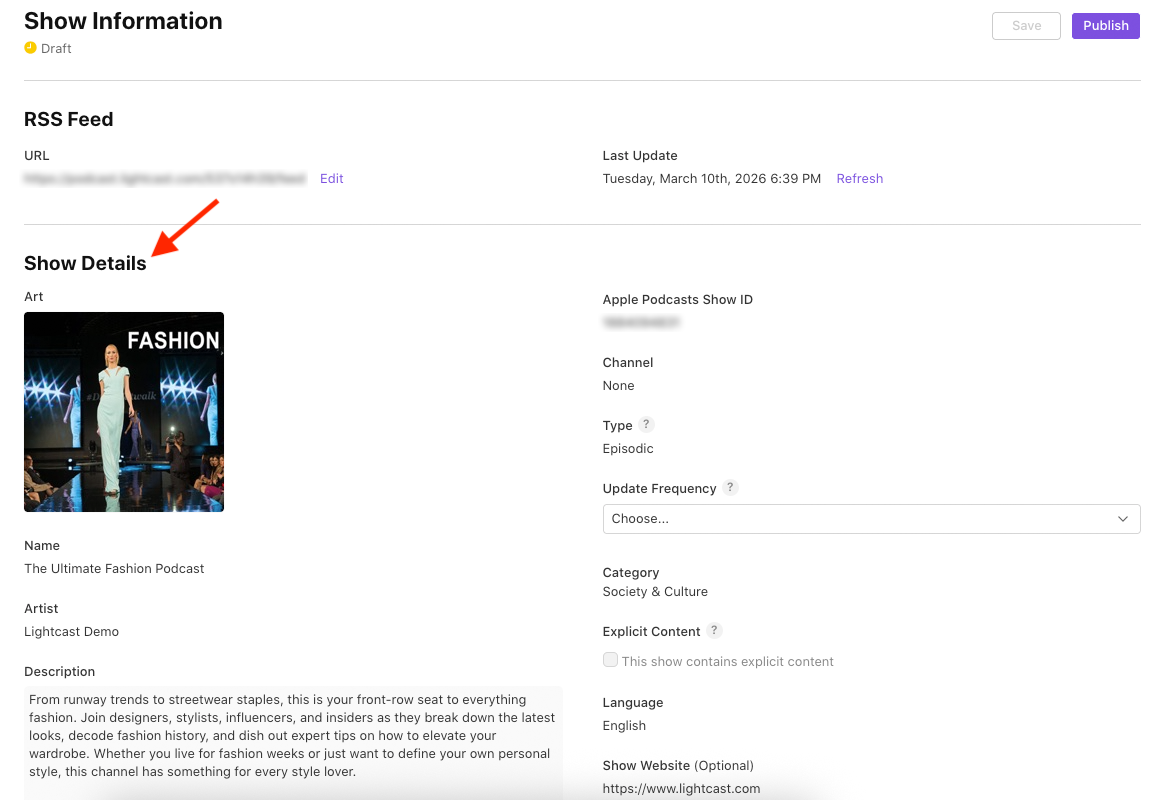
Review your Podcast details.
After processing is complete, review the show information carefully to make sure it is accurate.
Step 9
Open the Update Frequency dropdown and choose how often you plan to release new episodes.

Step 10
Under Content Rights, choose whether your podcast includes third-party content.

Step 11
Once all required settings are complete, click Publish.

FAQs
How long does Apple take to publish my Podcast?
Apple usually publishes the Podcast within 24 hours after submission.
Will I receive a notification when my Podcast is published?
Yes. Apple will send a confirmation email when the Podcast has been published.
Can I transfer an Apple Podcast to a different Apple account?
Apple Podcasts submitted through your Apple account are managed through that account. If you want to move the Podcast to a different Apple account, you would need to follow Apple’s available account and submission rules. If a transfer is not supported, you may need to submit the Podcast again under the new account.
I am an older client with an Apple Podcast that was previously managed through Lightcast. Can it be transferred to my Apple account?
Some older clients may still be using a legacy Apple Podcasts workflow. For those cases, please contact Customer Support so we can review how that Podcast was originally set up and advise you on the available next steps.
Can I monetize my Apple podcast?
Apple Podcasts submitted through this workflow are free and publicly accessible. If you want to use a paid or preview-based model, that would need to be handled outside of this standard Podcast submission workflow.