
How to resend an invitation to a sub-user
Overview
Account owners and sub-users with the User Management permission can resend a sub-user invitation from the Media Cloud.
This article explains how to resend a sub-user invitation and what happens when the invitation is sent again.
When to use this article
You may need to resend a sub-user invitation when:
The sub-user did not accept the invitation within 14 days
The original invitation expired
The sub-user cannot find the invitation email
The sub-user needs a new invitation email to complete setup
How it works
When an account owner adds a sub-user, the Media Cloud sends an invitation email to the email address entered during setup. The sub-user must use that email to activate their account and create their password.
The invitation email is active for 14 days. If the sub-user does not accept the invitation within that timeframe, the invitation expires and must be resent.
The account owner or a sub-user with the User Management permission can resend an invitation to a sub-user.
When the invitation is resent, the sub-user will receive a new invitation email at the email address listed on their sub-user account.
Instructions
Step 1
Log in to your Media Cloud account.
Step 2
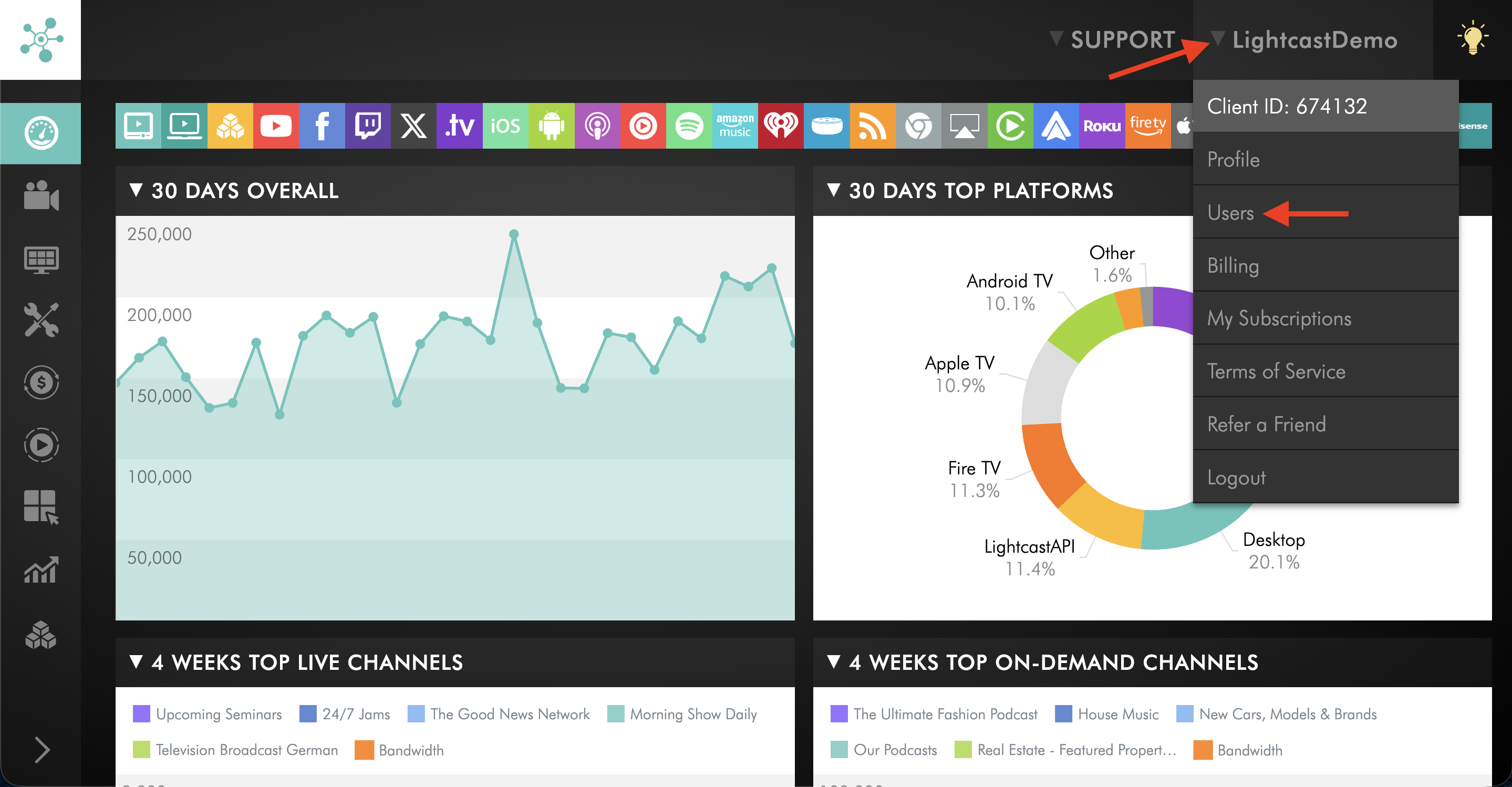
Click your username in the upper-right corner, then select Users from the dropdown menu.
Step 3
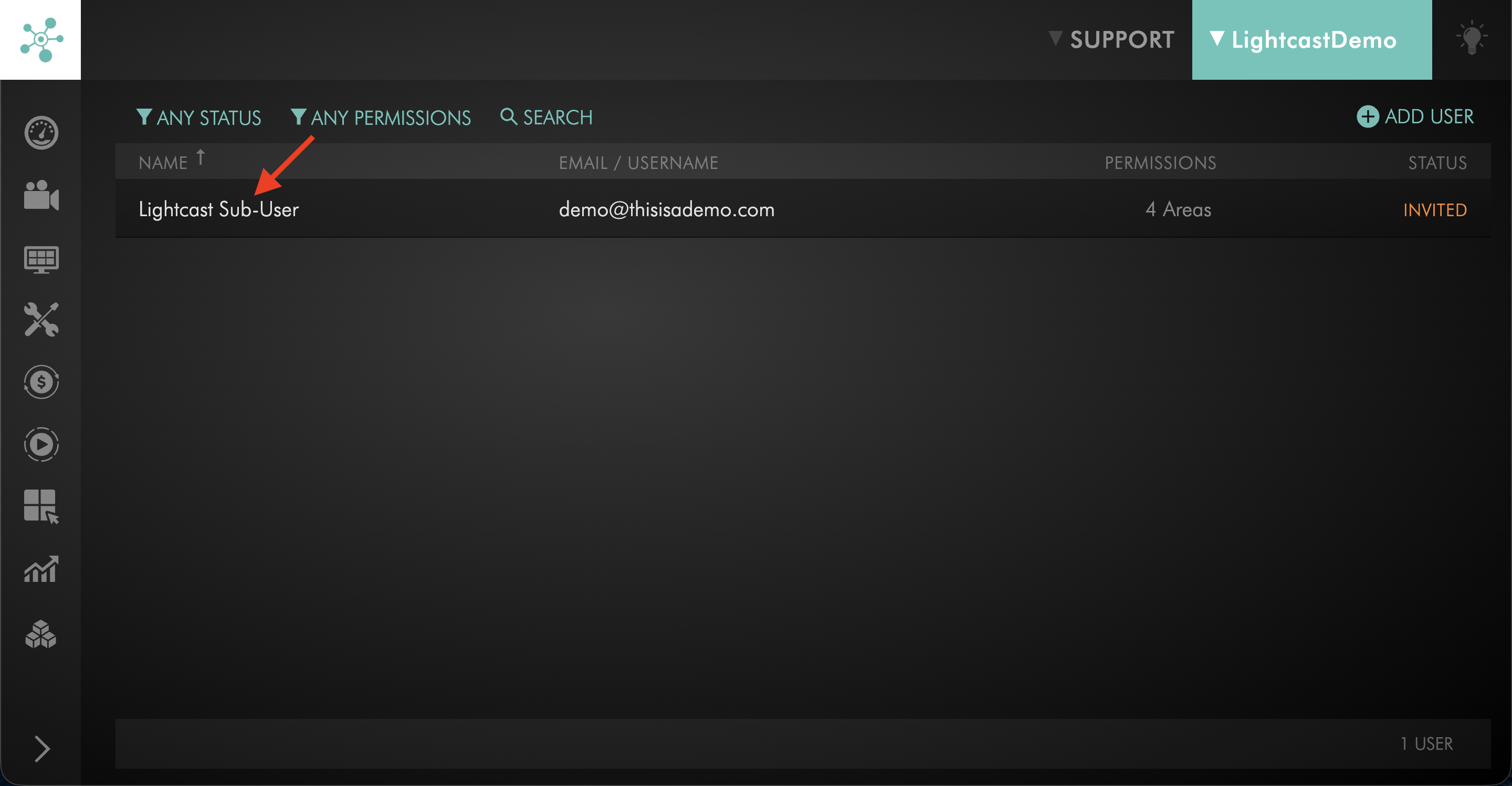
Click on the sub-user whose invitation you want to resend.
Step 4
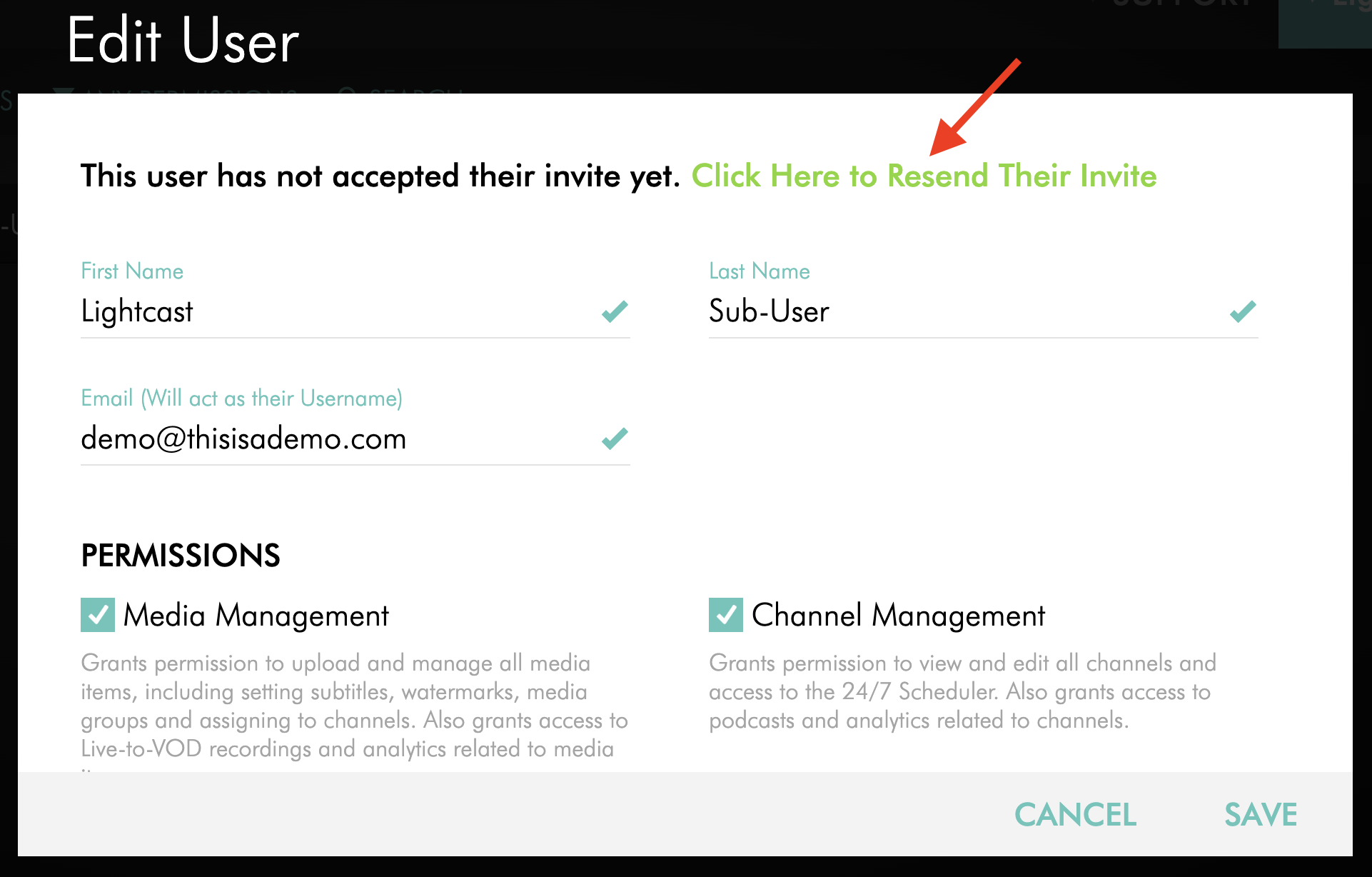
If the sub-user has not yet accepted their invitation, click Click Here to Resend Their Invite.
Step 5
The sub-user will receive a new invitation email and can use it to activate their account.
Ask the sub-user to look for an email from lightcast.com and to check their spam or junk folder if they do not see it in their inbox.
FAQs
When should I resend a sub-user invitation?
You should resend the invitation if the sub-user did not accept it within 14 days or says they cannot find the original invitation email.
Who can resend a sub-user invitation?
The account owner or a sub-user with the User Management permission can resend a sub-user invitation.
How long is a sub-user invitation active?
A sub-user invitation is active for 14 days.
Can I resend the invitation before it expires?
Yes. If the sub-user says they cannot find the invitation email, you can resend it before the 14-day period ends.
What should I check before resending the invitation?
Before resending the invitation, confirm that the sub-user’s email address is entered correctly on their account.
What happens after I resend the invitation?
The sub-user will receive a new invitation email and can use it to activate their account and create their password.
Ask the sub-user to look for an email from lightcast.com and to check their spam or junk folder if they do not see it in their inbox.