
How to view Apple TV app install numbers in App Store Connect
Overview
This article explains how to view Apple TV app install numbers in App Store Connect.
When to use Apple TV app install numbers
Use Apple TV app install numbers when you need to review how many users have installed your Apple TV App.
Apple TV app install numbers are managed by Apple. They are not available in the Media Cloud because this data comes from Apple’s App Store platform.
Instructions
Step 1
Log in to App Store Connect.
Step 2
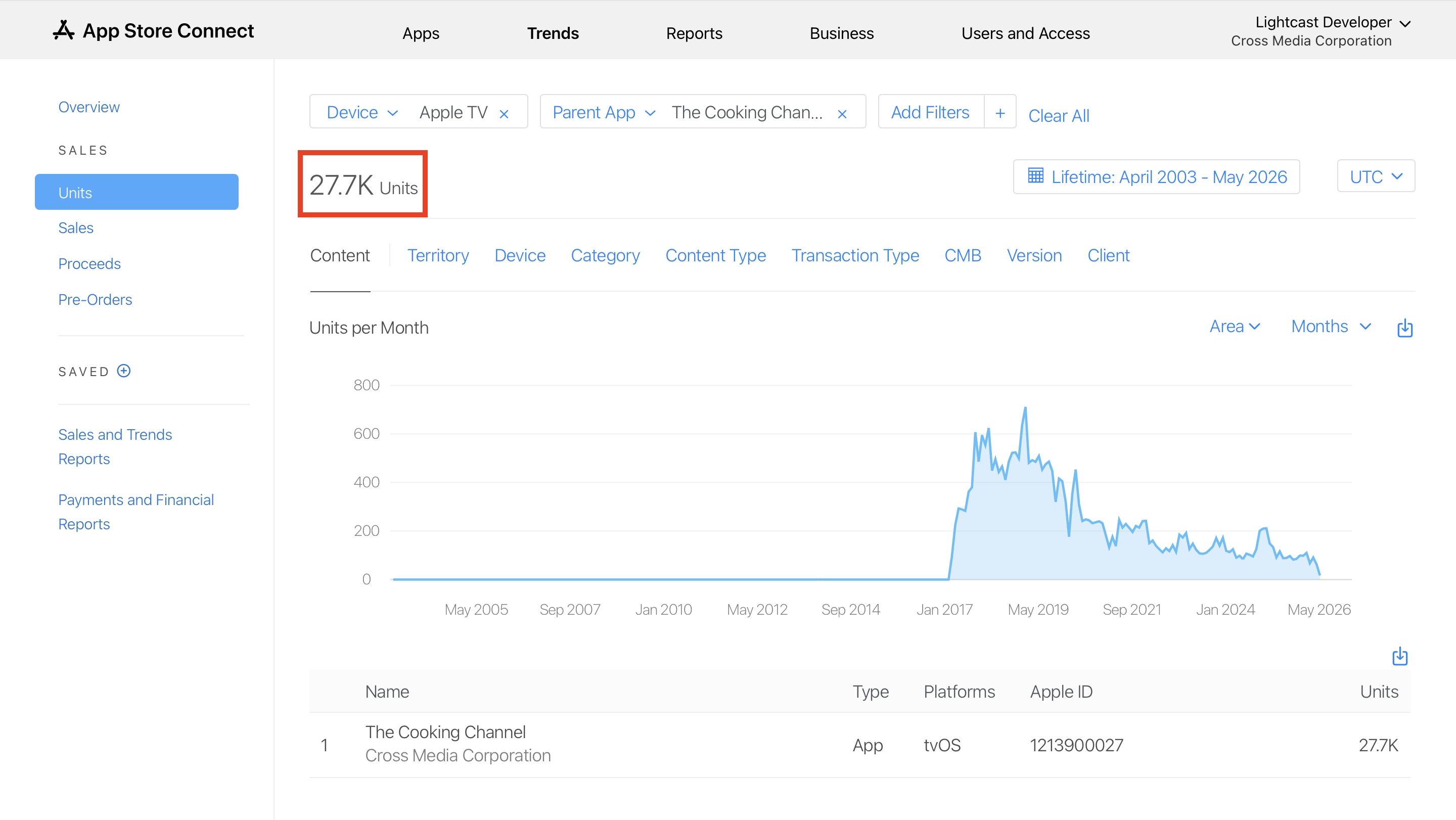
Click Trends in the top menu.

Step 3
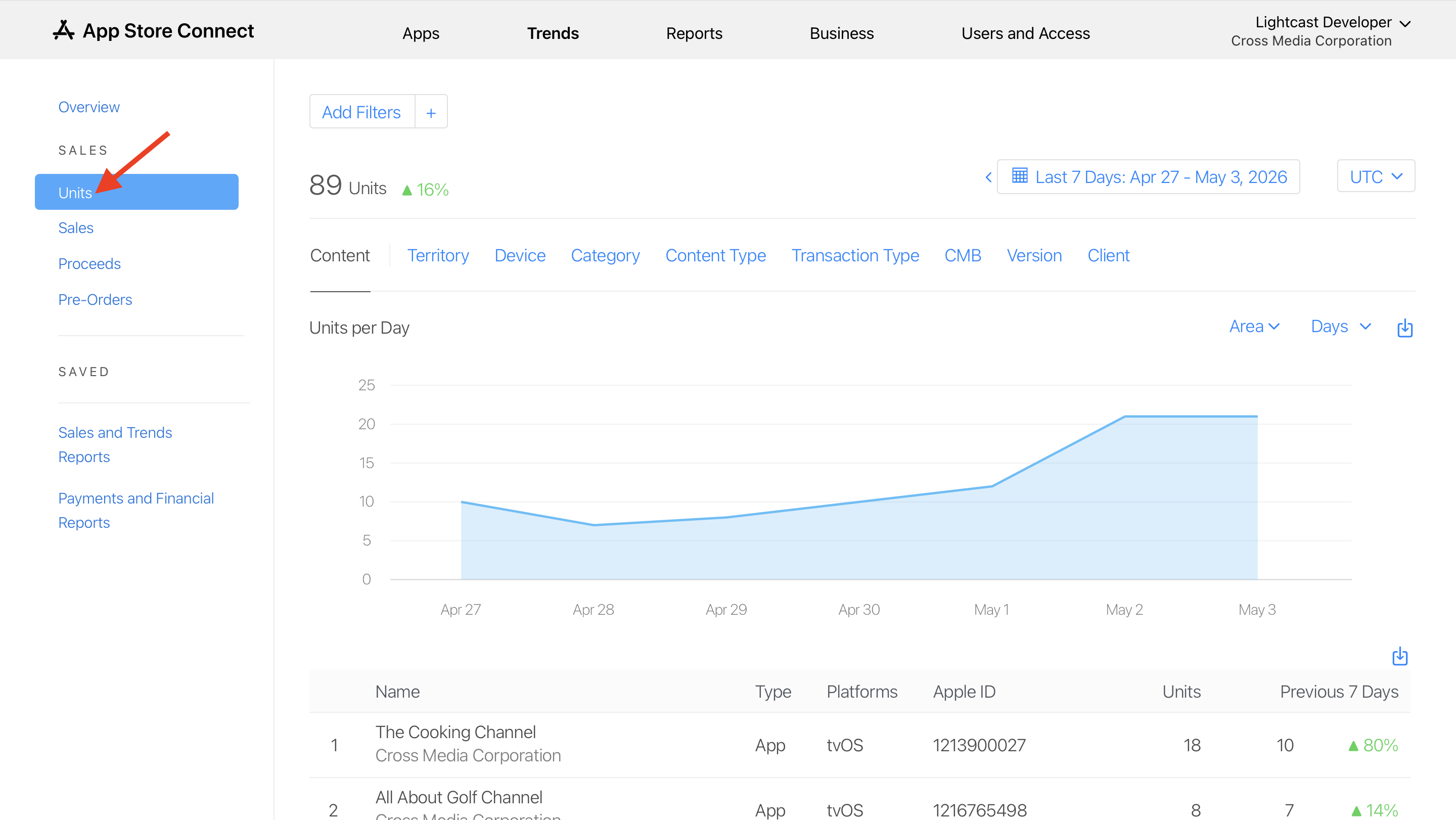
Click Units in the left-side menu.
Units refers to app installs.
Step 4
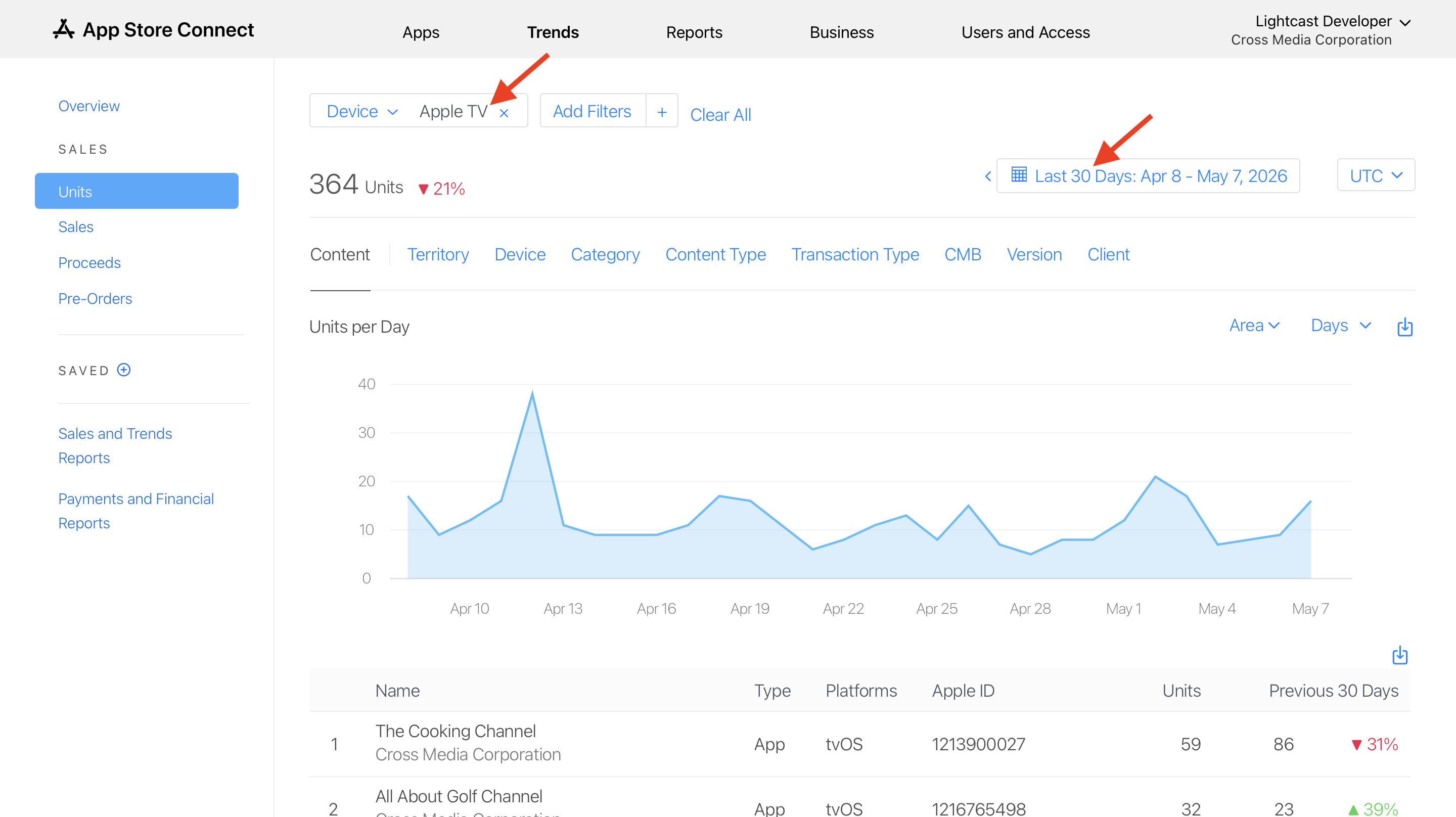
Add the needed filters for Platform and Timeframe.
For Apple TV apps, set the Platform or Device filter to Apple TV or tvOS, depending on the filters available in your App Store Connect account.
Step 5
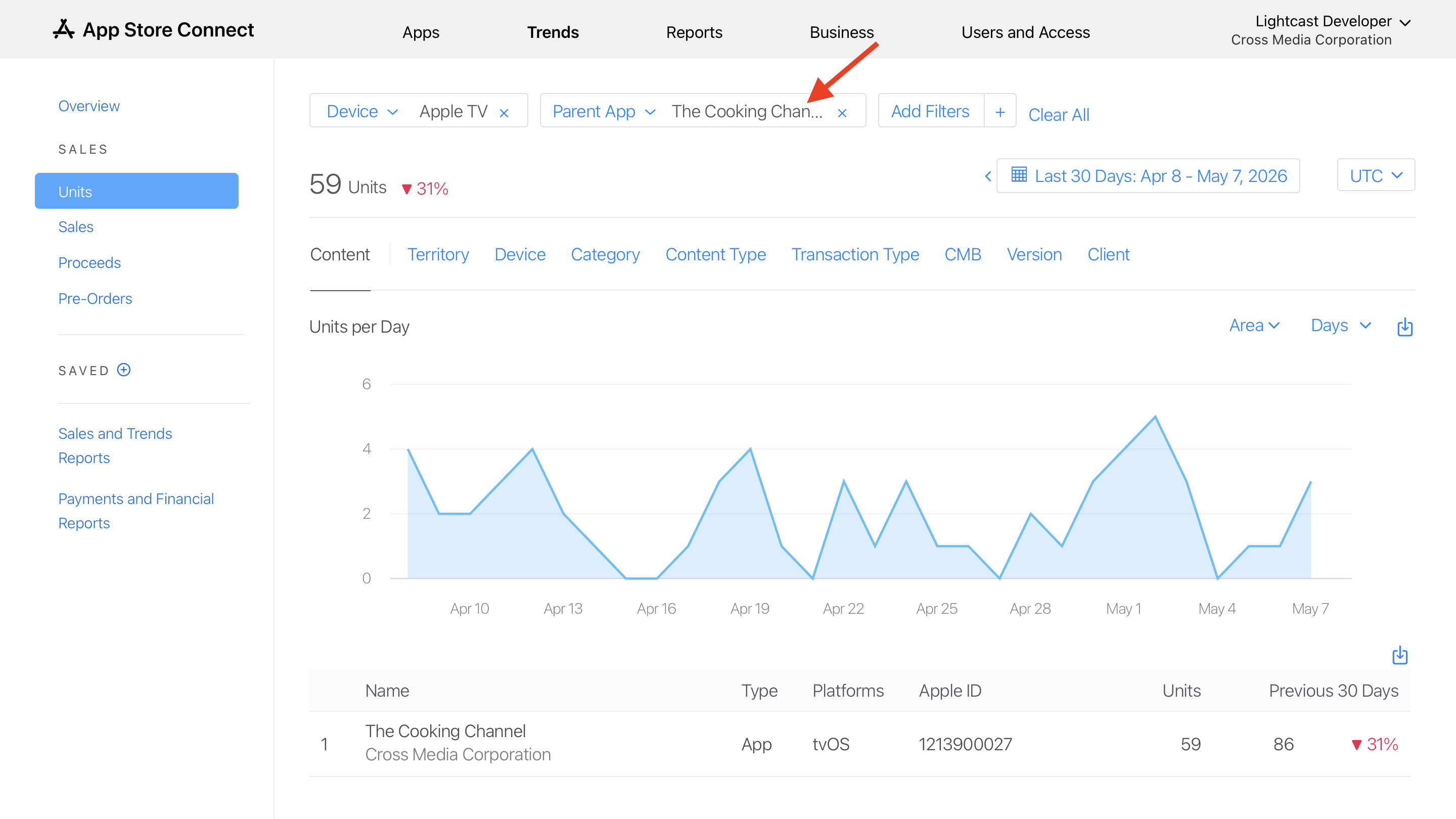
If the Developer account has more than one app, add the Parent App filter and enter the app name.
Step 6
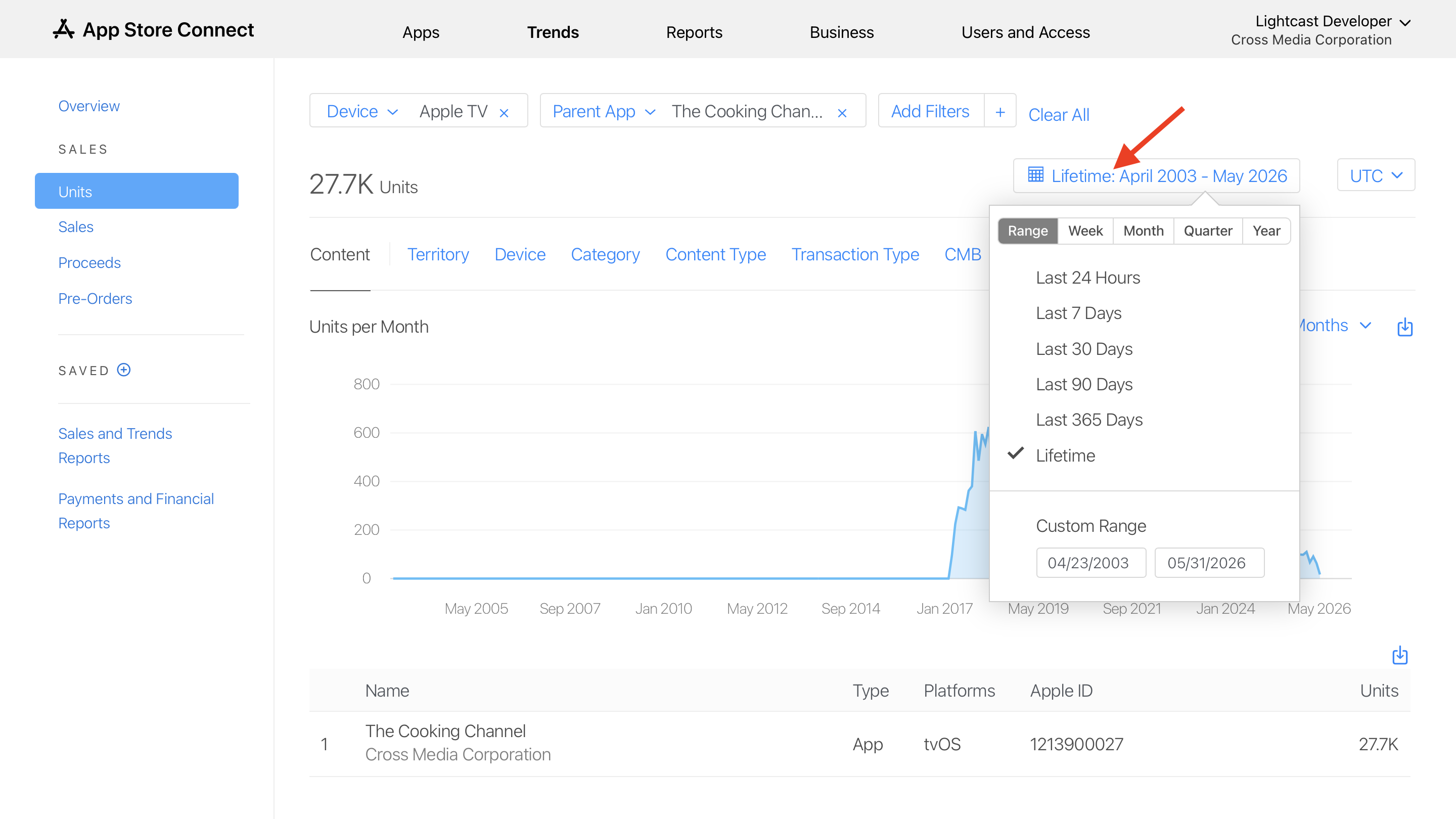
Set the time period on the right side of the page.
For total install numbers, go to Range and select Lifetime.
Step 7
Review the install numbers shown under Units.
FAQs
Can Apple TV app install numbers be viewed in the Media Cloud?
No. Apple TV app install numbers are not available in the Media Cloud because install data is managed by Apple through App Store Connect.
Third-party platforms, including Apple, do not currently provide this install data to the Media Cloud through an API. If Apple makes this data available through their API in the future, Lightcast may be able to display it in the Media Cloud.
Where are Apple TV app install numbers found?
Apple TV app install numbers are found in App Store Connect under Trends > Units.
What does Units mean in App Store Connect?
In App Store Connect, Units refers to app installs.
Which filter should be used for Apple TV app install numbers?
Use the filter that applies to Apple TV or tvOS, depending on the filter options available in your App Store Connect account.
Can install numbers be filtered by date range?
Yes. App Store Connect allows you to filter install numbers by timeframe.
For total install numbers, go to Range and select Lifetime.