
How to contact Apple Support for Apple Developer enrollment delays
Overview
This article explains how to contact Apple if your Apple Developer enrollment is delayed or your account has not been approved yet.
Due to Apple’s privacy policies, Lightcast cannot contact Apple on your behalf. Please use the steps below to request support directly from Apple.
Instructions
Step 1
Go to: https://developer.apple.com/account. Sign in using your Apple ID.
Step 2
From the top menu, click Support and then Contact us.

Step 3
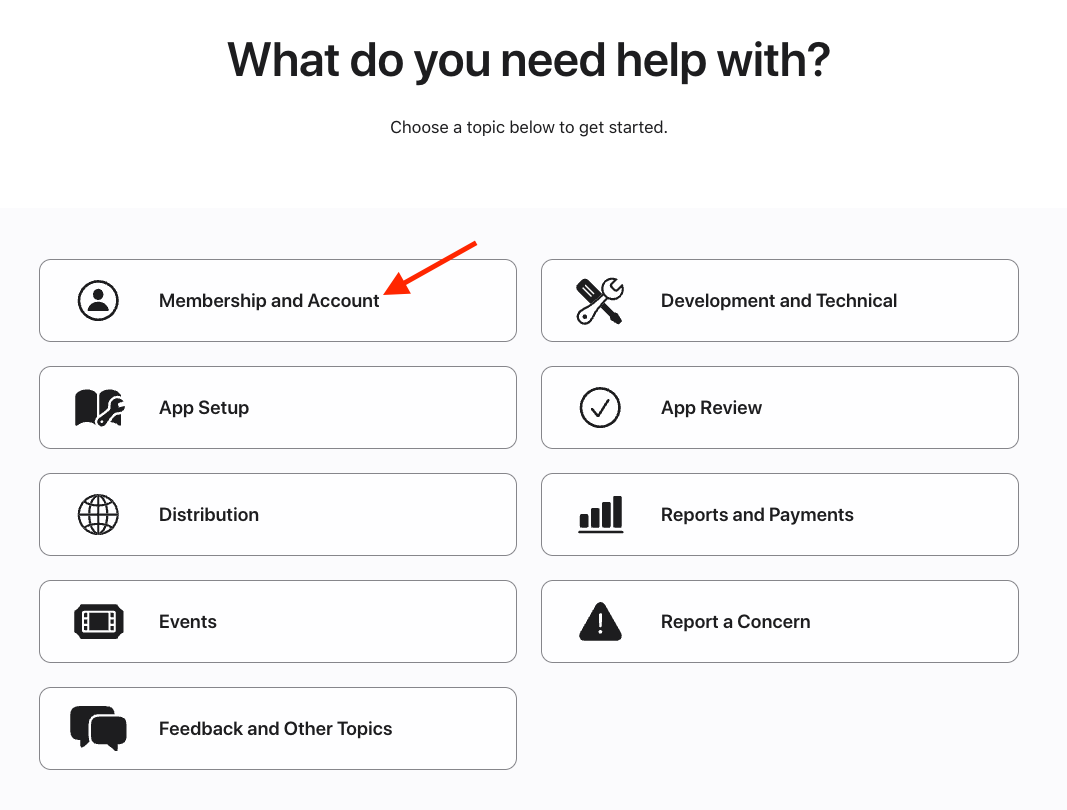
For the Topic, choose: Membership and Account.
Step 4
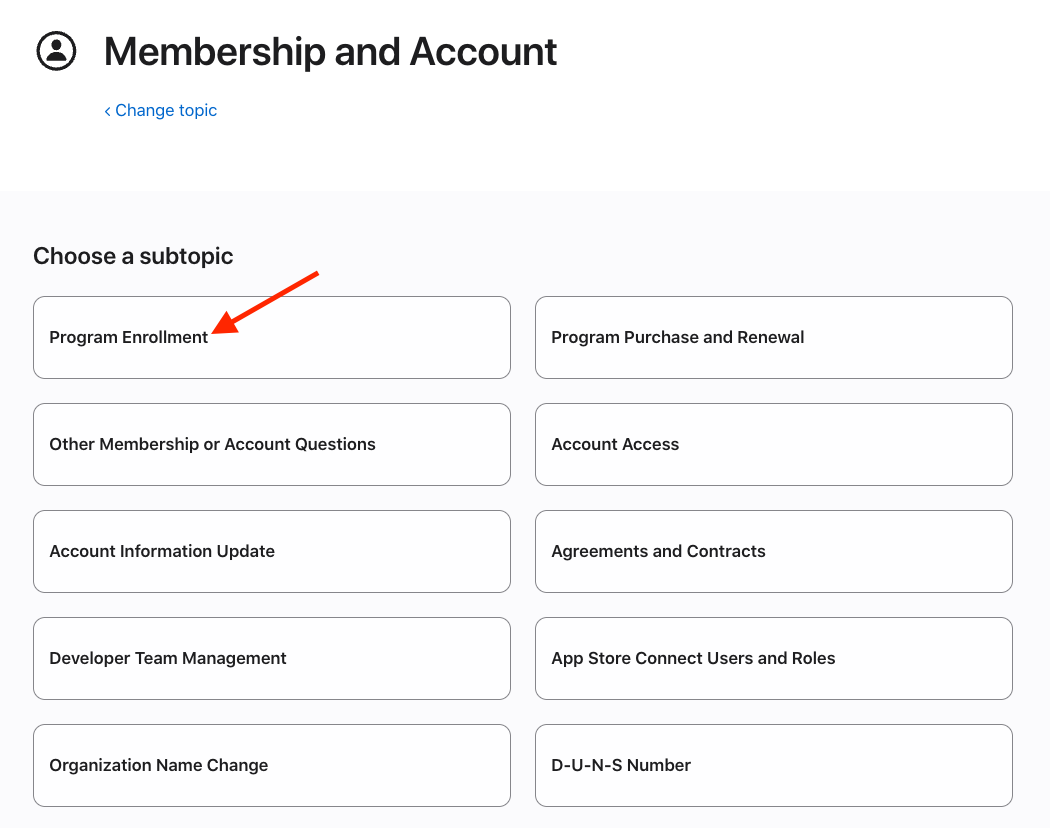
For the subtopic, select Program Enrollment.
Step 5
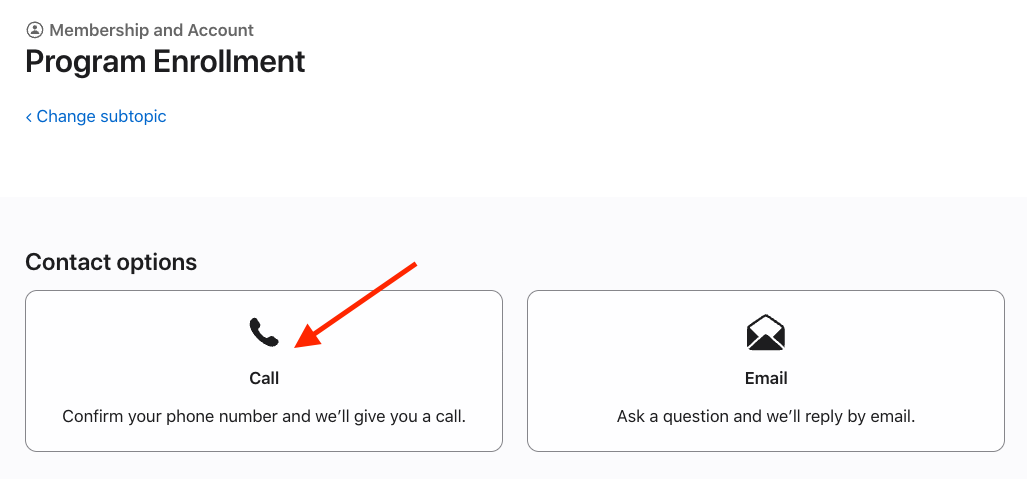
For the quickest support, select the option to be contacted by phone.
Step 6
Enter the phone number associated with your Apple ID.
After submitting the request, Apple Support typically calls within a few minutes.
Important
Only the Account Holder can contact Apple regarding enrollment delays.
If someone else in your organization enrolled in the Apple Developer Program, they must complete this process.
FAQs
When Should I Contact Apple?
You should contact Apple if:
It has been more than 5 business days since submission
You have not received a verification call or email
Your account still shows as pending
Can Lightcast contact Apple for me?
No. Due to Apple’s privacy policies, Lightcast cannot contact Apple on your behalf for enrollment delays.
What should I do after speaking with Apple?
After speaking with Apple, if you still need help moving forward, schedule time with our Customer Support team at customercare.lightcast.com