
How to publish your videos to CROSS.TV
Overview
You can publish your videos from your Media Cloud account to CROSS.TV. This is useful if you want to expand your content distribution and improve visibility on CROSS.TV.
For the best visibility on CROSS.TV, both your VOD Channel and the individual video should be set to publish there.
How it works
CROSS.TV publishing works at both the Channel level and the video level.
For the best possible exposure, your VOD Channel should be published to CROSS.TV, and the individual video should also be published to CROSS.TV from within that Channel. When both settings are enabled, your VOD Channel can be promoted under TV Shows on CROSS.TV.
CROSS.TV is an independent social network and uses its own branded player. Videos published to CROSS.TV do not use your customized Lightcast player. This is similar to how Facebook and YouTube use their own native players instead of your Lightcast player.
Instructions
Step 1
Upload your video to your Media Cloud account.
Step 2
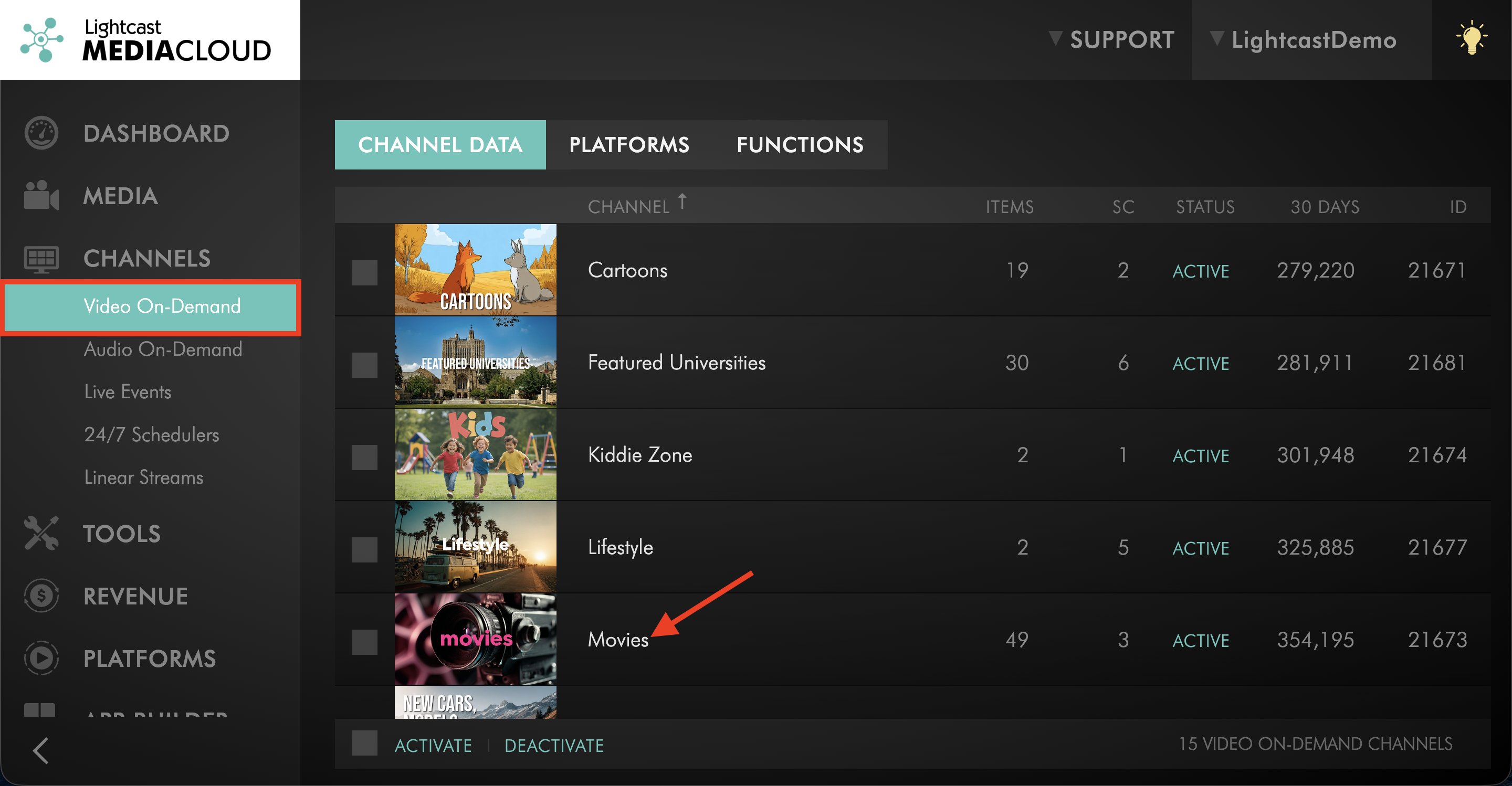
Navigate to CHANNELS and select a VOD Channel in your Media Cloud account.
Step 3
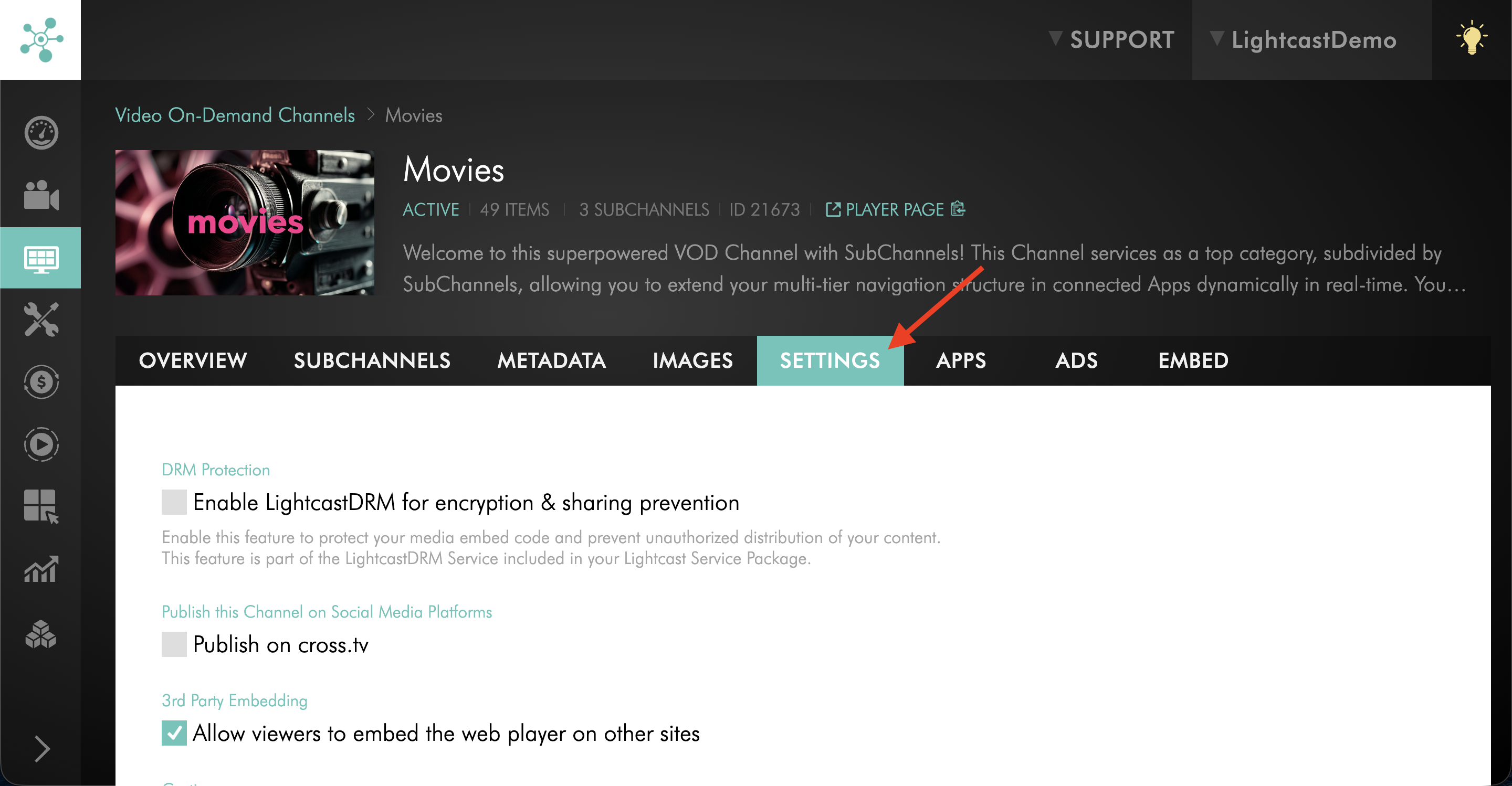
Switch to the SETTINGS tab.
Step 4
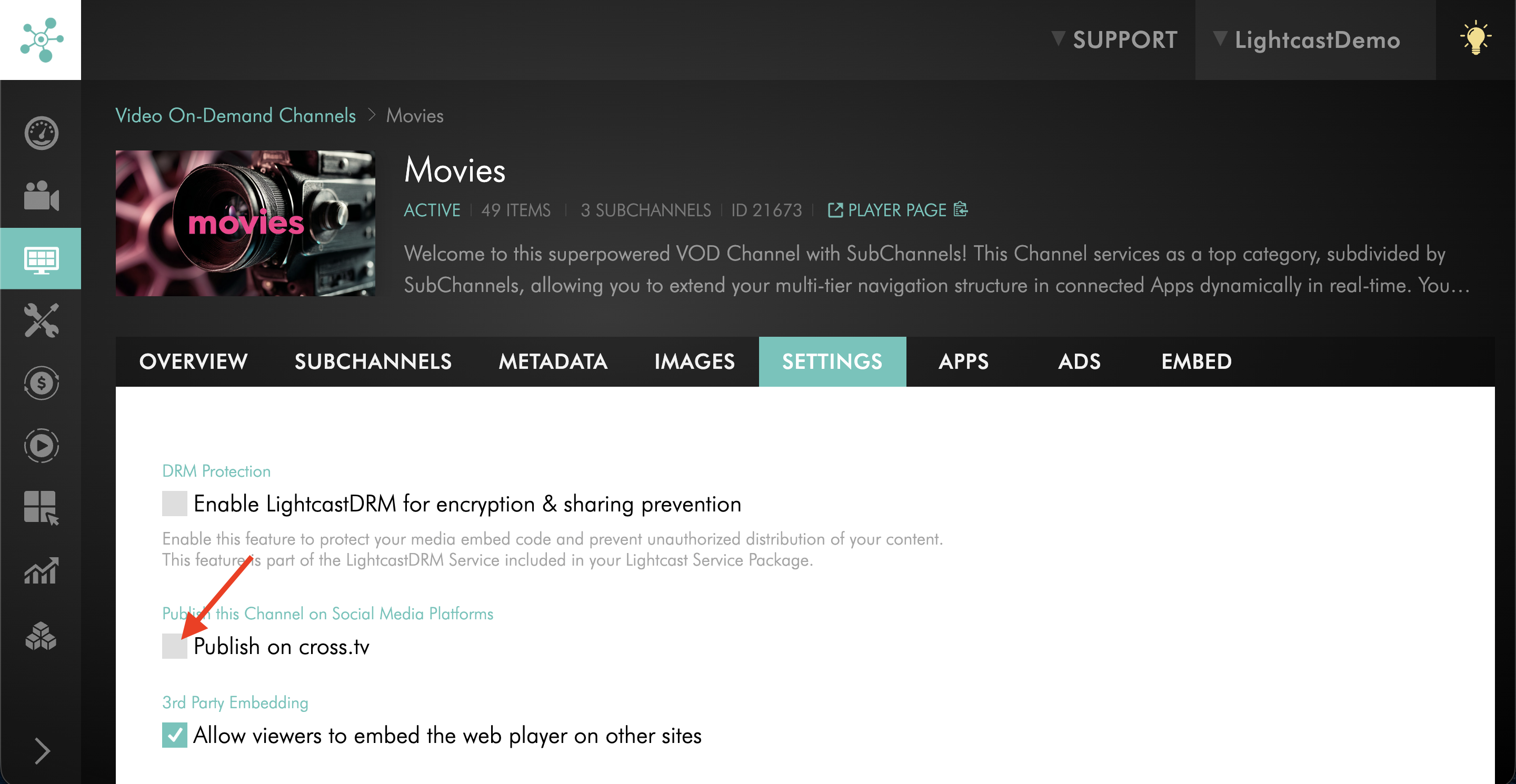
Check the box next to Publish on cross.tv.
Step 5
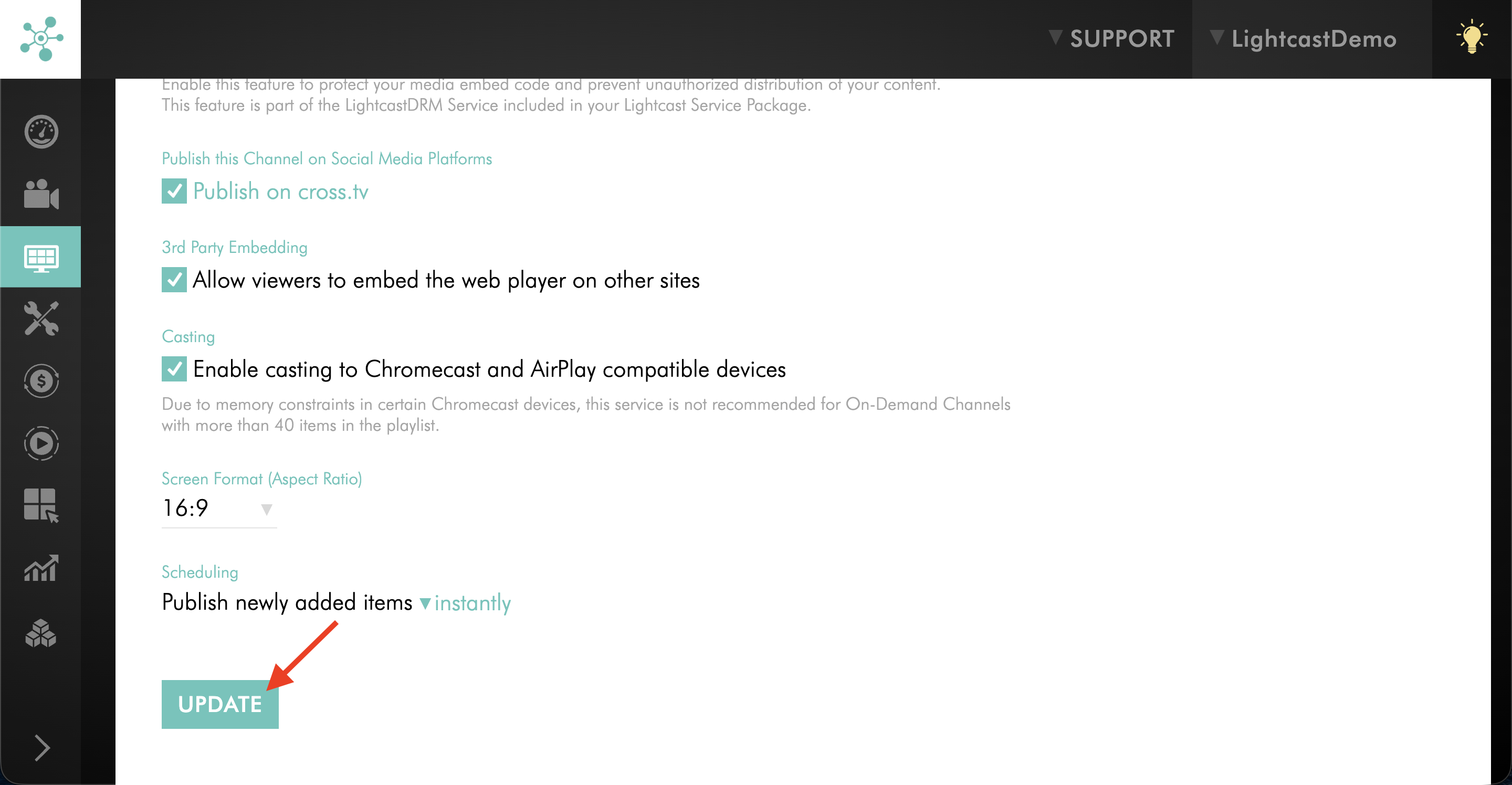
Click UPDATE to save your changes.
Step 6
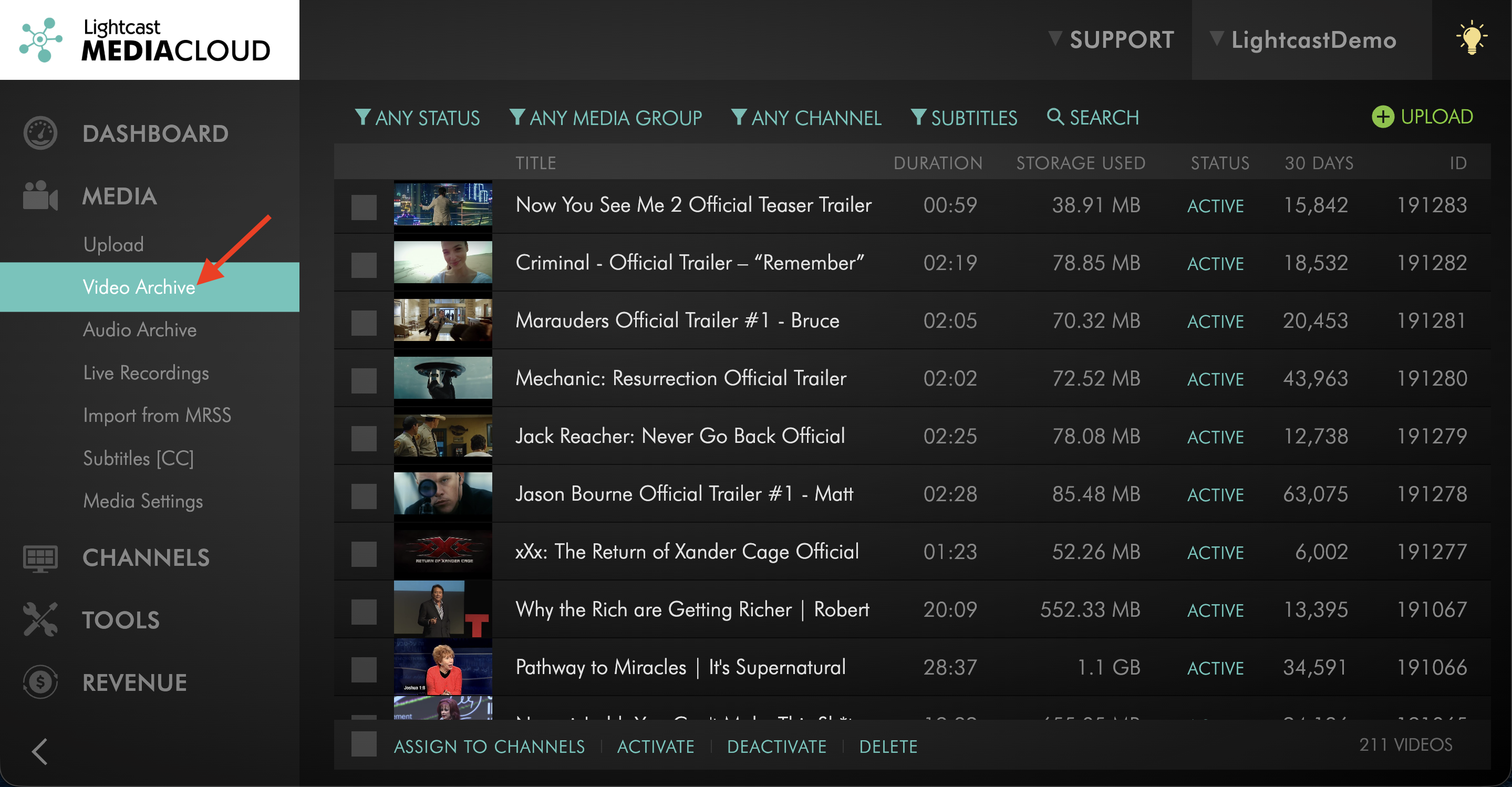
Switch to MEDIA and click on Video Archive.
Step 7
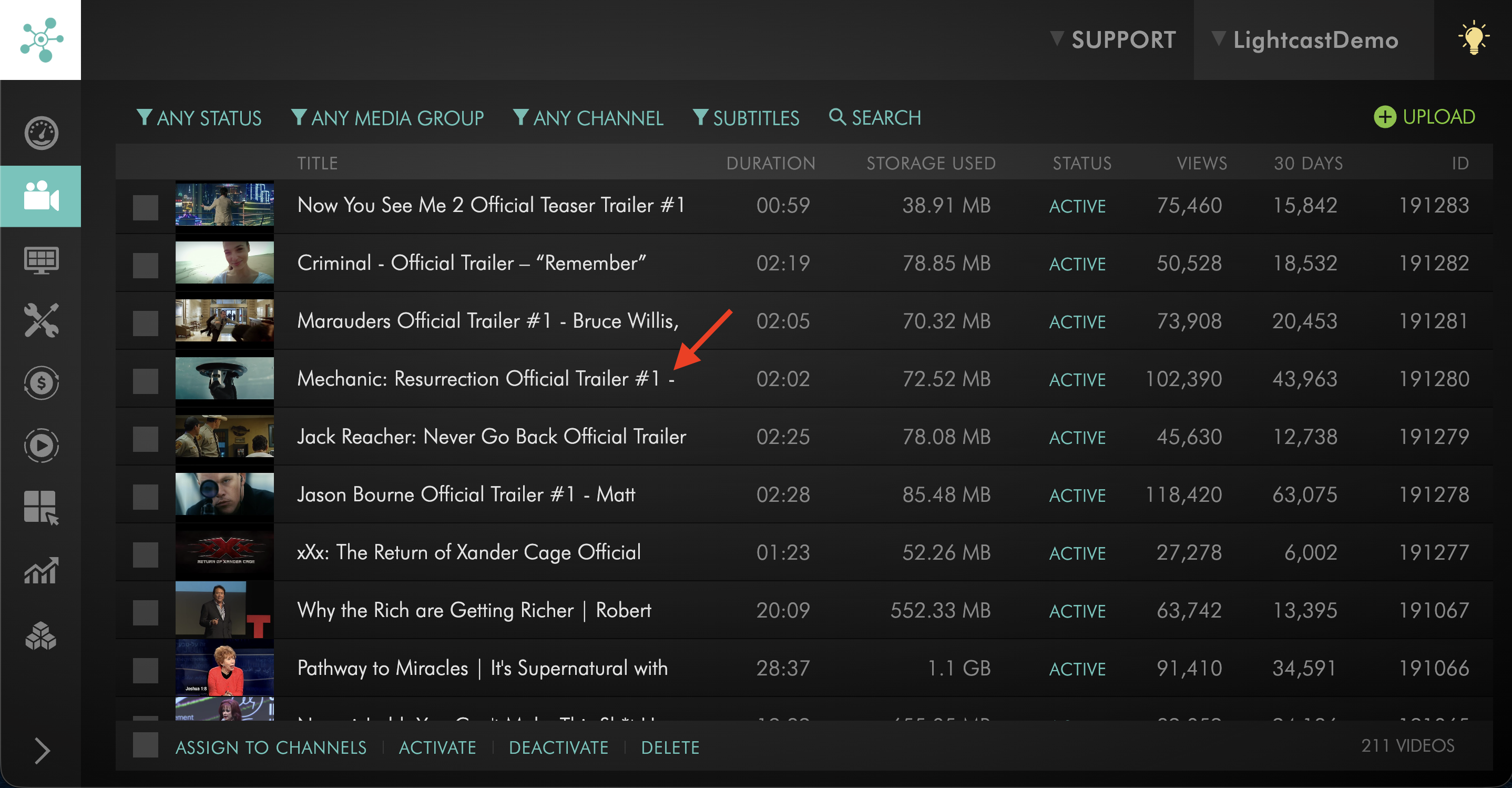
Open the video you want to publish on CROSS.TV.
Step 8
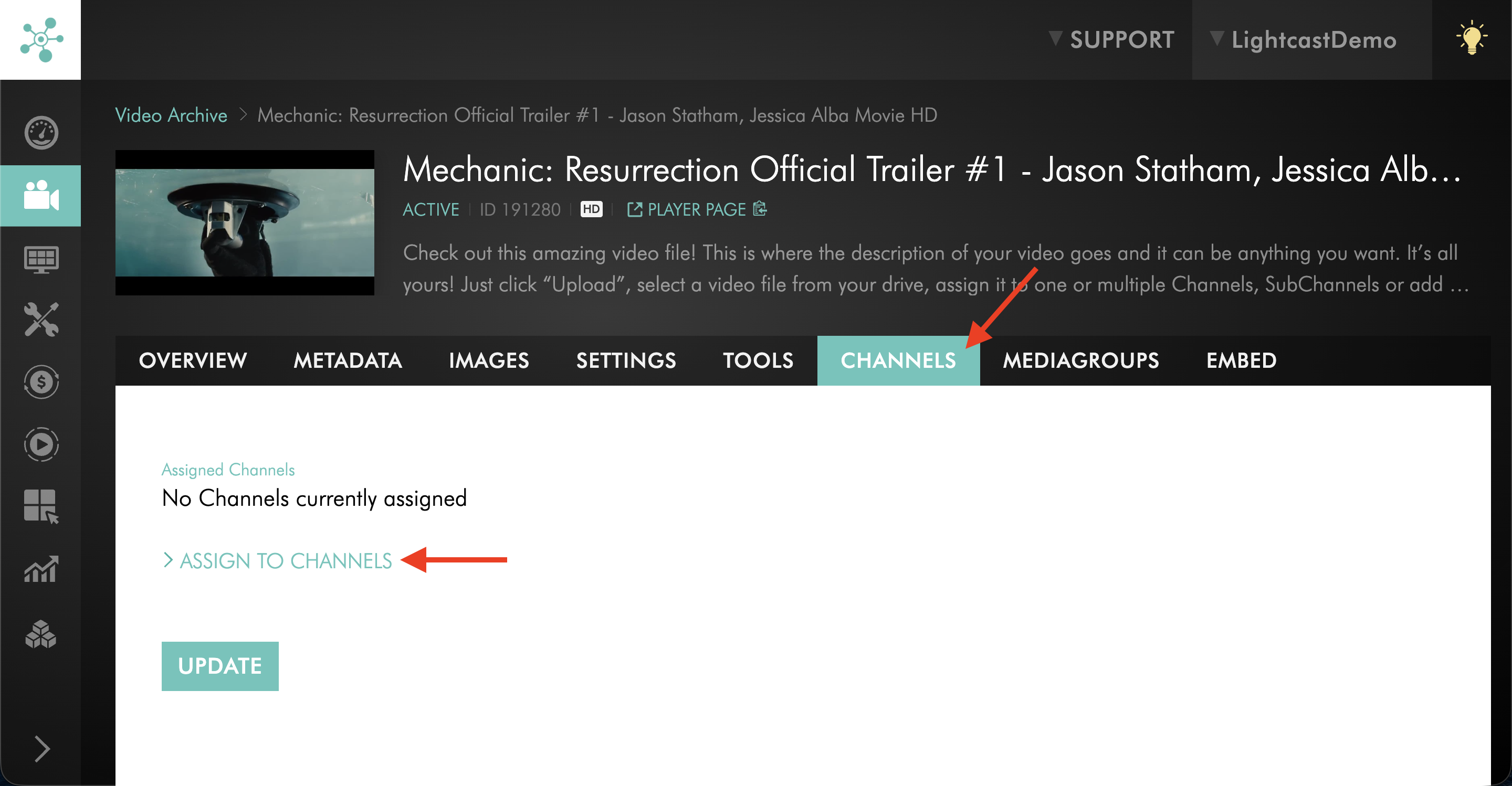
On the CHANNELS tab, click ASSIGN TO CHANNELS.
Step 9
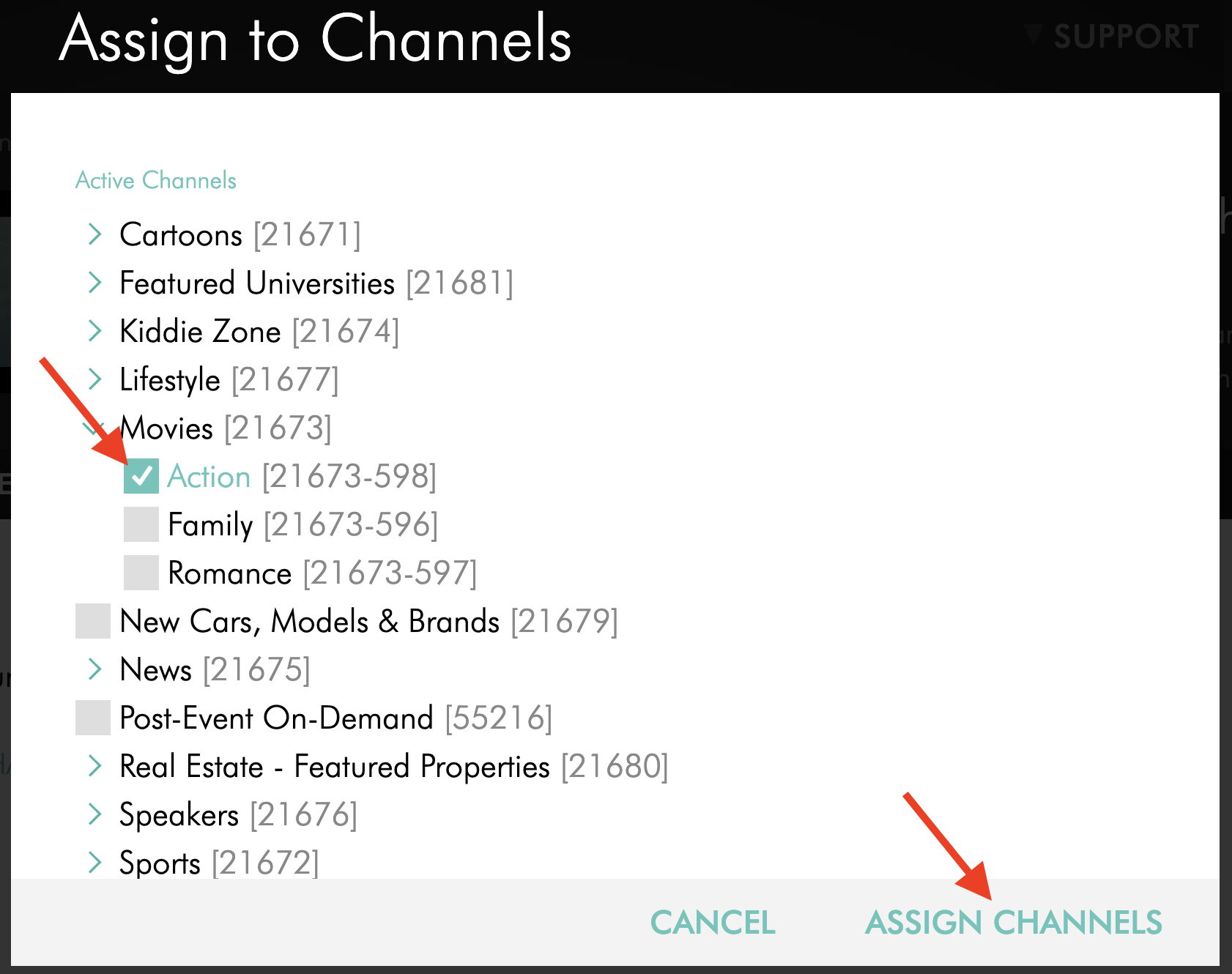
Assign the video to the VOD Channel that is already set to publish on CROSS.TV.
Step 10
Click UPDATE to save the changes.
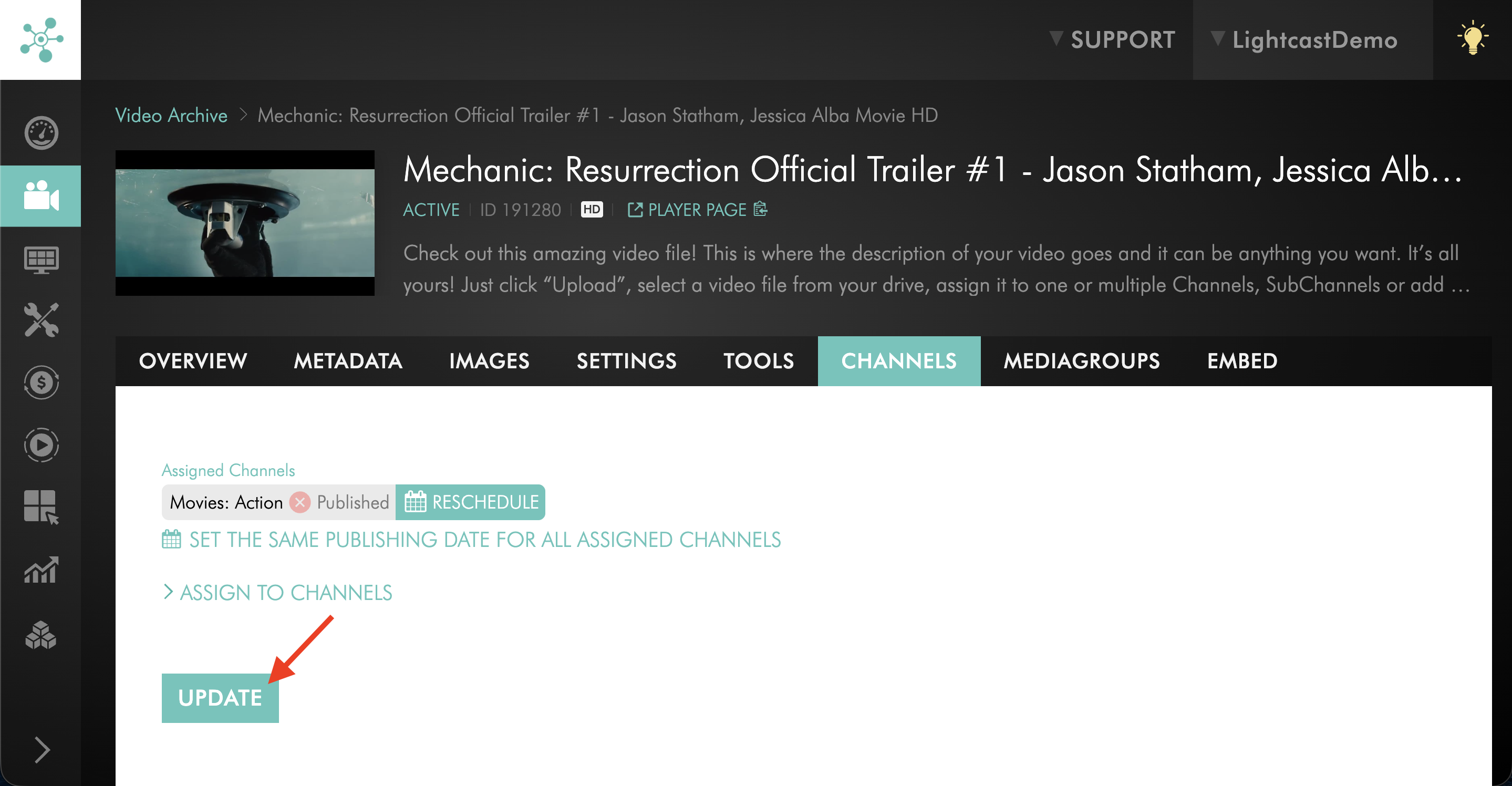
Step 11
Switch to the SETTINGS tab.
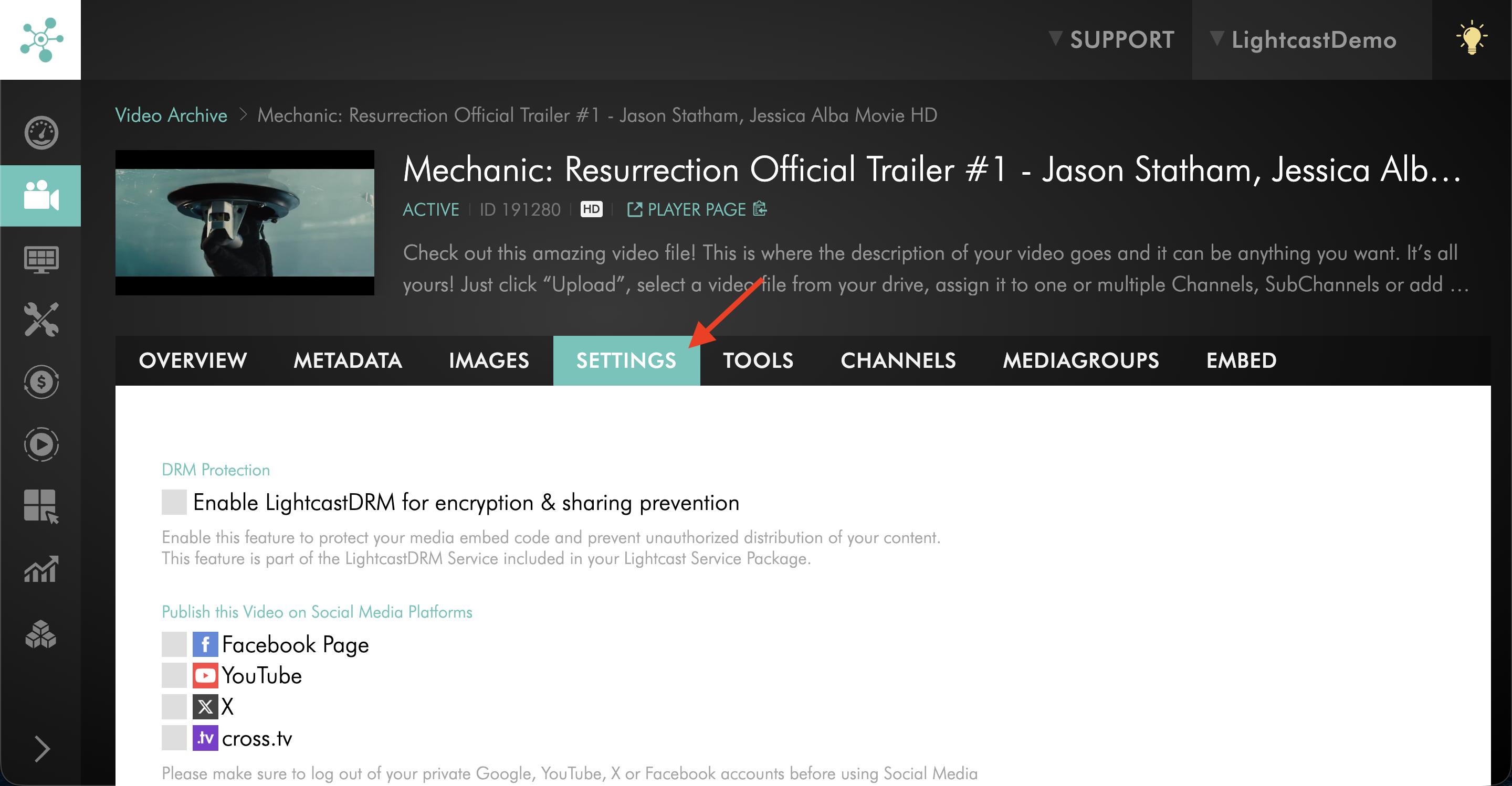
Step 12
Under Publish this Video on Social Media Platforms, check the box next to Publish on cross.tv.
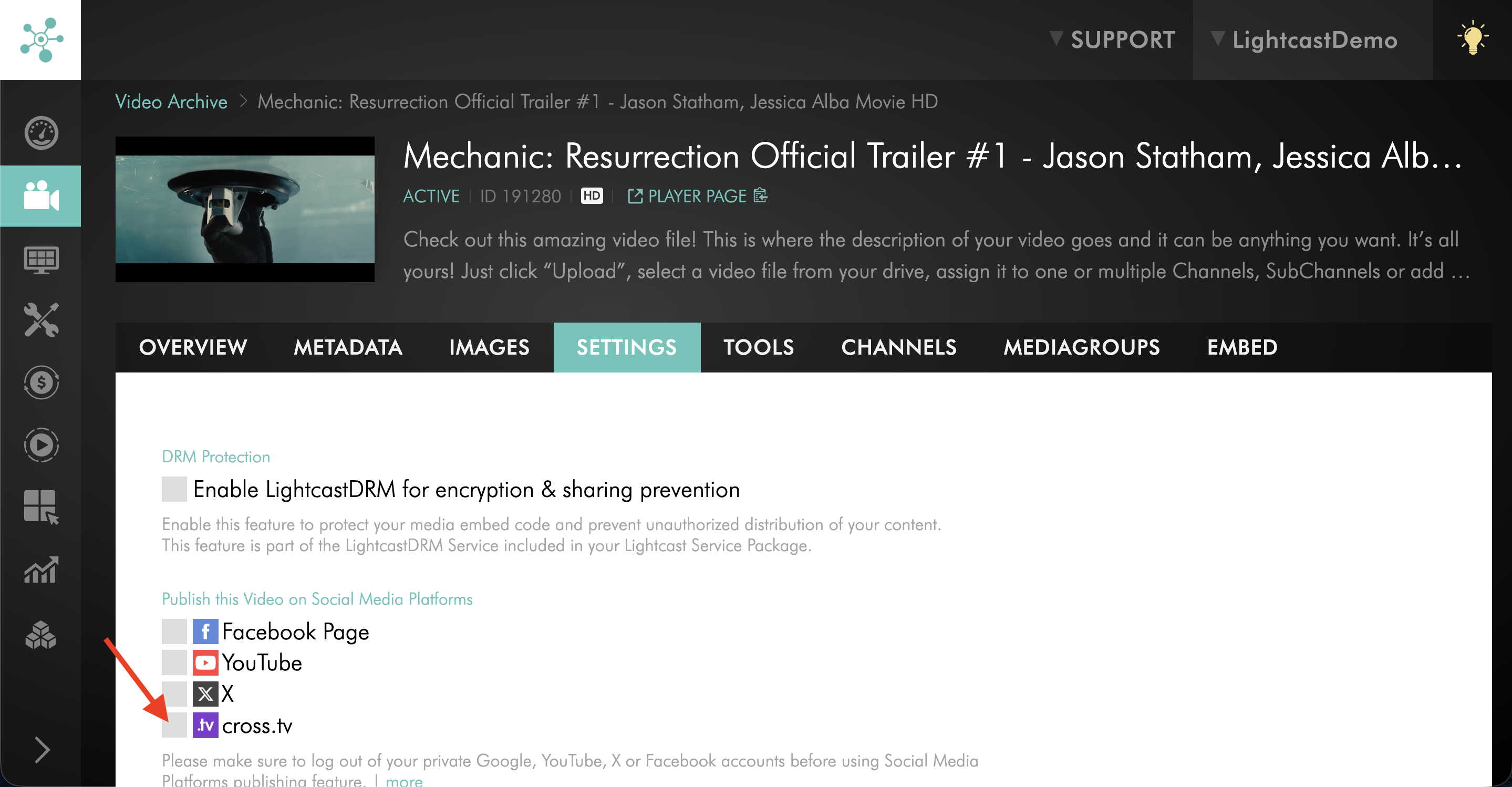
Step 13
Click UPDATE to save your changes.
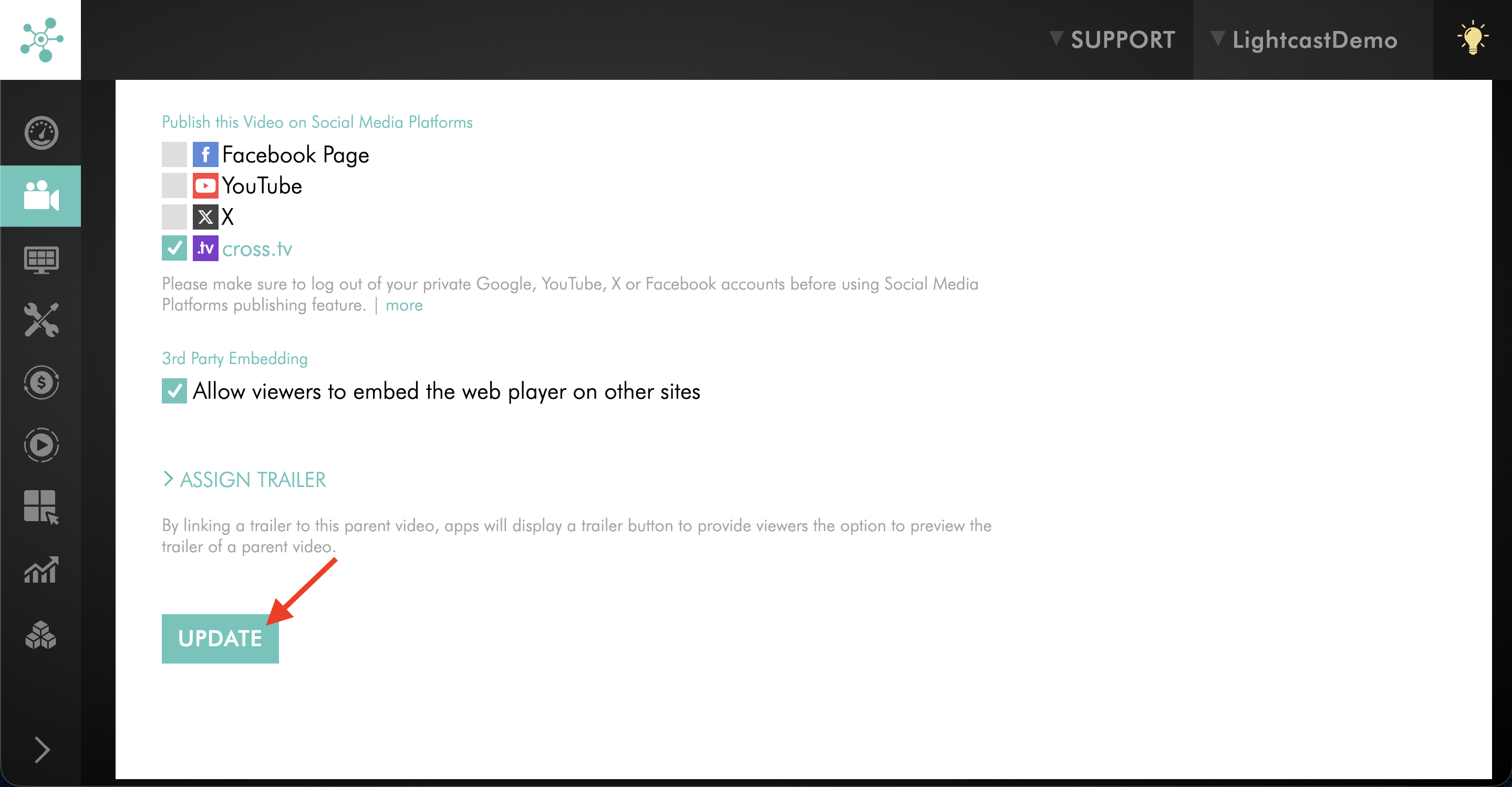
FAQs
Do I need to publish both the VOD Channel and the video to CROSS.TV?
Yes. For the best possible exposure on CROSS.TV, both the VOD Channel and the individual video should be published to CROSS.TV.
Why does CROSS.TV not use my customized player?
CROSS.TV uses its own branded player because it is an independent social network. Videos published there do not use your customized Lightcast player.
Is there a way to combine an existing CROSS.TV account with a new Lightcast account?