
How to publish your videos to X
Overview
You can publish your on-demand videos from your Media Cloud account directly to X. This is useful if you want to extend your content distribution to another social media platform without manually uploading each video.
Publishing to X is managed from the individual video settings in your Video Archive.
How it works
X publishing is managed from the SETTINGS tab of an individual video in your Video Archive.
To use this feature, you must connect your X account to the video you want to publish. Once the account is connected, eligible videos can be published directly to your X profile through X’s API integration.
X imposes a video length limit of 10 minutes for this publishing workflow. If a video is longer than 10 minutes, it cannot be published to X and the publishing option will be inactive for that video.
This limitation does not change for premium X accounts. Videos are published from the Media Cloud to X through X’s API, and X does not allow extended premium upload limits through that API connection.
Instructions
Step 1
Upload your video to your Media Cloud account.
Step 2
Open the uploaded video from your Video Archive.
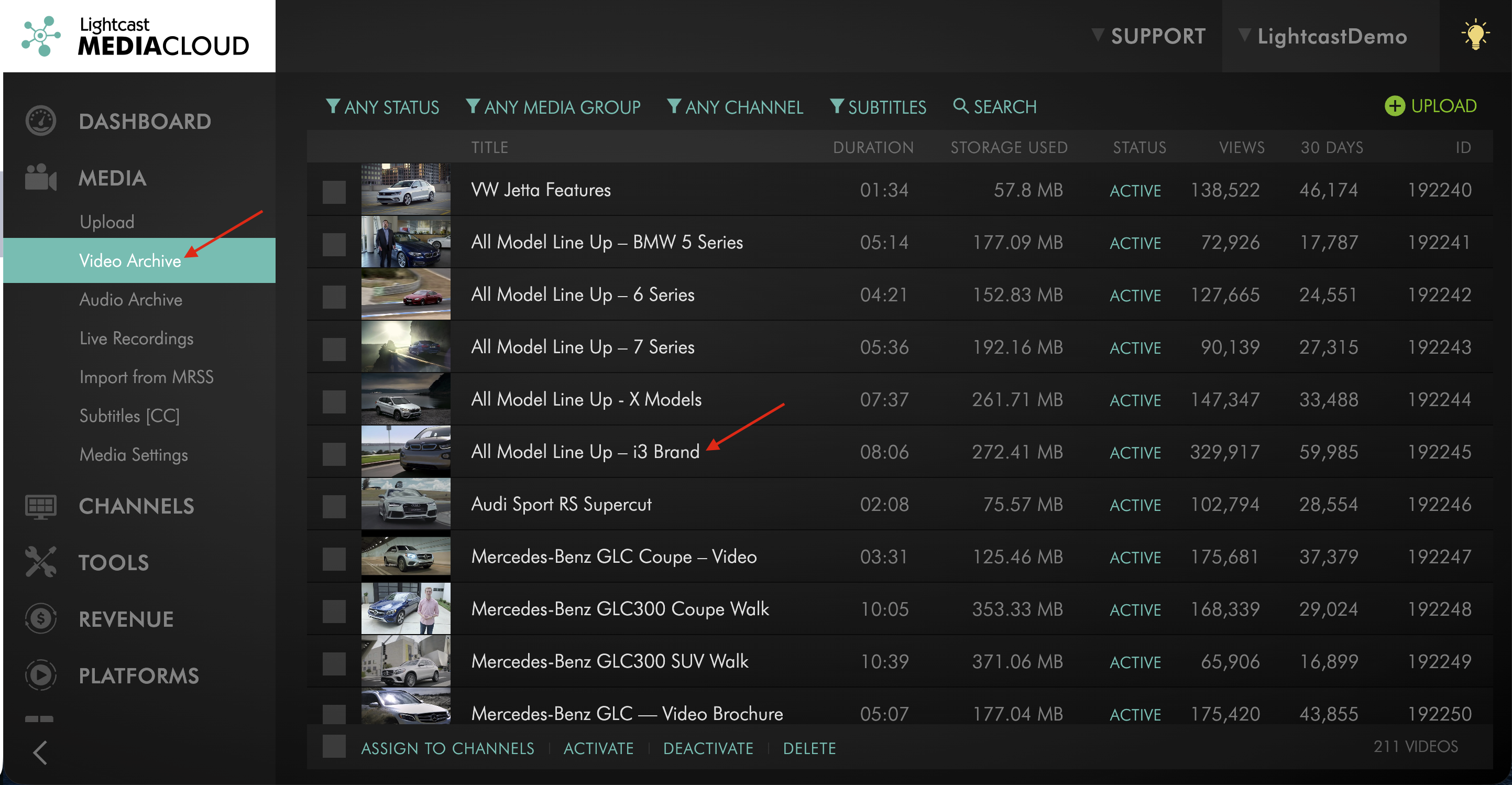
Step 3
Go to the video's SETTINGS tab.
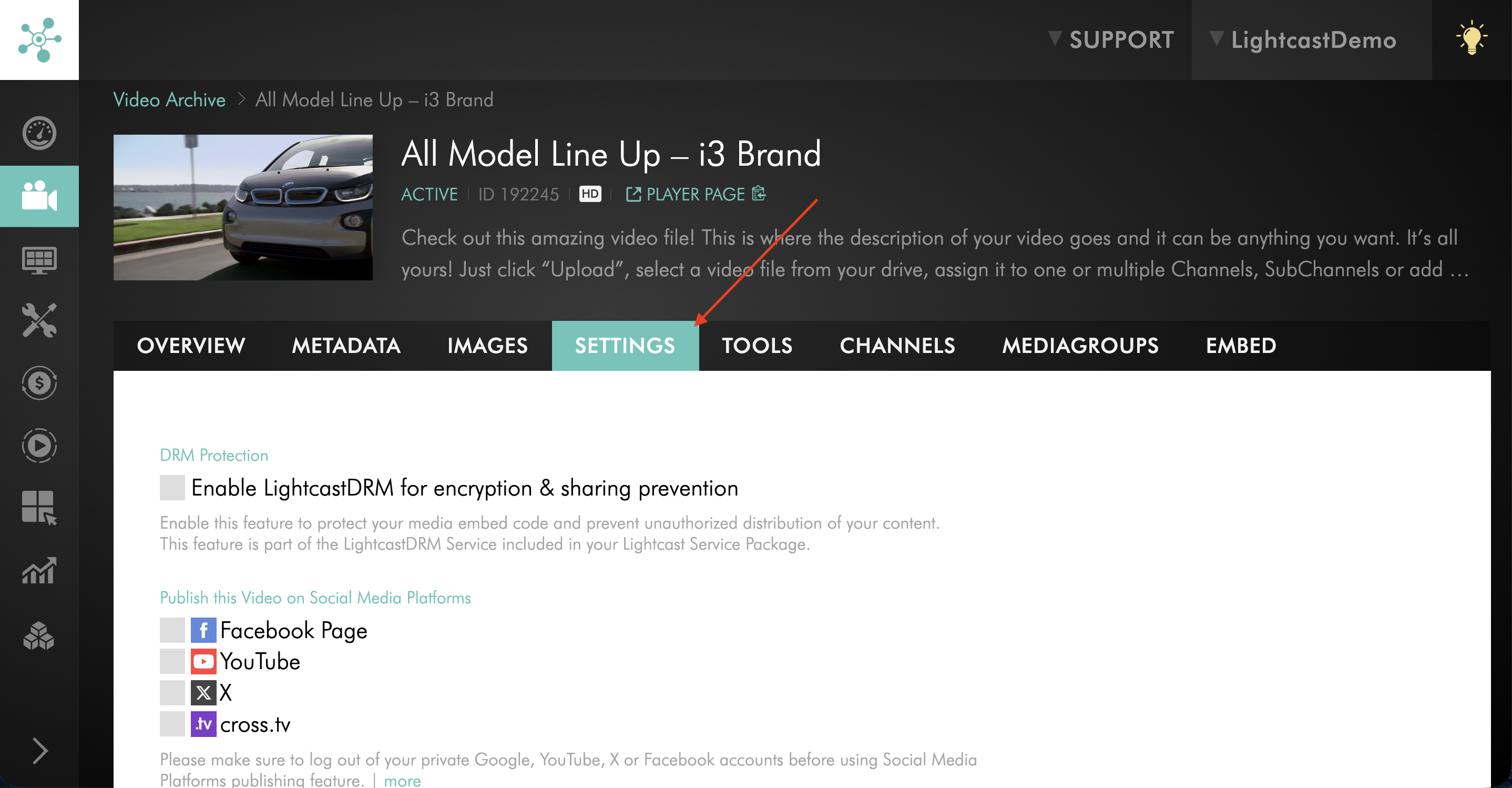
Step 4
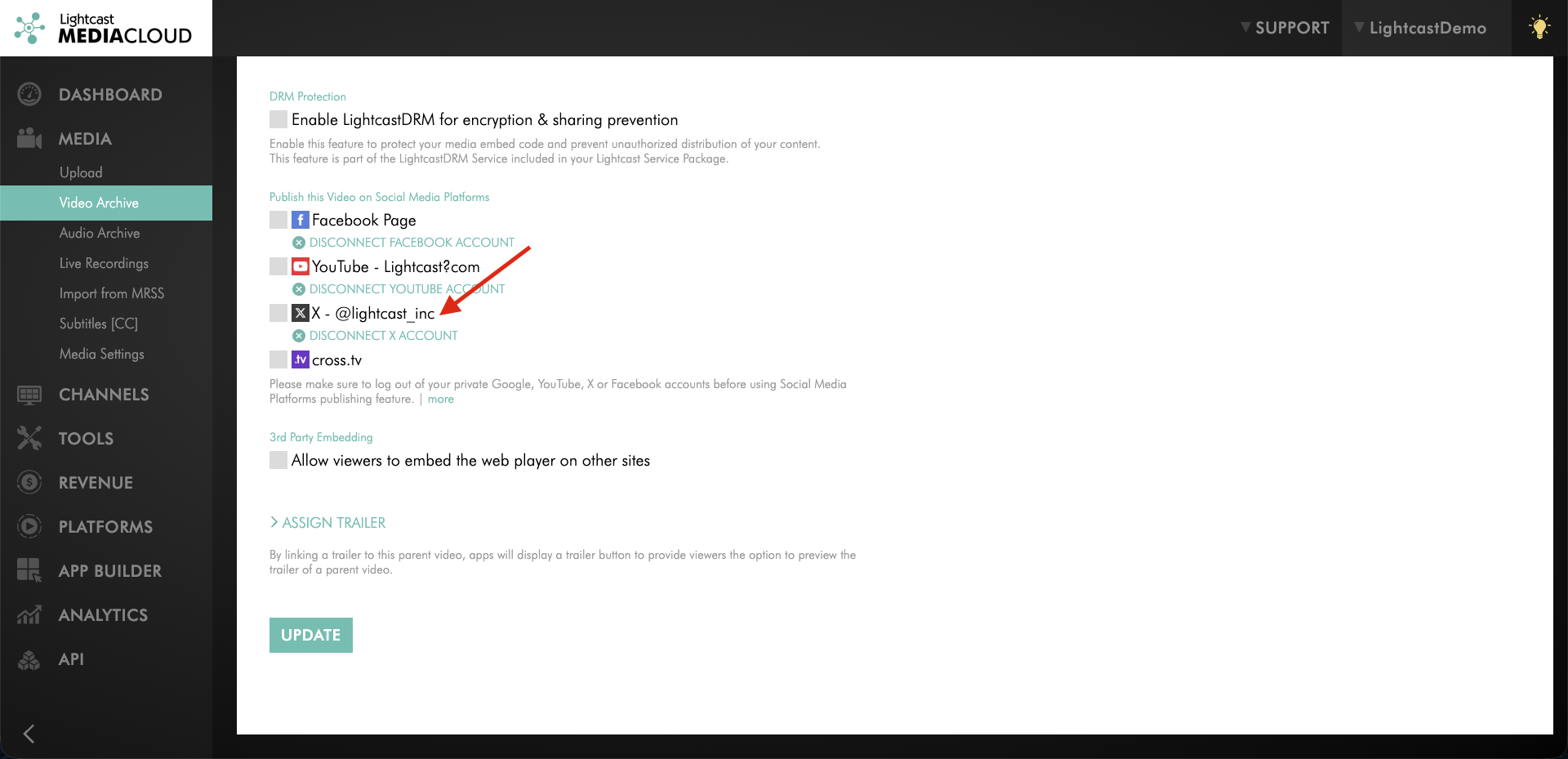
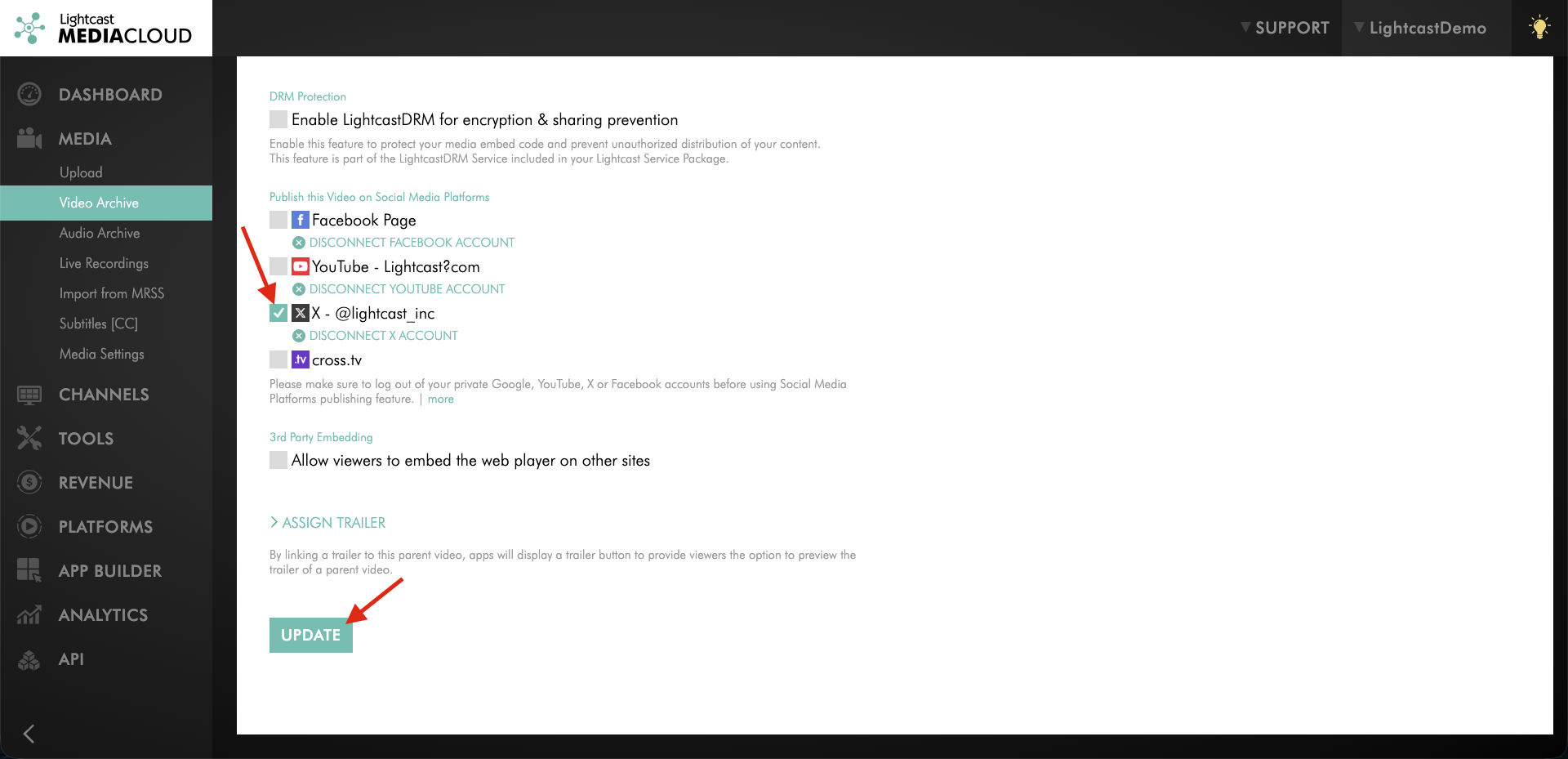
Under Publish this Video on Social Media Platforms, check the box next to X.
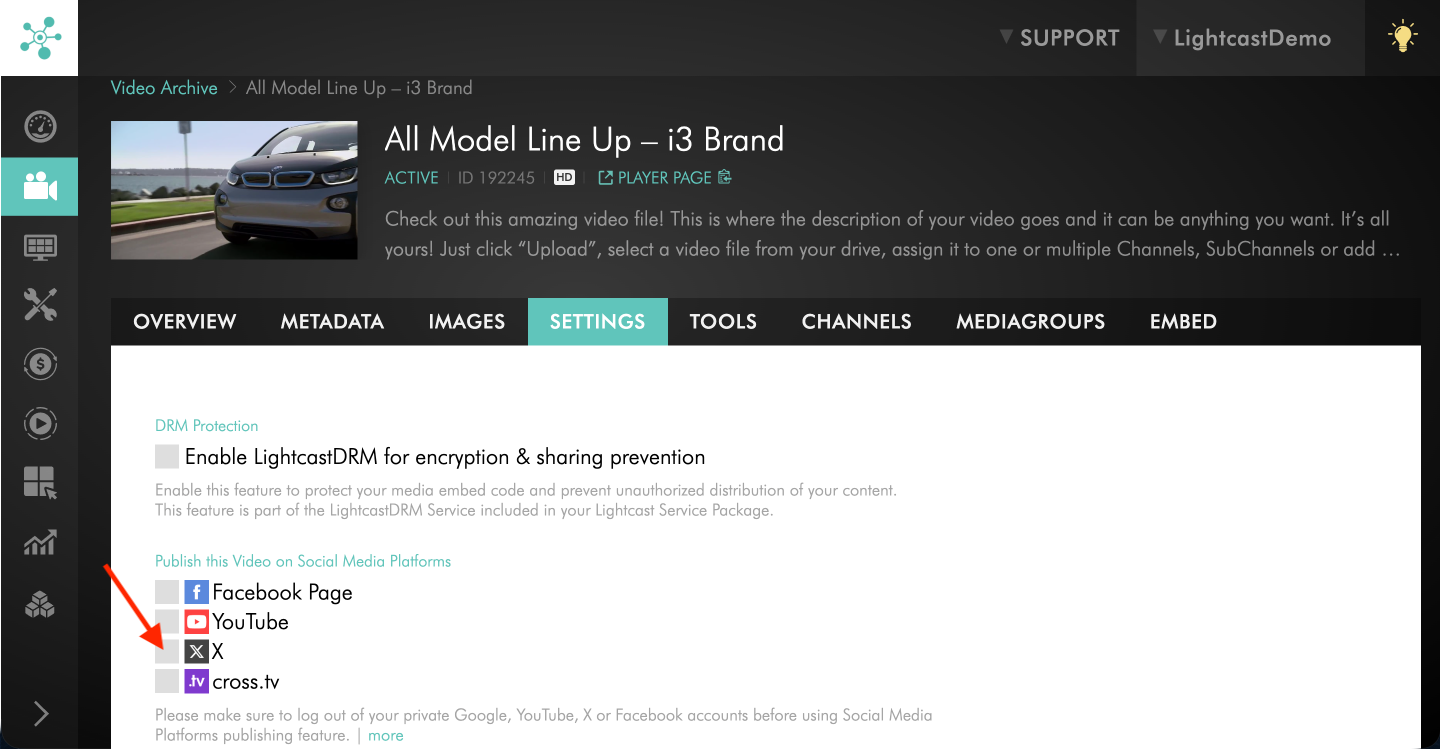
Step 5
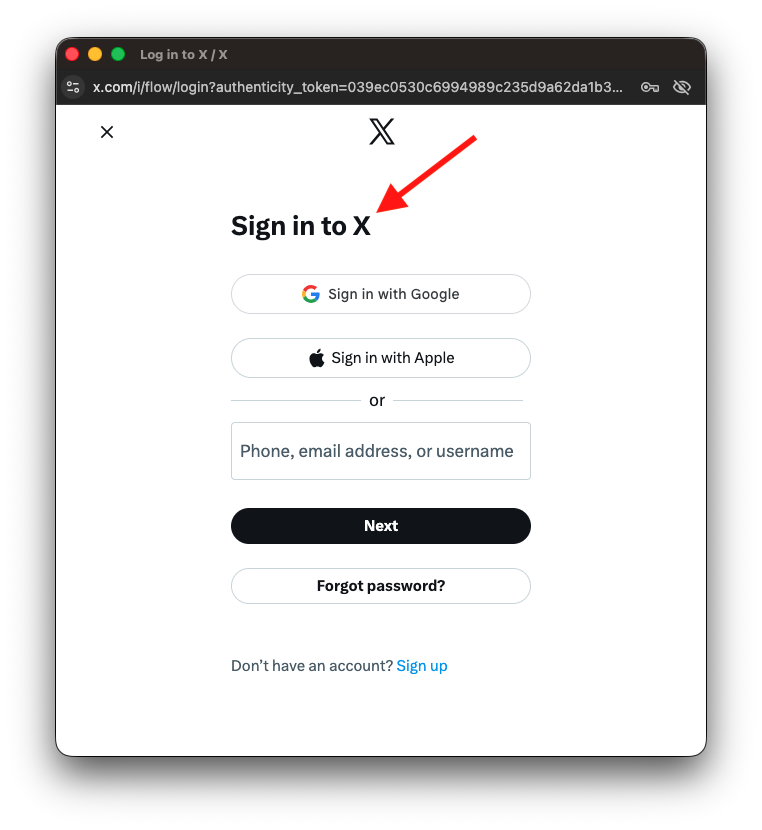
In the pop-up window that appears, click Sign In.
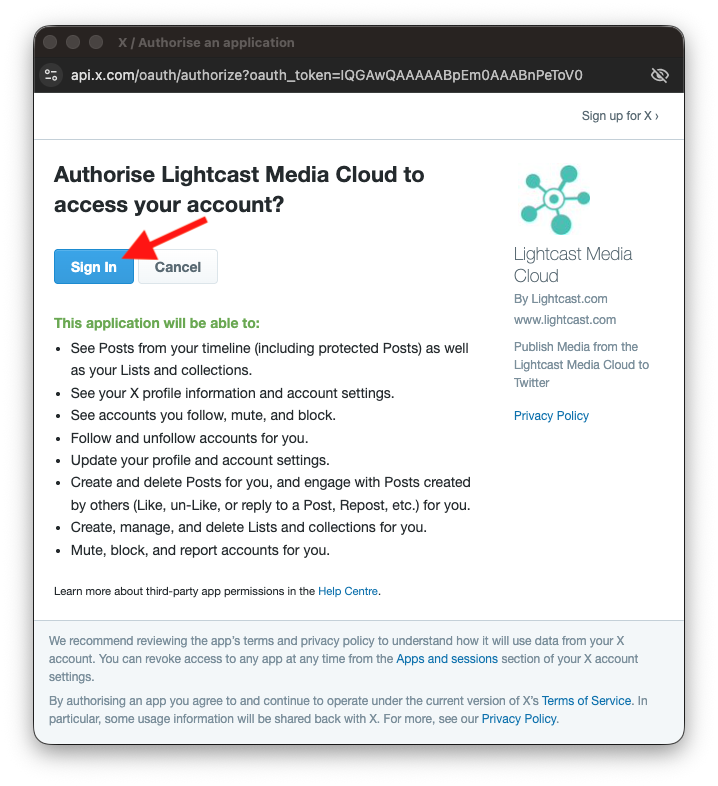
Step 6
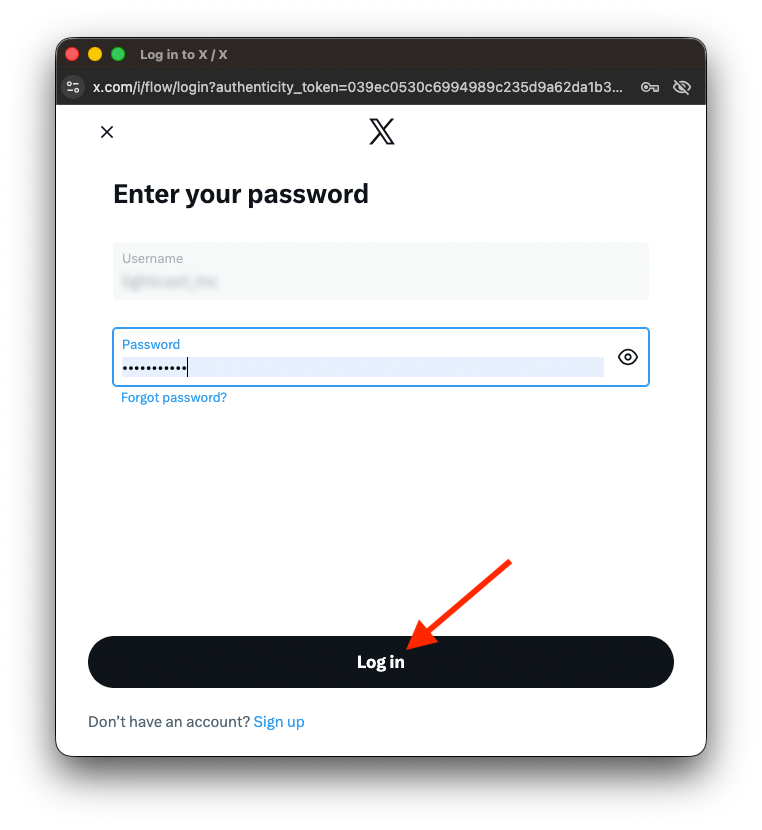
Log in to your X account.
Step 7
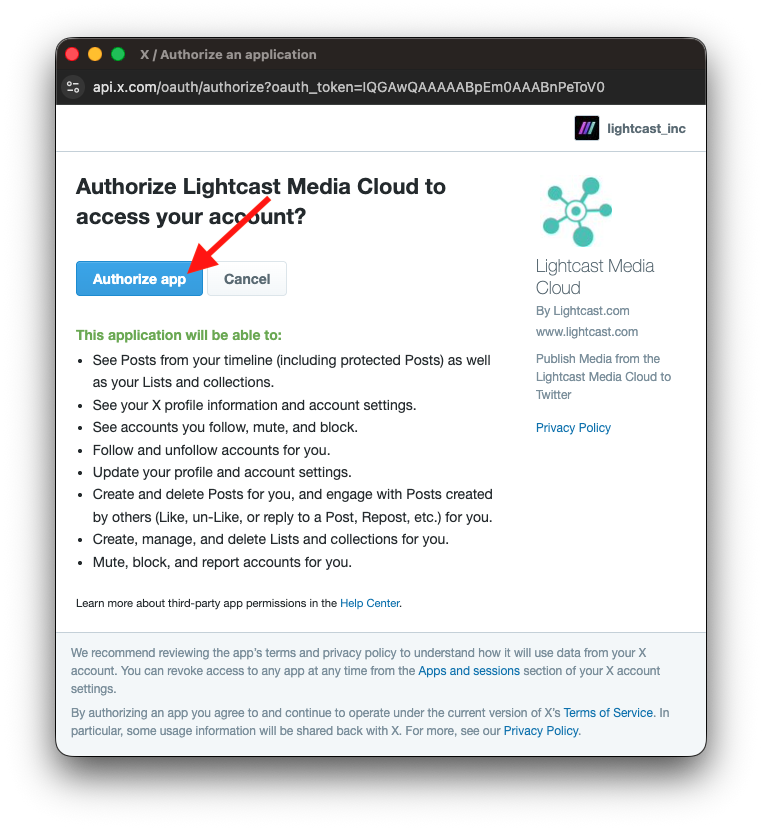
Click Authorize app to allow the Media Cloud to access your X account.
Step 8
Once the connection is complete, return to your Media Cloud account and confirm that your X account name appears next to X.
Step 9
Check the box next to X and click UPDATE to save your changes and publish the video to X.
FAQs
Why is the X publishing option unavailable for my video?
The most likely reason is that the video is longer than 10 minutes. X only allows videos up to 10 minutes long to be published through this integration.
Does the 10-minute limit change if I have a premium X account?
No. The 10-minute limit still applies when publishing from the Media Cloud to X because videos are sent through X’s API, and X does not allow the higher premium upload limits through that API connection.
Which metadata is transferred to X?
The video title and description are transferred to X when publishing from the Media Cloud.
Pricing
X Publishing is available on POWER packages and up.
If you don't have access to this feature, you can upgrade to one of our latest plans or contact your account manager.