
How to unassign or remove a video from a Video On-Demand (VOD) Channel
Overview
This article explains how to remove video content from a Video On-Demand (VOD) Channel playlist in the Media Cloud.
When to use this article
Use this article when you want to remove video content from a VOD Channel playlist in the Media Cloud.
This article is helpful when you want to:
remove one or more video items from a VOD Channel playlist
unassign an individual video item from a VOD Channel by using that item’s CHANNELS tab
How it works
A Video On-Demand (VOD) Channel in the Media Cloud is used to organize and deliver on-demand video content.
To learn more about how VOD Channels work, see Understanding Video On-Demand (VOD), Audio On-Demand (AOD), and LIVE Channels (and Channel IDs).
When you remove a video from a VOD Channel playlist, the video is removed from that Channel assignment. This does not delete the video from the Media Cloud’s Video Archive.
When you unassign a video from its CHANNELS tab, the result is the same. The video is removed from that VOD Channel assignment, but the media item remains in your Video Archive unless you delete it separately.
If a video is assigned to multiple Channels, removing it from one Channel does not remove it from the others.
Instructions
Option 1: Remove video items from a VOD Channel playlist
Step 1
Log in to your Media Cloud account.
Step 2
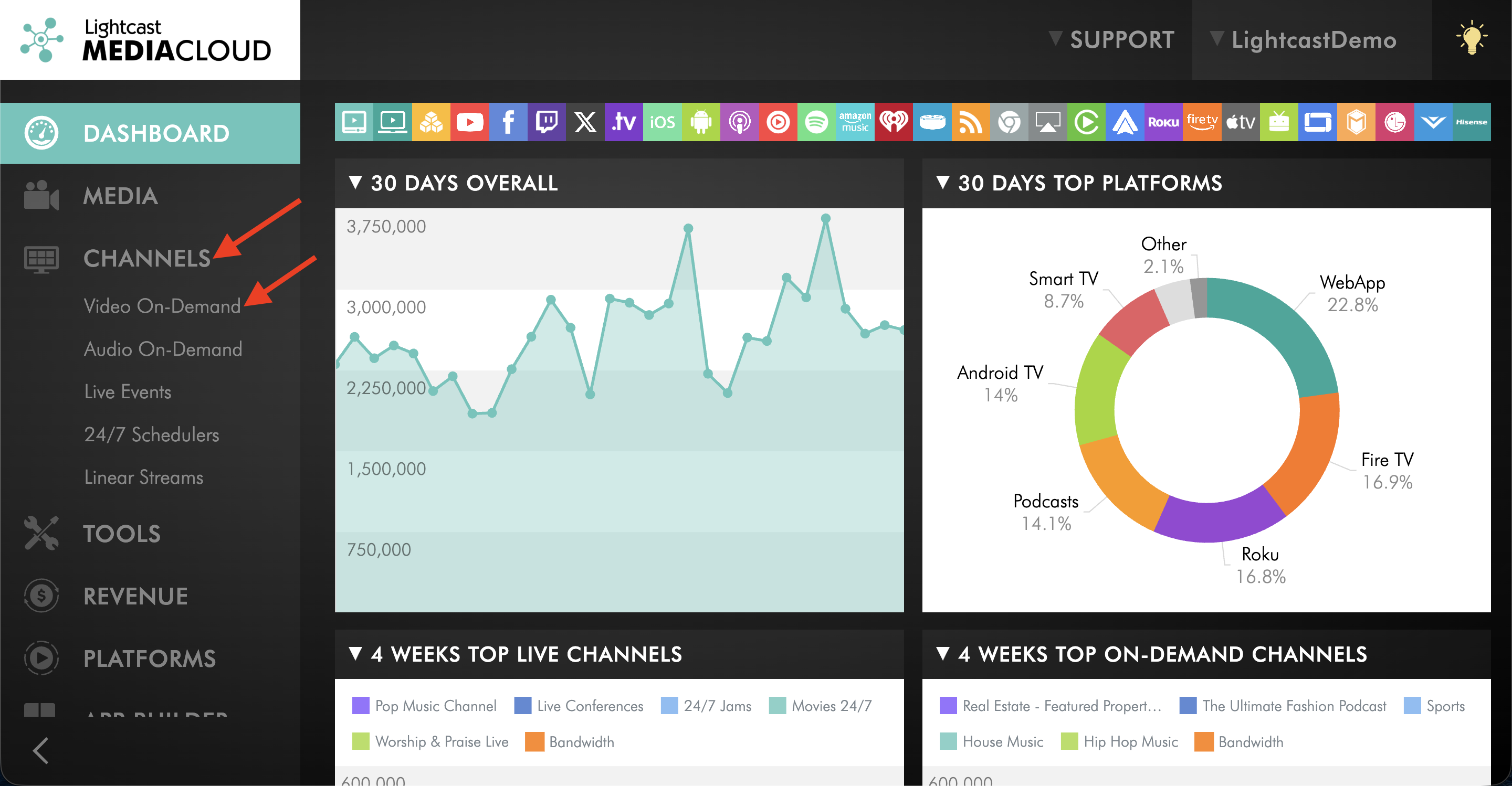
Go to CHANNELS and then Video On-Demand.
Step 3
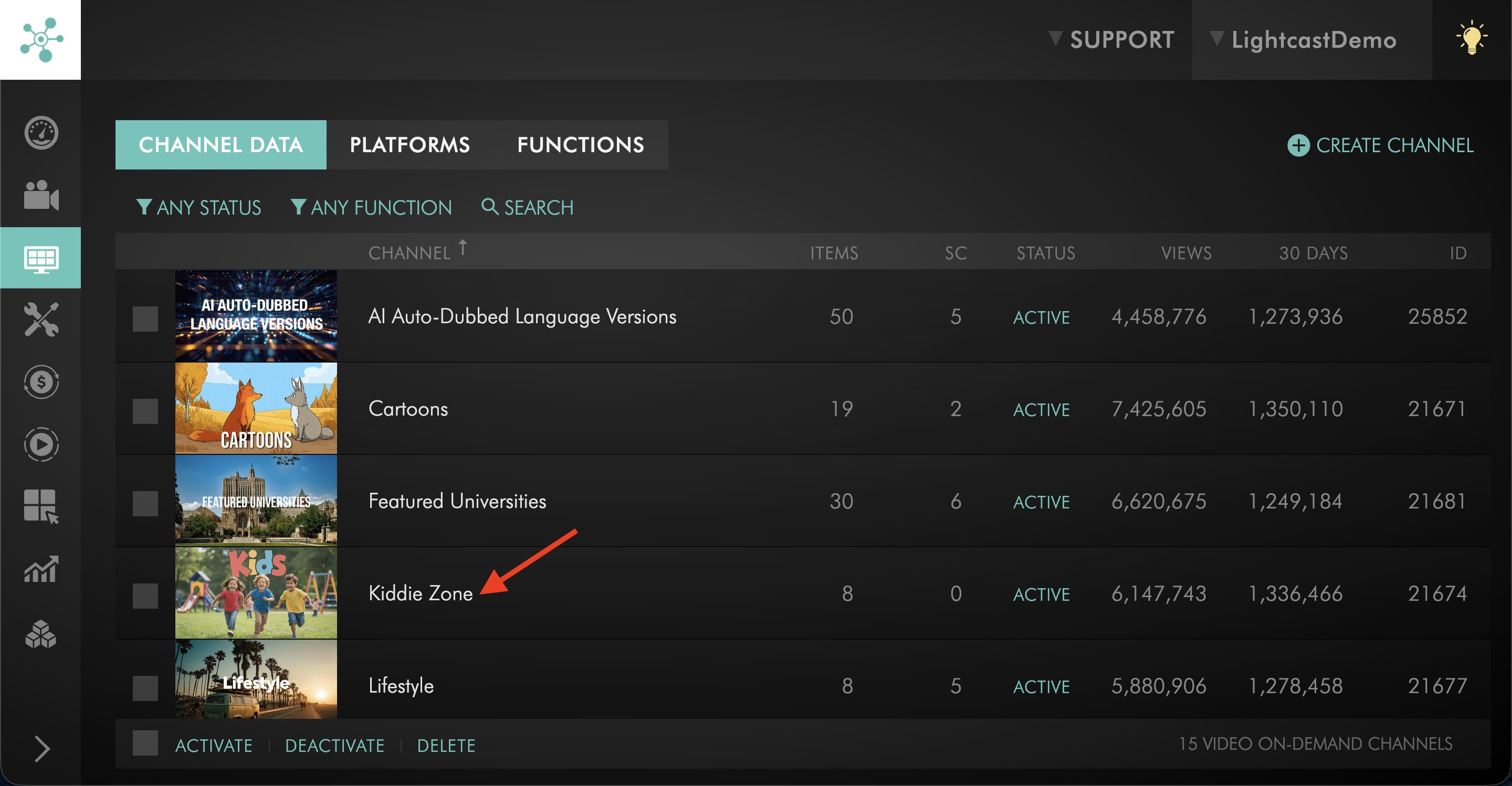
Select the VOD Channel that contains the video items you want to remove.
Step 4
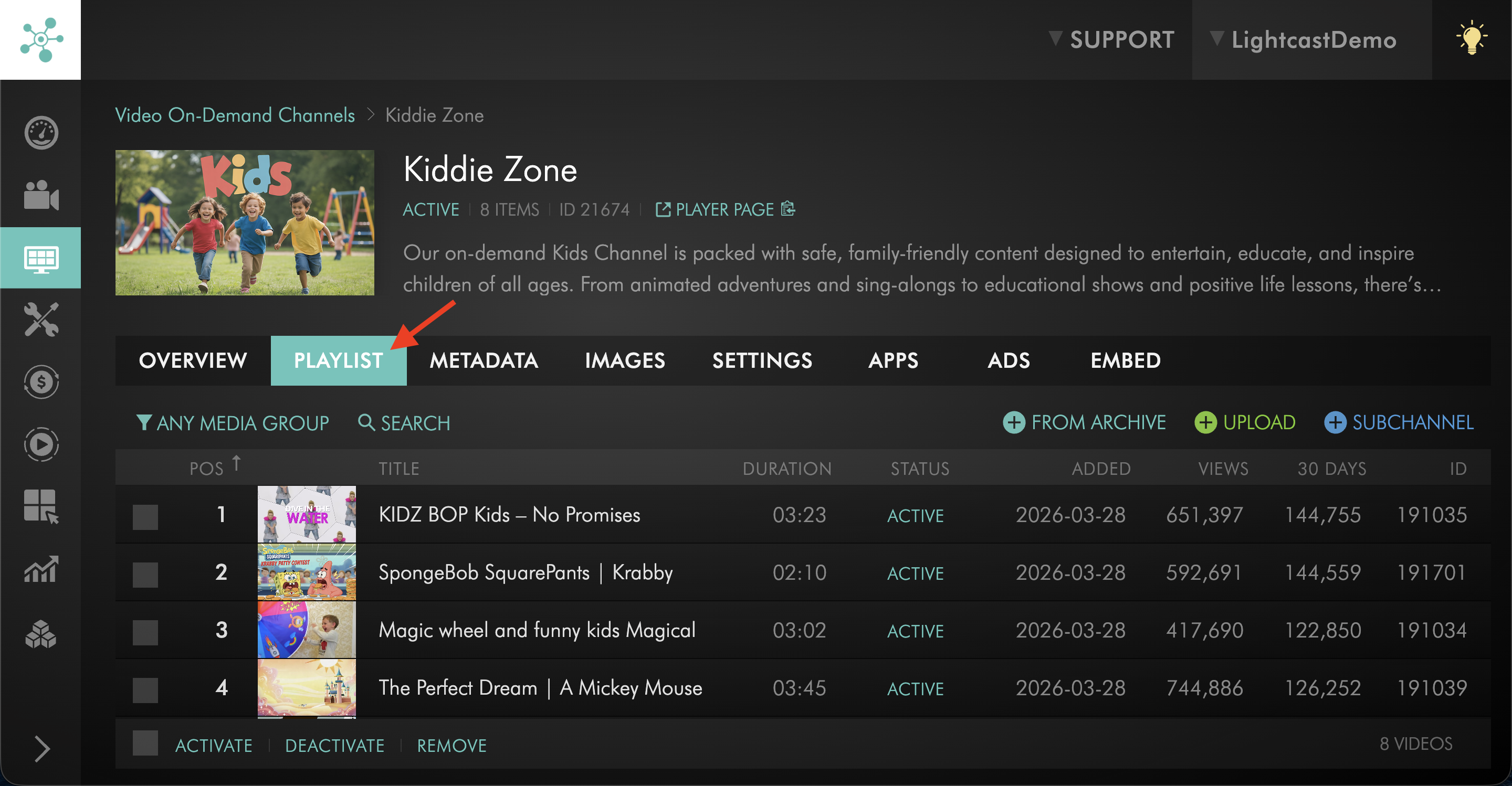
Click the PLAYLIST tab.
Step 5
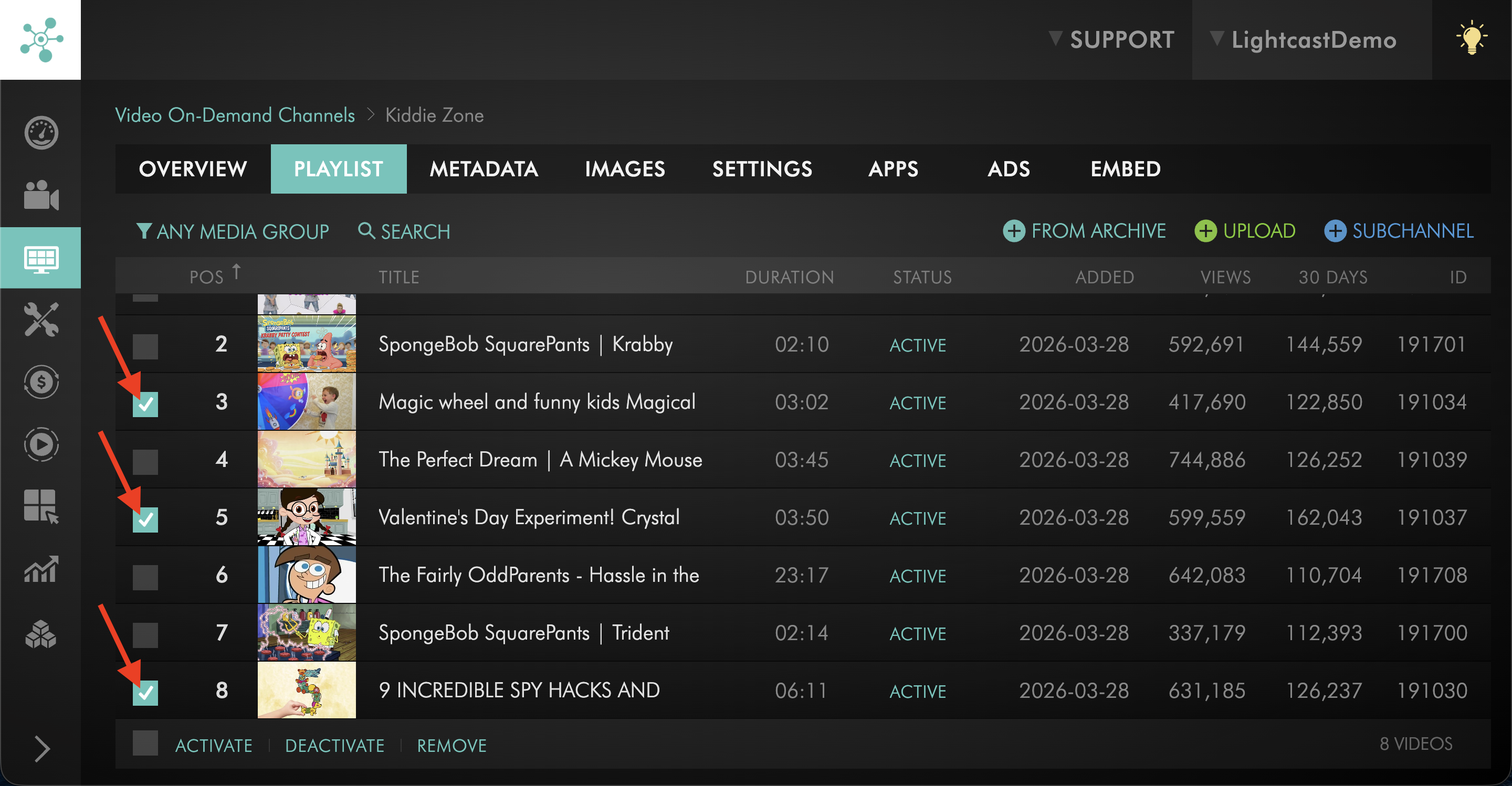
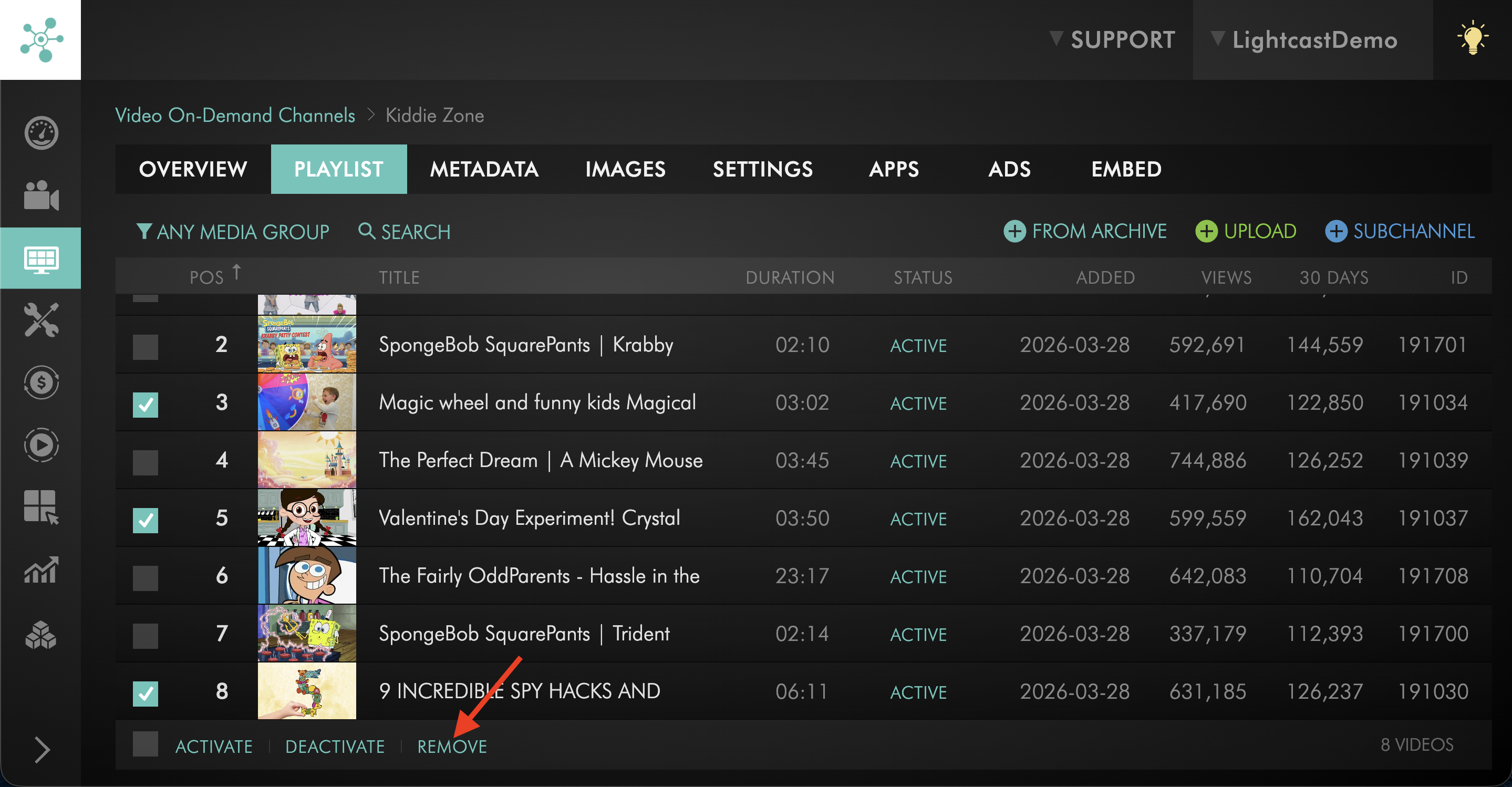
Select the checkbox next to each video item that you want to remove.
Step 6
Click REMOVE.
Step 7
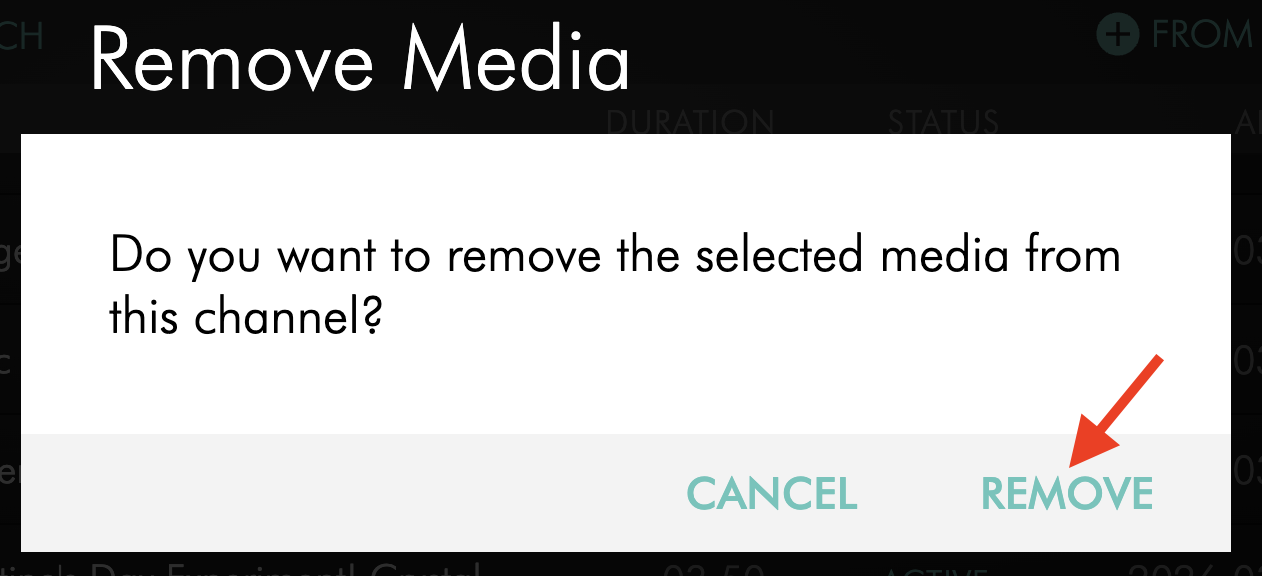
In the pop-up window, click REMOVE again to confirm.
Option 2: Unassign an individual video item from its CHANNELS tab
Step 1
Log in to your Media Cloud account.
Step 2
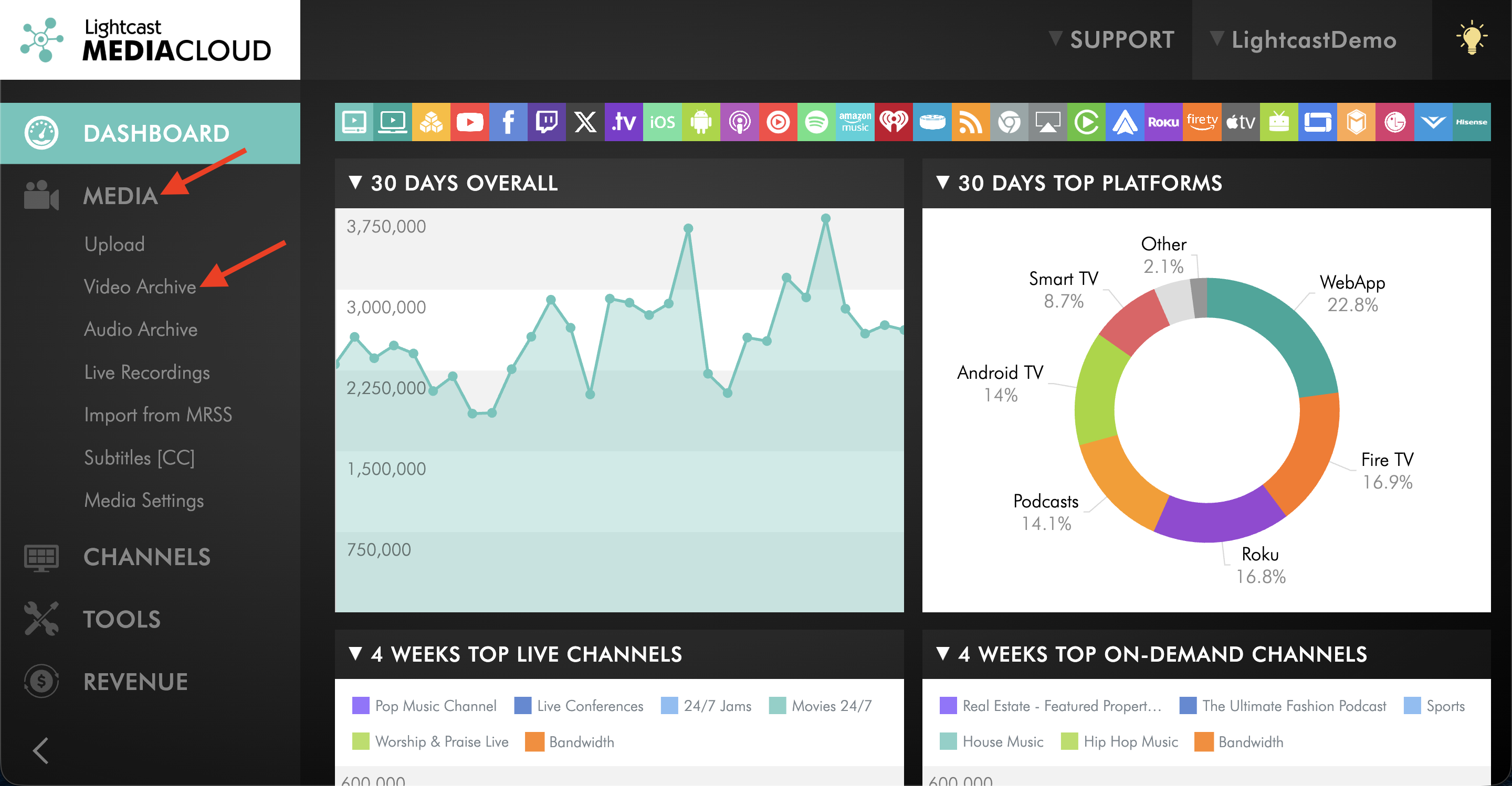
Go to MEDIA and then Video Archive.
Step 3
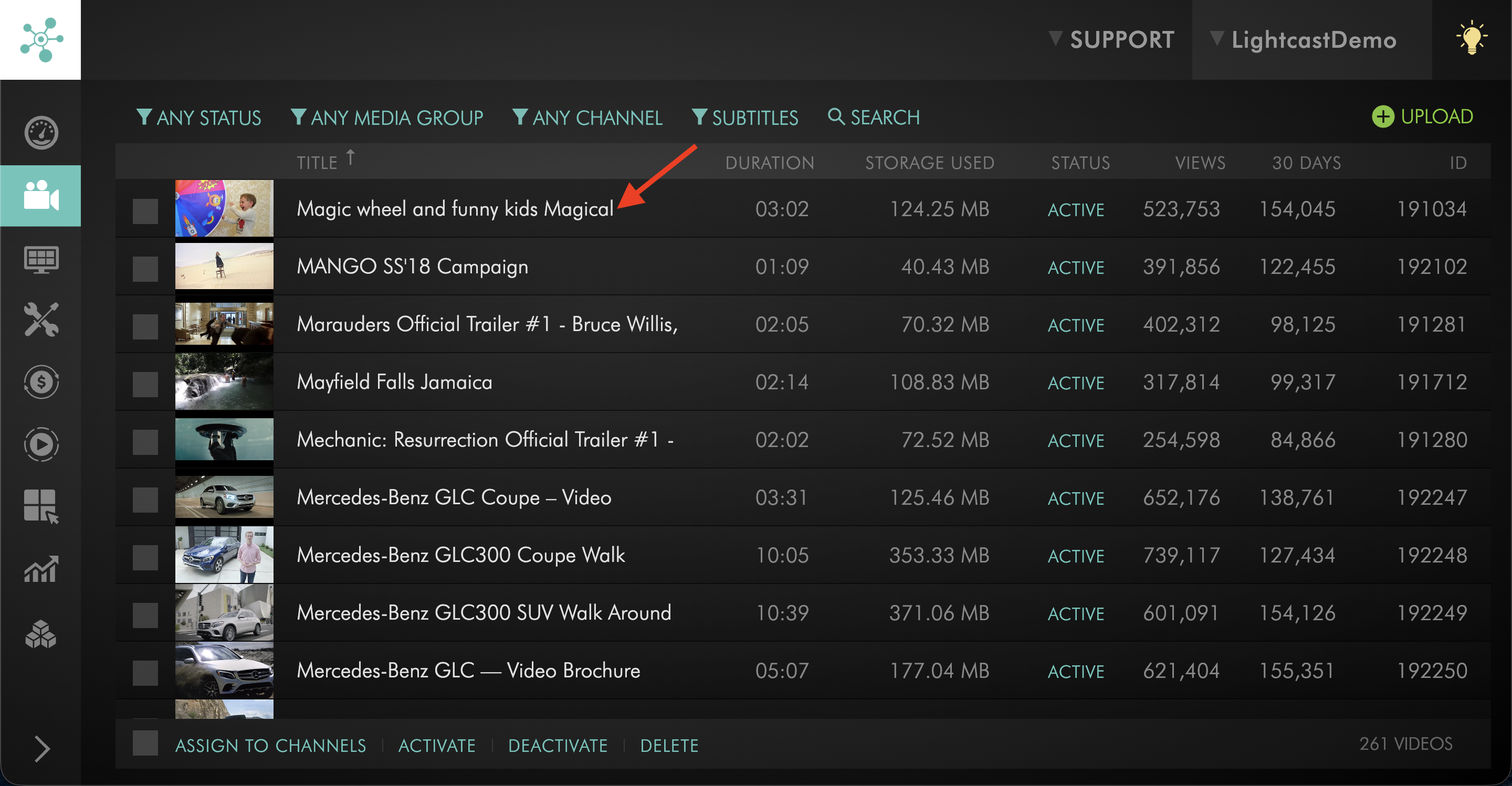
Select the video item.
Step 4
Click the CHANNELS tab.
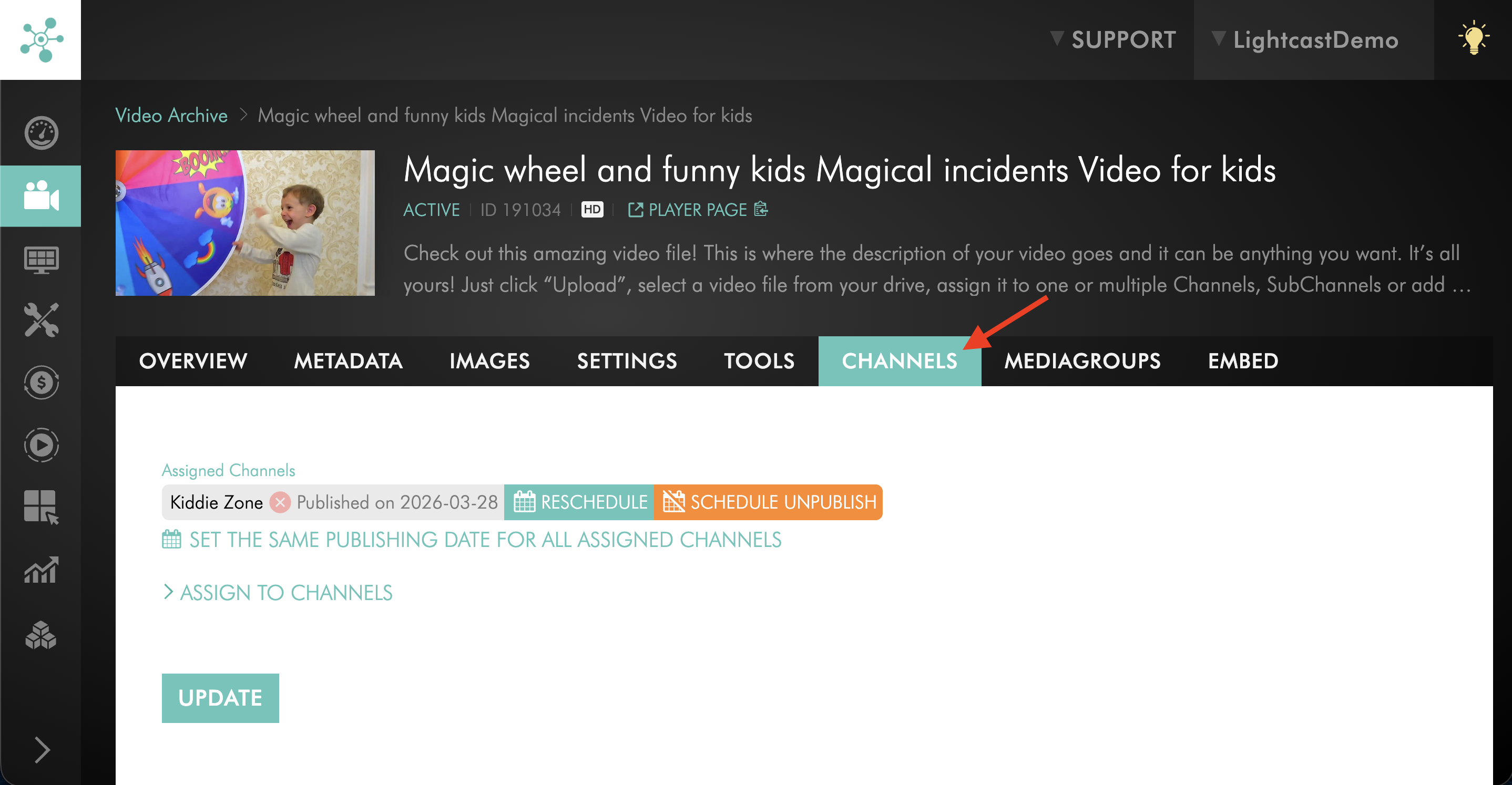
Step 5
Under Assigned Channels, click the red X next to the VOD Channel you want to remove.
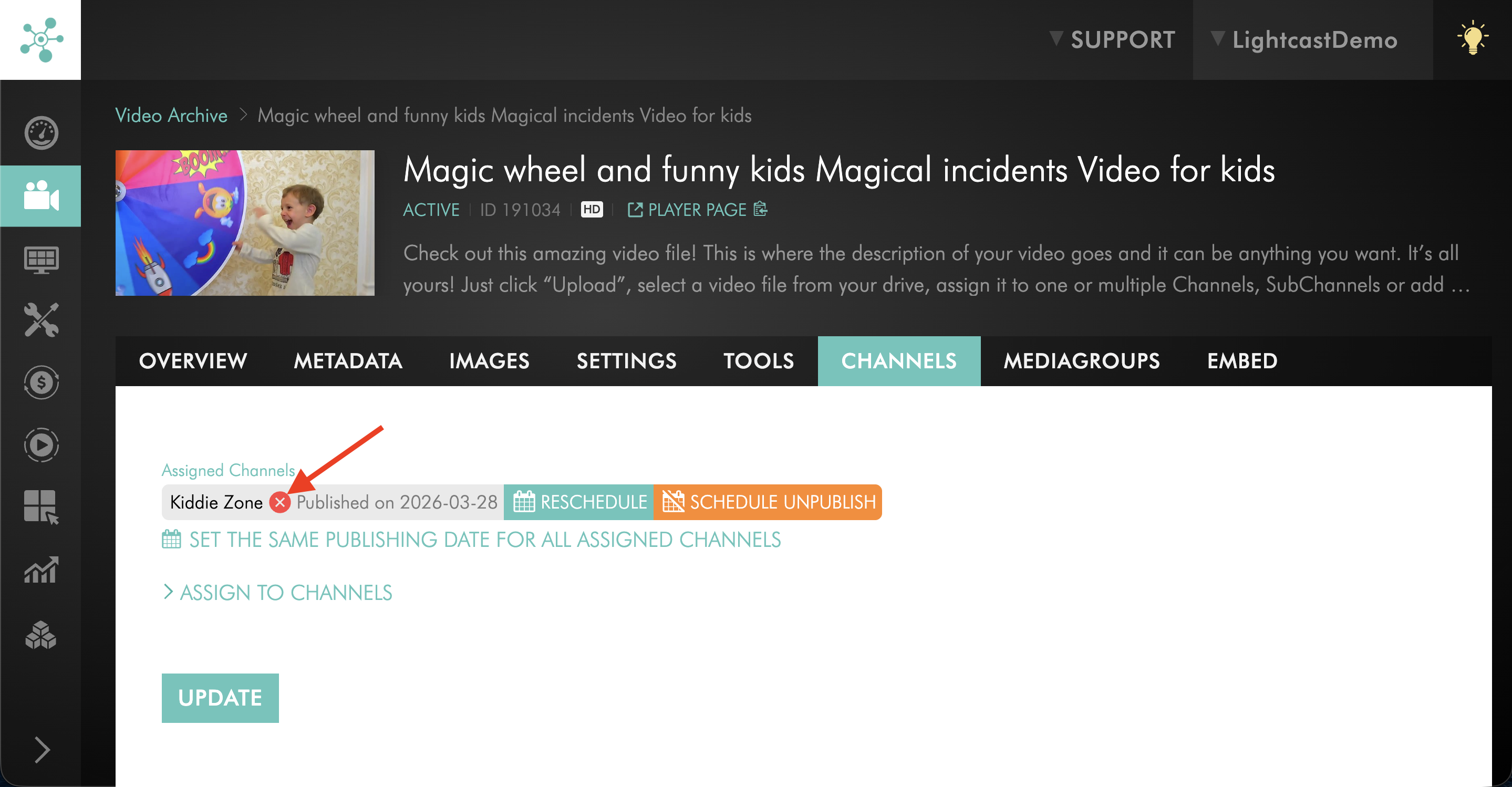
Step 6
Click UPDATE to save your changes.
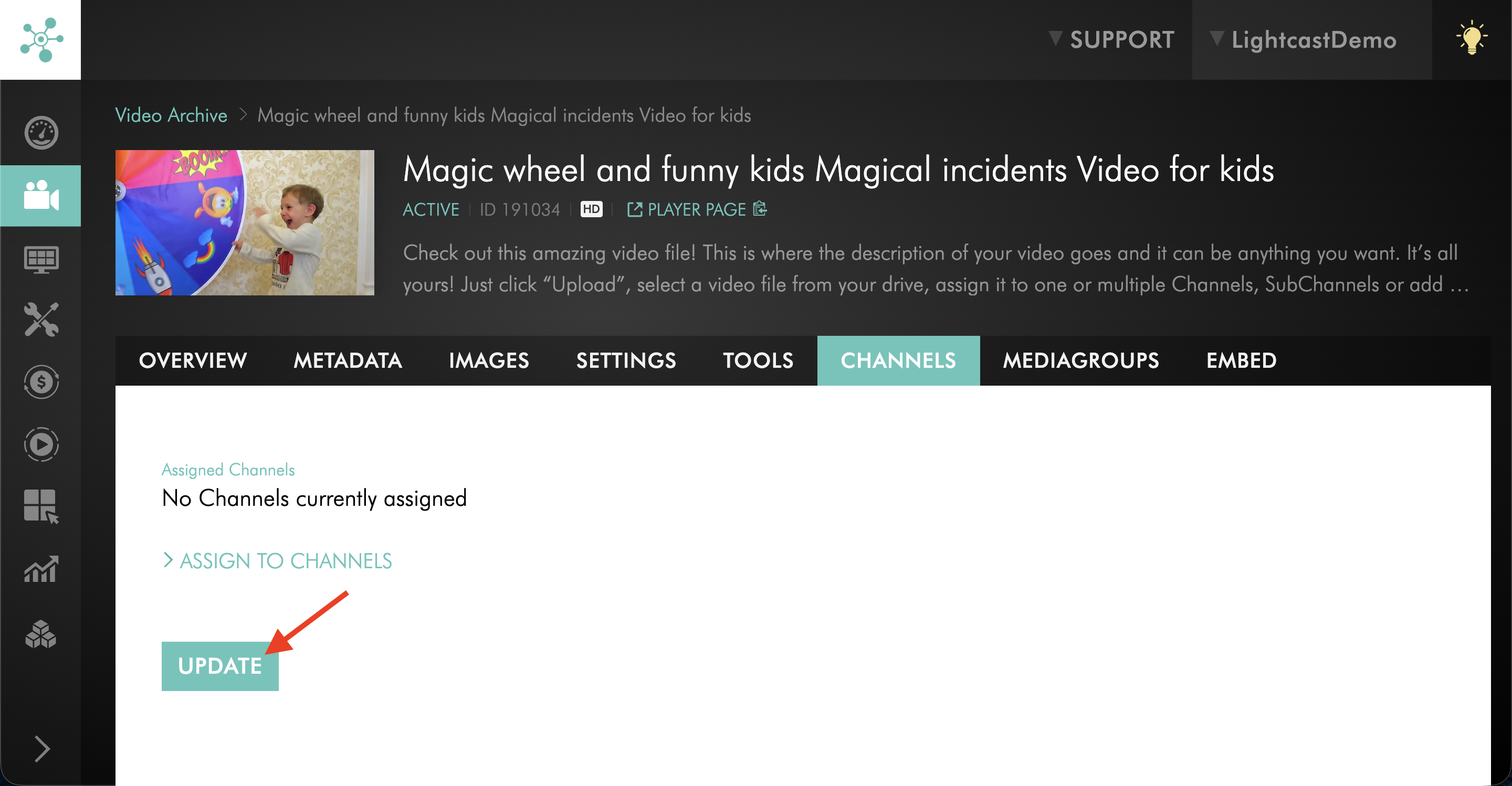
FAQs
Does removing a video from a VOD Channel delete it from the Media Cloud?
No. Removing a video from a VOD Channel only removes that Channel assignment. The video remains in the Video Archive unless it is deleted separately.
What is the difference between removing and deleting a video?
Removing unassigns the video from a VOD Channel playlist. Deleting removes the media item from the Media Cloud entirely.
Can I remove multiple videos at the same time?
Yes. In the VOD Channel’s PLAYLIST tab, you can select multiple video items and click REMOVE.
When should I use the video item’s CHANNELS tab?
Use the CHANNELS tab when you are already viewing one specific video item and want to remove that item from an assigned VOD Channel.
If a video is assigned to multiple Channels, will removing it from one Channel remove it from all Channels?
No. Removing a video from one VOD Channel only removes it from that specific Channel assignment.
Can I undo a removal from a VOD Channel?
Yes. If the video still exists in the Video Archive, you can assign it to the VOD Channel again.
To learn how to add a video back to the VOD Channel, see How to assign videos to a specific Video On-Demand (VOD) Channel.