
AI-generated thumbnail images explained
Overview
This article explains what AI-generated thumbnail images are in the Media Cloud, how they work, and how to manage the feature for your video and audio files.
When to use this article
Use this article when you want to save time creating thumbnail images for your video or audio content and understand the AI-generated thumbnail options available in the Media Cloud.
This article is helpful when you want to:
Enable or disable automatic AI thumbnail generation for newly uploaded media.
Understand how AI-generated thumbnails are created and what information is required.
Learn how to generate AI thumbnail images for individual media items that have already been uploaded.
Understand how to select or replace AI-generated thumbnail images.
How it works
The Media Cloud can automatically generate AI thumbnail images for video and audio files during encoding. The generated thumbnails become available after encoding is complete.
You can also manually generate AI thumbnail images for an individual media item that has already been uploaded to the Media Cloud.
AI-generated thumbnails can help give your media a more polished and eye-catching appearance across your connected publishing properties.
For an AI-generated thumbnail image to be created, the media item must have both a Title and a Description. If either field is missing, the AI thumbnail cannot be generated.
This is why AI-generated metadata can be helpful. If AI-generated metadata is enabled, the Media Cloud can automatically create a Title and Description for newly uploaded or encoded media, which can support AI thumbnail generation.
For clients who signed up after October 29, 2025, automatic AI-generated thumbnail images are enabled by default. For earlier clients, the feature is disabled by default and can be activated under MEDIA → Media Settings.
Any images that are uploaded manually or imported from third-party sources, such as LightcastAPI or MRSS, are preserved and are not overwritten by AI.
Generating AI thumbnails for individual media items
You can manually generate up to three AI thumbnail images for an individual video or audio item, including any images that were automatically generated during encoding.
To generate an AI thumbnail for an existing media item, open the item and go to the IMAGES tab. From there, you can use the GENERATE AI THUMBNAIL option to create an additional thumbnail.
For step-by-step instructions, see How to add or change thumbnails for your video and audio files.
Selecting and managing thumbnail images
The Media Cloud includes a Thumbnail Selector that allows you to choose between AI-generated, auto-generated, or custom-uploaded thumbnails.
You can preview thumbnails in a larger view before making your selection. You can also manually change or replace an AI-generated thumbnail at any time.
Instructions
Manage automatic AI-generated thumbnail image settings before uploading media
Step 1
Log in to your Media Cloud account.
Step 2
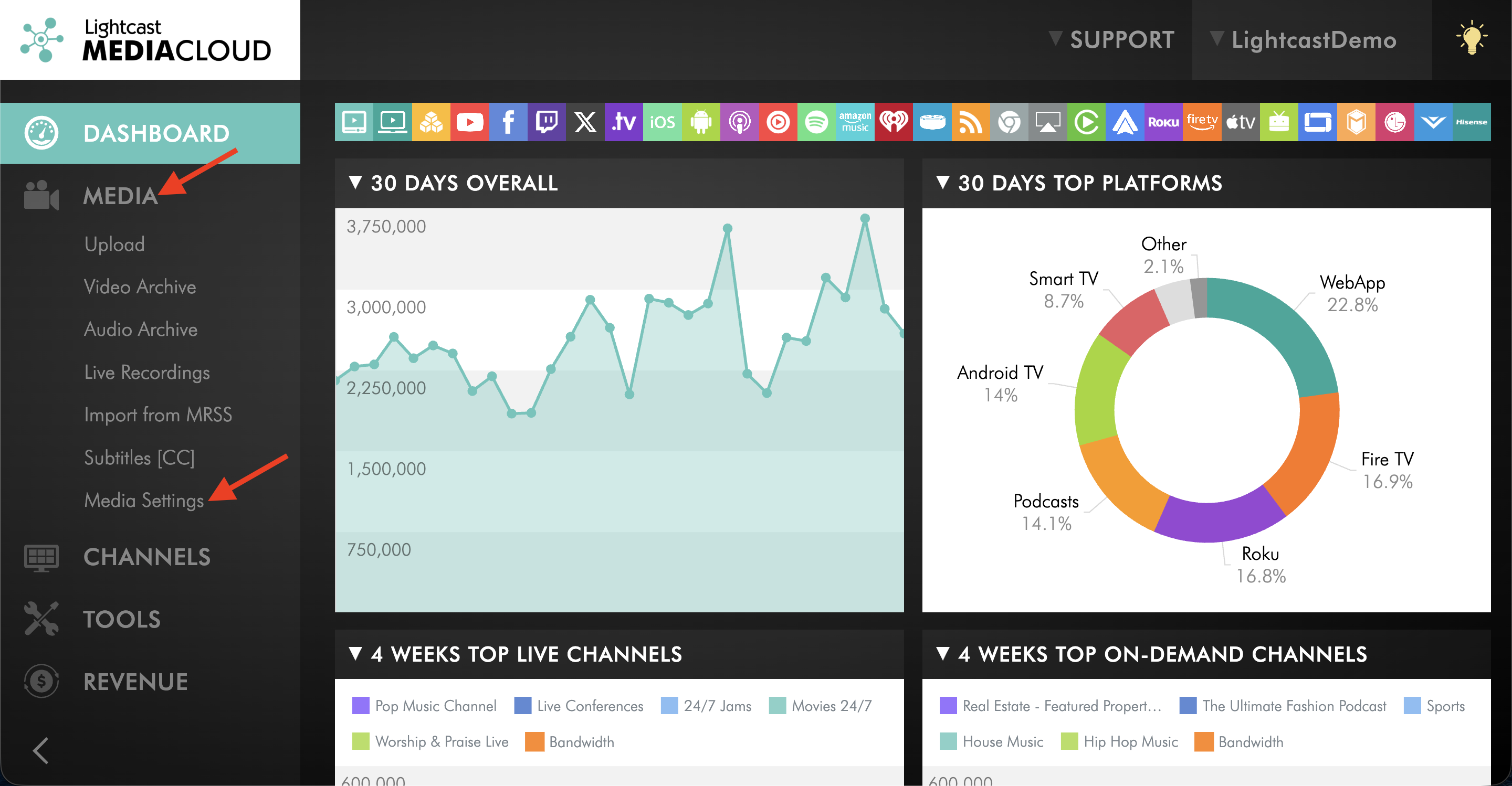
Go to MEDIA, then open Media Settings.
Step 3
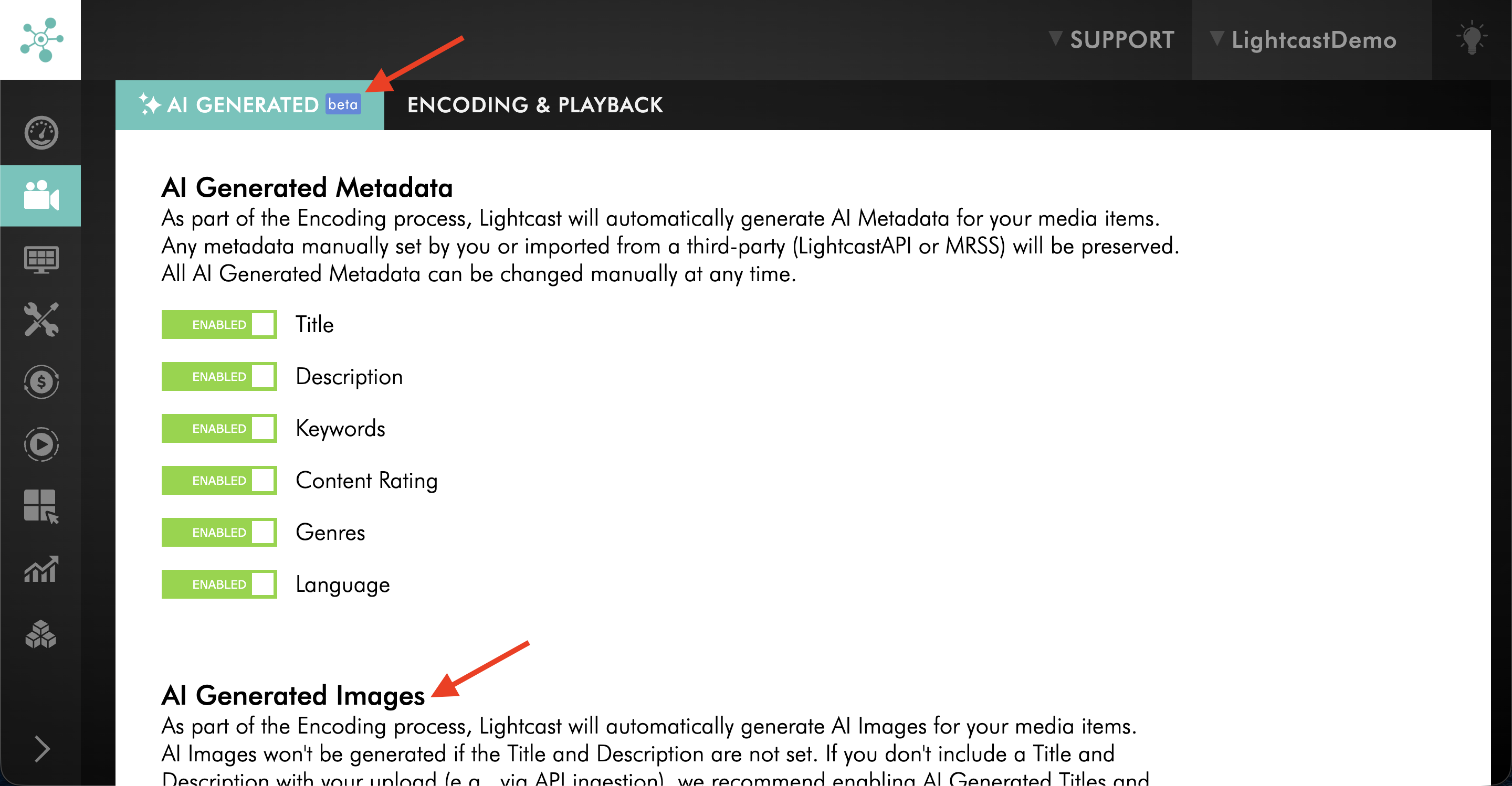
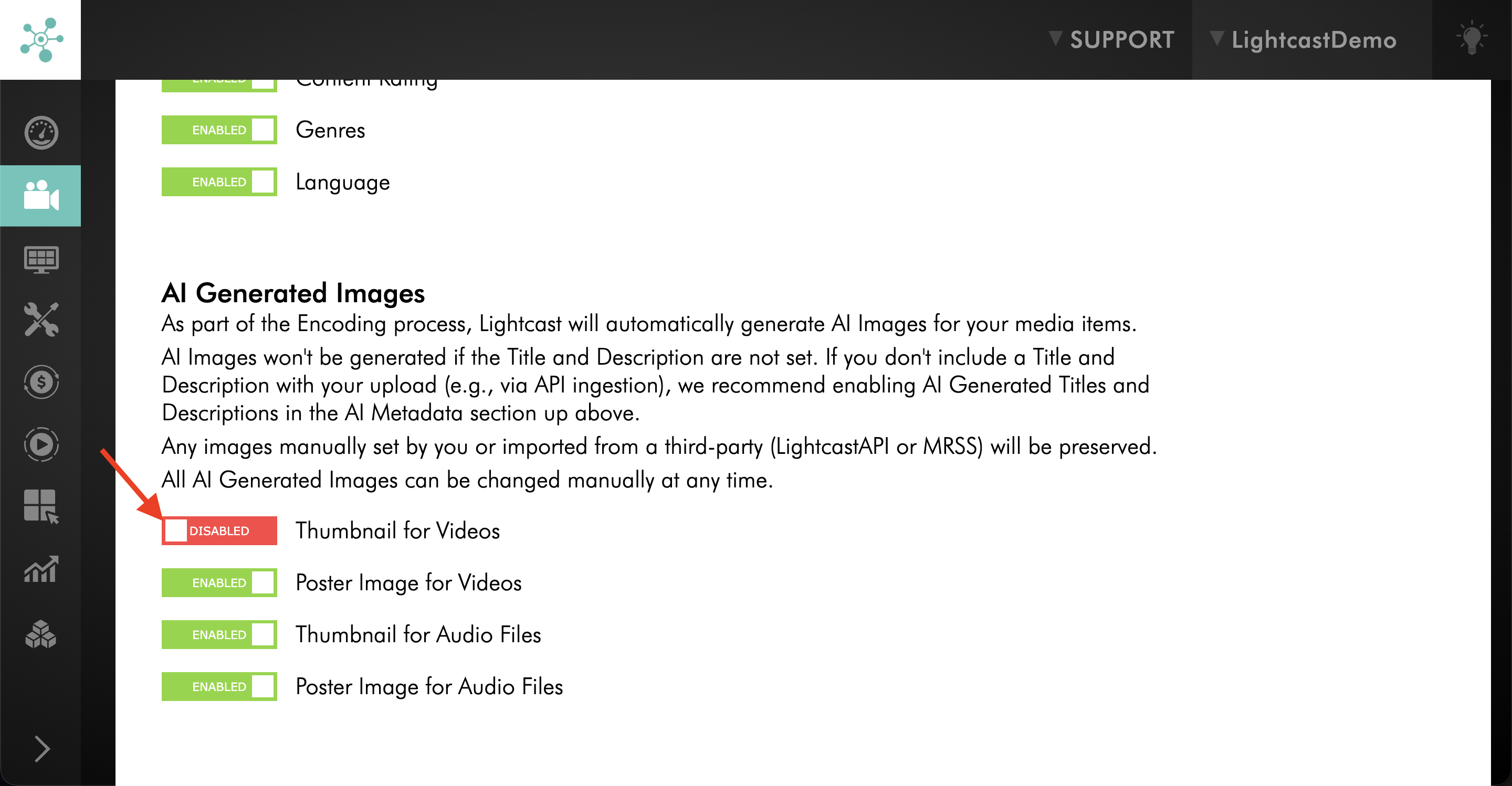
On the AI GENERATED tab, scroll to the AI Generated Images section.
Step 4
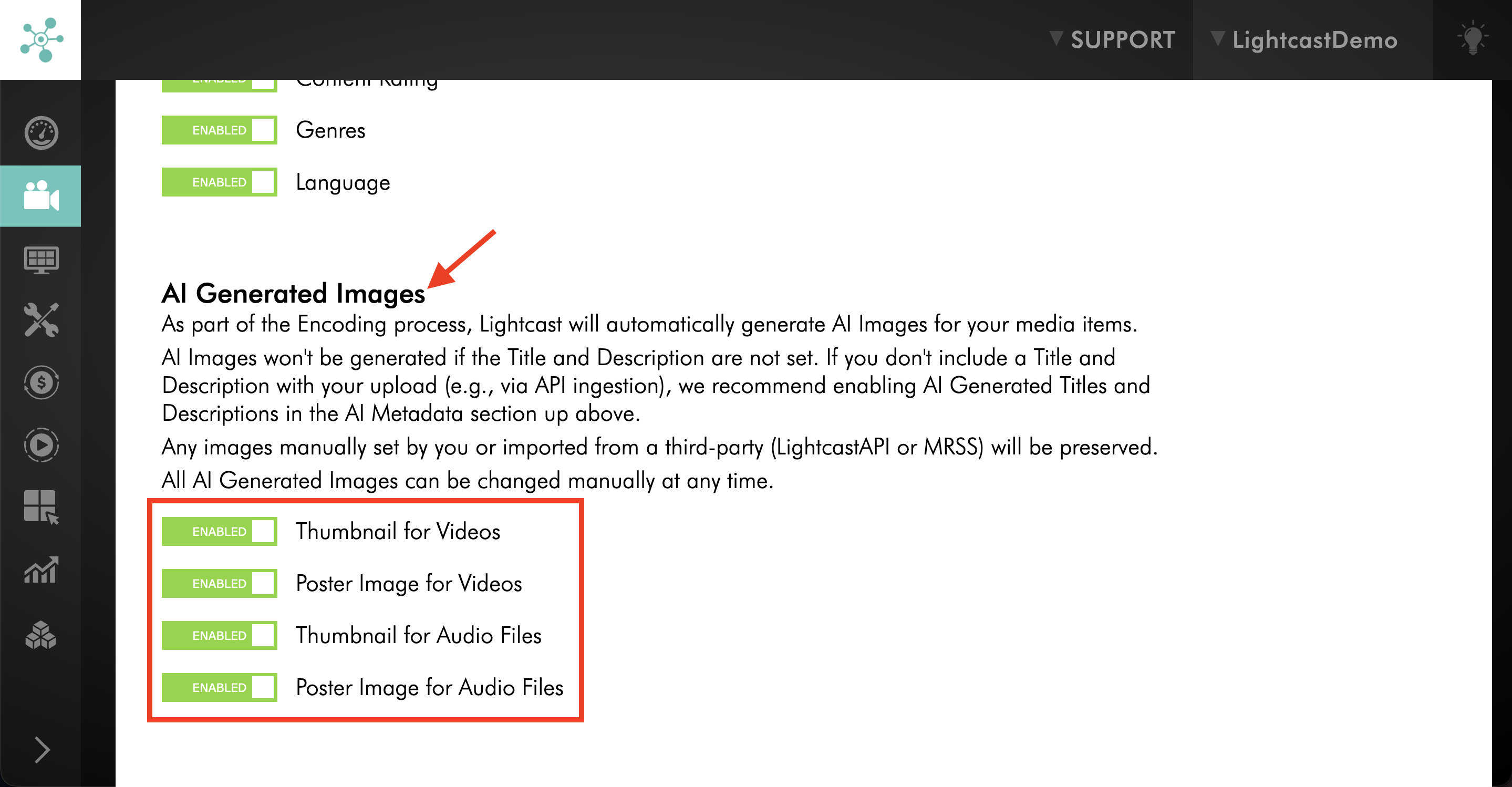
Review the available thumbnail image settings for videos and audio files.
Step 5
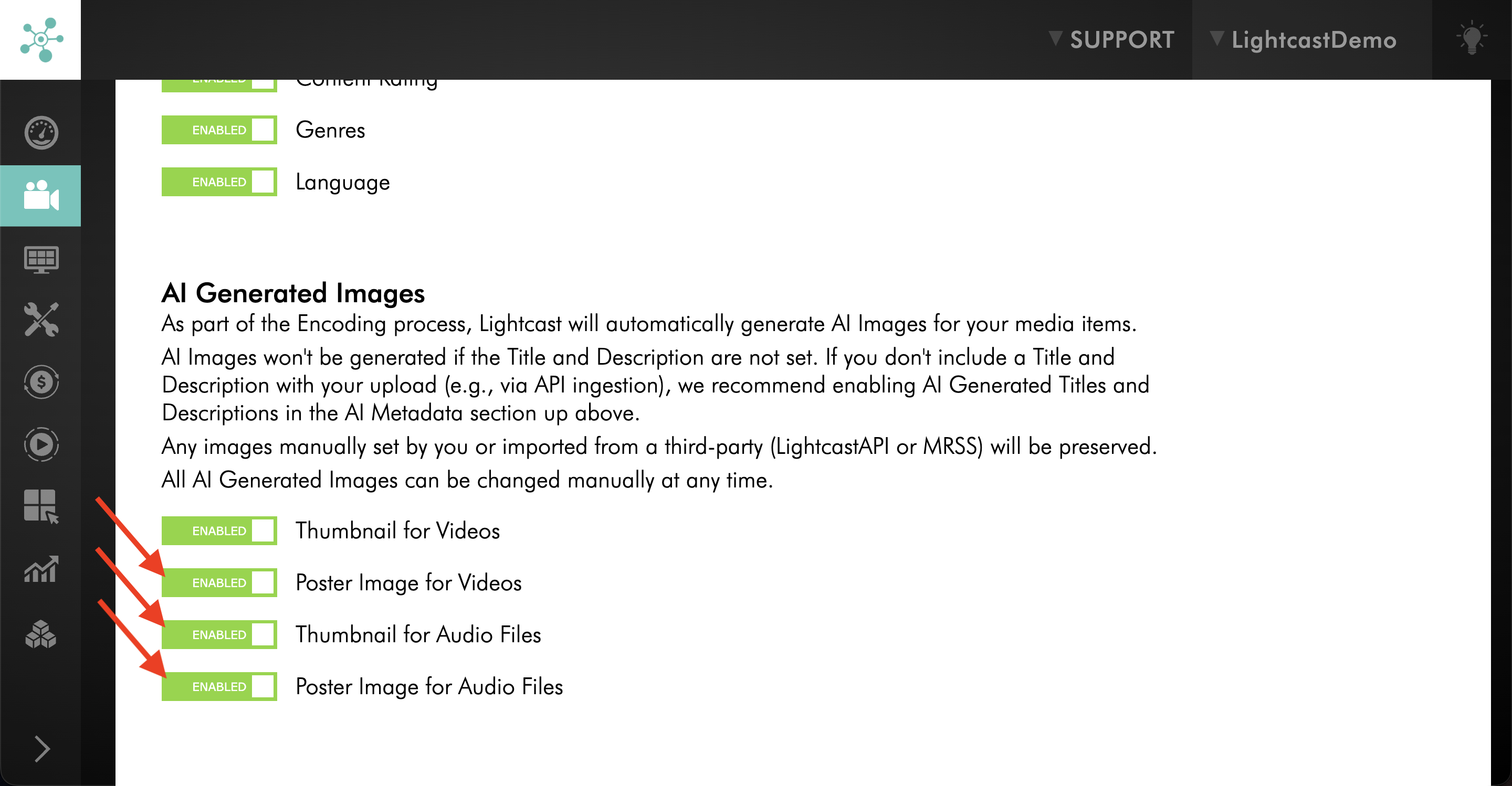
Keep the thumbnail image settings you want the AI to generate automatically ENABLED.
Step 6
DISABLE any thumbnail image settings you prefer to manage manually.
Step 7
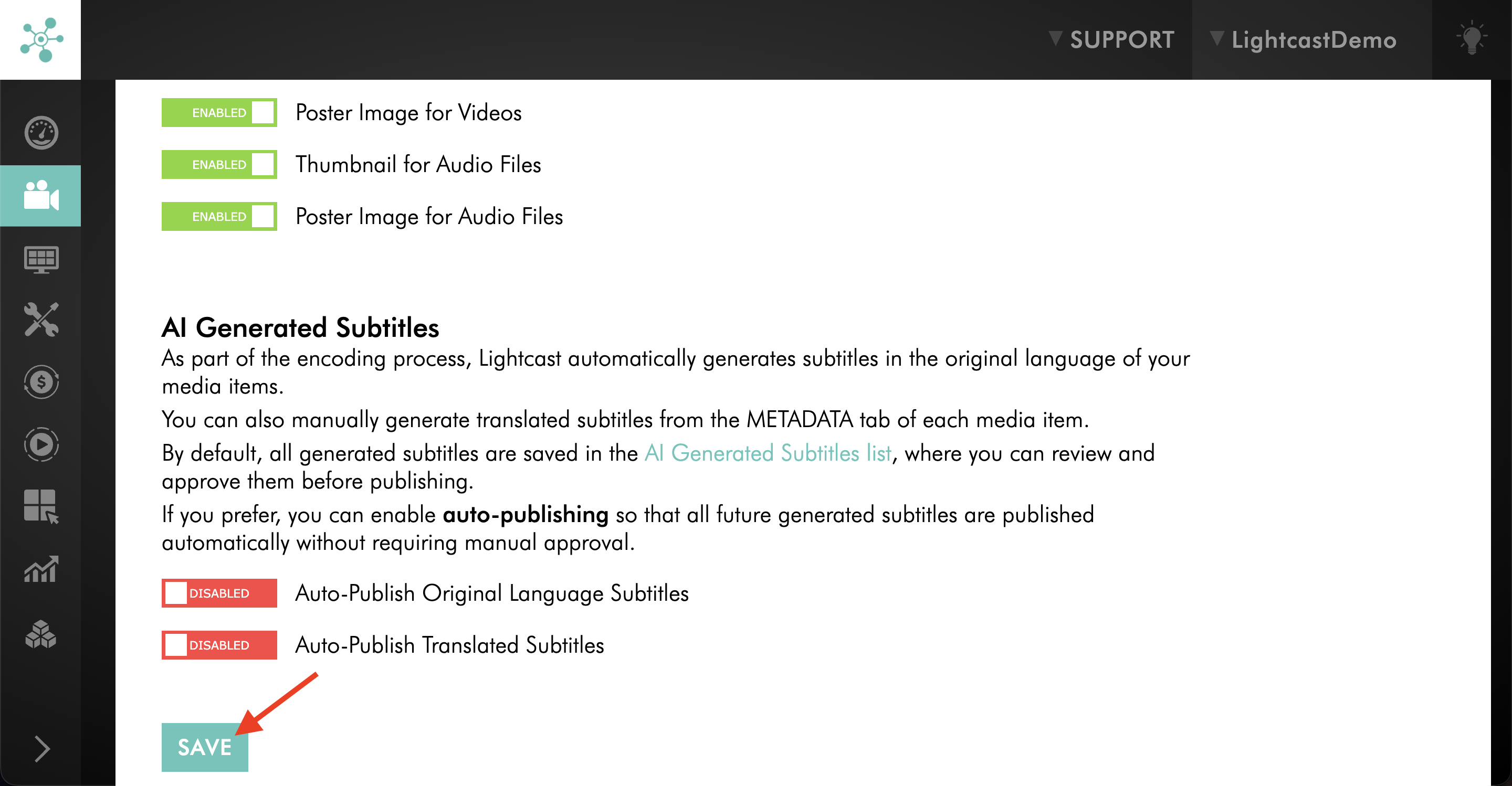
Click SAVE to update your AI thumbnail image preferences.
FAQs
What are AI-generated thumbnail images?
AI-generated thumbnail images are images created by the Media Cloud for your video and audio files. They can be generated automatically during encoding or manually for an individual media item.
When are AI-generated thumbnail images created?
AI-generated thumbnail images can be created automatically during encoding when the feature is enabled. They become available after encoding is complete.
You can also manually generate AI thumbnail images for an individual media item after it has been uploaded.
What is required for an AI-generated thumbnail image to be created?
The media item must have both a Title and a Description. These fields can be entered manually or generated using AI metadata.
Can I generate an AI-generated thumbnail image after a media item has already been uploaded?
Yes. You can manually generate an AI thumbnail image for an individual media item, even if automatic AI thumbnail generation was not enabled when the media was originally uploaded.
The media item must have both a Title and a Description. You can generate up to three AI thumbnail images per media item, including any created automatically during encoding.
For step-by-step instructions, see How to add or change thumbnails for your video and audio files.
How many AI-generated thumbnail images can I create for an individual media item?
You can generate a maximum of three AI thumbnail images per media item. This includes thumbnails that were automatically generated during encoding and those generated manually afterward.
Why is AI-generated metadata helpful for AI-generated thumbnail images?
AI-generated metadata can automatically create a Title and Description for newly uploaded or encoded media. Since AI thumbnail generation requires both of those fields, AI-generated metadata can help support that workflow.
Is AI thumbnail generation enabled automatically?
For clients who signed up after October 29, 2025, AI-generated thumbnail images are enabled by default. For earlier clients, the feature is disabled by default and can be activated under MEDIA > Media Settings.
Will AI-generated thumbnail images overwrite images I uploaded myself?
No. Images that are uploaded manually or imported through LightcastAPI or MRSS are preserved and are not overwritten by AI.
Can I change an AI-generated thumbnail image later?
Yes. You can manually change or replace an AI-generated thumbnail image at any time.
For step-by-step instructions, see How to add or change thumbnails for your video and audio files.
Can I choose between different thumbnail image types?
Yes. The Thumbnail Selector allows you to choose between AI-generated, auto-generated, or custom-uploaded thumbnails.
Can I preview a thumbnail image before selecting it?
Yes. You can preview thumbnails in a larger view before making your selection.
Do AI-generated thumbnail images use AI Tokens?
No. Generating AI thumbnail images does not consume AI Tokens.
Pricing
AI-generated thumbnail images are available on POWER packages and up.
If you do not have access to this feature, you can upgrade to one of our latest plans or contact your account manager.