
How to find your Podcast in the Apple Podcasts app
Overview
This article explains how to find and open your Apple Audio or Apple Video Podcast in the Apple Podcasts app on your iPhone.
When to use this article
Use these steps after your Podcast has been submitted to Apple Podcasts and published by Apple. This is helpful when you want to listen to or watch your Podcast on an iOS device using the Podcasts app.
For additional details about finding Podcasts in Apple Podcasts, see Apple’s Find podcasts on iPhone guide.
Instructions
Step 1
Open the Apple Podcasts app on your iPhone. If the app is not installed, download it from the App Store first.
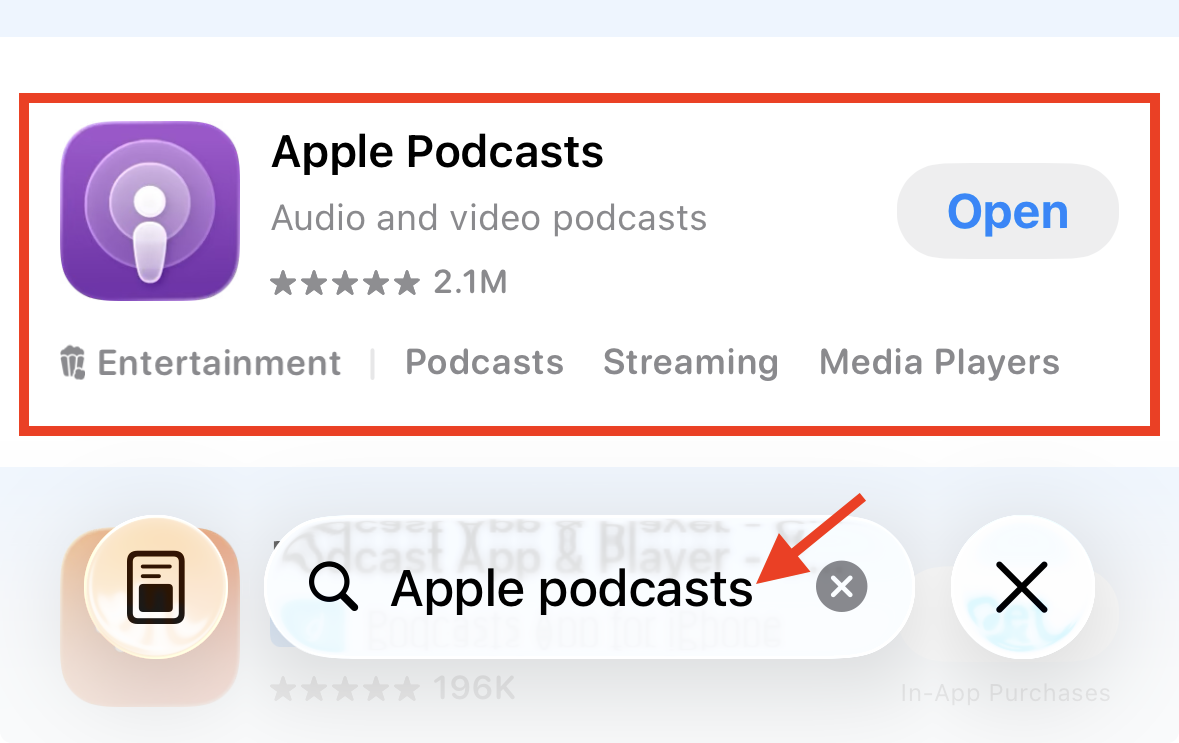
Step 2
Tap Search in the lower right corner.
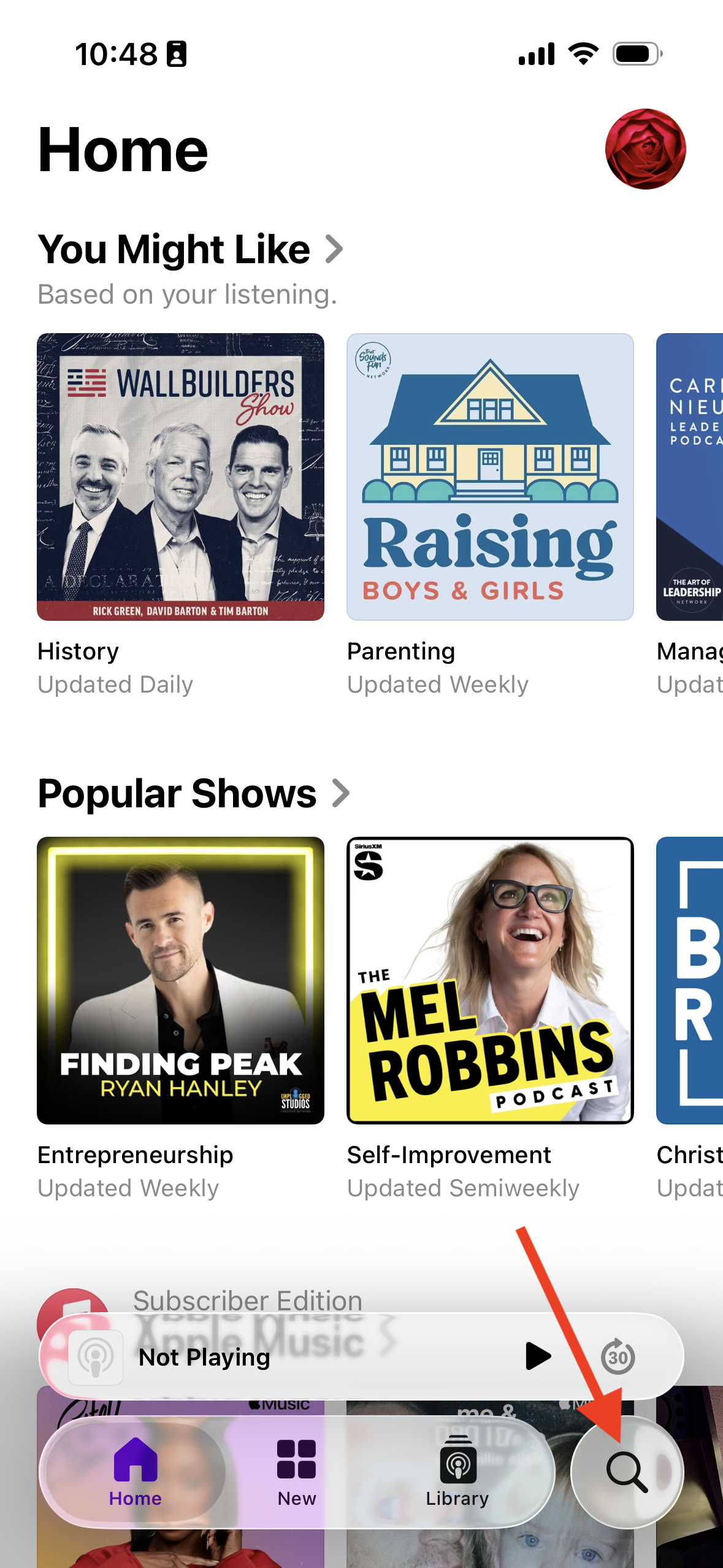
Step 3
Enter the title of your Podcast in the search bar.
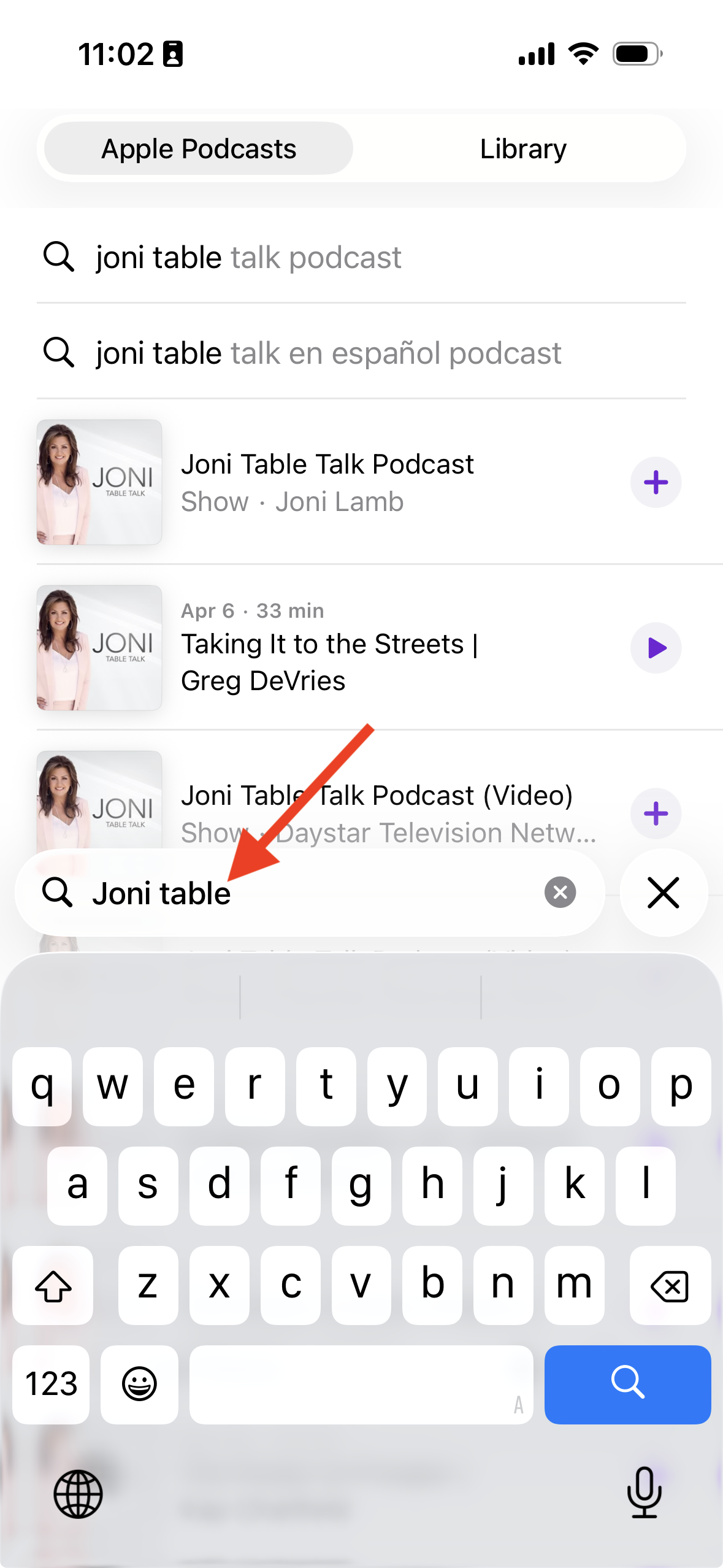
Step 4
When your Podcast appears in the search results, tap it to open it.
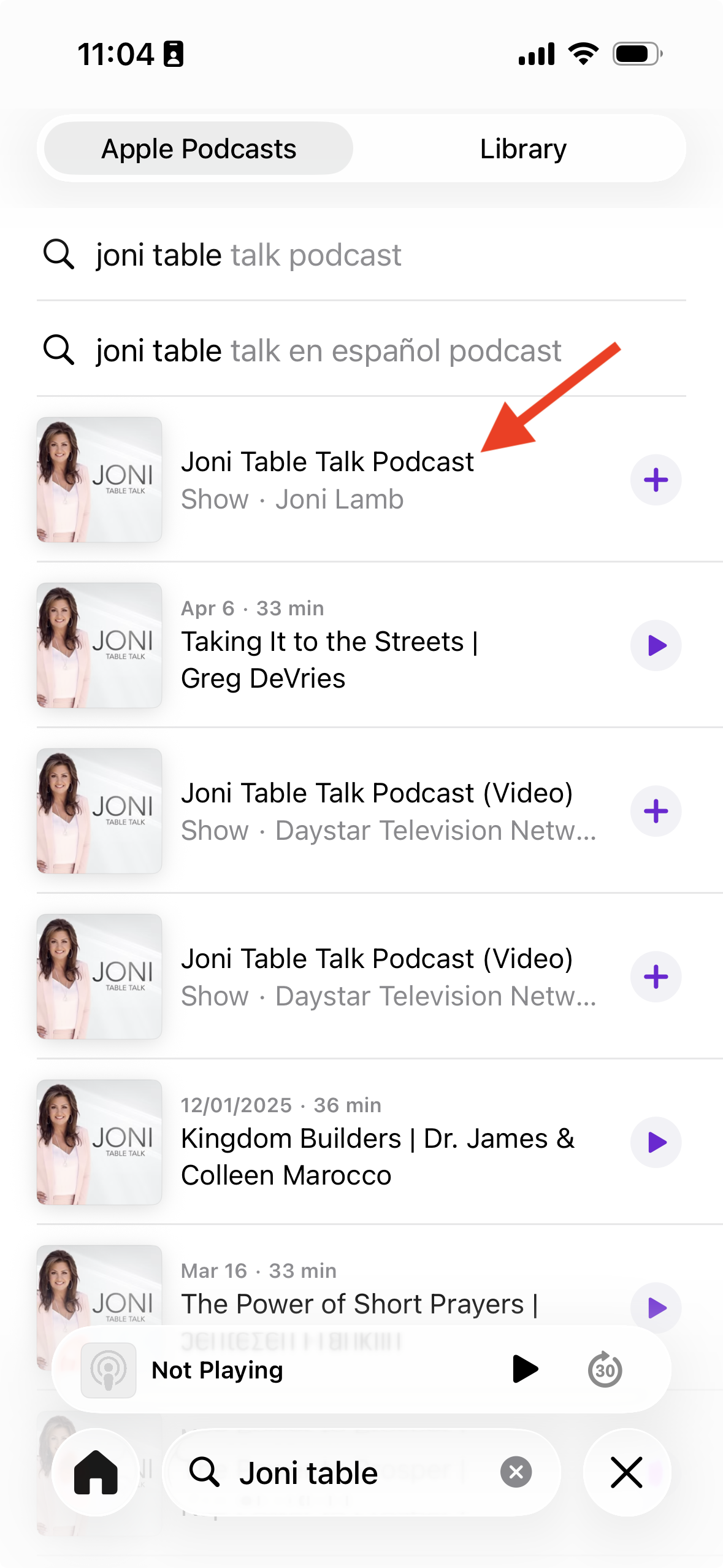
FAQs
How long does it take before my Podcast appears in Apple Podcasts?
After submission, Apple usually processes the Podcast information in about 1 hour. In most cases, the Podcast is published within 24 hours after submission.
What do I need before my Podcast can appear in Apple Podcasts?
Before your Podcast can appear in Apple Podcasts, you need an Apple ID and the RSS feed link provided by the Media Cloud so you can submit the Podcast to Apple.
Do I need a separate app to find my Apple Podcast on iPhone?
No. You can find your Podcast in the built-in Apple Podcasts app on your iPhone. If the app has been removed from your device, you can reinstall it from the App Store.
Can I use these steps to find both audio and video Podcasts?
Yes. You can use the same steps in the Apple Podcasts app to find both Apple Audio Podcasts and Video Podcasts.
Can I listen to my Apple Podcast on an Android phone?
The Apple Podcasts app is designed for Apple devices, so listeners cannot use the same app experience on Android phones. To make your Podcast easier to access on Android devices, you can also submit it to other supported Podcast platforms such as Spotify, TuneIn, iHeartRadio, Amazon Music, or YouTube Music.