
Never Stop Streaming
Give your audience a seamless, always-on viewing experience by turning your live feed into a 24/7 Linear stream – fully managed through your Lightcast Media Cloud.
🔁 What is Linear Streaming?
Linear Streaming lets you deliver continuous, 24/7-style content to your viewers. Lightcast supports three types of Linear Streams, giving you flexibility based on how your content is created and scheduled.
Ingested Linear Streams – send a live feed directly into Lightcast
"VOD-to-LIVE" Continuous Loops – automatically loop on-demand content
Scheduled 24/7 Streams – program content using Lightcast's Cloud Scheduler & Playout System
This week, we're focusing on Ingested Linear Streams, with the other two options coming up in future tips.
🔧 How to Set Up an Ingested Linear Stream:
You can create an Ingested Linear Stream using any existing Live Event Channel. Here's how to get started:
Convert a Live Event Channel:
Turn one of your Live Event Channels into a Linear Stream Channel.
👉 Click here to see how!Ingest Your Stream into the Lightcast CDN:
Send your live feed to Lightcast using RTMP or SRT ingestion – both are supported.
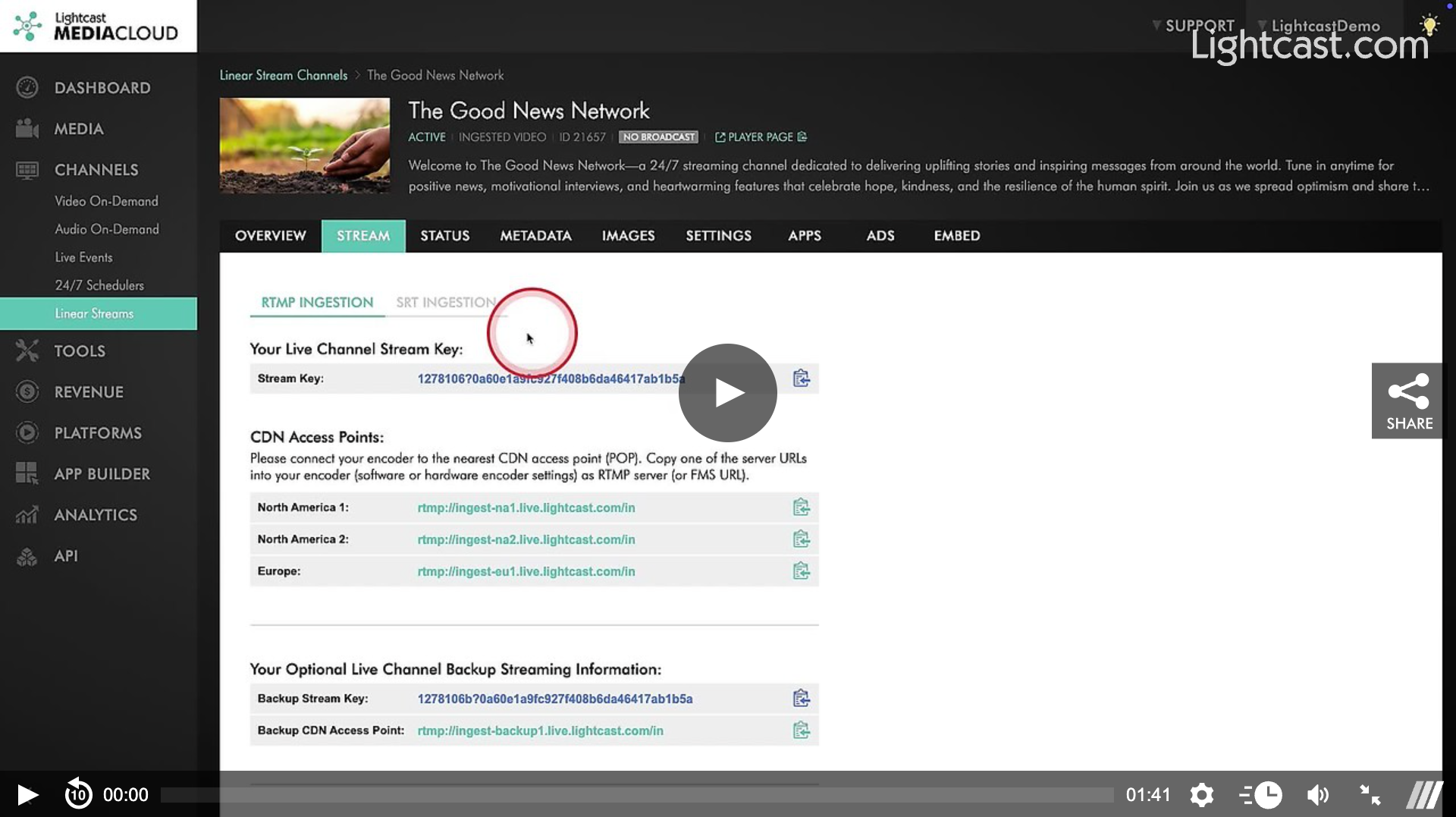
All RTMP Stream Keys, CDN Access Points (SuperPOPs), and SRT Stream URLs are available in the STREAM tab of your Linear Stream Channel. Enter the provided credentials into your encoder's settings to send your stream to the Lightcast CDN.
👉 Click here to see how to find your Stream Key and CDN Access Point!Optimize for Smooth Viewing:
Ensure uninterrupted playback for viewers on any connection speed.
- Option 1: Ingest multiple bitrates if your bandwidth allows.
- Option 2: Ingest a single bitrate and let Lightcast handle cloud transrating (we'll convert it to multiple bitrates for you).
🛠️ To enable cloud-transmuxing or cloud-transrating, please email Customer Support for more information.
Publish Everywhere at Once:
Add your Linear Stream Channel to your Web, Mobile, and TV Apps using the App Builder – and embed your Linear Stream on your website using the Lightcast Player.
👉 Click here to learn how to add/remove a Channel to/from your Apps
👉 Click here to learn how to find the player embed code of a Linear Stream Channel
🙋 Need Help with Your Encoder Setup?
Schedule a 1-on-1 session with one of our Encoder Support Specialists.
📅 Click here to schedule an appointment!
Watch this video to see how to find the Stream Key & CDN Access Points:

For previous tips, visit our tips page!
Would you like a specific topic to be covered by an upcoming “Tip of the Week”? Click here to submit your request!
Happy Streaming!
Your Lightcast Success Team