
Import Ad Breaks with your 24/7 Scheduler
Release Date: November 4, 2026
We’ve made SSAI scheduling even easier.
You can now include ad breaks directly in your 24/7 Scheduler import file, making it easier to prepare programming and ad-break placements together without adding breaks manually after importing your schedule.
This feature is available for 24/7 Scheduler Channels with SSAI ad-break support enabled.
What’s New?
When preparing a CSV or TXT schedule import file, you can now add ad-break entries alongside your Video IDs using the format: ad-[duration in seconds].
For example:
ad-15 – Adds a 15-second ad break
ad-30 – Adds a 30-second ad break
ad-90 – Adds a 90-second ad break
ad-120 – Adds a 2-minute ad break
ad-300 – Adds a 5-minute ad break
Place each ad-break entry on its own line wherever you want the break to occur in your schedule – including between videos, at the beginning, or at the end.
How Does it Work?
Build your schedule import file as you normally would, then add ad-break entries in the desired positions alongside your Video IDs.
Keep these requirements in mind:
Durations must be in 15-second intervals
Maximum duration is 300 seconds (5 minutes)
See the example below to learn how ad-break entries can be included alongside Video IDs in your schedule import file.
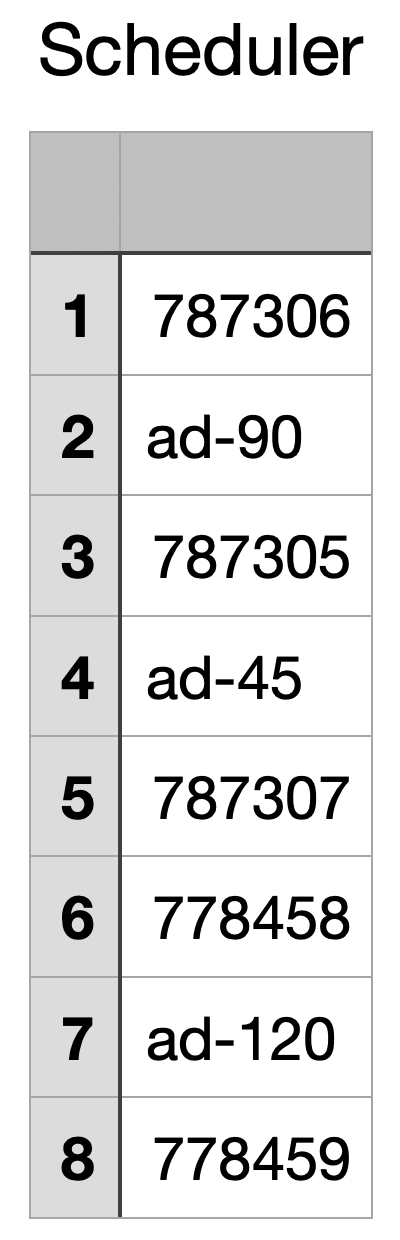
Once your file is ready, import it through the 24/7 Scheduler. Your videos and ad-break entries will be added to the schedule in the order specified in your file.
Important Note
Ad breaks can only be imported into 24/7 Scheduler Channels with SSAI ad-break support enabled.
If an import file contains ad-break entries for a Channel without SSAI ad-break support, the import will not proceed.
Import Your Schedule With Ad Breaks
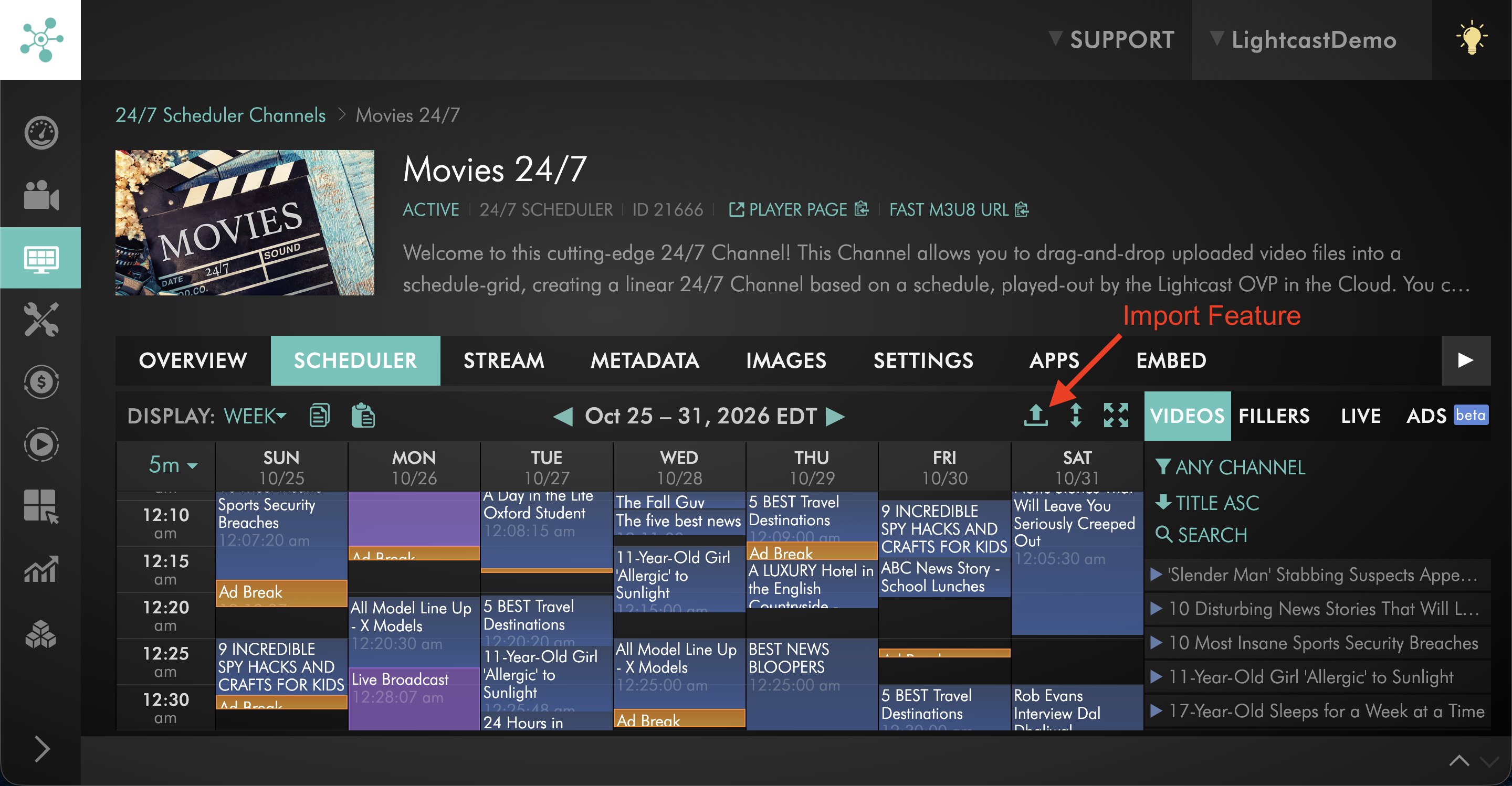
If you have any questions about importing ad breaks into your 24/7 Scheduler, our team is here for you!
Enjoy the latest 24/7 Scheduler improvements — and happy streaming! 🎥
P.S. Check out our Release Page for more information about our releases.
Your Lightcast Success Team