
Create FAST-Ready 24/7 Channels with SSAI
Prepare your 24/7 Scheduler Channels for ad-supported streaming with Server-Side Ad Insertion (SSAI). Schedule ad-break opportunities directly within your programming and generate a Channel feed that can be shared with a compatible third-party FAST or SSAI provider.
🎬 Schedule Ad Breaks in Your 24/7 Programming
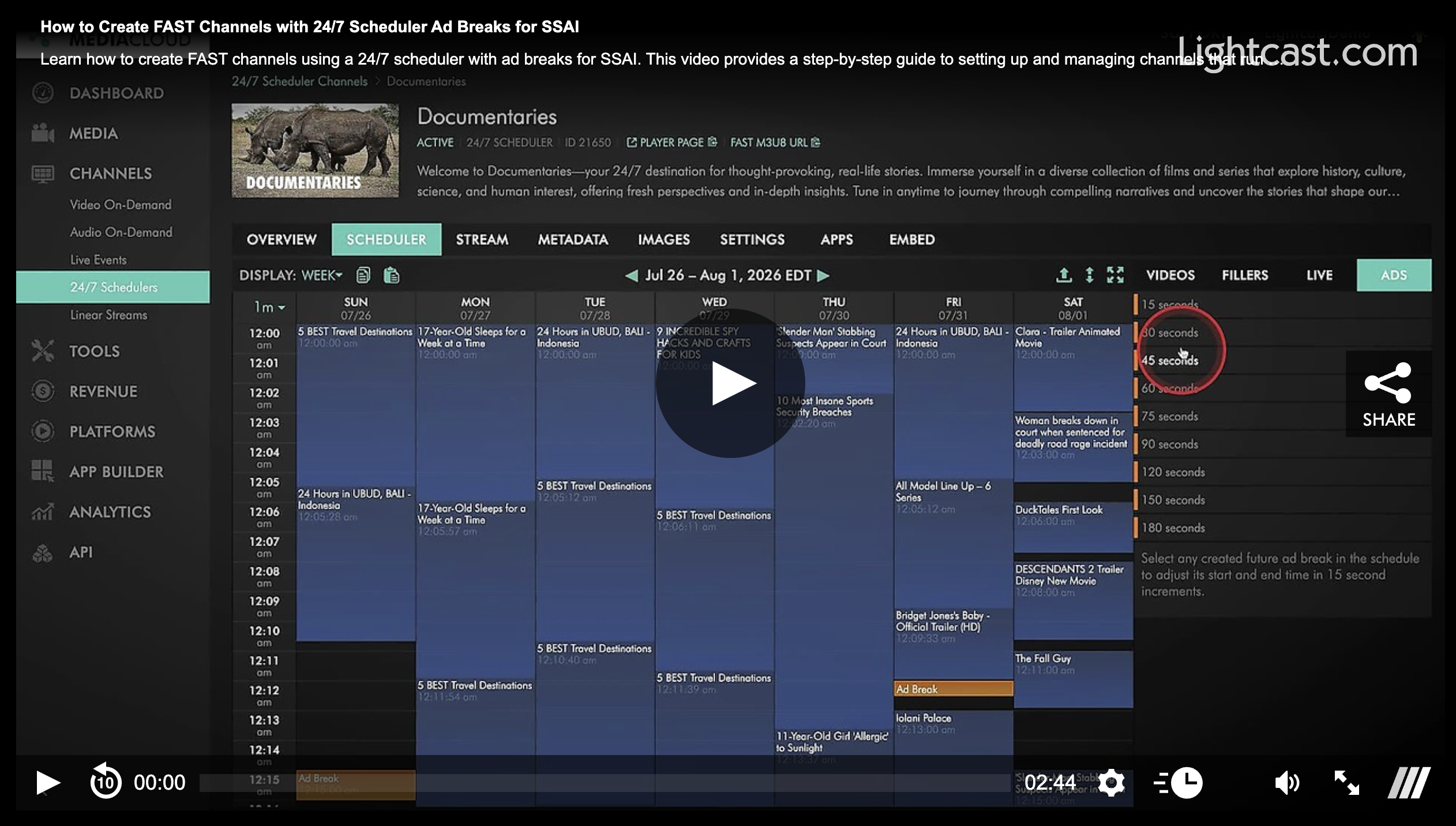
Continue building and managing your programming schedule in the Media Cloud, then use the ADS tab to schedule ad-break opportunities throughout your Channel.
This lets you incorporate ad markers (SCTE-35) into your programming while continuing to manage everything from the 24/7 Scheduler workflow.
🔁 From the Media Cloud to Your SSAI Provider
Once your programming and ad breaks are configured:
The Media Cloud generates a Channel feed containing your scheduled ad markers.
Share the feed with a compatible third-party FAST or SSAI provider.
Your provider uses the markers to insert advertisements and generate the final ad-enabled playback feed.
Send the completed feed to Lightcast for compatibility review and integration into your supported apps and web players.
After your Channel feed is connected with your provider, you can generally continue updating your programming schedule and ad breaks in the Media Cloud without needing a new feed URL for routine changes.
💡 Why Use SSAI Ad-Break Support?
SSAI ad-break support can help you:
Create ad-supported monetization opportunities for scheduled 24/7 programming
Schedule ad-break opportunities within your existing Scheduler workflow
Continue updating programming and ad breaks in the Media Cloud
Prepare your Channel for compatible FAST and SSAI providers
Deliver an integrated viewing experience across supported apps and the web player
📌 What You'll Need
To use this workflow:
SSAI ad-break support must be enabled for your 24/7 Scheduler Channel. A setup fee may apply.
A compatible third-party FAST or SSAI provider is required to insert advertisements into the stream.
The completed ad-enabled feed must be reviewed by Lightcast for compatibility and integration.
🚀 Ready to Get Started?
If you'd like to enable SSAI ad-break support for your 24/7 Scheduler Channel, contact our Customer Support Team. We'll help guide you through the setup and integration process so you can prepare your scheduled programming for ad-supported streaming.
Watch This Video to See How to Create FAST Channels with 24/7 Scheduler Ad Breaks for SSAI:
Note: SSAI ad-break support must be enabled for your 24/7 Scheduler Channel. A setup fee may apply.

For previous tips, visit our tips page!
Would you like a specific topic to be covered by an upcoming “Tip of the Week”?
Click here to submit your request!
Happy Streaming!
Your Lightcast Success Team