
Keep Your Apps Fresh with a Trending Media Channel
Want to make it easier for viewers to discover your most popular or fastest-growing content?
A Trending Media Channel automatically populates a selected Channel with trending media items from your Media Cloud library. Instead of manually updating a Channel playlist, you can use this feature to highlight content based on viewing activity.
🚀 Why use a Trending Media Channel?
A Trending Media Channel can help you:
Feature your most-viewed or fastest-growing content
Keep your app experience feeling fresh and active
Help viewers find popular content more easily
Reduce the need to manually update a Channel playlist
⚙️ How it Works
When the Trending Media Channel feature is set up, a selected Channel is automatically populated based on your chosen settings.
You can configure:
Number of media items – Choose how many items should appear in the Channel
Time range – Choose the viewing period used to calculate trending content
Ranking method – Rank media by growth rate, total views, or a weighted score
Update schedule – Refresh the Channel daily, weekly, or monthly
Once the Channel has been configured, you can add it to your Web Apps, Mobile apps, and supported TV apps through the App Builder. Click here to see how!
🎯 Best For
A Trending Media Channel is a great option if you want to:
Showcase popular sermons
Promote recently growing content
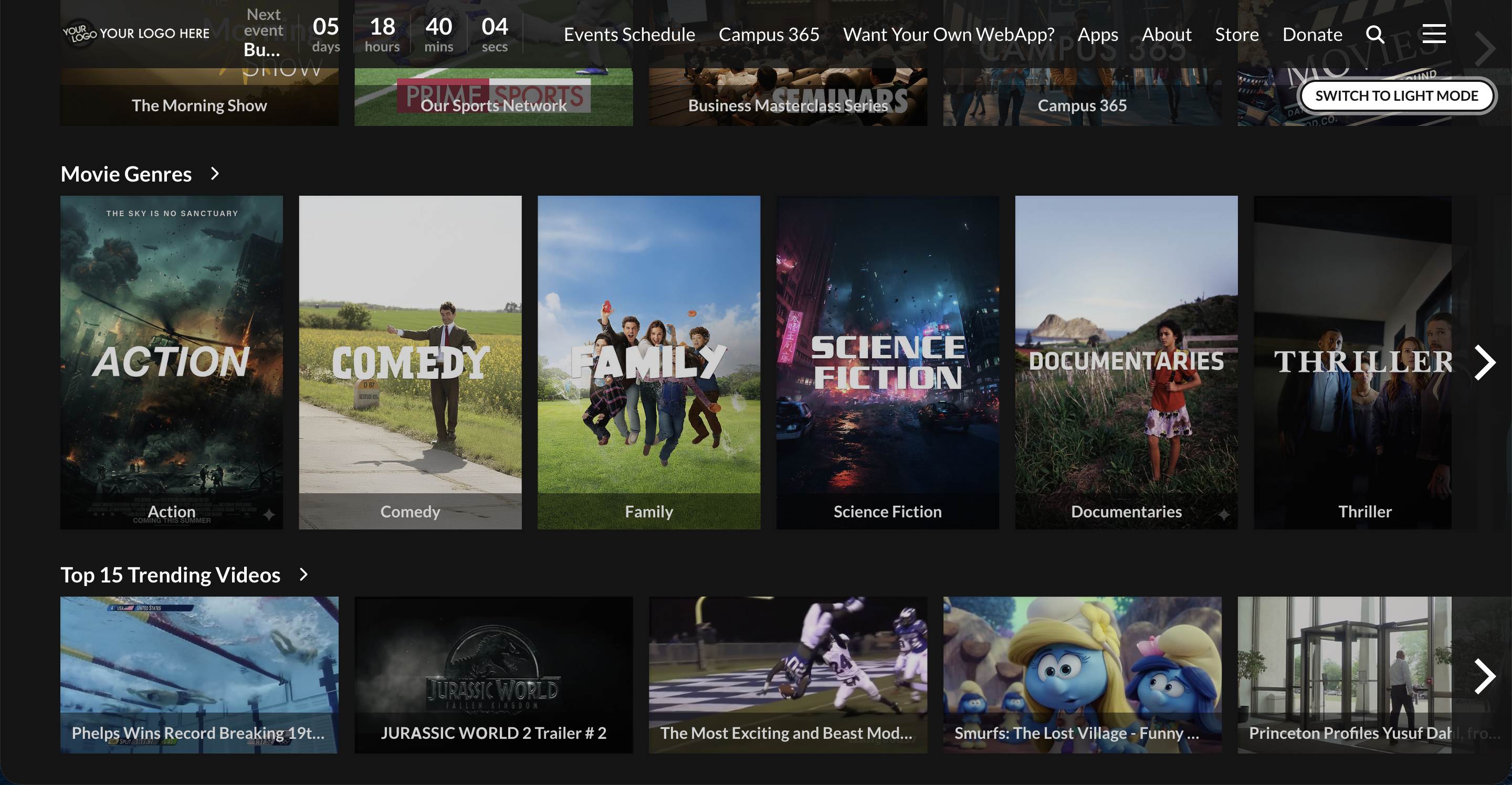
Create a “Trending Now,” “Most Watched,” or “Popular This Week” Channel
Give viewers a simple way to browse content that other viewers are watching
Click the Image Below to See an Example of a Trending Media Channel on a Web App
💡 Interested in Adding a Trending Media Channel?
The Trending Media Channel feature is available as a paid add-on.
To learn more or request setup, please contact Customer Support. Our team would be happy to help you review the available options and get started!
For previous tips, visit our tips page!
Would you like a specific topic to be covered by an upcoming “Tip of the Week”? Click here to submit your request!

Happy Streaming!
Your Lightcast Success Team