
New in the Media Cloud: Channel Filters & Search
We’re excited to introduce a new update in the Media Cloud that makes it easier to find the Channels you need.
You can now search and filter your Channel lists in Channels → Channel Data, so you can narrow long Channel lists without manually scrolling through them.
These new tools are available across all 5 Channel lists: Video On-Demand (VOD), Audio On-Demand (AOD), Live Events, 24/7 Schedulers, and Linear Streams.
This release includes:
New Status and Function filters
Additional filters for select Channel types
New Channel name and ID search
New: Filter Your Channels
You can now narrow your Channel lists faster with new filtering options.
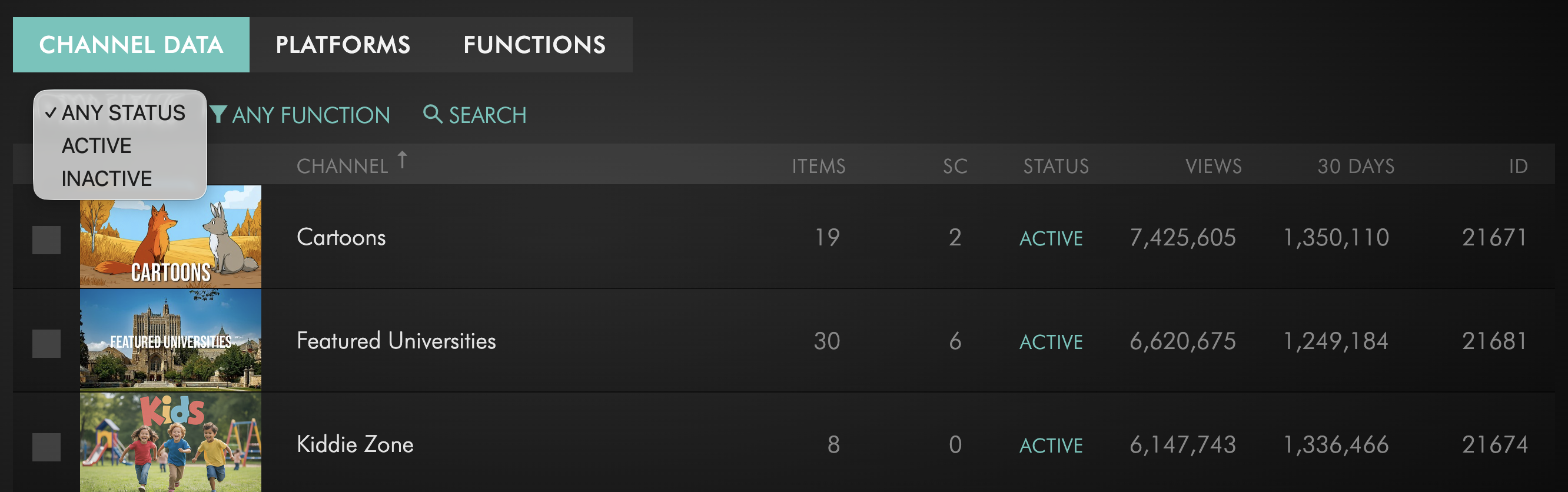
Status Filter
Quickly view Channels that are:
Active
Inactive
Unused
Function Filter
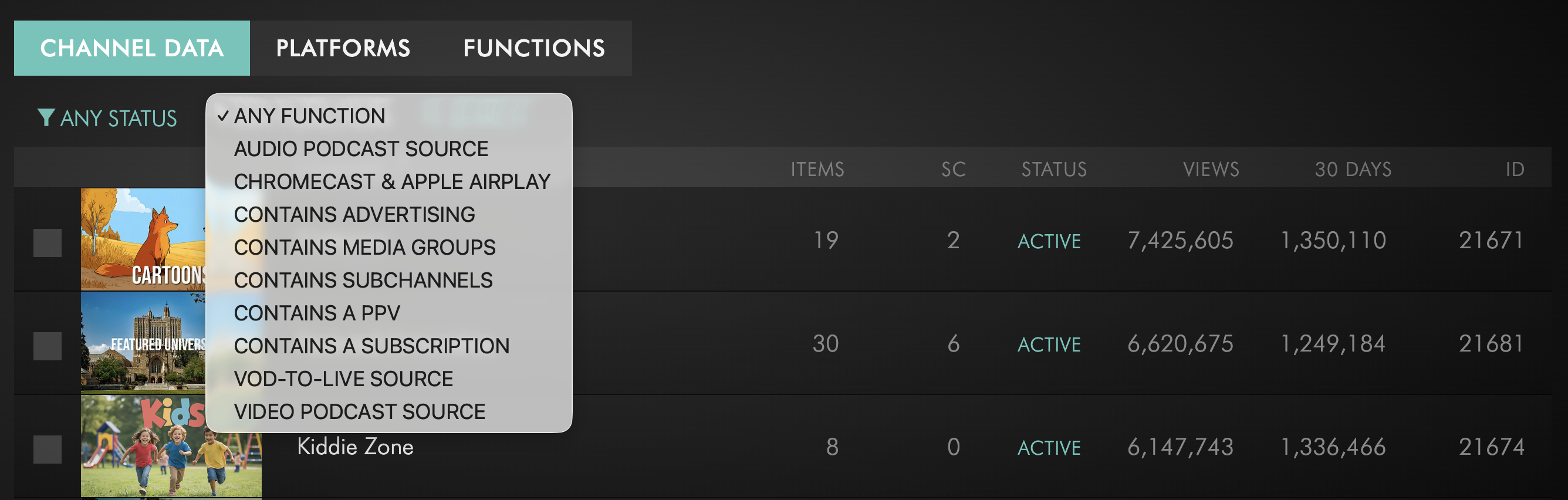
Filter Channels by function to narrow results based on specific Channel capabilities such as advertising, Media Groups, Sub-Channels, subscriptions, Chromecast & AirPlay, and more.
Channel-Specific Filters
Some Channel types also include additional filters:
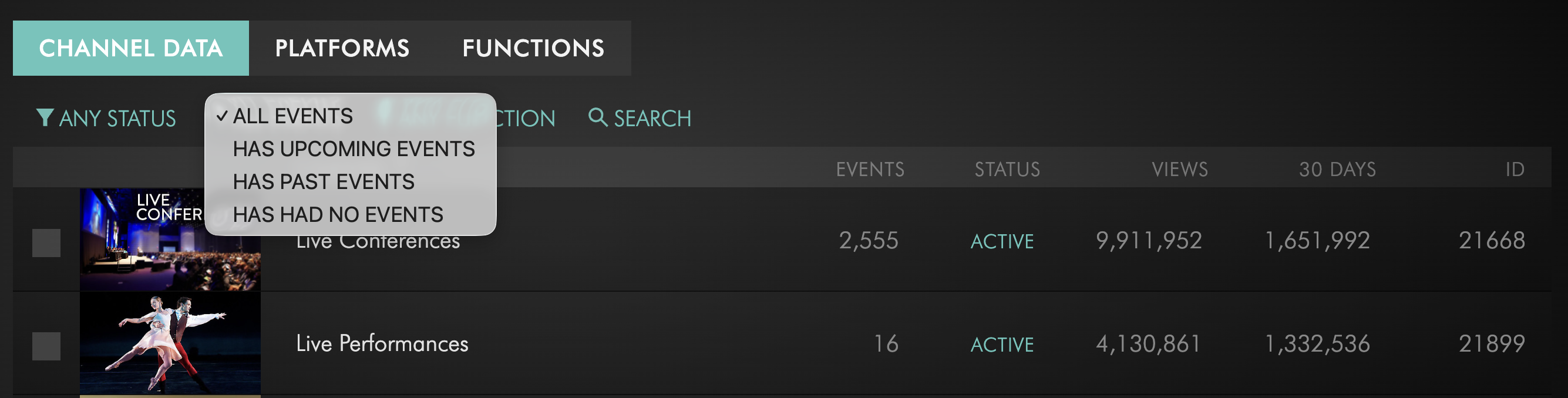
Live Events: filter by event activity
24/7 Schedulers: filter by scheduled dates
Linear Streams: filter by stream type
New: Search by Channel Name & ID
All 5 Channel lists now include a Search option for Channels by name and Channel ID.
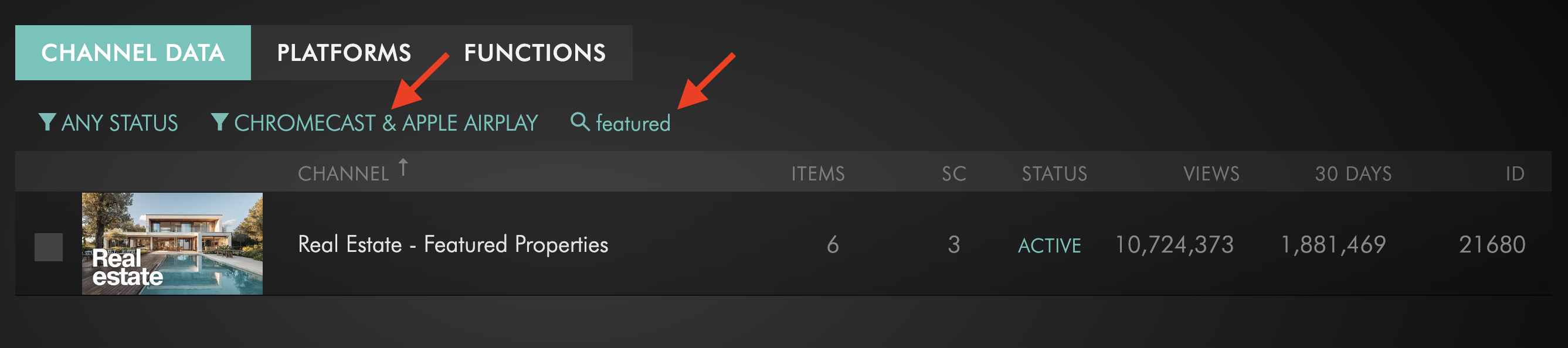
Search works together with your selected filters, allowing you to refine results even further.
Why This Matters
If you manage a large number of Channels, this update makes it easier to sort through your Channel lists and narrow results with less effort.
Instead of manually scanning long lists, you can now search by name or Channel ID and refine results using Status, Function, and Channel-specific filters. Combining filters with search can reduce broader results down to just a few Channels, or even a single result.
If you have any questions about this new feature, our team is here for you!
Enjoy the improved Channel management experience in the Media Cloud — and happy streaming! 🎥
P.S. Check out our Release Page for more information about our releases.
Your Lightcast Success Team