
New in the Media Cloud: Subtitle Filters & FTP Upload Improvements
We’re excited to share two new updates in the Media Cloud that enhance subtitle management and improve FTP upload workflows.
This release includes:
New subtitle filters for Video and Audio Archives
New and improved FTP Upload options
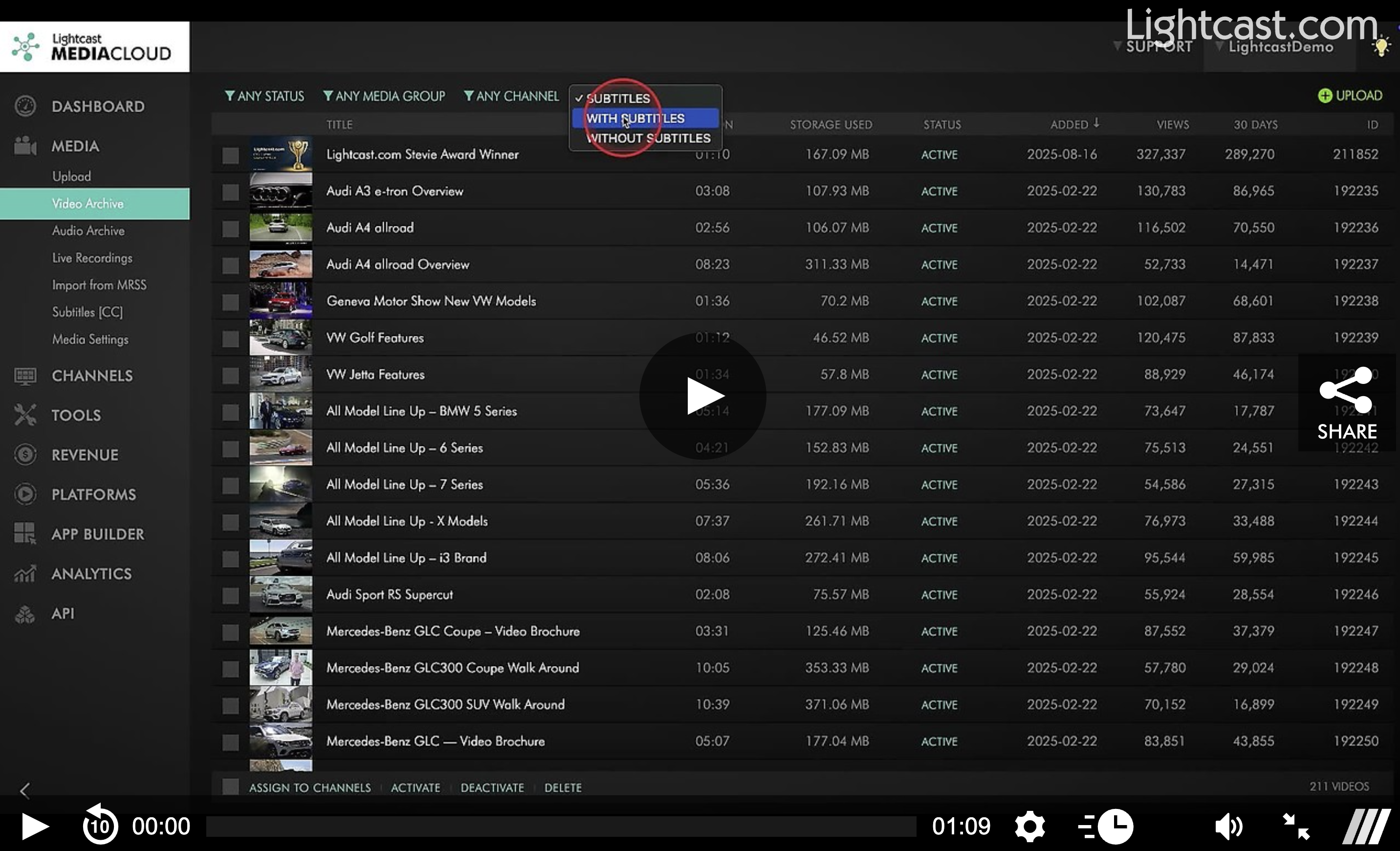
New: Subtitle Filters for Video & Audio
You can now filter media in the Video Archive and Audio Archive based on subtitle availability and language.
With these new filters, you can quickly find:
Media with subtitles
Media without subtitles
Media with a specific subtitle language
For broadcasters managing large libraries, this means less manual checking and faster access to the files you need.
Watch This Video to See How It Works
Improved: FTP Uploader
We've also expanded and improved the FTP Upload experience in the Media Cloud.
FTP Upload is now available alongside your other upload tools, so all of your upload methods are easier to access in one place:

Remote FTP
All users now have access to a Remote FTP Server upload option. This allows you to connect directly to your own FTP server through the Media Cloud and upload media using your existing infrastructure.
With Remote FTP, you can:
Upload compatible video and audio files up to 25 GB
Browse and select files from subfolders within your FTP
Edit or disconnect your FTP connections at any time
Share the same FTP connection with sub-users on the account
Optionally choose to delete files from the FTP server after upload automatically
Lightcast FTP
Users who do not already have their own FTP server can still contact our team to request a Lightcast FTP account.
With Lightcast FTP, you can:
Upload compatible video and audio files up to 25 GB
Upload files to the root folder or subfolders you create to keep content organized
Browse and select files from subfolders directly in the FTP upload pop-up
More Upload Controls
When uploading from either Remote FTP Server or Lightcast FTP, you can now:
Apply a Workflow Preset
Assign Channels
Select Watermarks
Uploads are still completed using a preferred FTP client, such as FileZilla, as part of the upload workflow.
If you have questions about any of these new features or would like help setting up FTP Upload, our team is here for you!
Enjoy the latest Media Cloud improvements — and happy streaming! 🎥
P.S. Check out our Release Page for more information about our releases.
Your Lightcast Success Team