
How to find and install your published Roku app
Overview
This article explains how to find and install your published Roku app on a compatible Roku device.
When to install your published Roku app
Use these steps when you want to install a published Roku app from the Roku Channel Store.
Before you begin, make sure:
Your Roku device is connected to the internet
You know the exact name of the app
You have your Roku remote available
How it works
Published Roku apps can be installed from the Roku Channel Store on Roku devices.
Roku Channel Store search results may include multiple apps with similar names. Searching for the exact app name can help you find the correct app more quickly.
After the app is installed, you can open it from your Roku Home screen.
Instructions
Step 1
Press the Home button on your Roku remote.
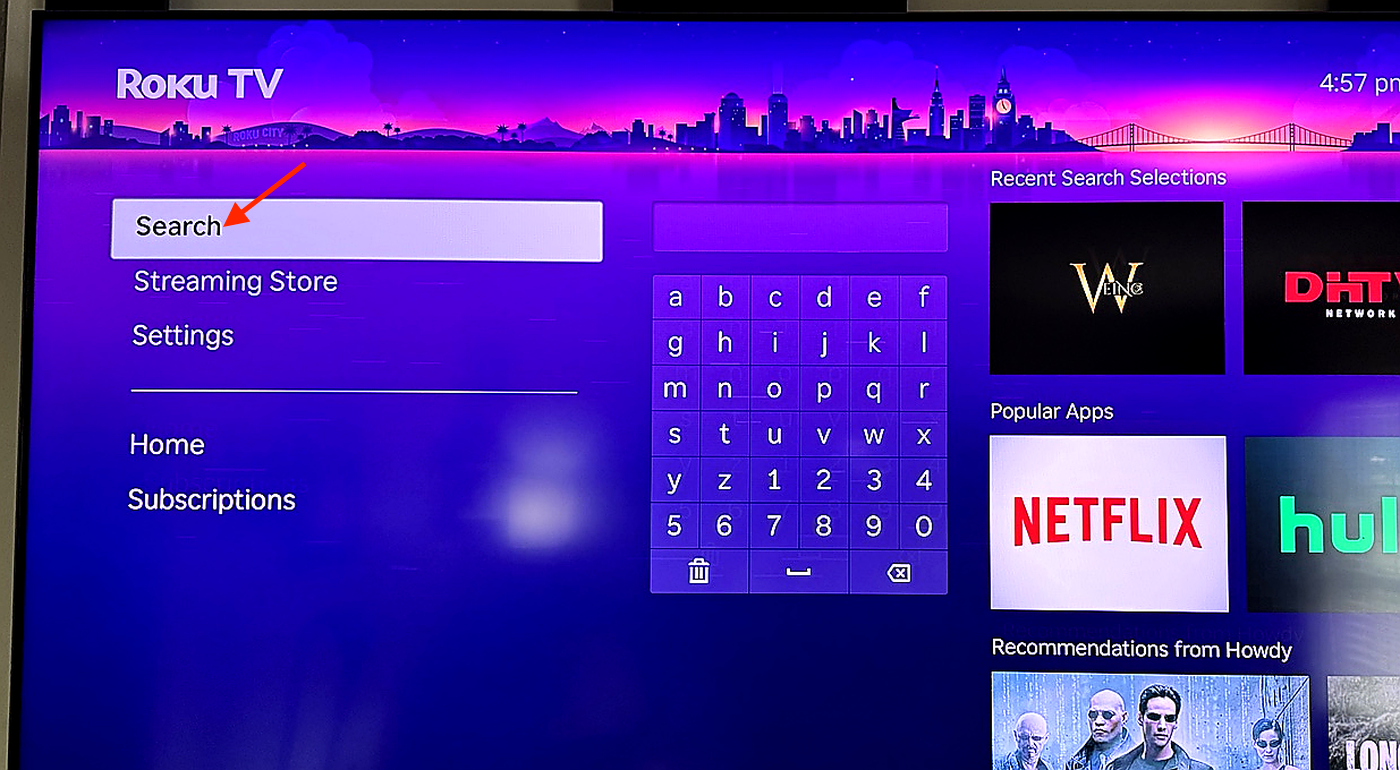
Step 2
Go to Search.
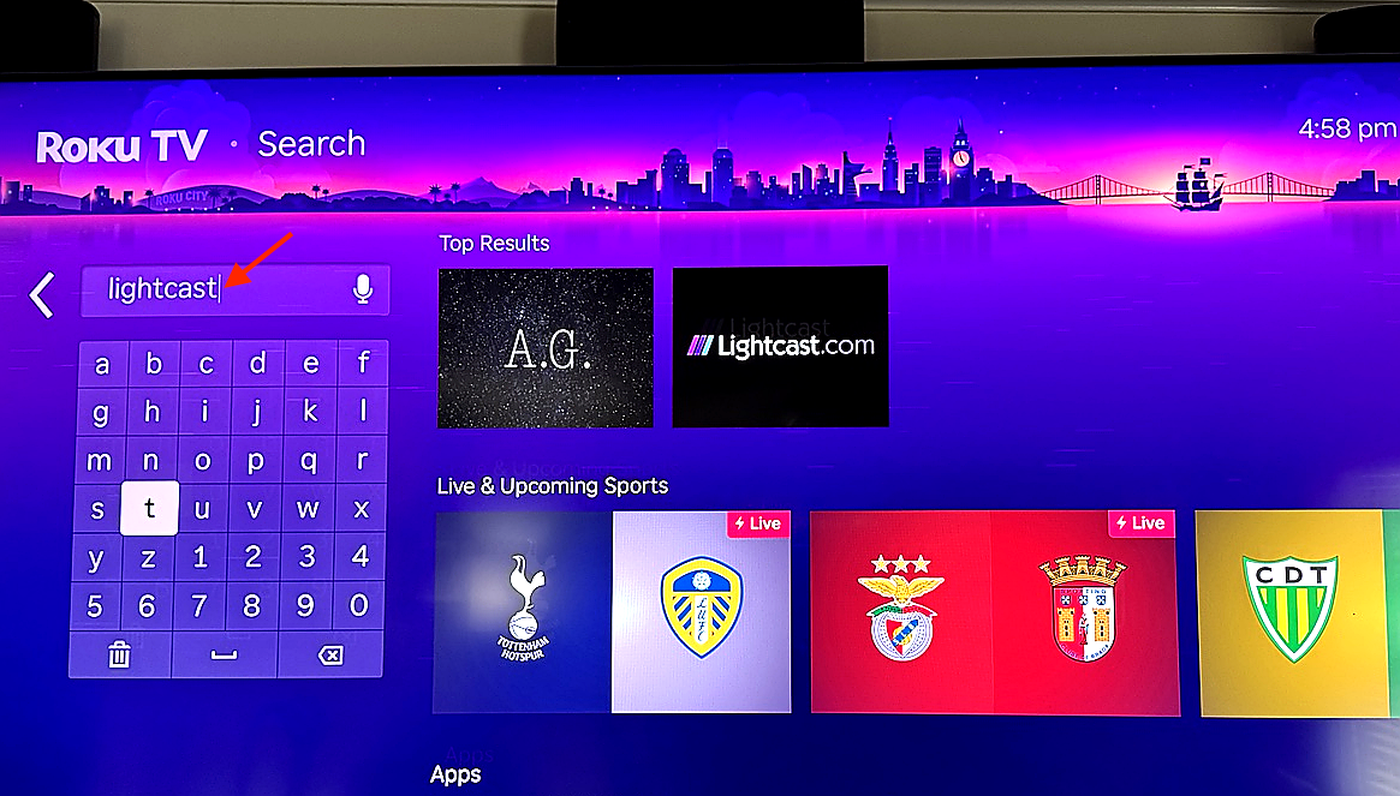
Step 3
Enter the exact name of the app you want to install.
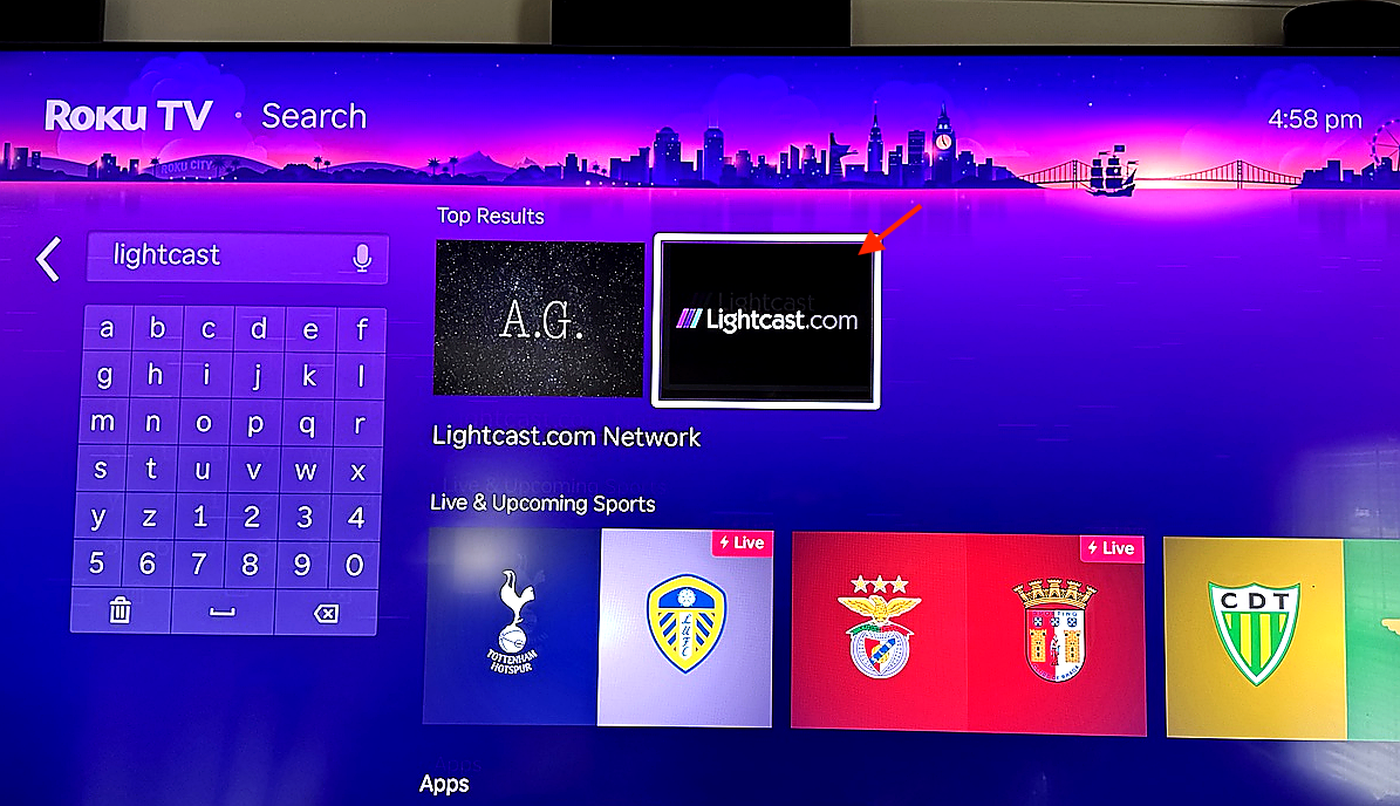
Step 4
Select the correct app from the search results.
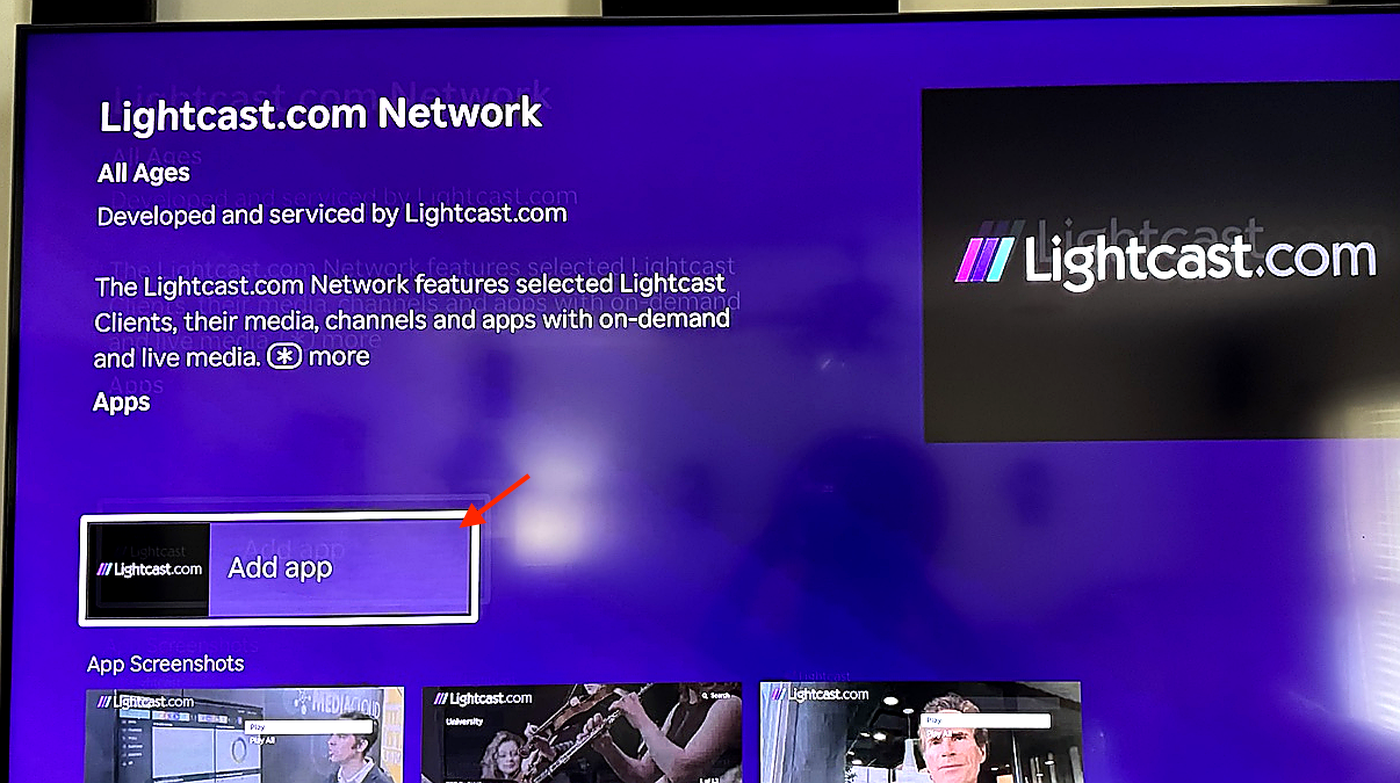
Step 5
Click Add app or Add channel.
The button wording may vary depending on your Roku device or Roku software version.
Step 6
Wait for the app to finish installing.
This process may take a few seconds. Make sure your Roku device stays connected to the internet.
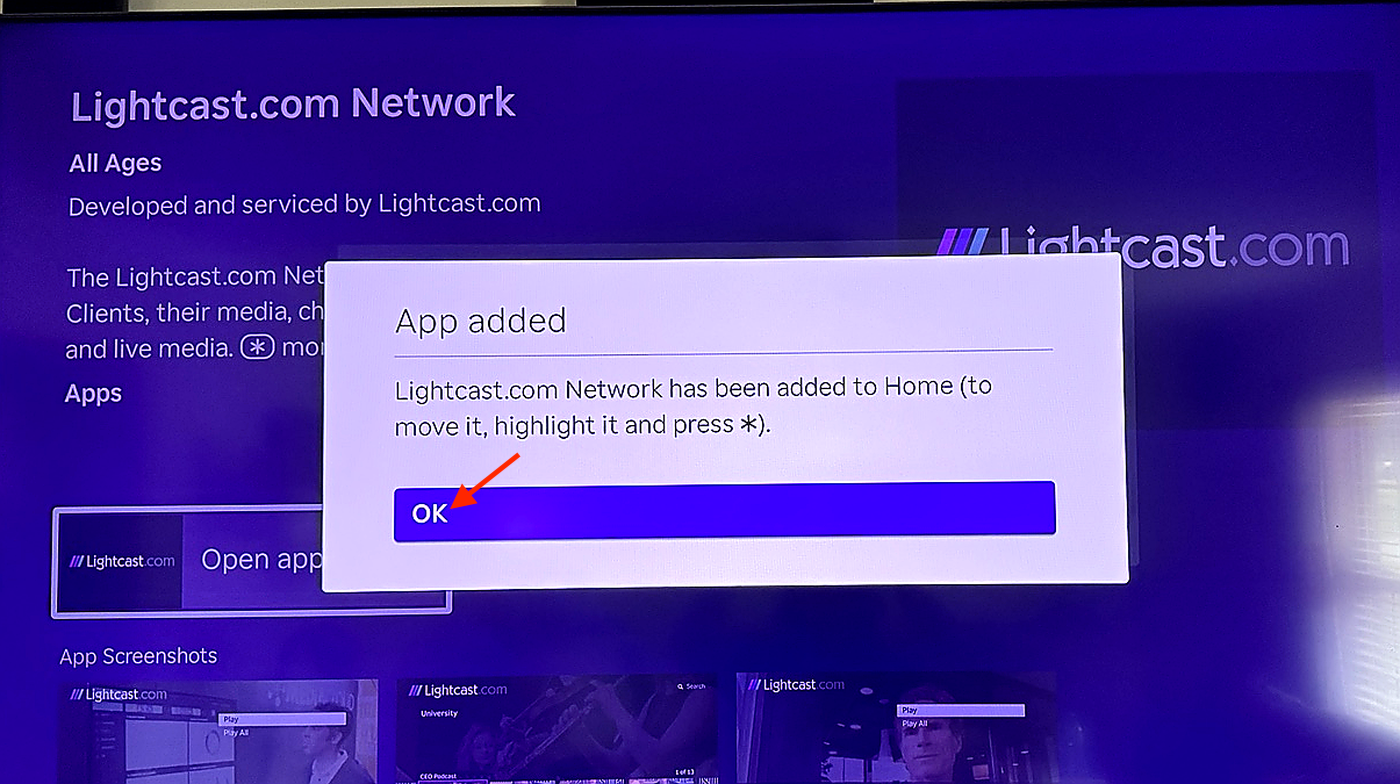
Step 7
When the confirmation message appears, select OK.
Step 8
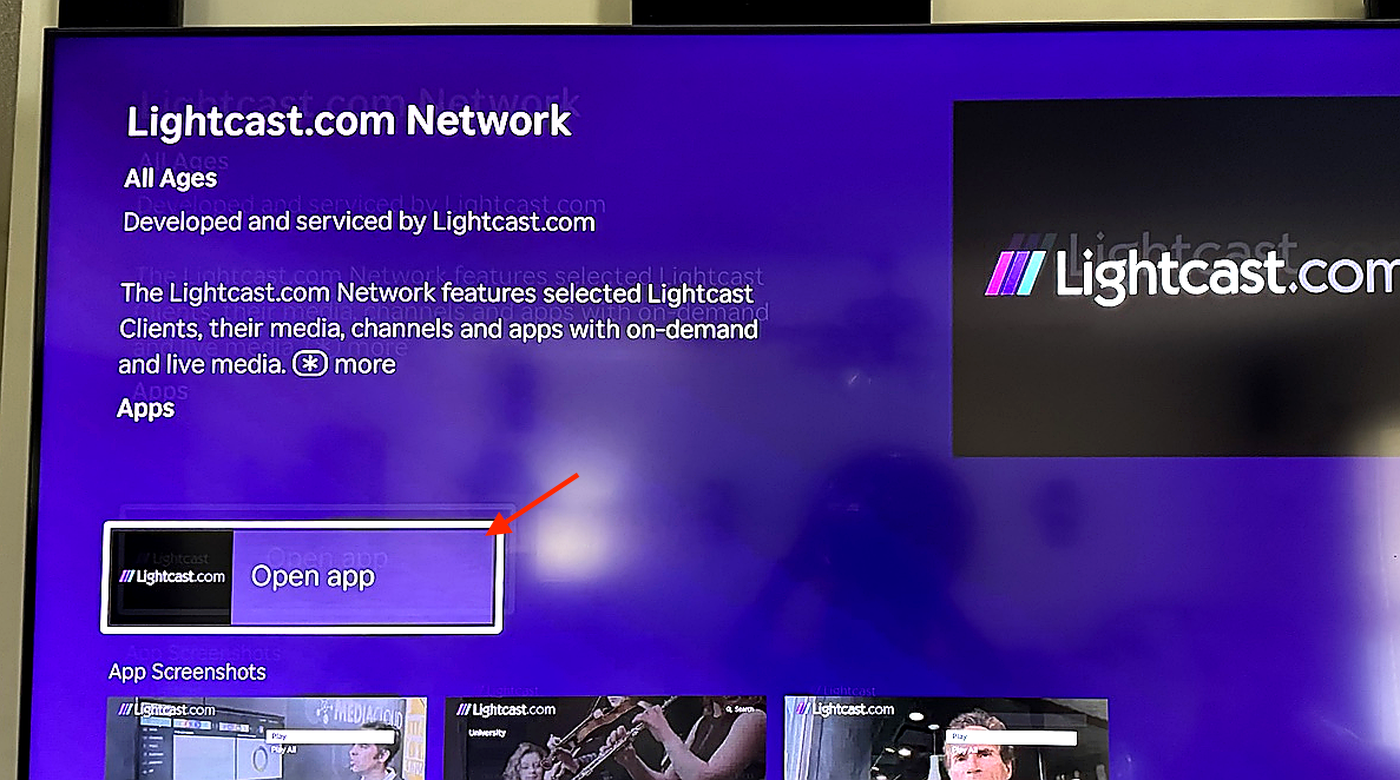
Open the app from your Roku Home screen and confirm that the app opens correctly and your content displays as expected.
FAQs
Where can published Roku apps be downloaded?
Published Roku apps can be downloaded from the Roku Channel Store on Roku devices.
How can viewers find a published app?
Viewers can search for the exact app name in the Roku Channel Store or on their Roku device.
You can also share direct app links so viewers can open the app listing or download page more easily.
Where can the app be found after installation?
After installation, the app appears on your Roku Home screen.
Why is the app not appearing in Roku Channel Store search results?
Roku Channel Store search results may include apps with similar names, or the app may not appear if the search term does not match the app name closely.
Search for the exact app name first. If the app still does not appear, try searching one or two distinctive words from the app title.
What should be checked if the app is not visible after installation?
Confirm that your Roku device is connected to the internet.
If the app is still not visible, restart your Roku device and check the Roku Home screen again.
Is this the same as installing a beta Roku app?
No. These steps apply to published Roku apps available in the Roku Channel Store.
Beta Roku apps are installed using a Channel Access Code before they are published.