
How to view Fire TV app install numbers in your Amazon Developer account
Overview
This article explains how to view monthly install numbers for your Fire TV app in your Amazon Developer account.
When to view Fire TV app install numbers
Use these steps when you want to check how many times your published Fire TV app has been downloaded or installed through Amazon.
You must have access to the Amazon Developer account where the Fire TV app is published.
Instructions
Step 1
Log in to your Amazon Developer account.
Step 2
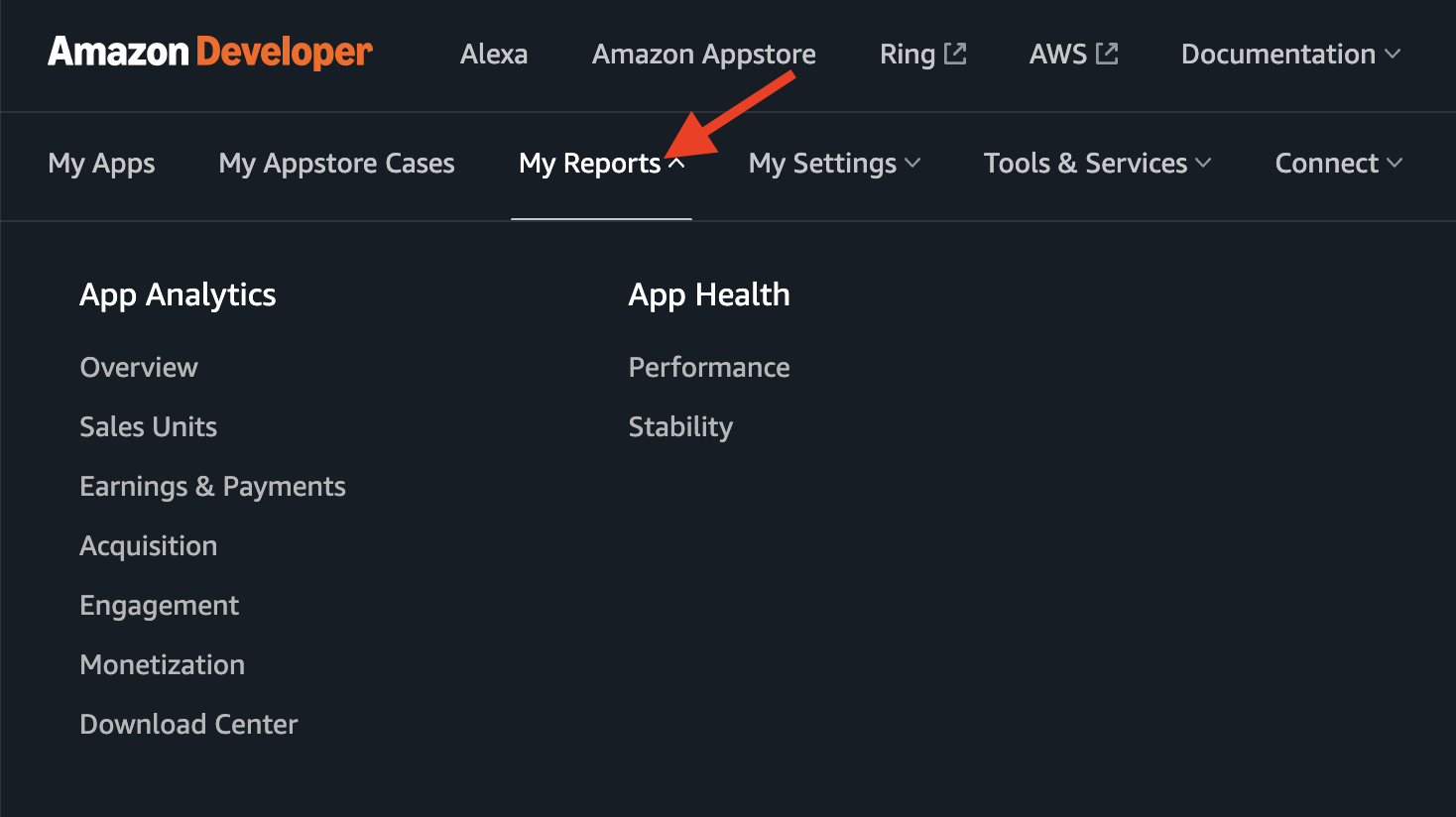
Open My Reports in the top navigation menu.
Step 3
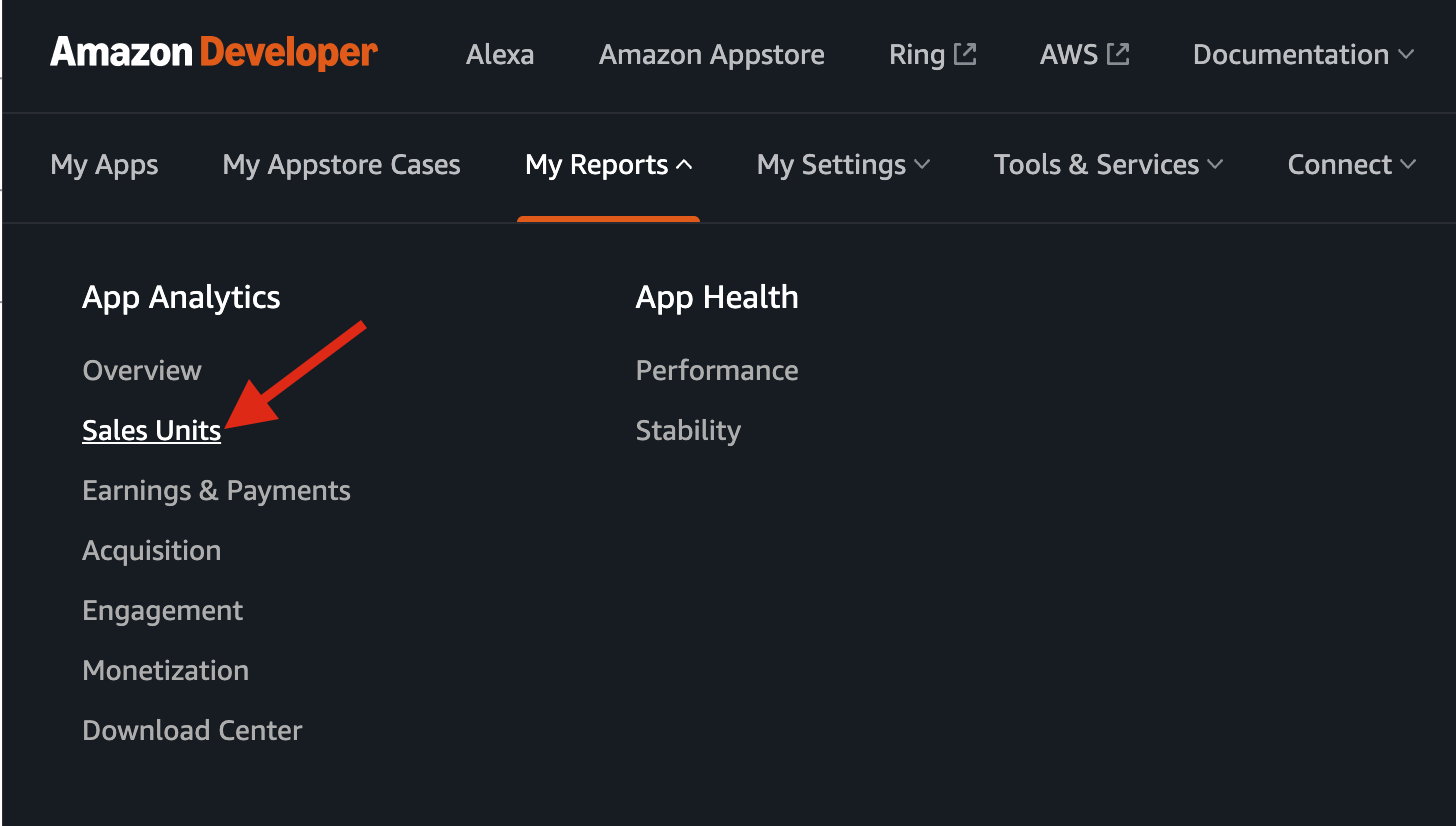
Under App Analytics, select Sales Units.
Step 4
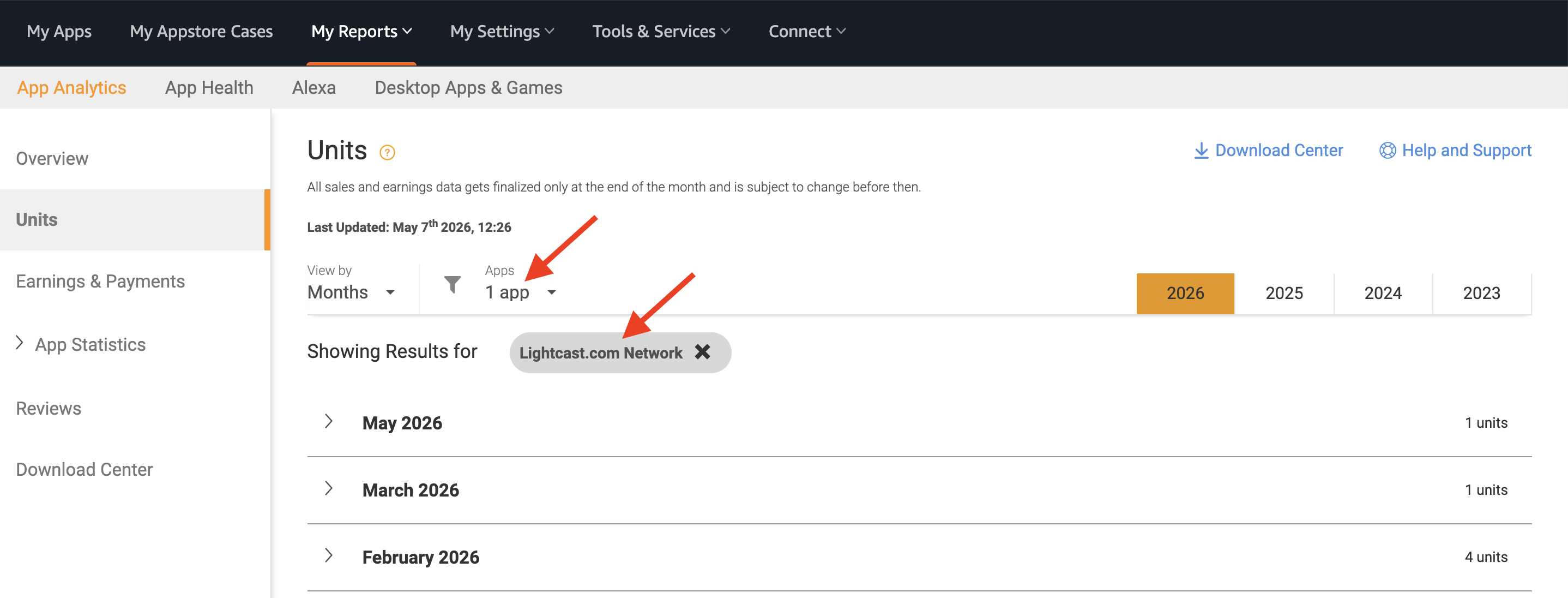
If needed, use the Apps filter to select the Fire TV app you want to review.
If the report is set to All Apps, click the dropdown and choose the specific app.
Step 5
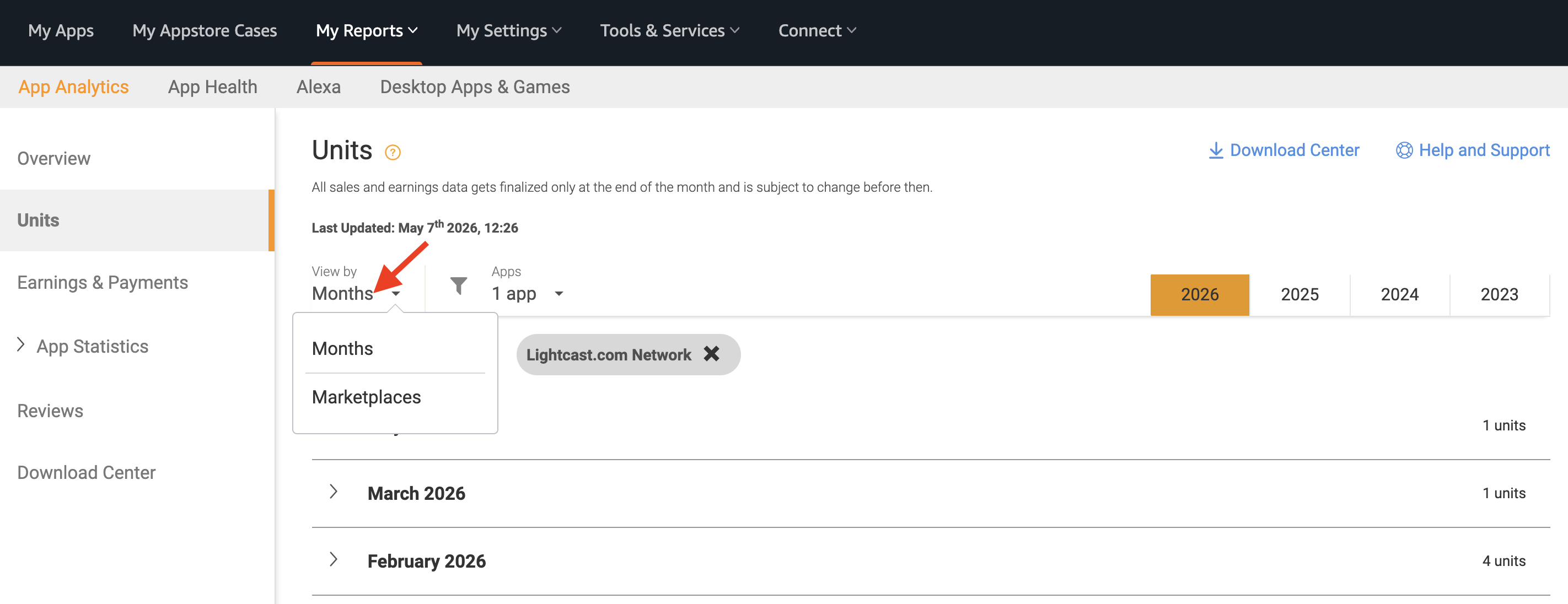
Choose how you want to view the report.
Use the View by dropdown to view the report by Months or Marketplaces.
Step 6
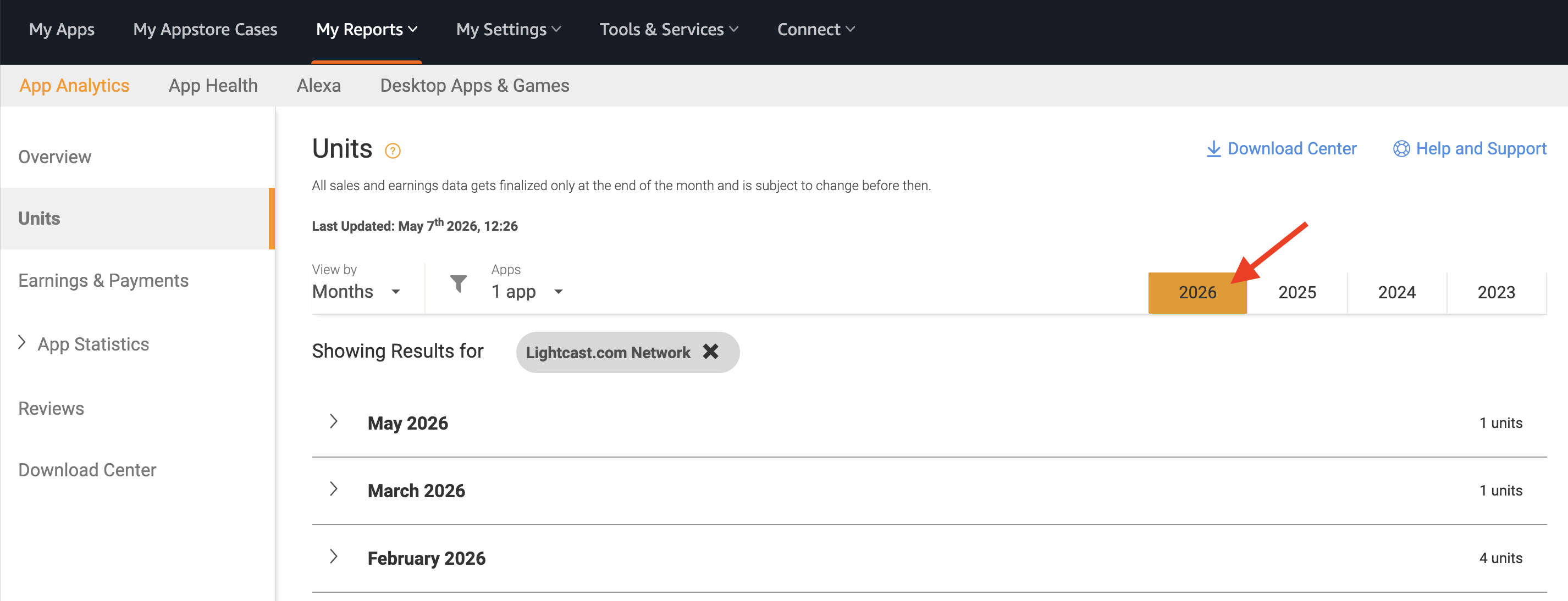
Select the year you want to review.
Use the year tabs at the top of the report to switch between available years.
Step 7
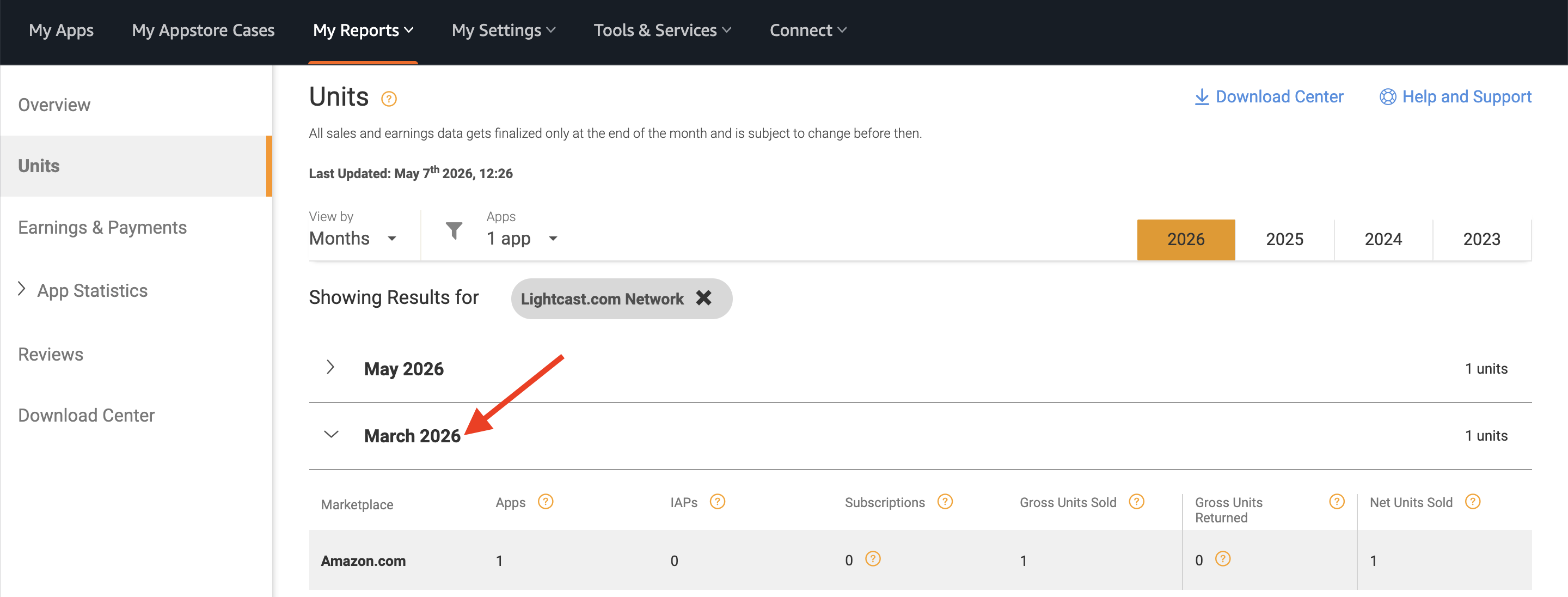
Review the units shown in the report.
When viewing by Months, the report shows units by month for the selected app and year. These units can be used to review app downloads or installs.
Step 8
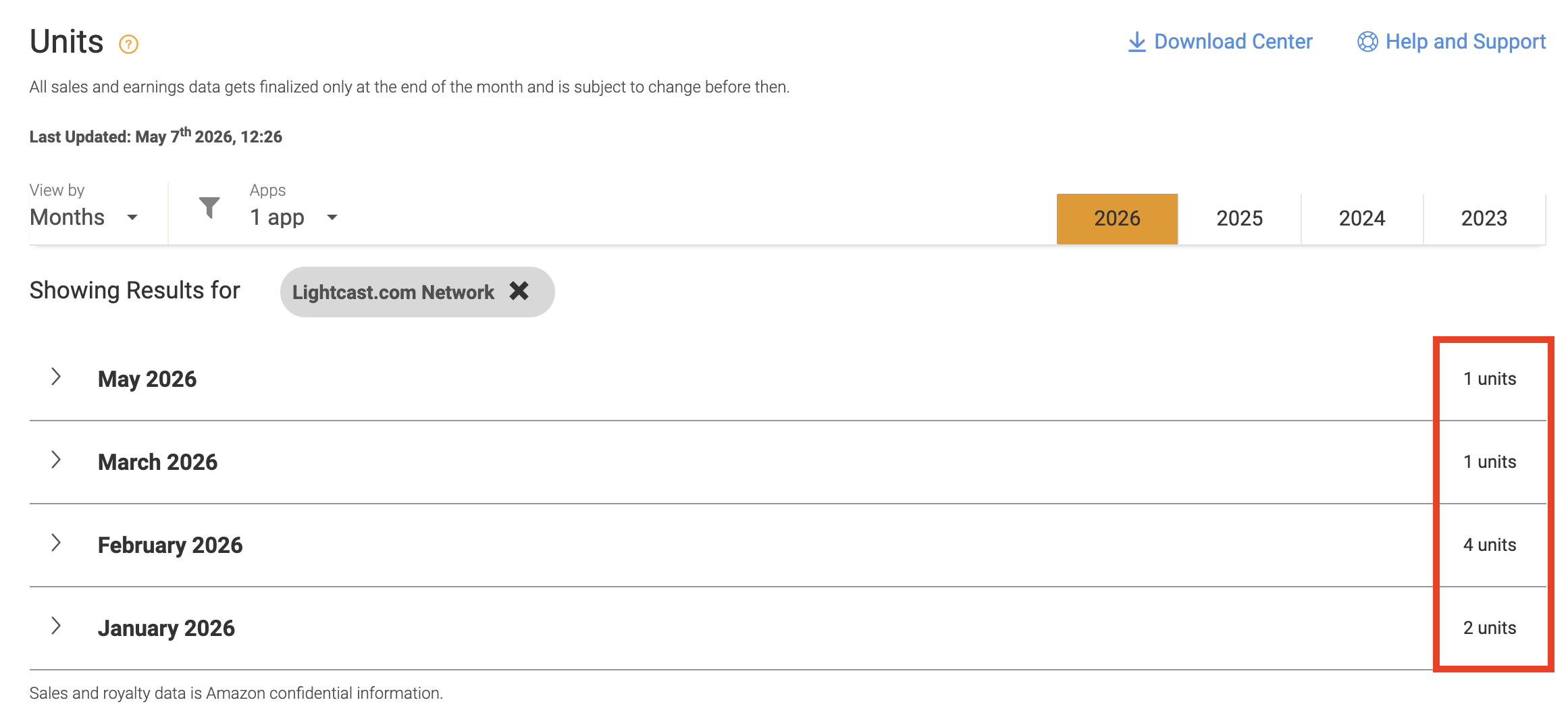
To calculate total installs for the selected year, add the monthly unit numbers together.
Step 9
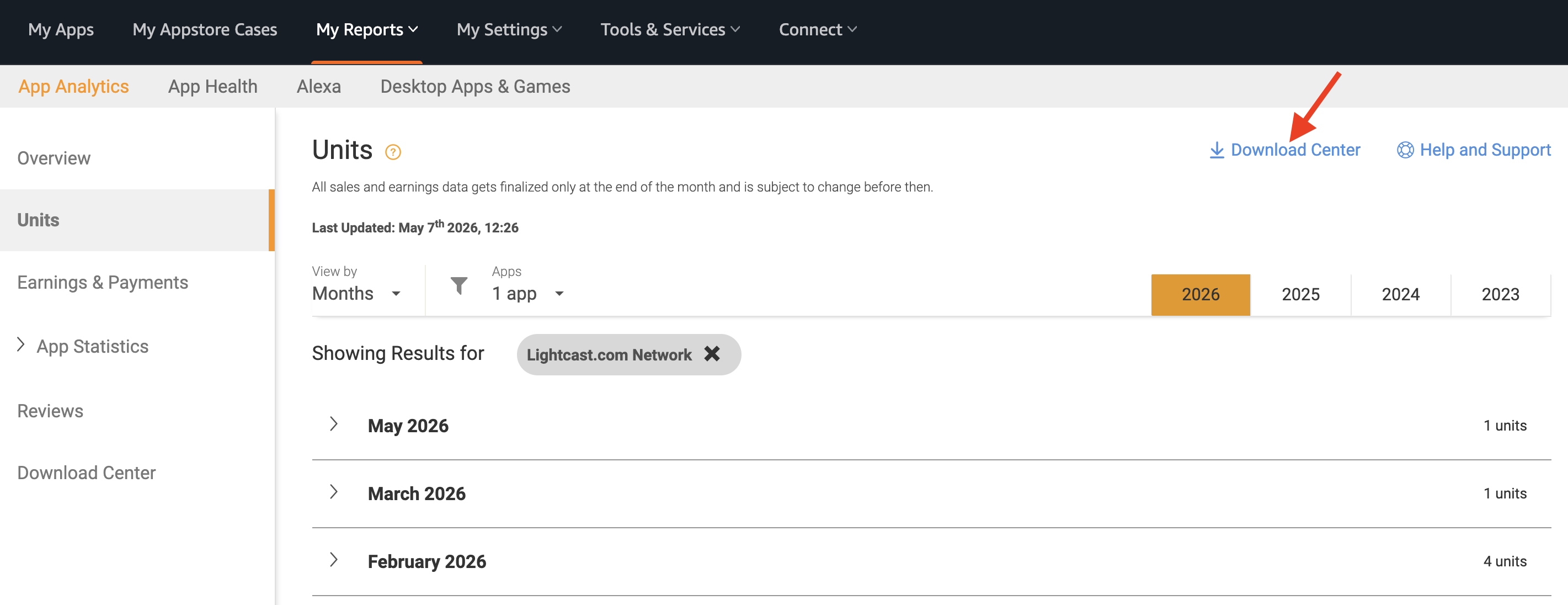
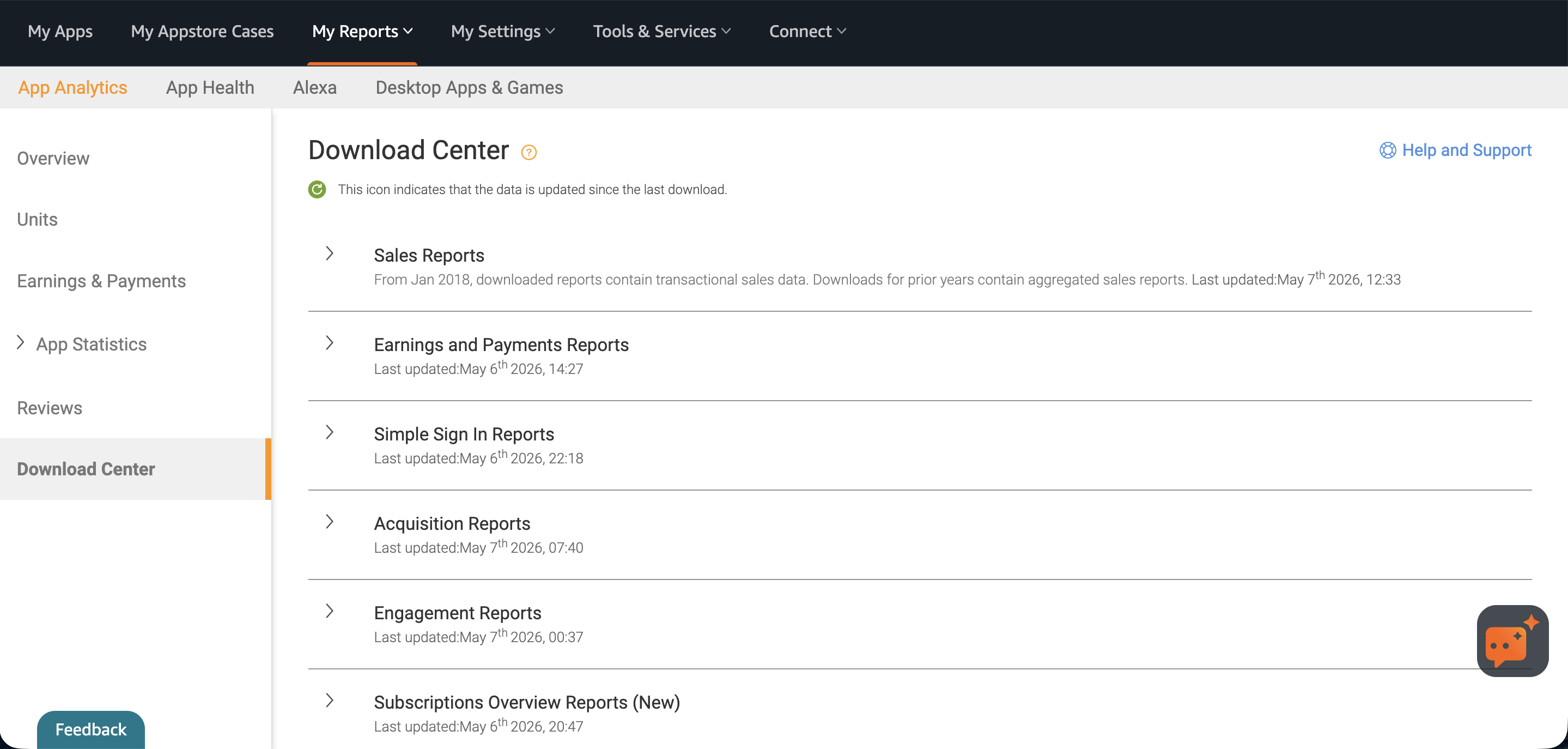
If you need a downloadable report, click Download Center.
Step 9
Use the available report options to download the data for the app and reporting period you need.
FAQs
Where are Fire TV app install numbers found?
Fire TV app install numbers are found in the Reporting section of your Amazon Developer account.
Can Fire TV app download numbers be viewed in the Media Cloud?
No. Fire TV app install numbers are not available in the Media Cloud because install data is managed by Amazon through your Amazon Developer account.
Third-party platforms, including Amazon, do not currently provide this install data to the Media Cloud through an API. If Amazon makes this data available through their API in the future, Lightcast may be able to display it in the Media Cloud.
What report should be used to view Fire TV app install numbers?
Use the Units report to view download or install numbers for your Fire TV app.
Can install numbers be filtered by app?
Yes. Use the All Apps filter to search for your app, select it, and apply the filter.
Can install numbers be filtered by date?
Yes. Use the date filter at the top of the report to select the year or date range you want to review.
How can total Fire TV app installs be calculated?
The report shows install numbers by month. To calculate total installs for a selected period, add the monthly install numbers together.