
How to install and test a beta Fire TV app
Overview
This article explains how to install and test a beta version of your Fire TV app before the app is published in the Amazon Appstore.
When to test a beta Fire TV app
Use these steps if you ordered a beta version of your Fire TV app and Lightcast provided a test app name and URL.
Before you begin, make sure:
Your Fire TV device is connected to the internet
You have access to the test app name and URL provided by Lightcast
You have installed the Amazon Web App Tester on your Fire TV device
How it works
The beta Fire TV app is tested through the Amazon Web App Tester on your Fire TV device.
The test app may look similar to a Web App, but it is controlled with your Fire TV remote. You will not use a mouse, touchscreen, or finger to navigate the beta Fire TV app. Use the remote buttons to move through the app, select items, and test playback.
Instructions
Step 1
On your Fire TV device, search for and install the Amazon Web App Tester from the Amazon Appstore.
Step 2
Open the Amazon Web App Tester on your Fire TV device.
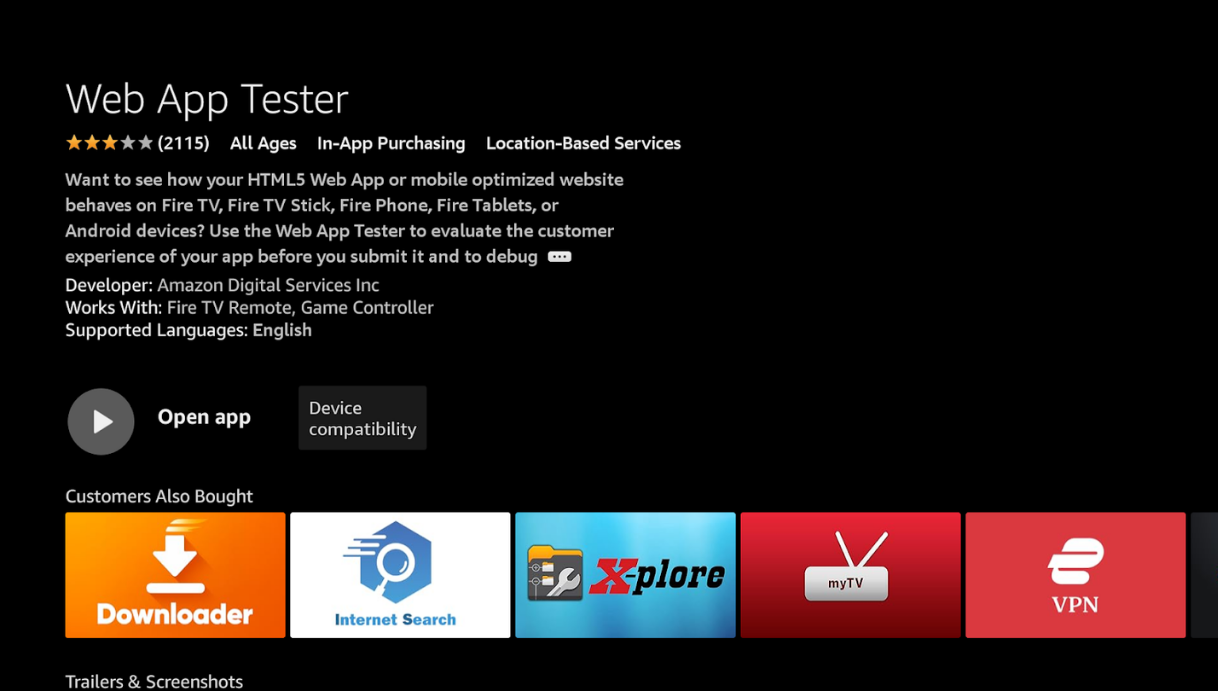
Step 3
Enter the test app name provided by Lightcast.
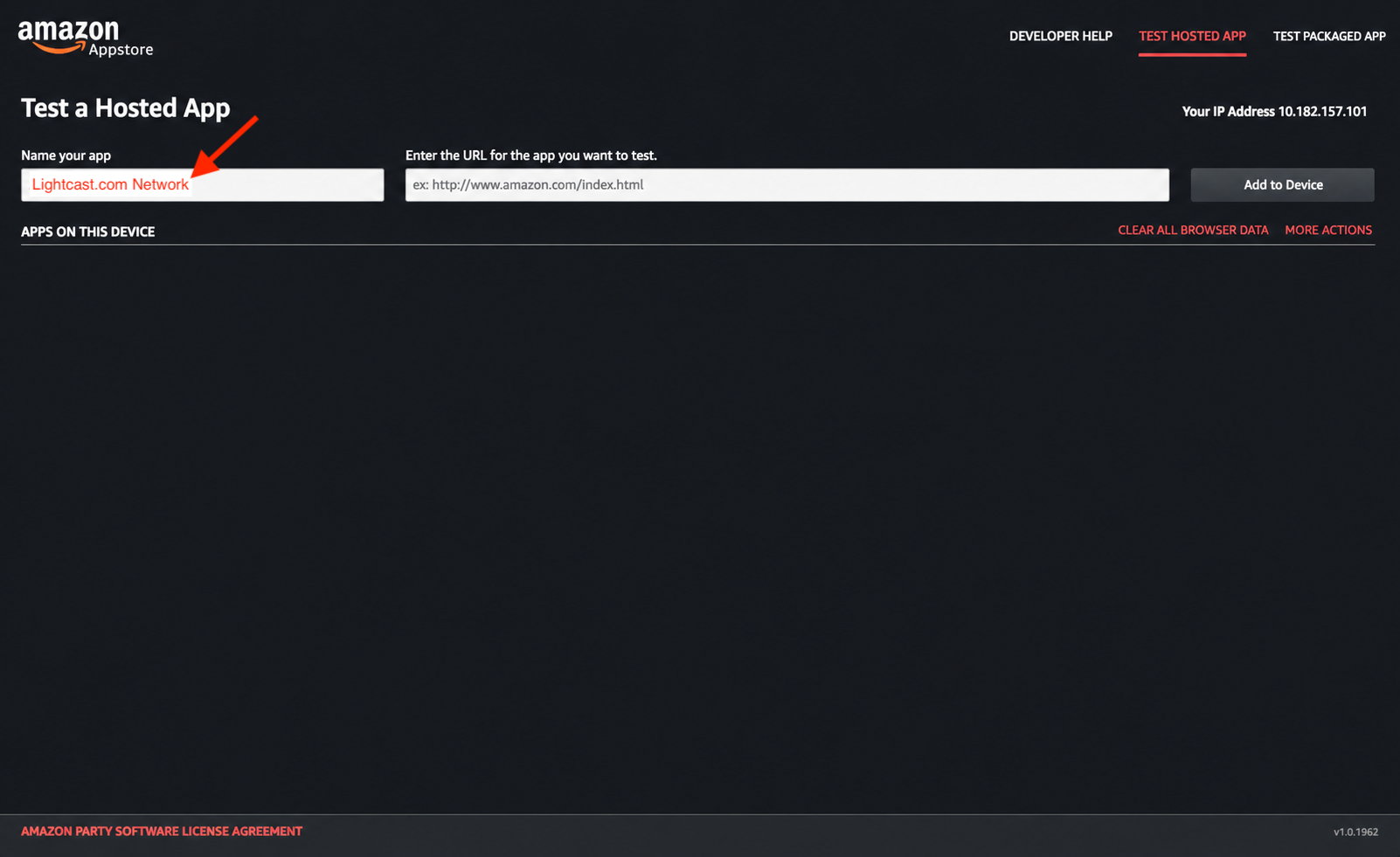
Step 4
Enter the test app URL provided by Lightcast.
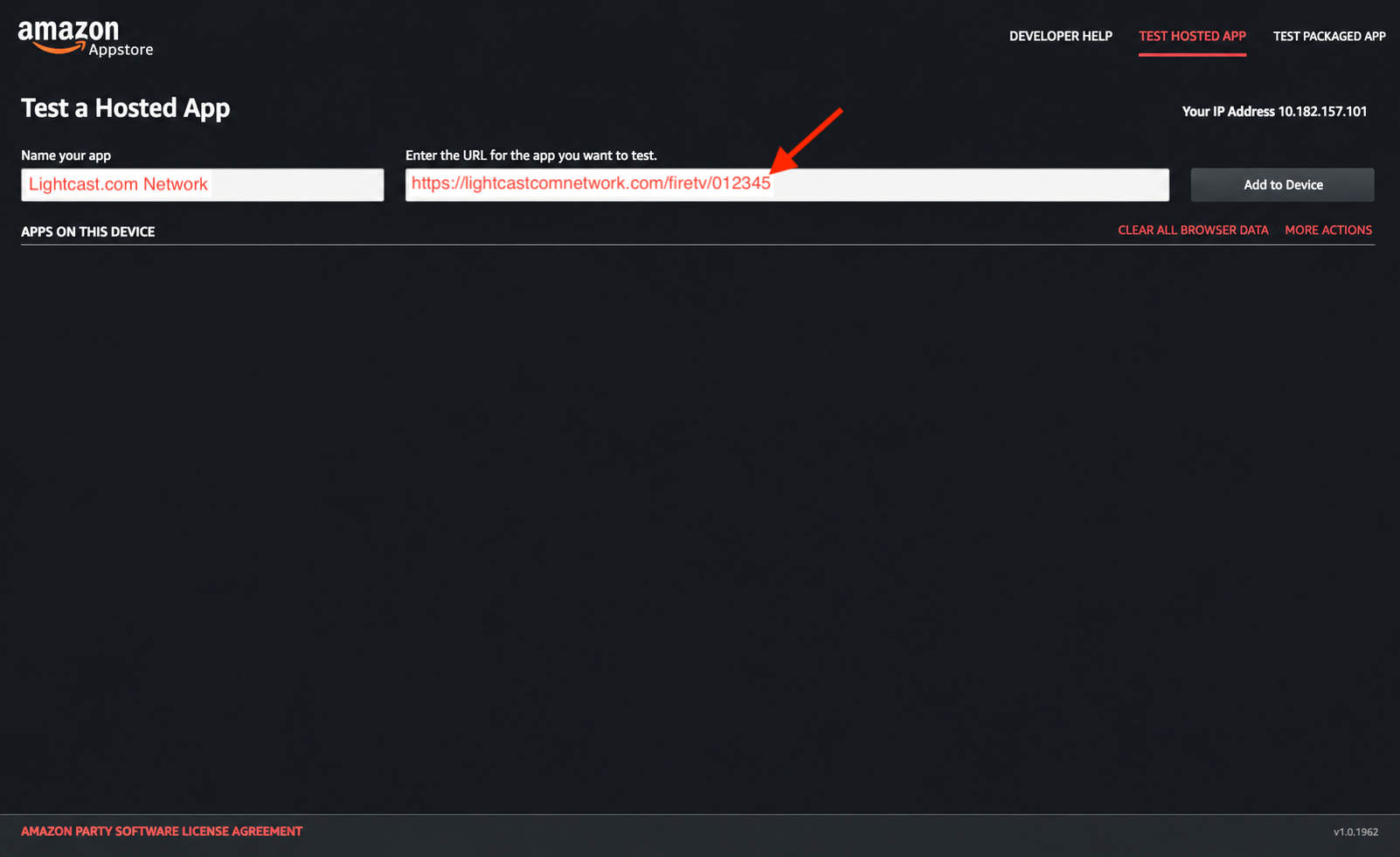
Step 5
Select Add to Device.
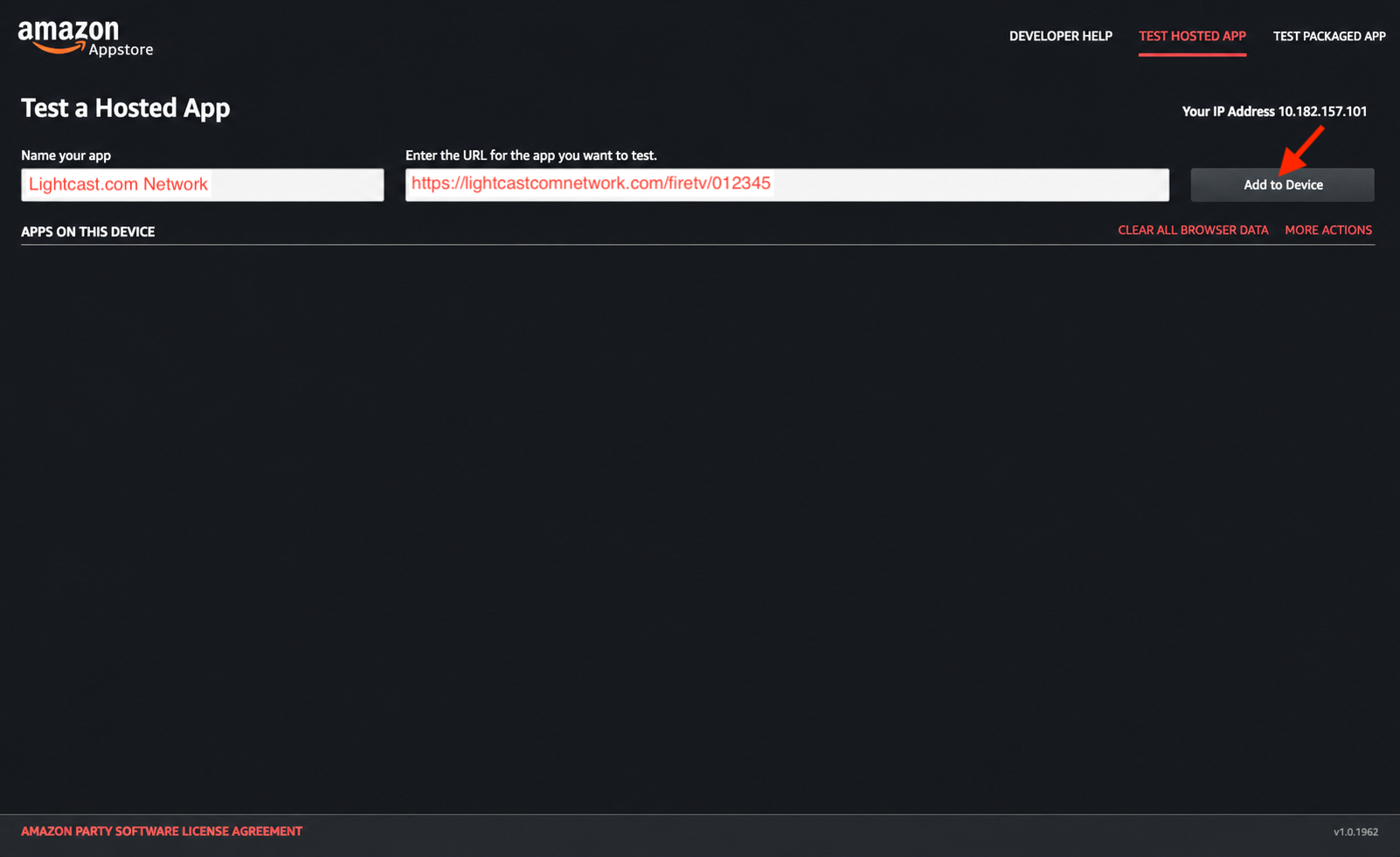
Step 6
Select Test to open the beta Fire TV app.
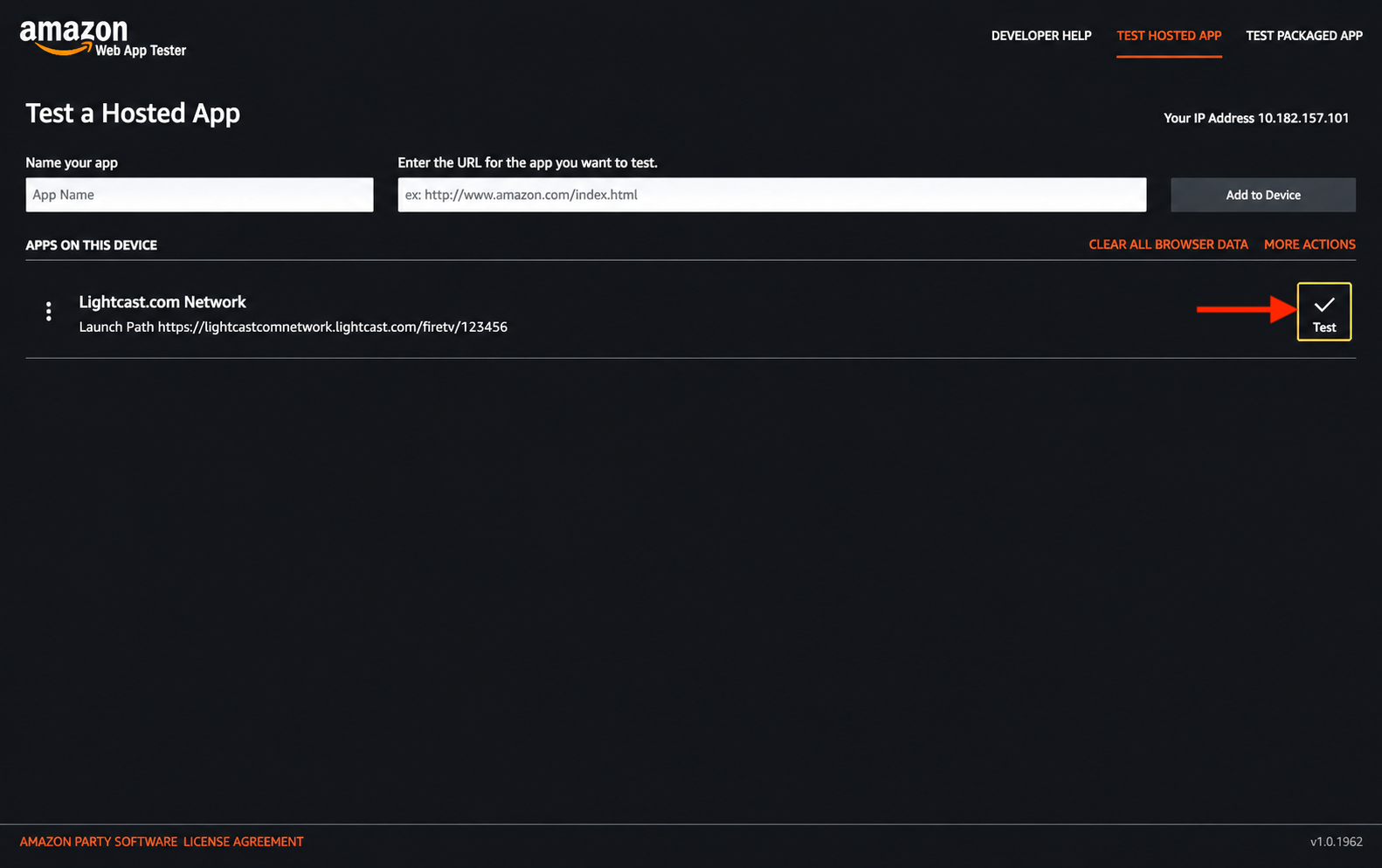
Step 7
Use your Fire TV remote to test the beta Fire TV app.
Check the app navigation, content layout, video playback, LIVE stream playback, graphics, and any other areas Lightcast asked you to review.
FAQs
What is needed to test a beta Fire TV app?
You need a Fire TV device connected to the internet, the Amazon Web App Tester, and the test app name and URL provided by Lightcast.
Can the beta Fire TV app be tested with a mouse or touchscreen?
No. The beta Fire TV app should be tested with the Fire TV remote.
The test app may look similar to a Web App, but Fire TV app navigation is controlled with the remote buttons.
Where is the Amazon Web App Tester installed from?
Install the Amazon Web App Tester from the Amazon Appstore on your Fire TV device.
What should be checked during beta testing?
Check the app navigation, content layout, graphics, video playback, LIVE stream playback, and any specific items Lightcast asked you to review.
Is the beta Fire TV app the published app?
No. The beta Fire TV app is for testing before the app is published in the Amazon Appstore.
Why is there a fee for a beta Fire TV App?
The beta app fee applies when you want to install and test a beta version of your Fire TV App locally on your Fire TV device before the app is published in the Amazon Appstore.
Beta app testing is optional, so the fee is not included in standard app setup costs. This helps keep the standard app setup cost fair for publishers who do not need a beta app.
The beta app fee is listed on the Rate-Card for Add-On Services page in the Media Cloud.
Lightcast can also provide screenshots of the final app at no additional cost. Many publishers choose this option when they do not need to install and test the beta app directly on a device.