
How to find and install your published Android TV app
Overview
This article explains how to find and install your published Android TV app on a supported Android TV or Google TV device.
When to install your published Android TV app
Use these instructions after your Android TV app has been approved and published in the Google Play Store.
Before installing the app, make sure you are using a supported Android TV or Google TV device. Android TV apps are not built for Android smartphones or tablets.
How it works
Published Android TV apps are installed through the Google Play Store on supported Android TV and Google TV devices.
App availability may depend on the device, operating system version, Google Play Store availability, and the app version published through Google Play. If the app is not available for the device, it may not appear in Google Play Store search results on that device.
Instructions
Step 1
Turn on your Android TV or Google TV device.
Step 2
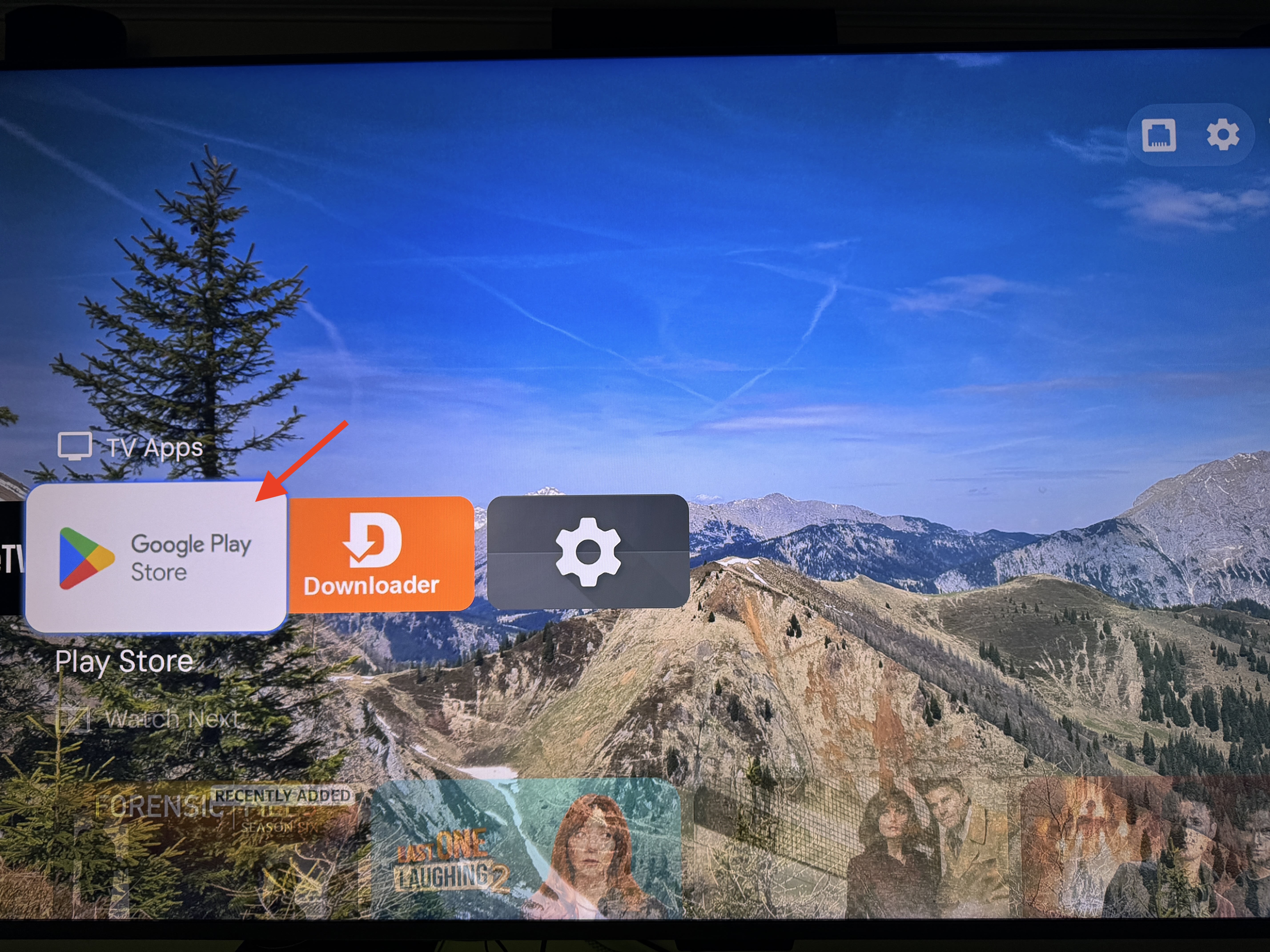
Open the Google Play Store on the device.
Step 3
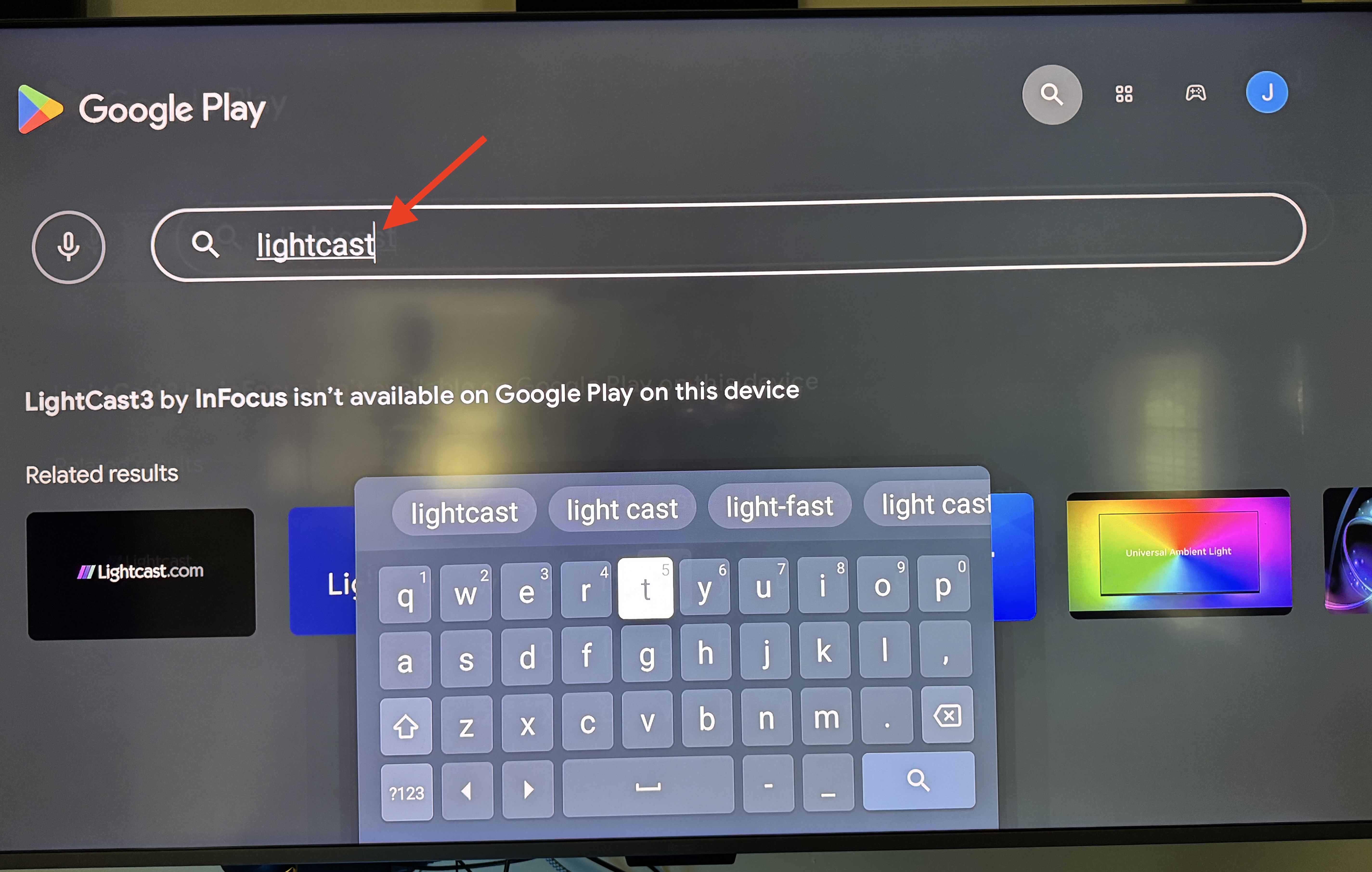
Search for your Android TV app by app name.
Step 4
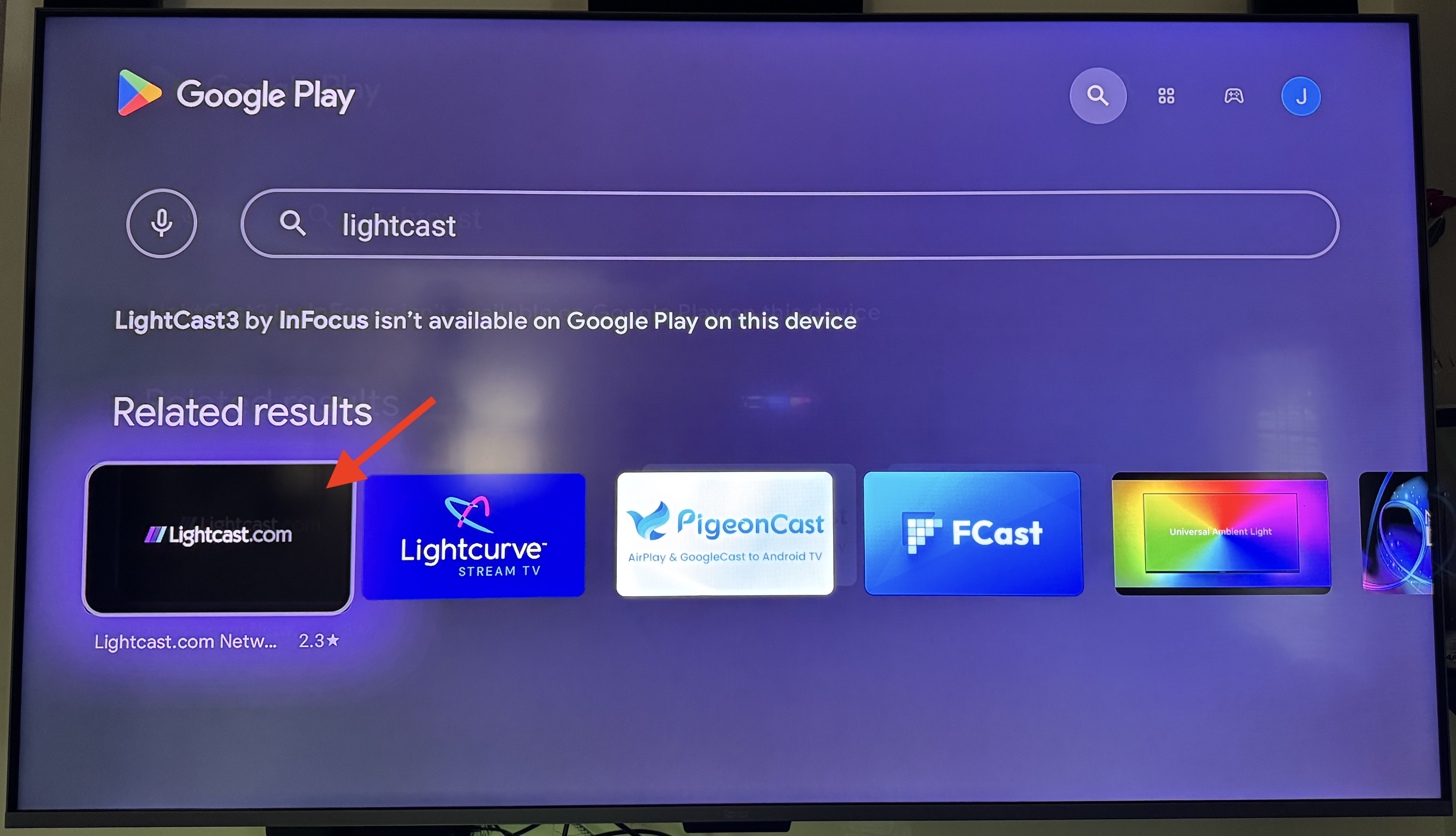
Select the correct app from the search results.
If your organization has more than one app, make sure you select the Android TV app and not a mobile app or another app version.
Step 5
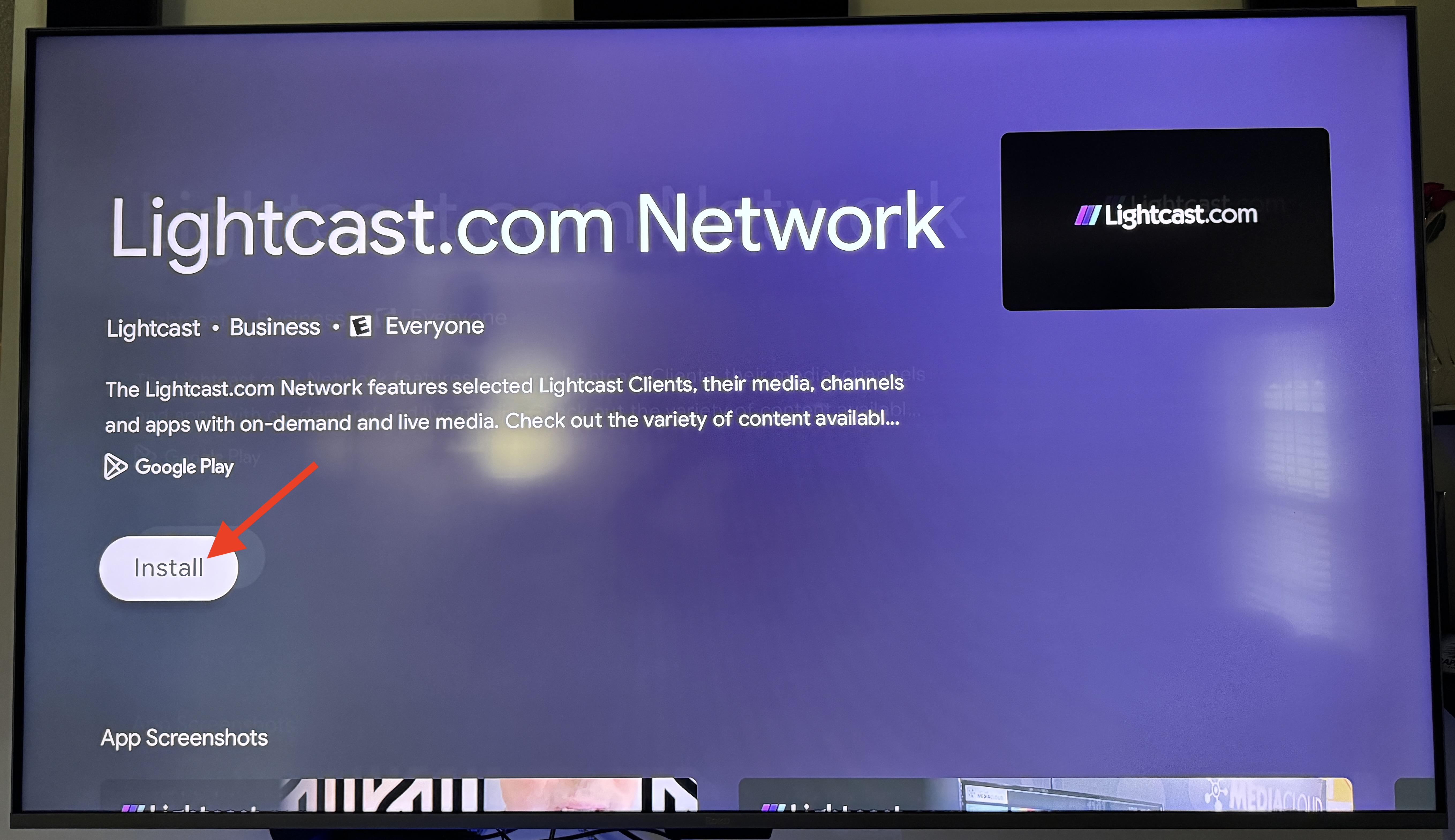
Click Install.
Step 6
After the installation is complete, open the app.
Step 7
Confirm that the app opens correctly and that your content displays as expected.
FAQs
How can viewers find a published Android TV app?
Viewers can search for the exact app name in the Google Play Store on their supported Android TV or Google TV device.
You can also share the direct Google Play Store app link so viewers can open the app listing or download page more easily.
Can a published Android TV app be installed on Google TV devices?
Yes. Published Android TV apps may be available on supported Google TV devices because Google TV runs on Android TV OS.
Compatibility depends on the device, operating system version, Google Play Store availability, and the app version being installed.
Can a published Android TV app be installed on an Android phone or tablet?
No. Android TV Apps are built for supported Android TV and Google TV devices, not Android smartphones or tablets.
To view your media content on Android phones or tablets, you need an Android mobile app.
Why can’t the Android TV app be found in the Google Play Store?
The app may not appear in the Google Play Store if it has not been published yet, is not available for the device, or the device does not support Android TV apps.
Make sure you are searching from a supported Android TV or Google TV device.
Can the app be installed from a computer or mobile device?
For the clearest installation process, install the app directly from the Google Play Store on the Android TV or Google TV device.
Availability from a computer or mobile device may depend on Google Play, the Google account being used, and the connected devices associated with that account.
What should be checked after installing the app?
Open the app and confirm that it launches correctly, displays the correct branding, and plays your content as expected.
If the app does not open or content does not play as expected, Contact Customer Support with the app name, device model, and a description of the issue.