
How to view Android TV app install numbers in your Google Developer account
Overview
This article explains how to view install numbers for your Android TV app in the Google Play Console.
When to view Android TV app install numbers
Use the Google Play Console to review app performance data for Android TV apps published through your Google Developer Account.
You must have access to the Google Developer Account where the Android TV app is published.
How it works
The Google Play Console provides app performance data for apps published through your Google Developer Account. This can include installs, user acquisition, device data, ratings, crashes, and other app statistics.
Install numbers can be viewed from the app’s Statistics page by selecting Installed audience as the report metric. You can also select other metrics, such as User acquisition or metrics under Devices, if you want to review different performance data.
You can adjust the time period and filter the data by country or region. Additional filters, such as Android version, Device, Form factor, Language, App version, or Carrier may also be available.
Instructions
Step 1
Log in to the Google Play Console.
Step 2
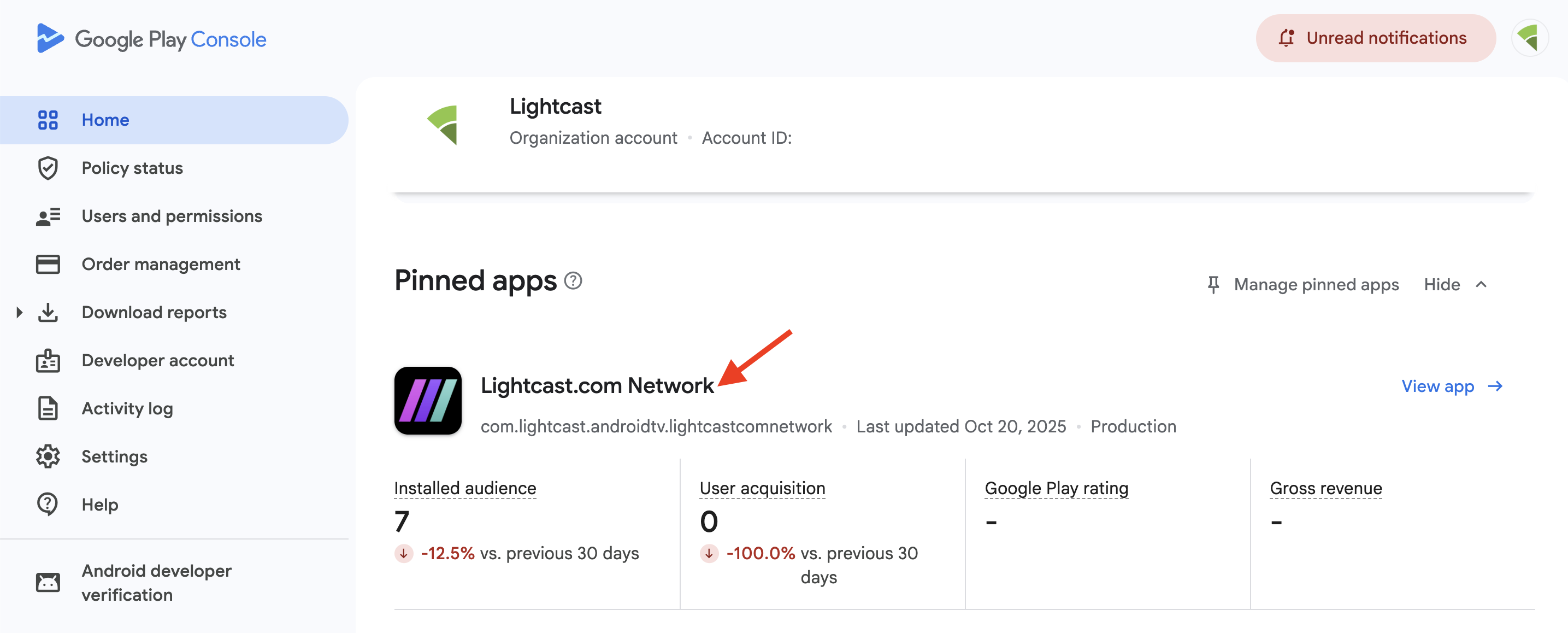
Select the Android TV app you want to review.
Step 3
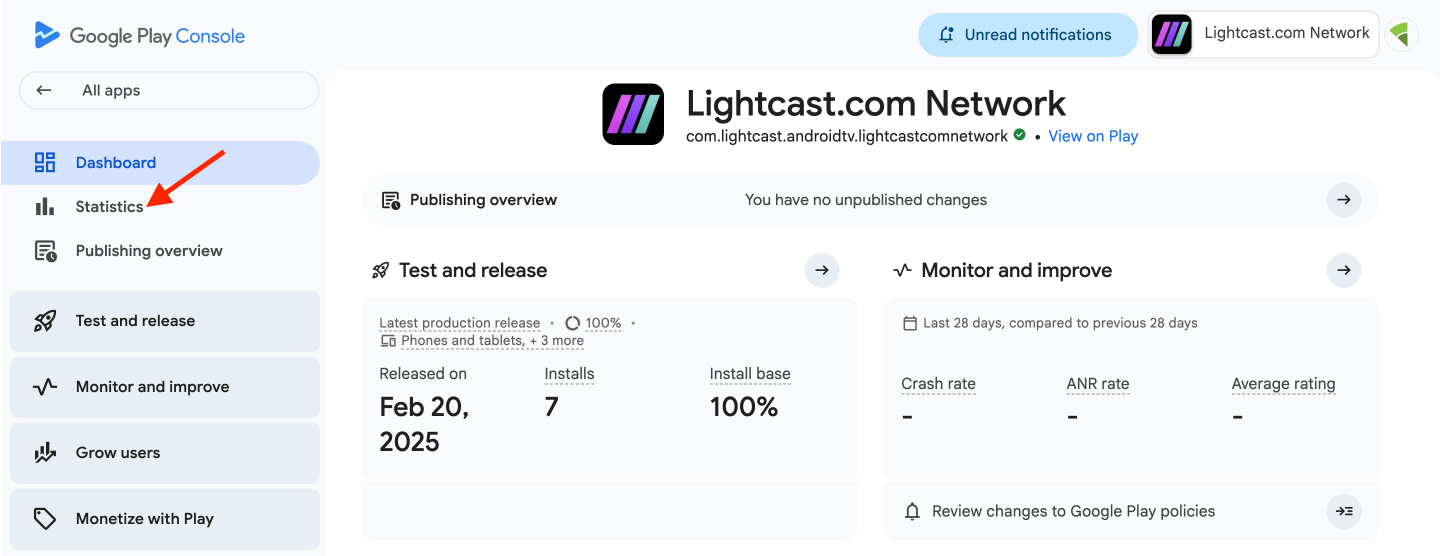
From the left menu, click Statistics.
Step 4
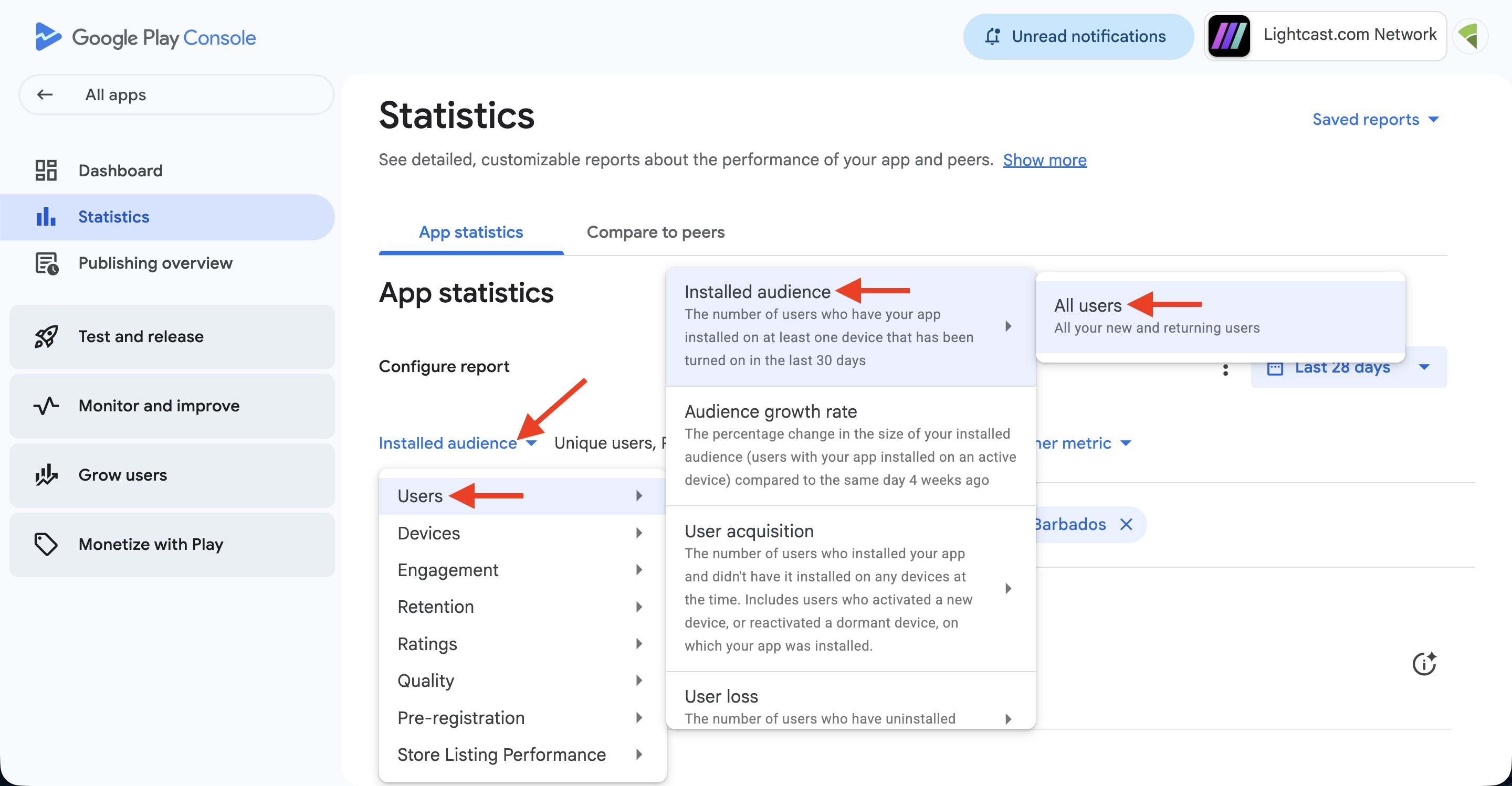
For the metric, click Installed audience, then select Users, Installed audience, and All users.
To review a different type of performance data, you can choose another metric from this menu.
Step 5
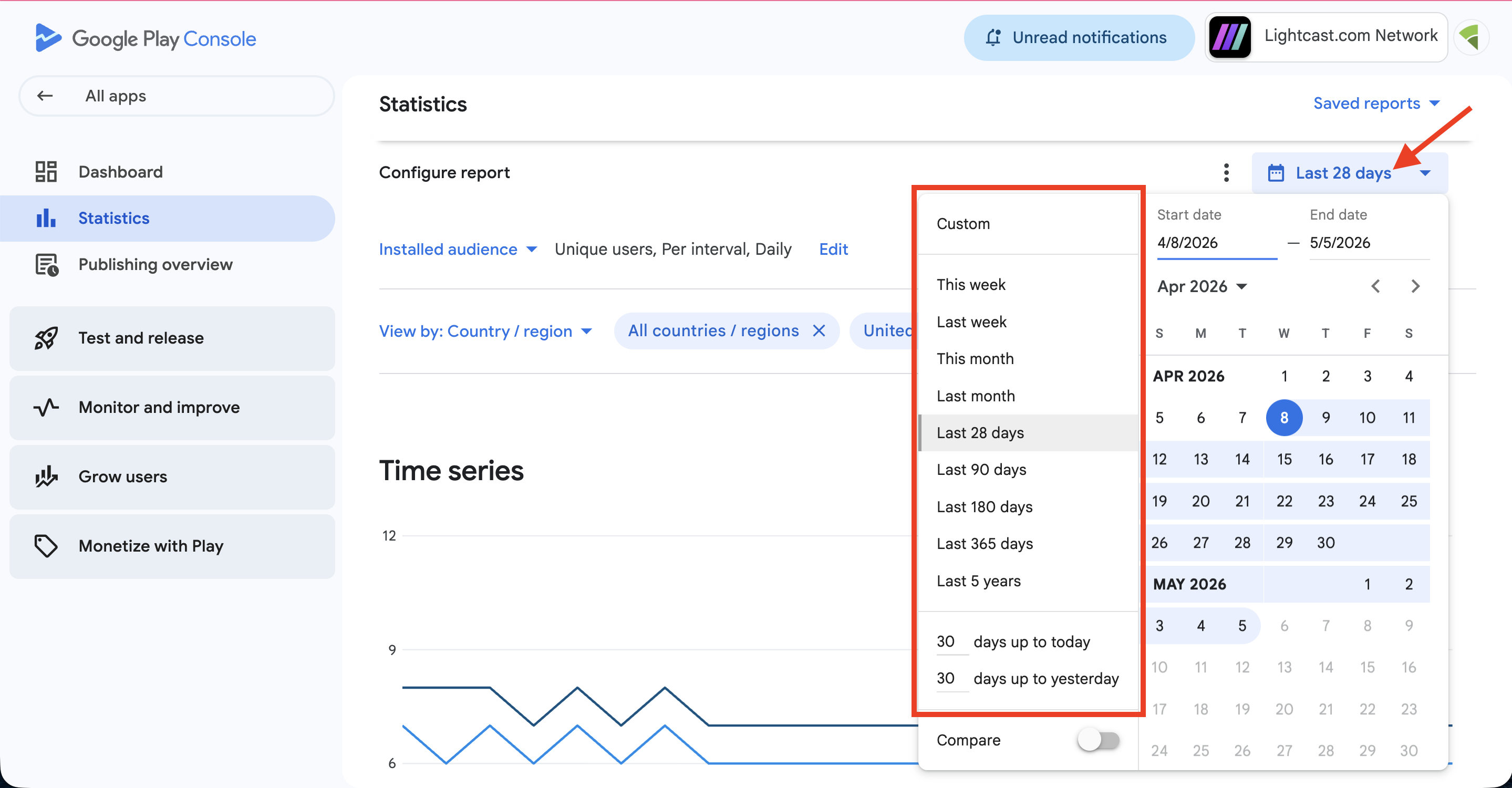
Use the date selector to choose the time period you want to review.
Step 6
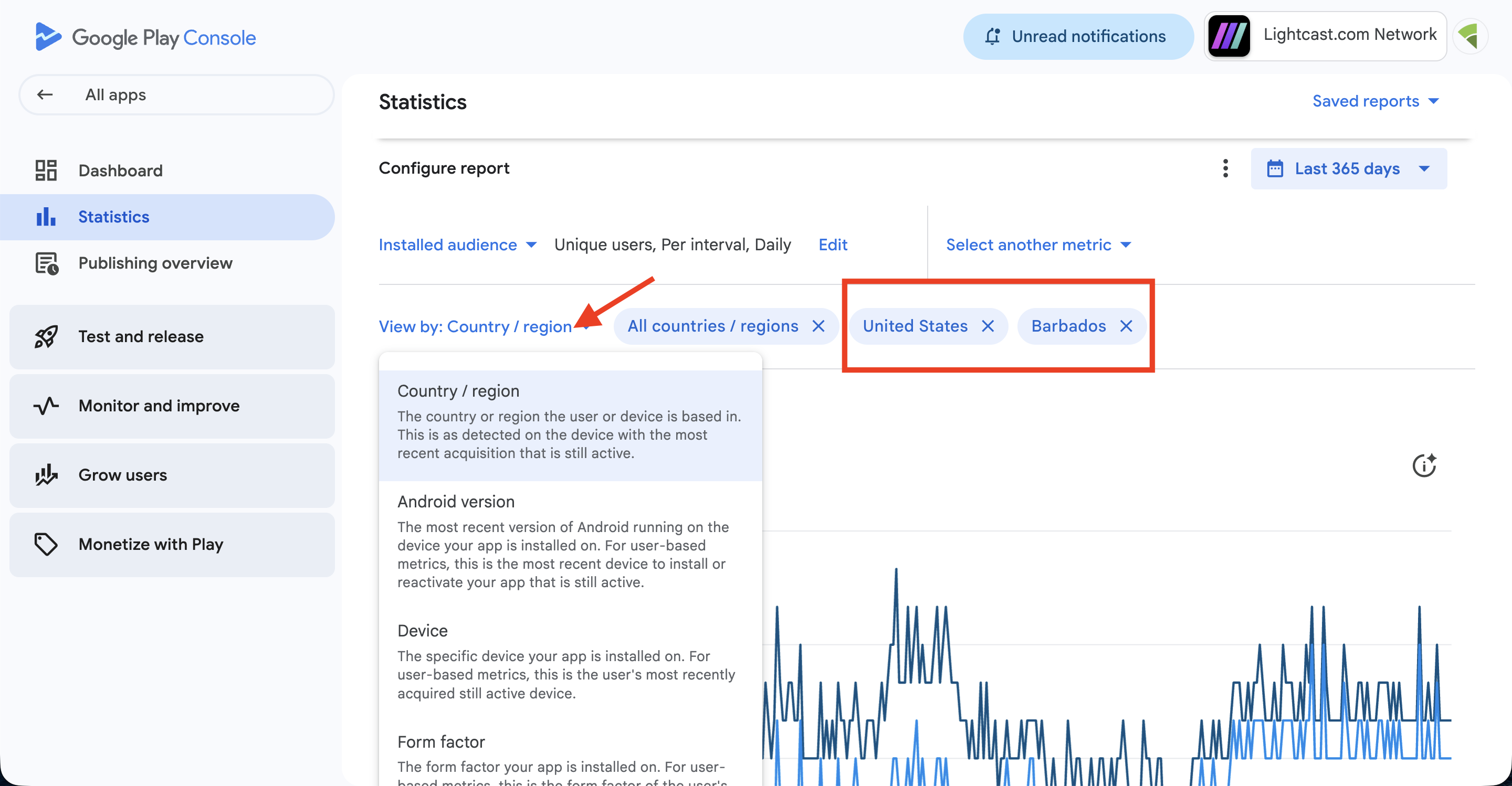
Optional: To filter the report, click Country / region and select the countries or regions you want to review.
You can also choose other available filters, such as Android version, Device, Form factor, Language, App version, or Carrier if you want to narrow the report further.
Step 7
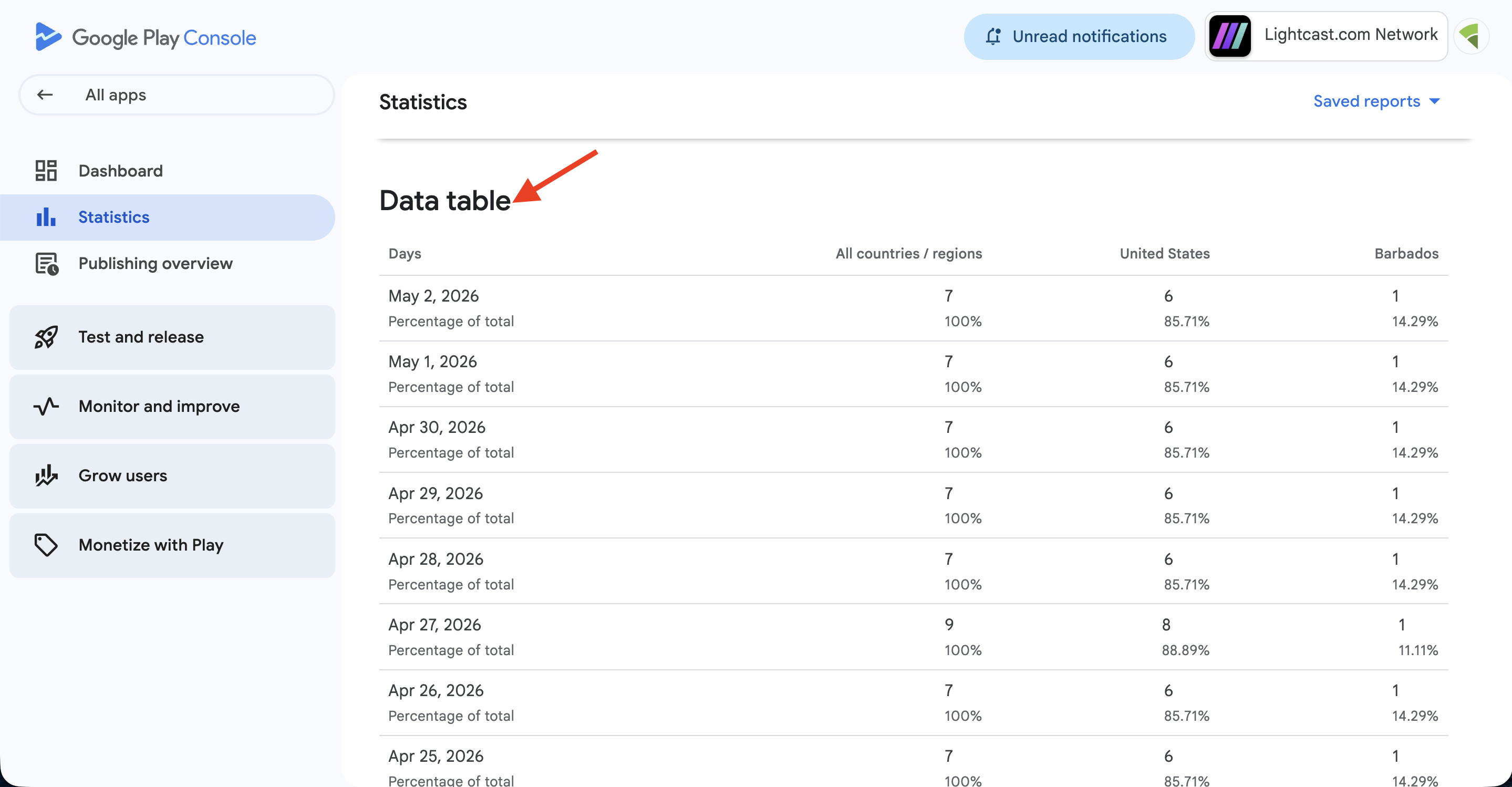
Scroll down to the Data table.
The install numbers are shown in the data table based on the metric, time period, and filters you selected.
FAQs
Where can Android TV app install numbers be viewed?
Android TV App install numbers can be viewed in the Google Play Console for the Google Developer Account where the app is published.
Can Android TV app install numbers be viewed in the Media Cloud?
No. Android TV app install numbers are not available in the Media Cloud because install data is managed by Google through your Google Developer Account.
Third-party platforms, including Google, do not currently provide this install data to the Media Cloud through an API. If Google makes this data available through their API in the future, Lightcast may be able to display it in the Media Cloud.
Can install numbers be filtered by date?
Yes. You can use the date selector in Google Play Console to choose the time period you want to review.
Can install numbers be filtered by country or region?
Yes. Google Play Console allows you to filter app statistics by Country / region.
Can install numbers be filtered by other options?
Yes. Google Play Console may also allow you to filter app statistics by other options, such as Android version, Device, Form factor, Language, App version, or Carrier.
What does Installed audience mean?
Installed audience refers to users who have the app installed on at least one active device during the selected reporting period.
Can other Android TV app performance data be viewed in Google Play Console?
Yes. Google Play Console can show additional app performance data, including user acquisition, device data, ratings, crashes, and other app statistics.