
How to update Podcast settings in the Media Cloud
Overview
This article explains how to update Podcast-specific settings in the Media Cloud.
When to use this article
Use these steps when you want to update Podcast-specific fields for a connected Podcast, such as the Category, Content rating, Email Address, Owner’s Name, Author’s Name, Website URL, Language, or Podcast Title settings.
How it works
Podcast-specific settings are managed from the Podcast details pages of the connected Podcast in PLATFORMS. These settings apply to the Podcast itself, not the source Channel metadata.
Changes made on the Podcast SETTINGS page affect all connected Podcast platforms for that Podcast, not just the platform you opened. Podcast platforms update at their own pace, so changes may take up to a few days to appear.
Instructions
Step 1
Log in to your Media Cloud account.
Step 2
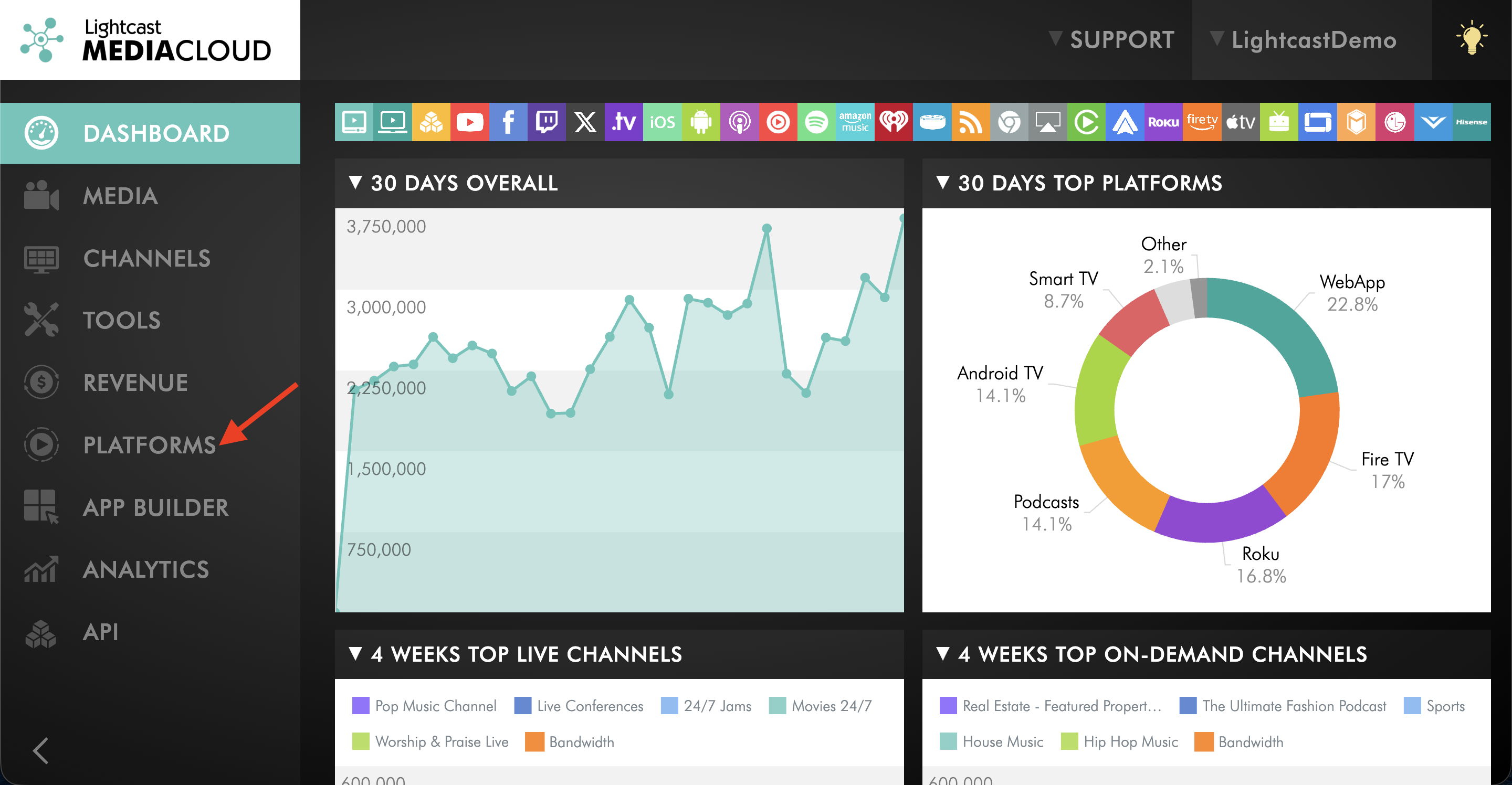
Go to PLATFORMS.
Step 3
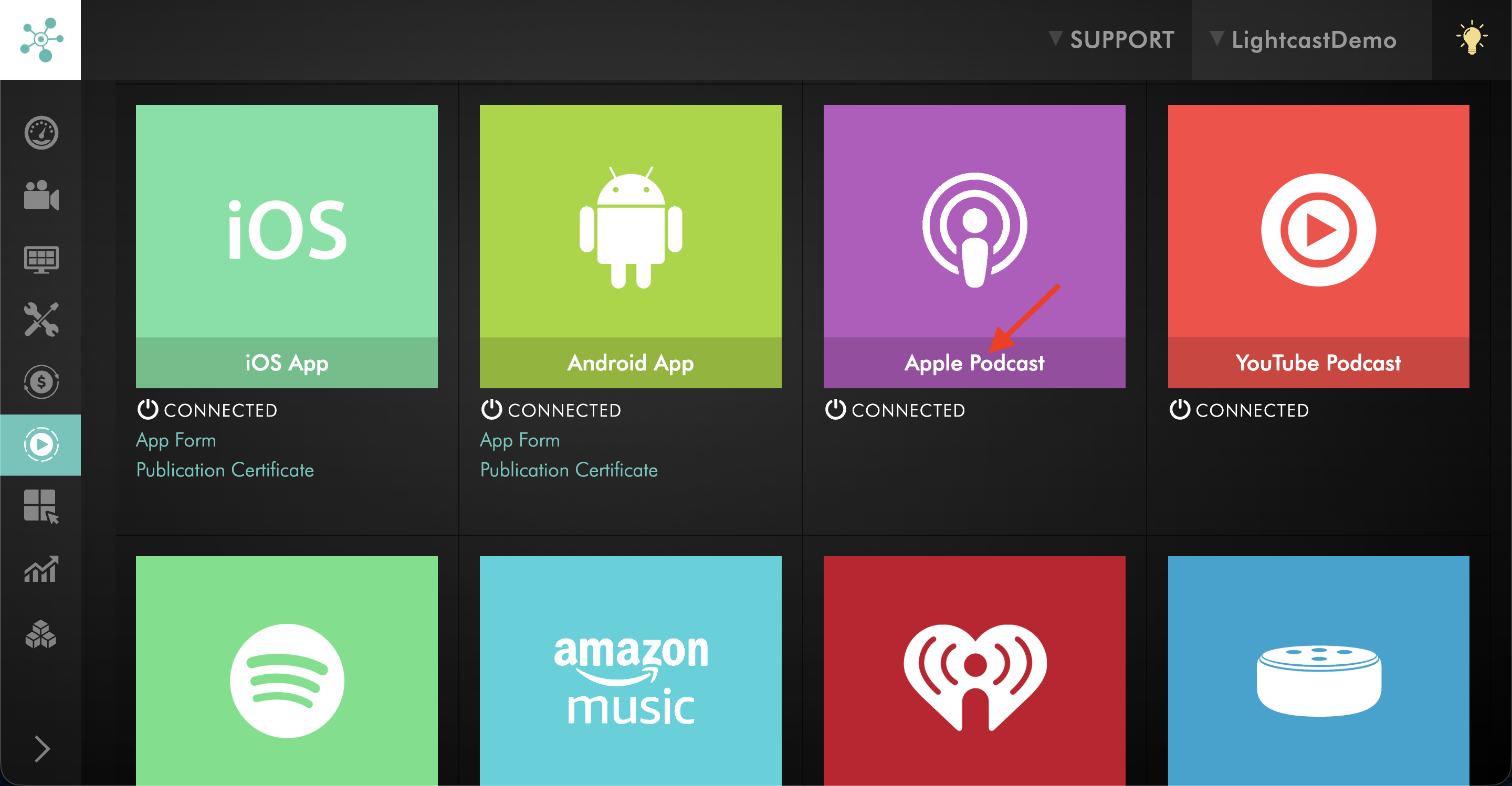
Click the connected Podcast platform you want to open, such as Spotify, Apple Podcasts, or Amazon Music.
Step 4
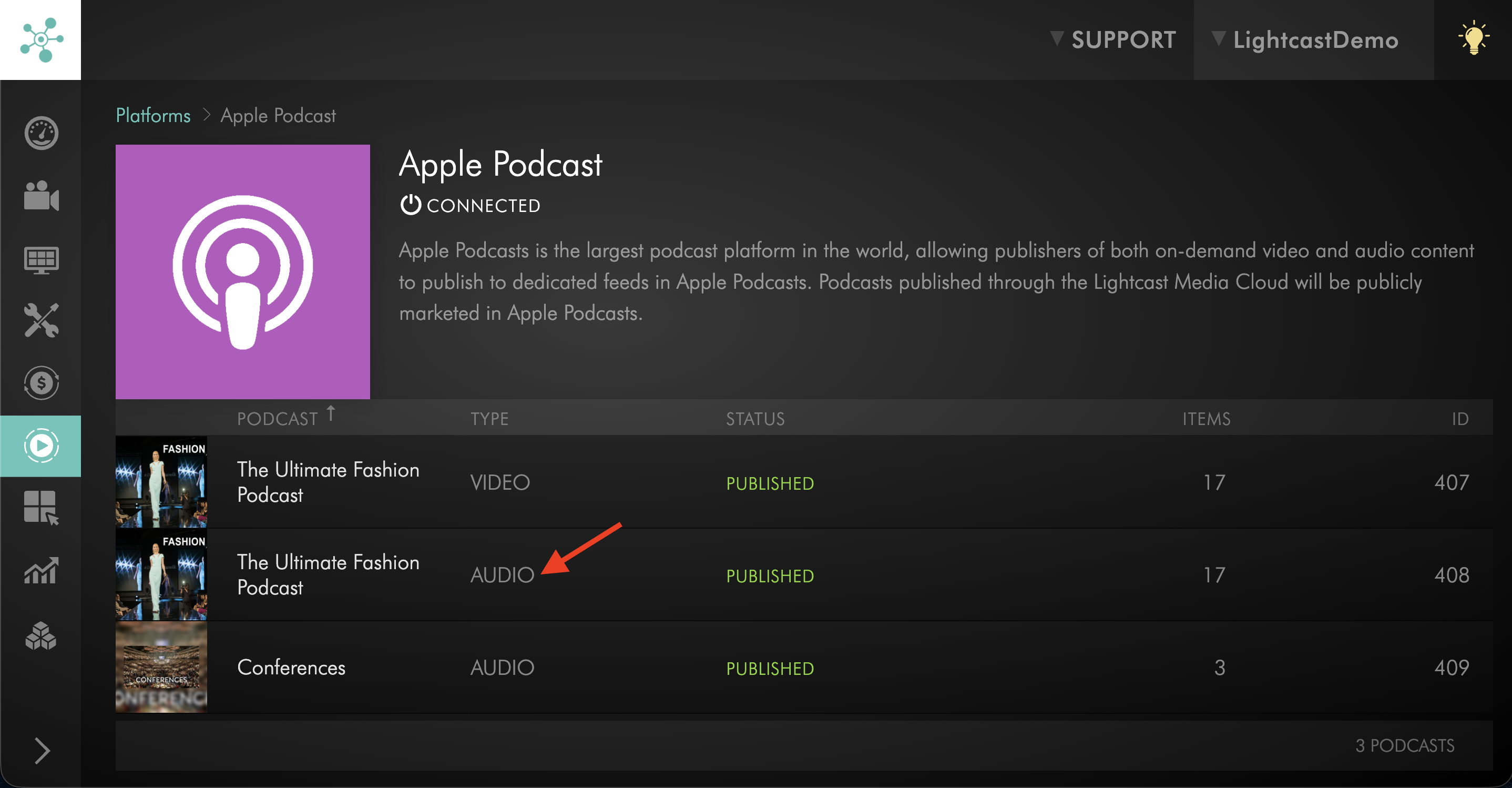
Select the connected Podcast Channel to open its details.
Step 5
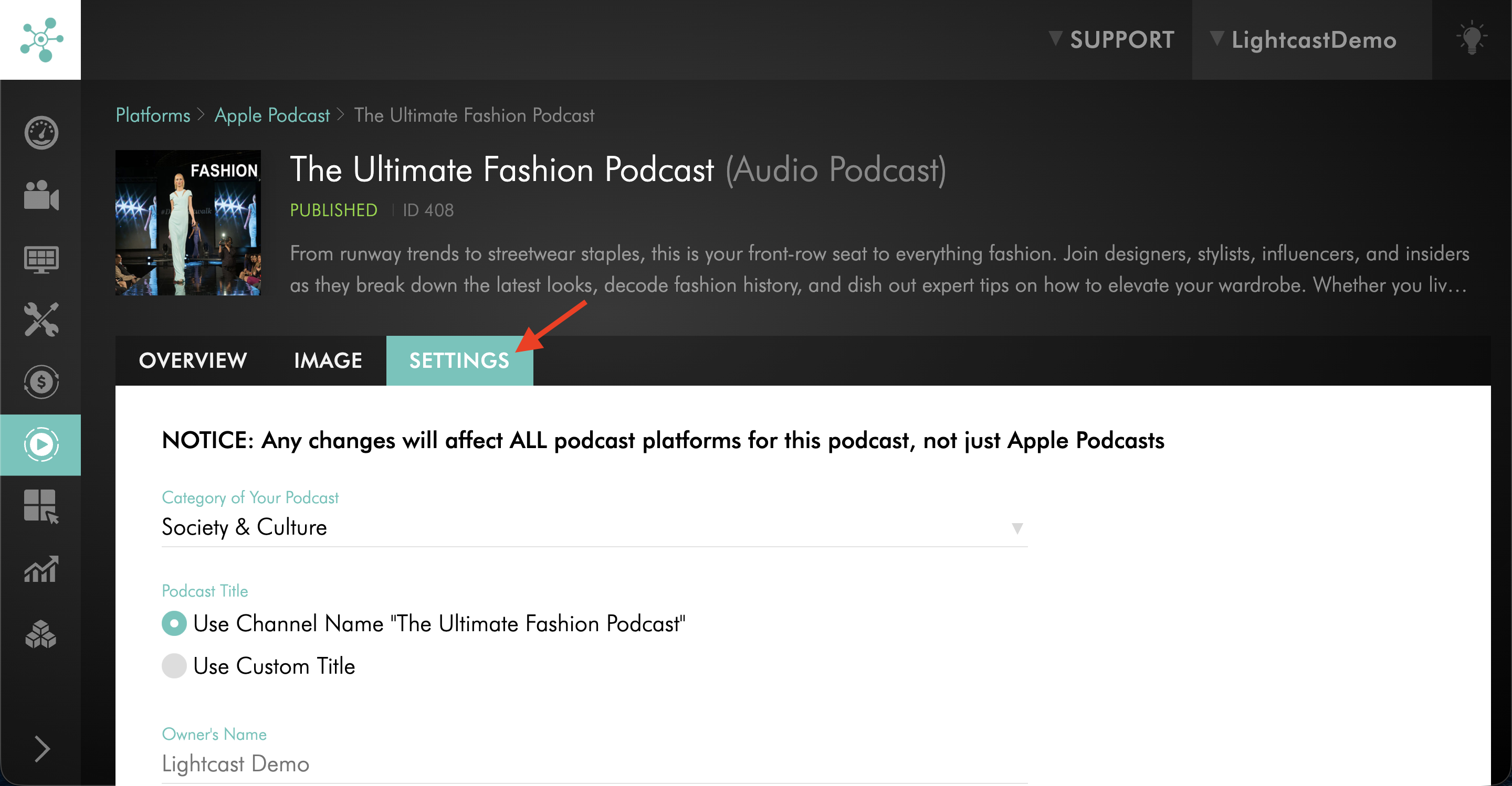
Click the SETTINGS tab.
Step 6
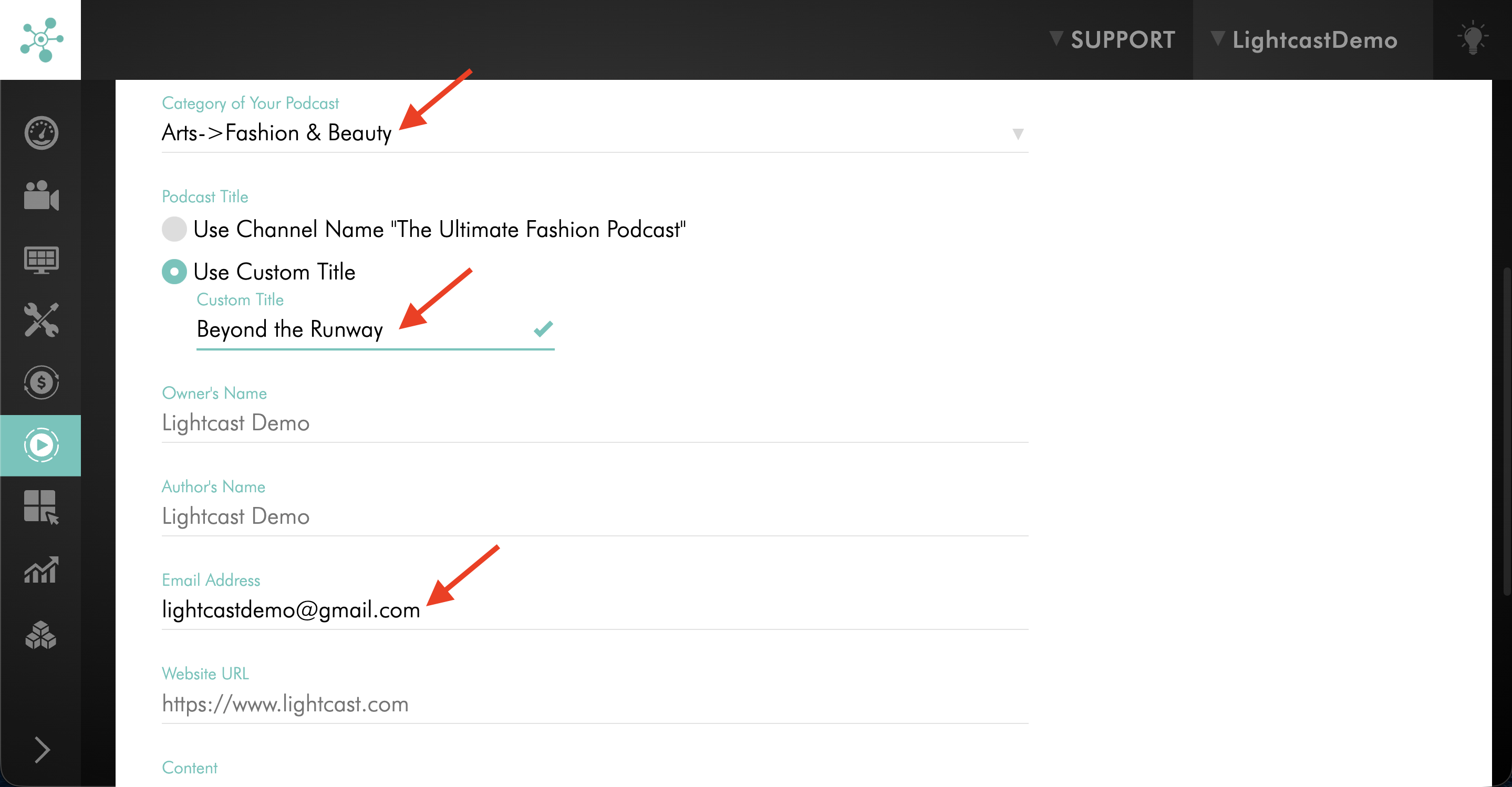
Update the Podcast settings you want to change, such as the Category, Content rating, Email Address, Owner’s Name, Author’s Name, Website URL, Language, or Podcast Title setting.
Step 7
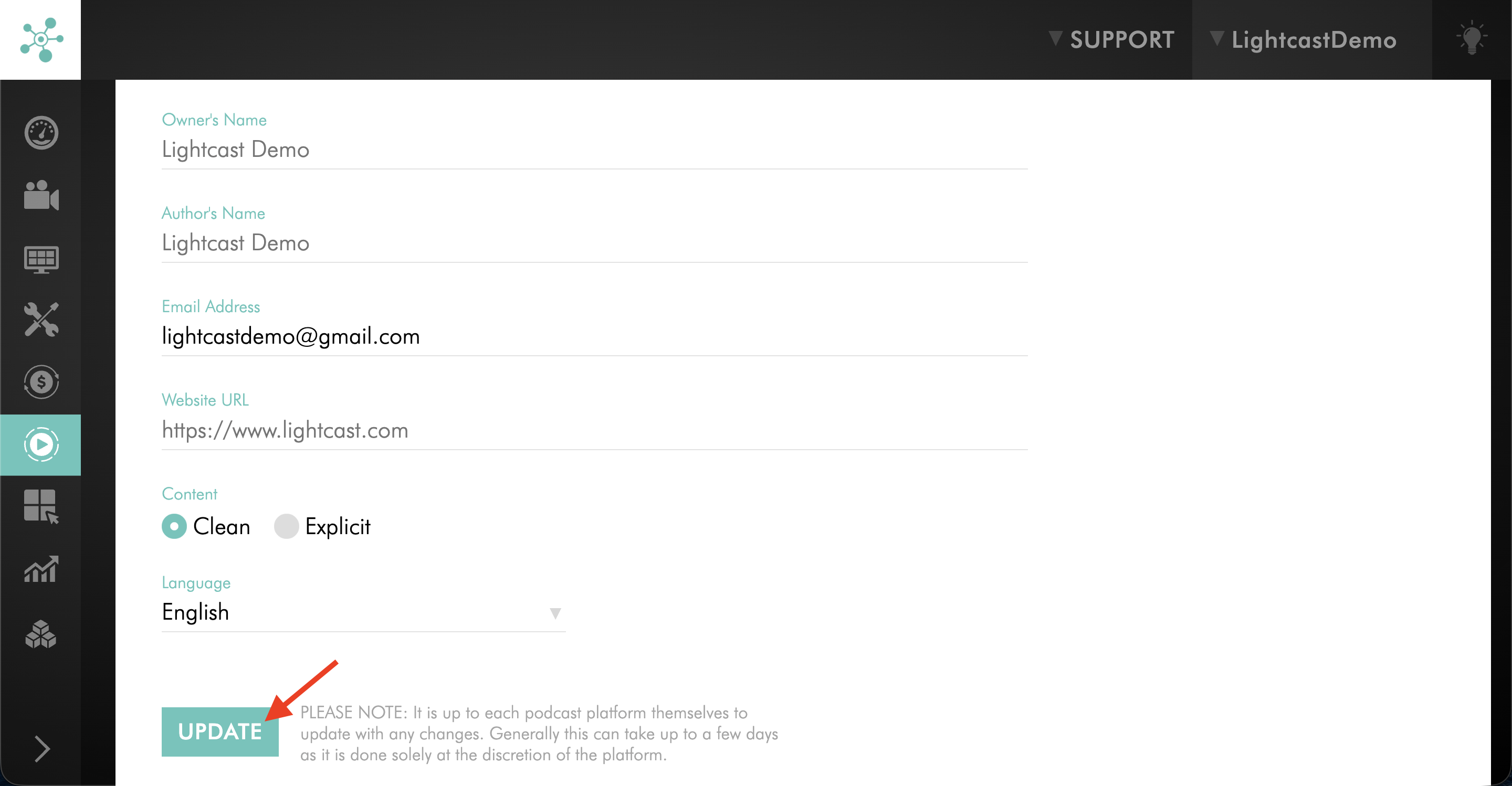
Click UPDATE to save your changes.
FAQs
Can I update the Podcast description from the SETTINGS tab?
No. The Podcast SETTINGS tab does not include the description field. To update the Podcast title and description together, see How to change your podcast title and description.
Do changes on the SETTINGS tab affect only one Podcast platform?
No. Changes made on the Podcast SETTINGS page affect all connected Podcast platforms for that Podcast, not just the platform you opened.
What settings can I update from the Podcast SETTINGS page?
You can update Podcast-specific fields such as the Category, Content rating, Email Address, Owner’s Name, Author’s Name, Website URL, Language, and Podcast Title settings.
How long does it take for Podcast platforms to show my changes?
Podcast platforms update at their own pace, so changes may take up to a few days to appear.