
How to submit your Podcast to TuneIn
Overview
This article explains how to submit your Podcast to TuneIn using the RSS feed provided by Lightcast. Use these steps when you want to make your Podcast available on TuneIn Radio.
How it works
TuneIn uses the RSS feed for your podcast to review and process your submission. Before you begin, make sure you have the RSS feed for your Podcast and access to the email address you want to use for the submission.
After you submit the form, TuneIn sends a confirmation to the email address entered during submission.
Within 10 days, TuneIn sends a confirmation about your submission. After you receive that confirmation, it can take up to 24 hours for your Podcast to go live on TuneIn.
Instructions
Step 1
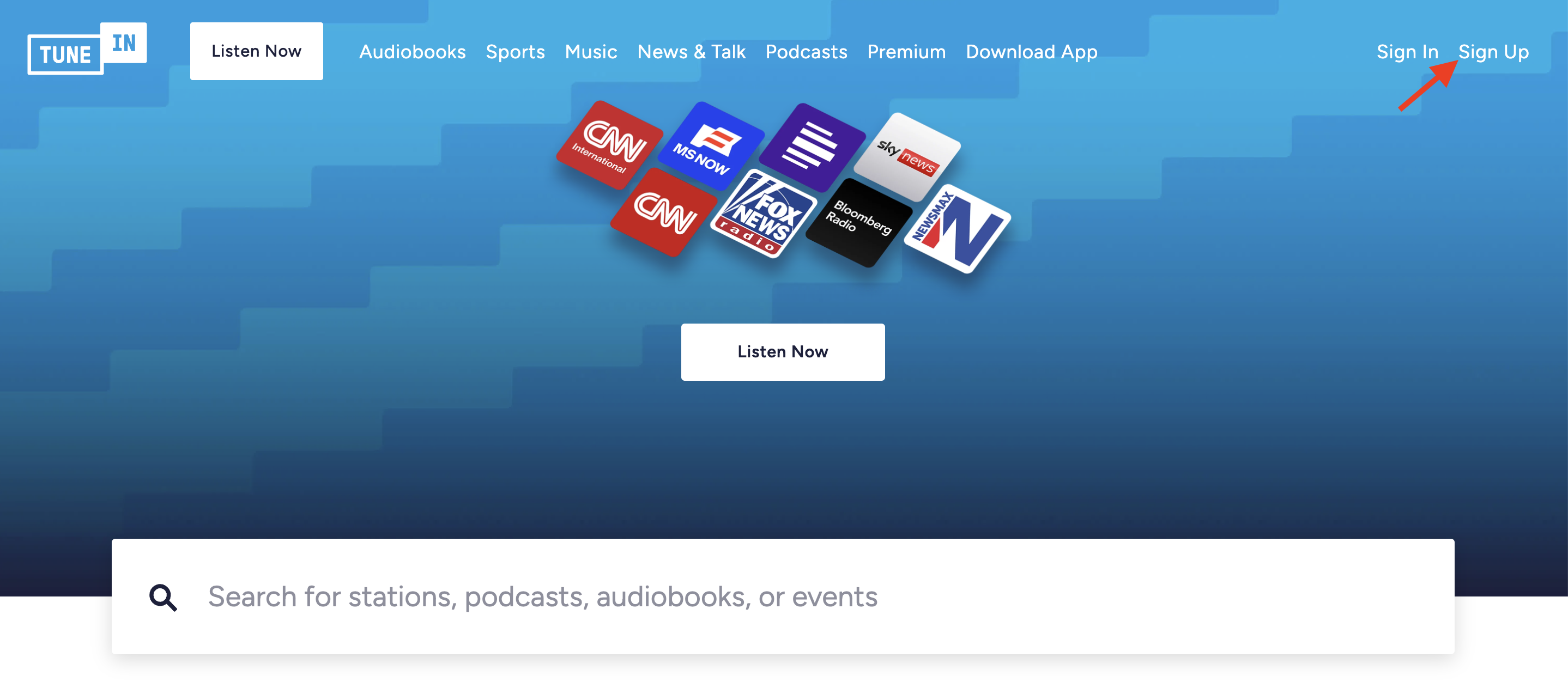
If you do not already have a TuneIn account, go to tunein.com and create one by clicking Sign Up.
Step 2
Go to cms.tunein.com/podcasters.
Step 3
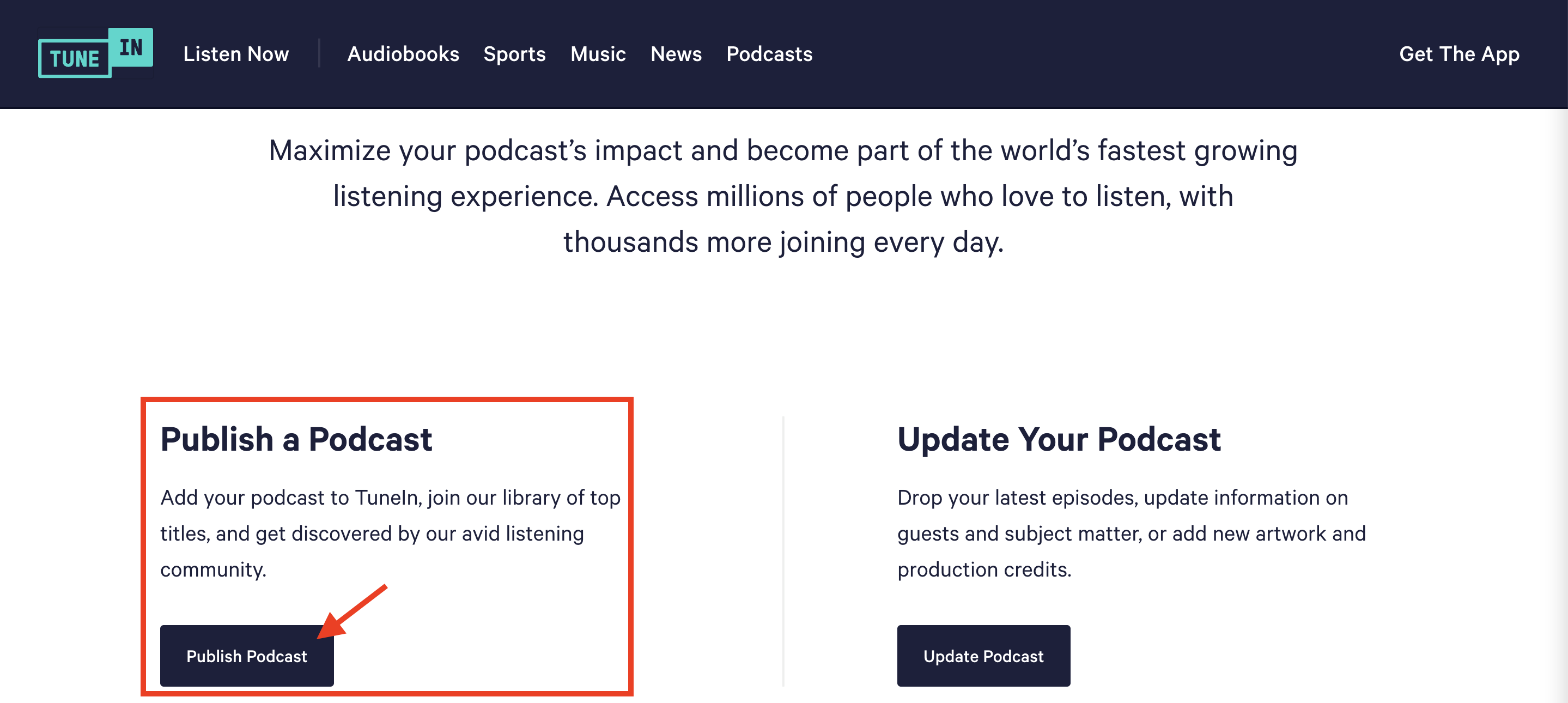
Scroll to the Publish a Podcast section and click Publish Podcast.
Step 4
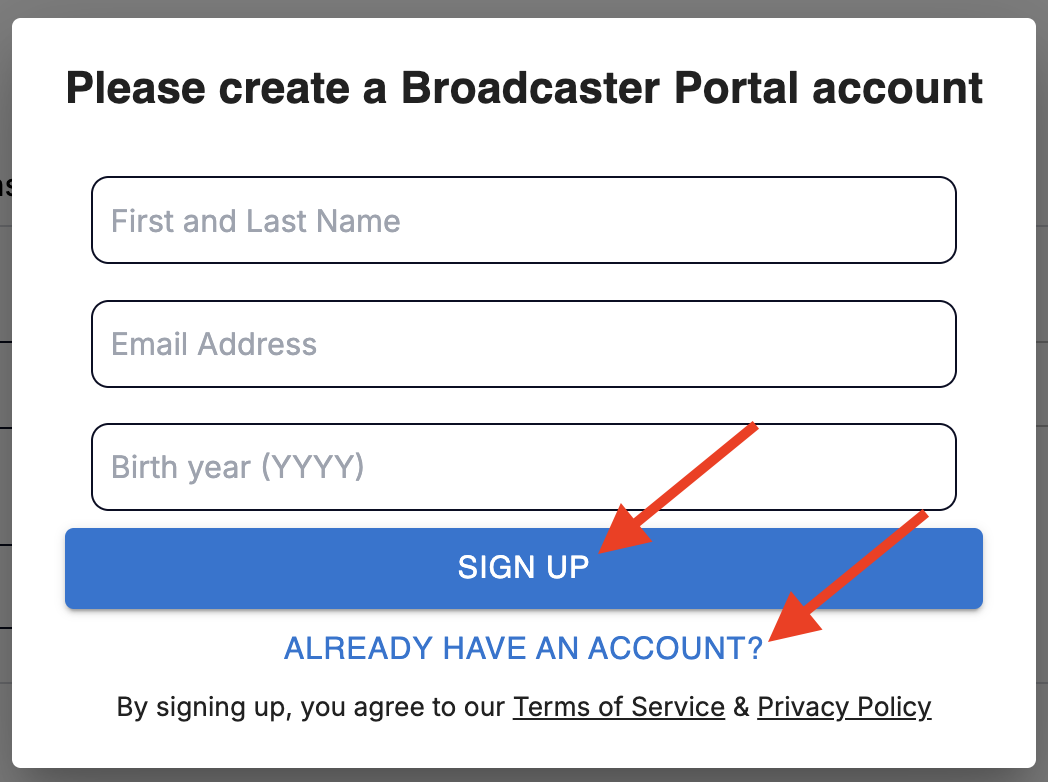
If needed, create a Broadcast Portal account by entering your First Name, Last Name, Email Address, and Birth Year, then click SIGN UP.
If you have previously created a Broadcast Portal account, click ALREADY HAVE AN ACCOUNT? and enter your email address to receive a one-time passcode.
Step 5
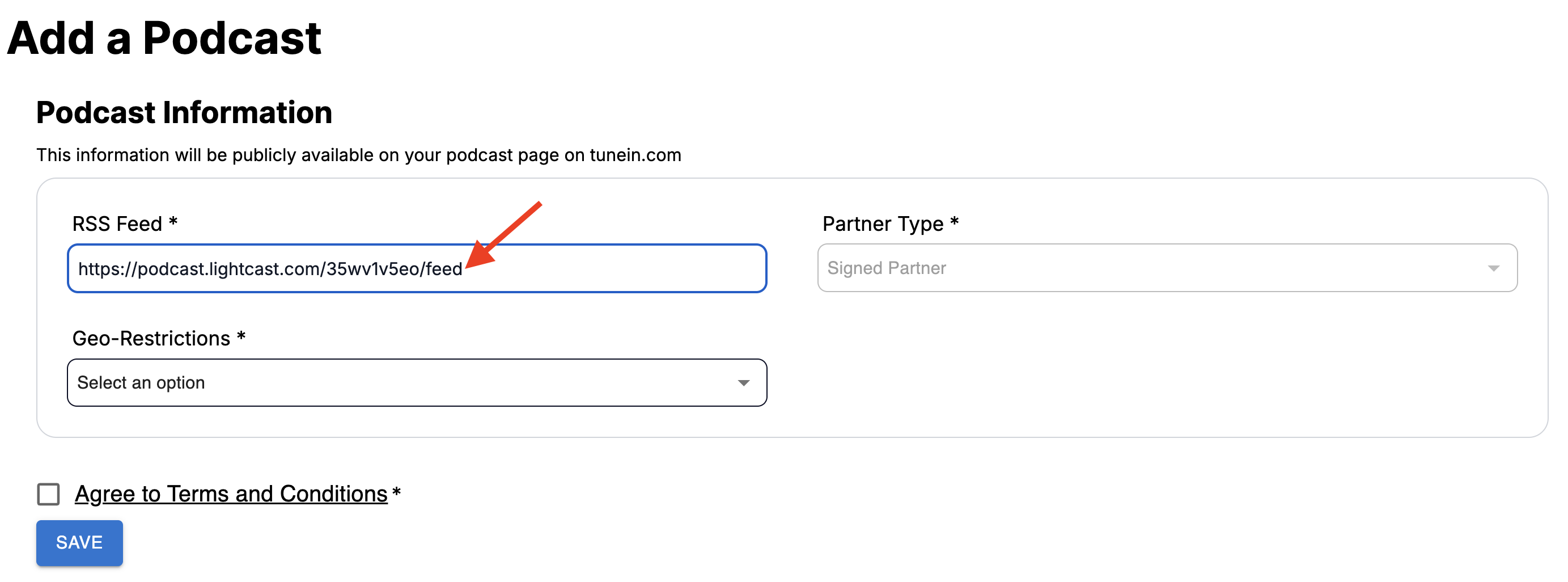
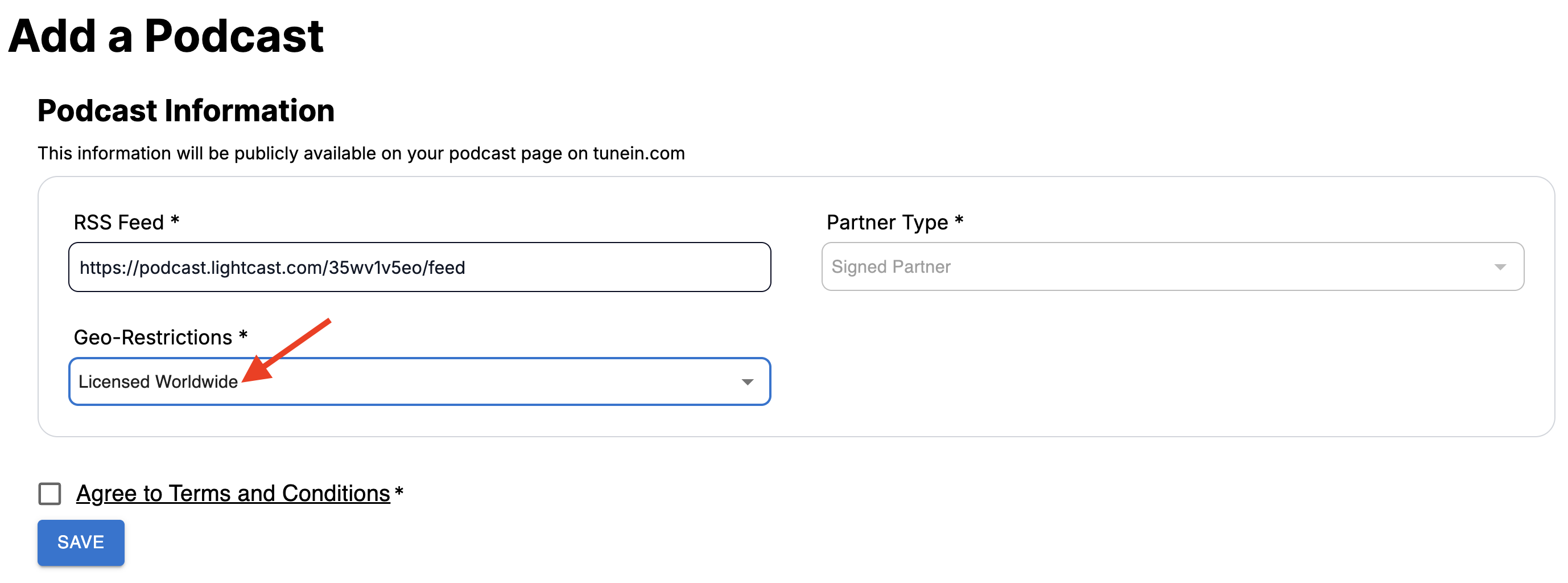
In the RSS Feed field of the submission form, paste the RSS feed provided by Lightcast.
Step 6
Leave the default Partner Type selection as is.
Step 7
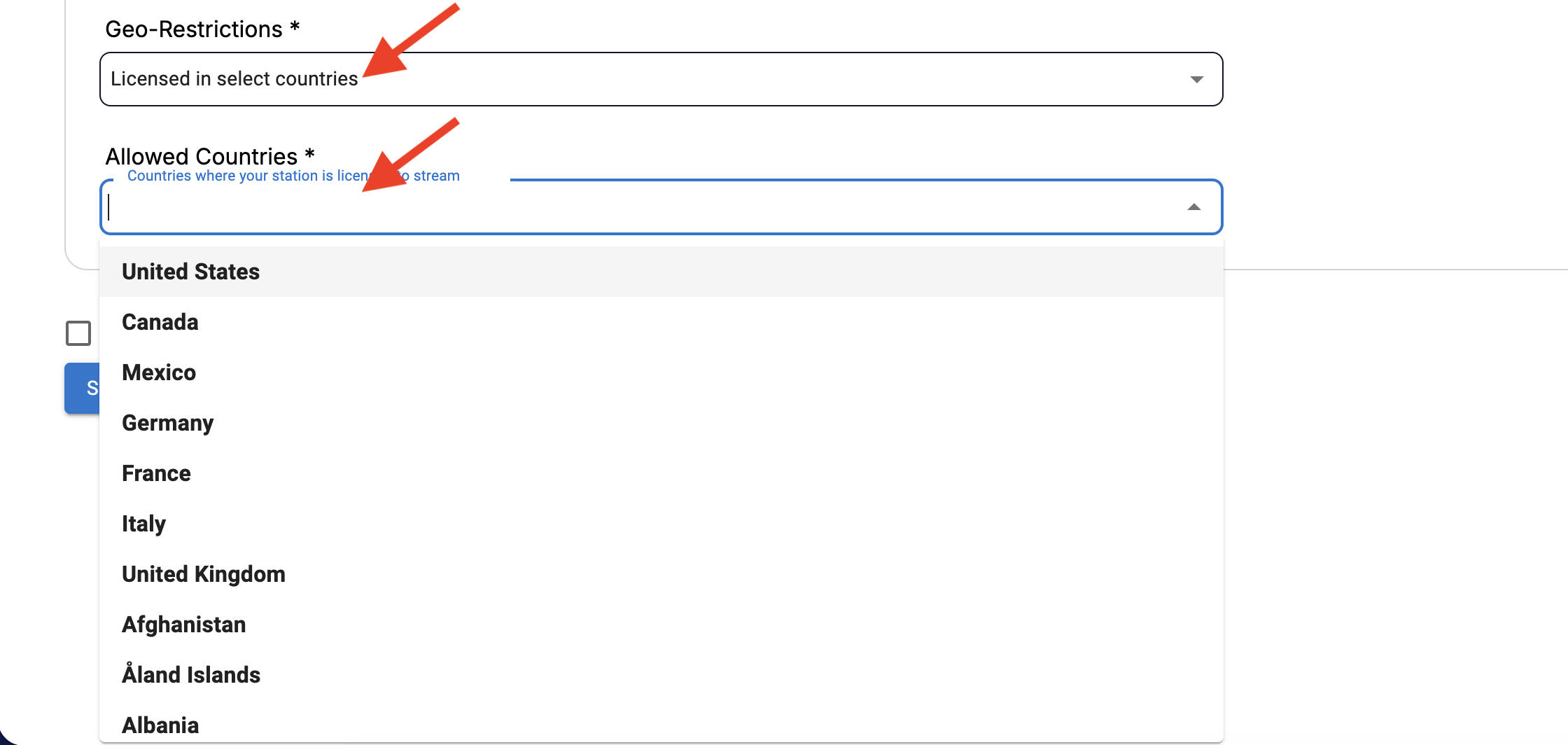
Under Geo-Restrictions, choose the option that matches your licensing:
Select Licensed Worldwide if your Podcast can be distributed worldwide.
Select Licensed in select countries if your Podcast is licensed only in certain countries, then choose those countries in the Allowed Countries field.
Step 8
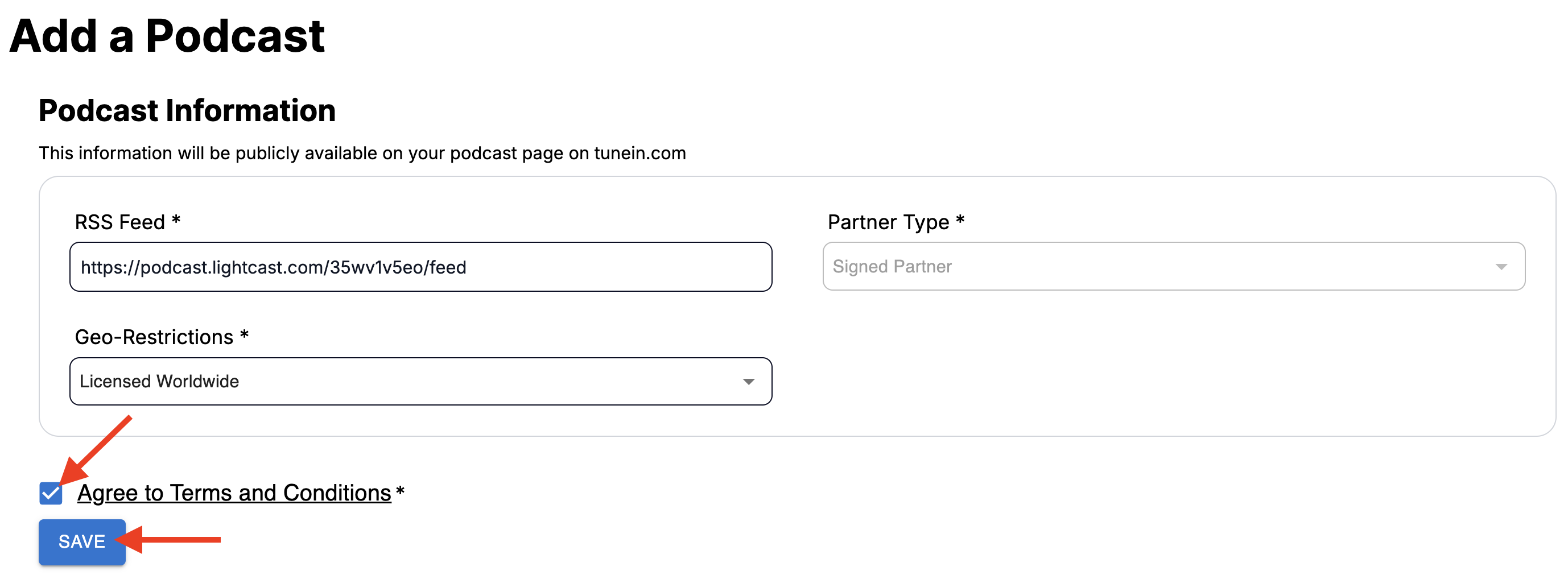
Accept the Terms and Conditions, then click Save.
Step 9
After you save the form, a confirmation screen appears showing that your podcast submission was received. The screen states that your podcast should be live within the next 30 minutes and that the submission will be reviewed within 7–10 business days.
Step 10
Wait for TuneIn to process your submission. After your podcast is approved, it will appear on TuneIn.
FAQs
How long does TuneIn take to publish my Podcast?
After you submit your podcast, TuneIn shows a confirmation screen stating that the Podcast should be live within the next 30 minutes. The submission is then reviewed within 7–10 business days. In some cases, TuneIn may contact you if additional information is needed.
What do I need before submitting my Podcast to TuneIn?
Before you begin, make sure you have a TuneIn account, a Broadcast Portal account, the RSS feed provided by Lightcast, and access to the email address you want to use for the submission.
Where do I paste the RSS feed when submitting to TuneIn?
Paste the RSS feed into the RSS Feed field on the submission form.
What should I choose for Geo-Restrictions in TuneIn?
Choose Licensed Worldwide if your Podcast is licensed for worldwide distribution. If your Podcast is licensed only in specific countries, choose Licensed in select countries, then select the countries where your Podcast is licensed to stream.