
How to switch your subscription payments from credit card to ACH
Overview
This article explains how to change the recurring payment method for an existing Lightcast subscription from a credit card to automatic ACH payments from a U.S. bank account in the Media Cloud.
When to use ACH for subscription payments
Use this article when you want to change the recurring payment method for an existing subscription from a credit card to automatic withdrawals from a U.S. bank account.
ACH may be useful if you prefer to pay directly from your bank account instead of using a credit card.
Important: Credit cards are the recommended payment method for recurring subscription payments because they offer faster payment processing and help minimize delays in service activation or renewal.
If you want to use ACH to pay a single open invoice without changing the recurring payment method for your subscription, see How to pay a single invoice with a different payment method.
How it works
ACH, or Automated Clearing House, allows payments to be transferred electronically between U.S. bank accounts.
When you switch a subscription from a credit card to ACH, your authorized bank account becomes the payment method used for future recurring payments for that subscription. Payments are automatically initiated according to your subscription's billing schedule.
ACH payment processing
Unlike credit card payments, which are generally processed quickly, ACH payments typically take 4–6 business days to settle.
Because of this processing time, credit cards are the recommended payment method for recurring subscriptions, particularly when immediate payment confirmation or service renewal is important.
If your subscription has expired and requires immediate renewal, using a credit card is recommended to help avoid delays associated with ACH processing.
Automatic payment attempts for overdue invoices
If your subscription has overdue invoices when you update your payment information, the system automatically initiates a payment attempt typically within 10 minutes.
The system attempts to process the oldest overdue invoice first using the newly saved ACH account.
Important: Initiating an ACH payment does not mean the payment has been successfully completed. ACH payments remain subject to bank processing and settlement, which typically takes 4–6 business days.
If you have multiple subscriptions, you may need to update the payment information separately for each subscription.
Instructions
Step 1
Log in to your Media Cloud account.
Step 2
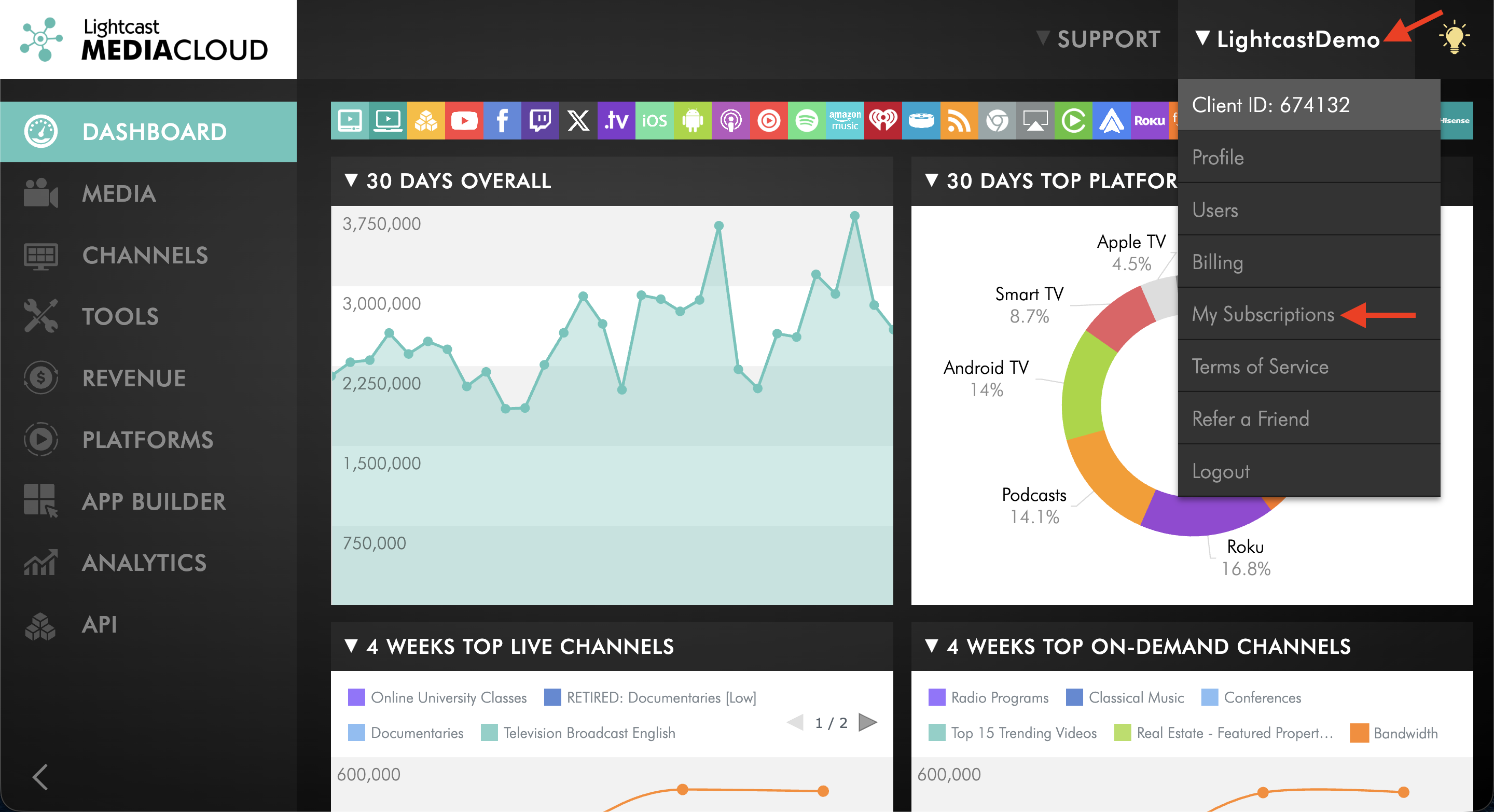
In the upper-right corner, click your username, then select My Subscriptions.
Step 3
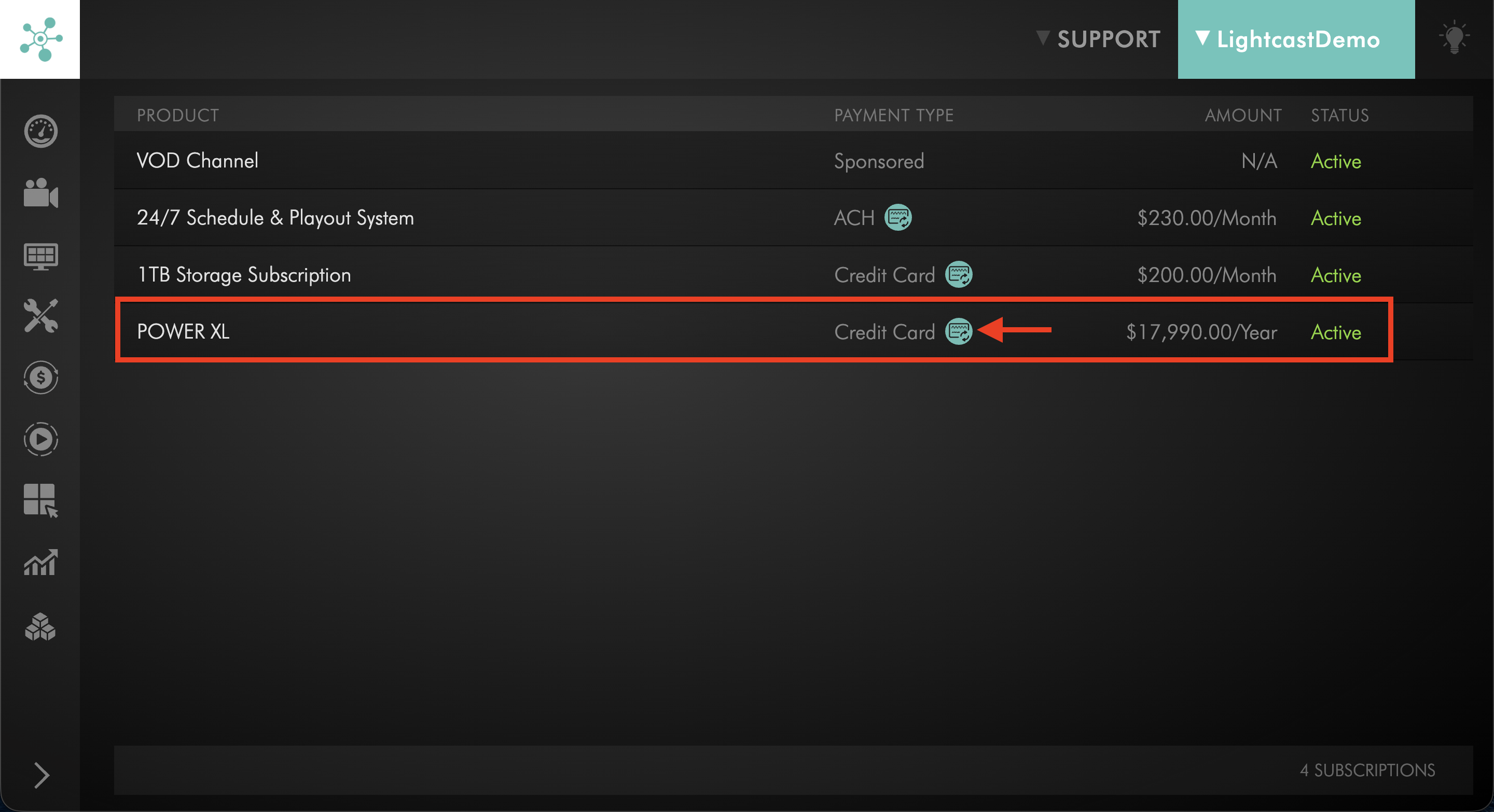
Locate the subscription you want to update. Under PAYMENT TYPE, click the payment information icon next to the current payment method.
Step 4
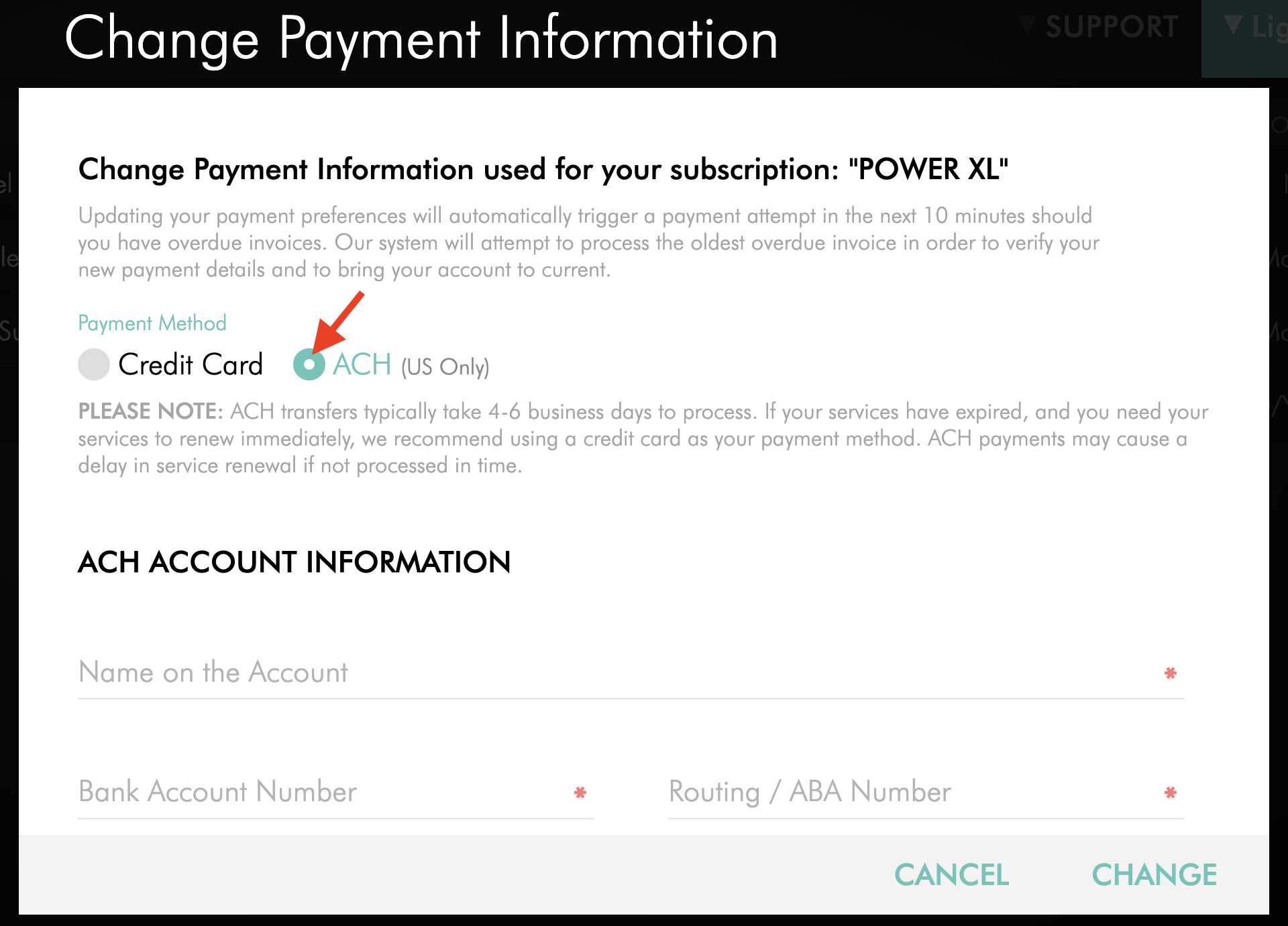
In the Change Payment Information window, select ACH (US Only) as the payment method.
Step 5
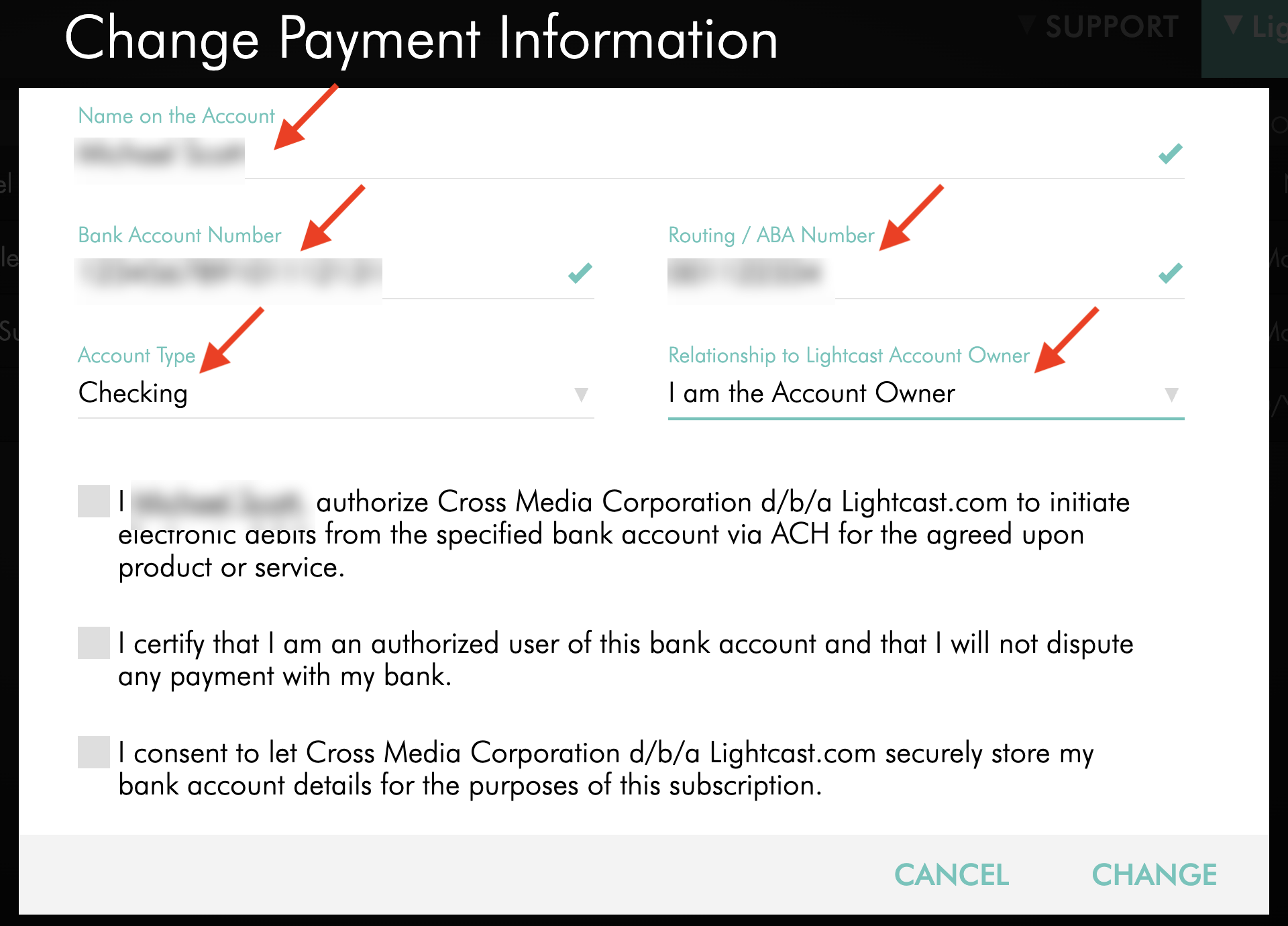
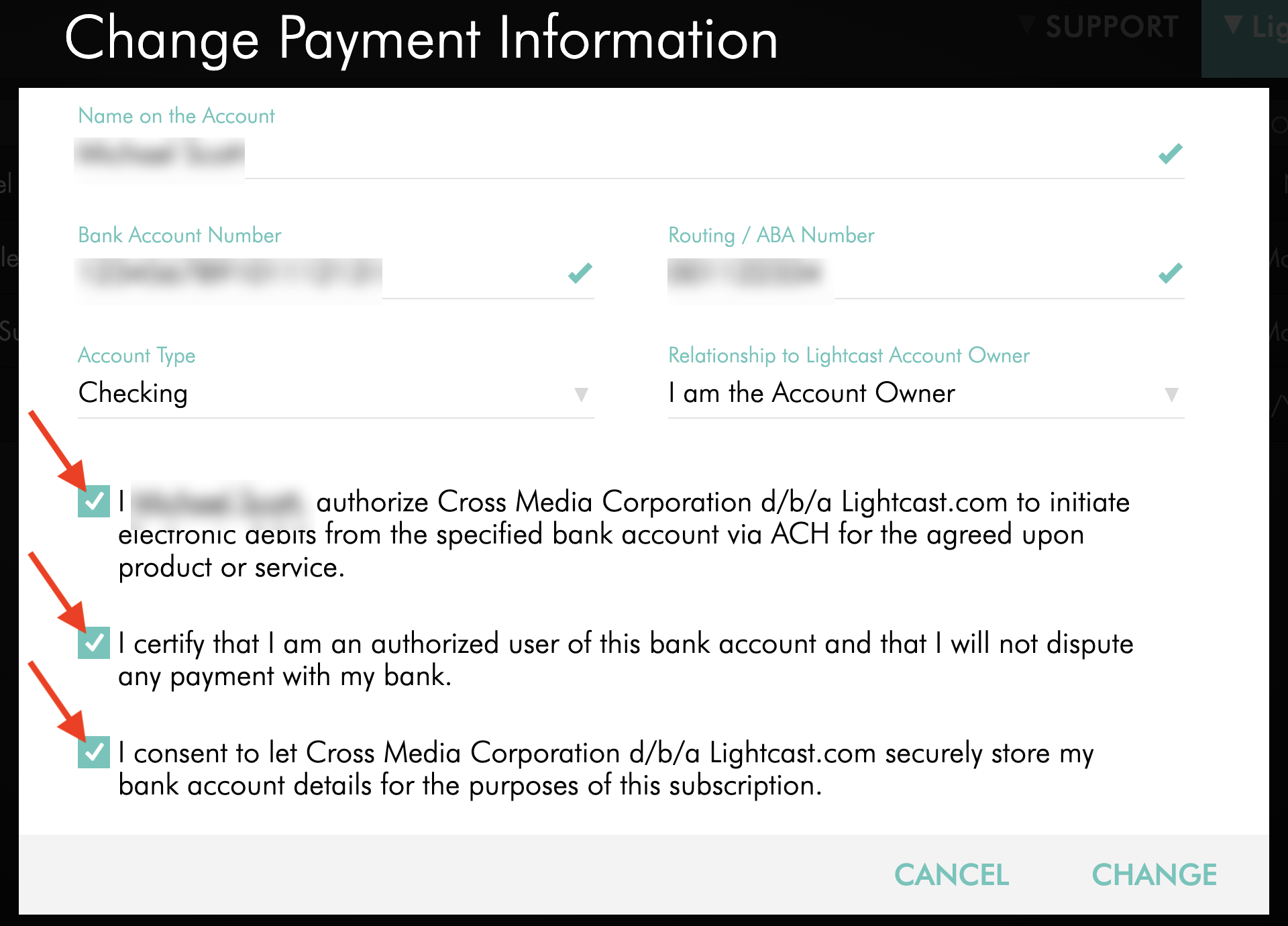
Enter the required ACH account information:
Name on the Account
Bank Account Number
Routing / ABA Number
Account Type
Relationship to Lightcast Account Owner
Step 6
Review the ACH authorization terms and select the required checkboxes to authorize payments from the specified bank account.
Step 7
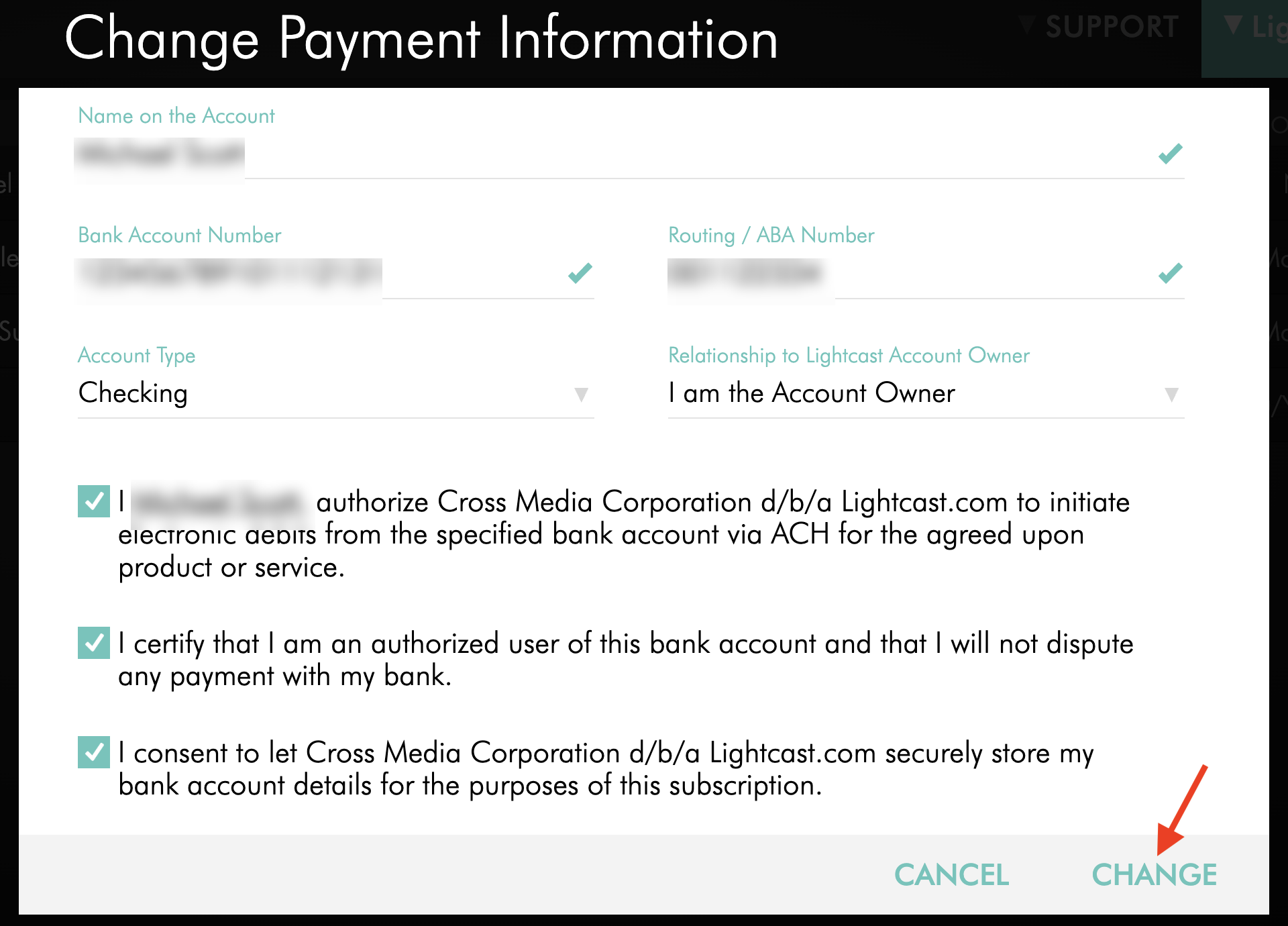
Click CHANGE to save the new payment information.
ACH is now the recurring payment method for the selected subscription. Future recurring payments will be initiated using the authorized bank account.
If the subscription has overdue invoices, a payment attempt will automatically be initiated typically within the next 10 minutes. ACH payments remain subject to the normal bank processing and settlement period.
FAQs
Can ACH be used for international bank accounts?
No. ACH payments are available only between U.S. bank accounts.
How long does an ACH payment take to process?
ACH payments typically take 4–6 business days to settle.
Initiating an ACH payment does not mean the payment has already been successfully completed. The payment remains subject to processing through the ACH network.
Can ACH be used for only one invoice without changing the subscription payment method?
Yes. You can use ACH for a single open invoice without changing the recurring payment method saved for your subscription.
See How to pay a single invoice with a different payment method for instructions.
Does switching to ACH change the payment method for all subscriptions?
No. The payment method is updated for the subscription you select on the My Subscriptions page.
If you have multiple subscriptions, review the payment method for each subscription you want to update.
Can I switch back from ACH to a credit card?
Yes. You can update the recurring payment method for your subscription in the Media Cloud by returning to My Subscriptions and changing the saved payment information to a credit card.
See How to update the credit card used for your subscription for instructions.
What happens if an ACH payment fails?
ACH payments may fail because of insufficient funds, incorrect bank account information, account restrictions, or other bank-related issues.
If an automatic ACH payment fails, the invoice remains unpaid, and Lightcast sends a payment failure notification by email.
Review your bank account information and make sure sufficient funds are available. You may also need to contact your bank if the transaction is being restricted.
To avoid additional processing delays, you can consider switching to a credit card, which provides faster payment processing.
For more information about payment failure notifications and the 21-day grace period, see Understanding Lightcast's payment terms.
Will switching to ACH trigger payment of an overdue invoice?
Yes. If the selected subscription has overdue invoices, updating the recurring payment information to ACH automatically initiates a payment attempt typically within 10 minutes.
The oldest overdue invoice is attempted first.
Because ACH payments typically take 4–6 business days to settle, the payment is not considered successfully completed simply because the payment attempt has been initiated.