
How to connect a different YouTube account to your Media Cloud account
Overview
YouTube publishing connections are managed at the individual video level in your Media Cloud account. This is useful if you want to publish different videos to different YouTube accounts or switch a video to a different YouTube account before publishing.
Each video can only be connected to one YouTube account at a time.
How it works
YouTube publishing connections are managed separately for each video. This means different videos can use different YouTube accounts, but one individual video cannot be connected to multiple YouTube accounts at the same time.
If you want to publish the same video to multiple YouTube accounts, you must upload the video multiple times and connect each uploaded copy to a different YouTube account.
If you want to publish a video to a different YouTube account, you must first disconnect the currently connected YouTube account from that video and then connect a different one.
Instructions
Step 1
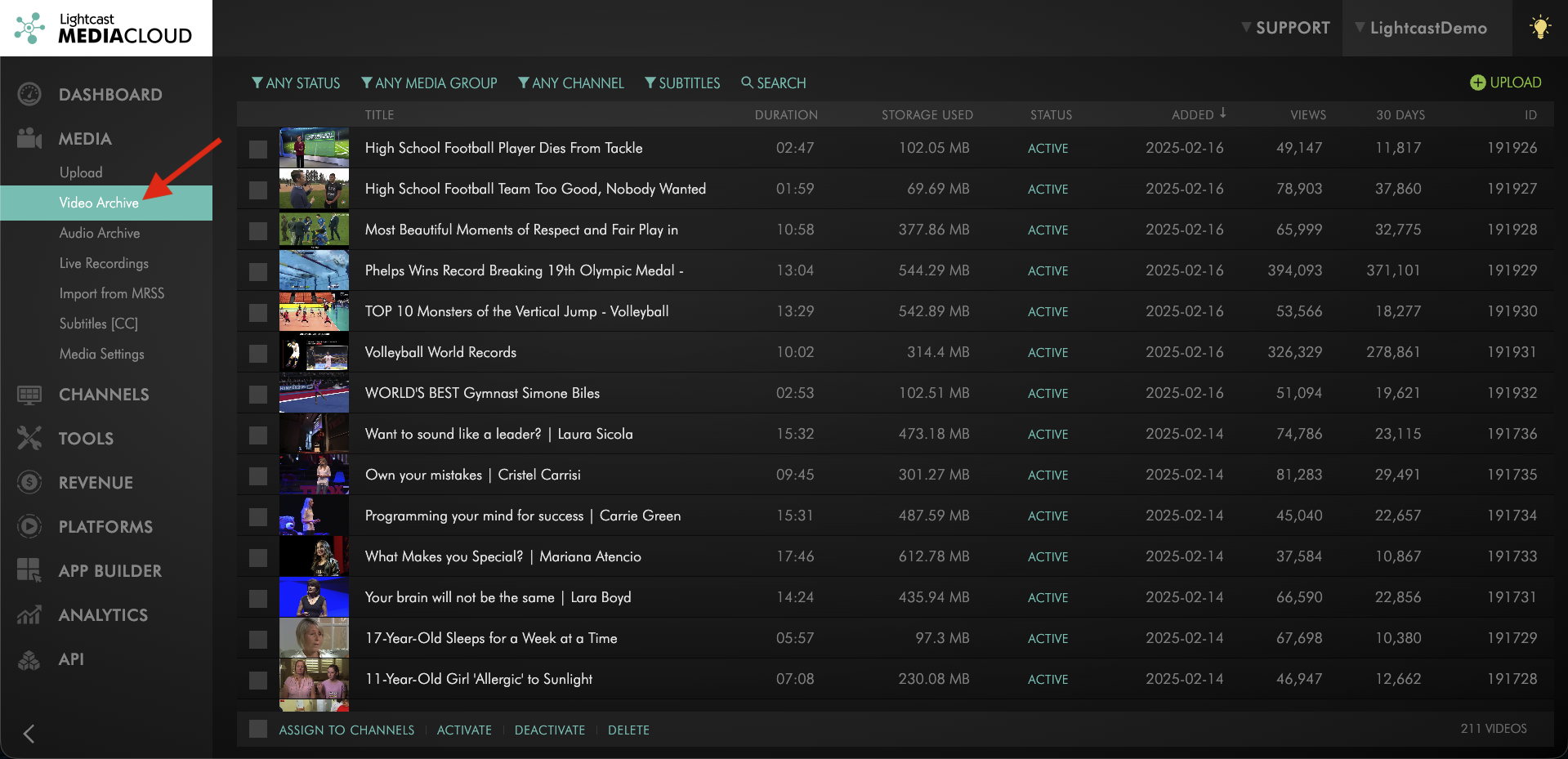
To connect a different YouTube account to your Media Cloud account, click Media and select Video Archive.
Step 2
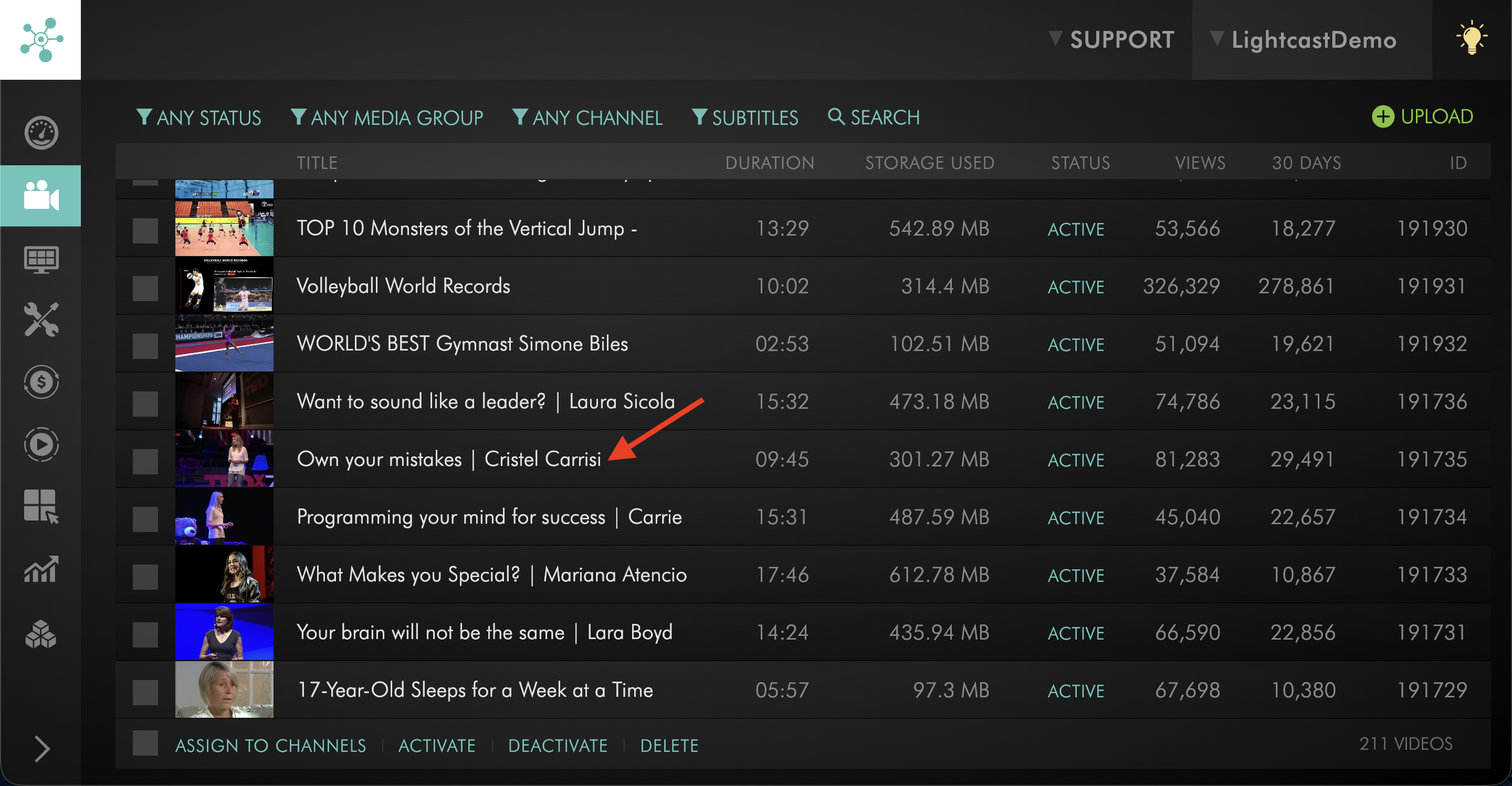
Open the video you want to manage.
Step 3
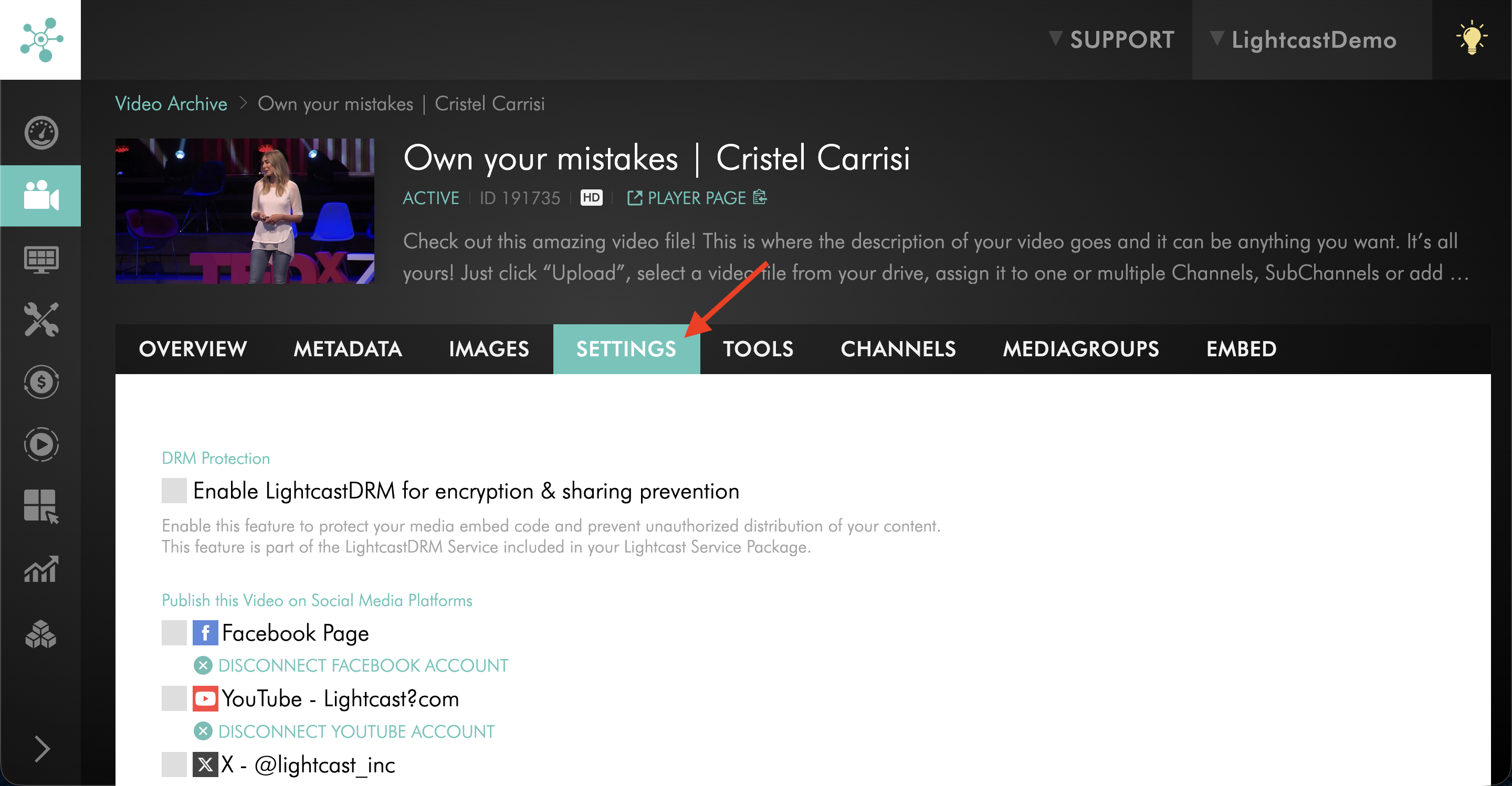
Go to the SETTINGS tab.
Step 4
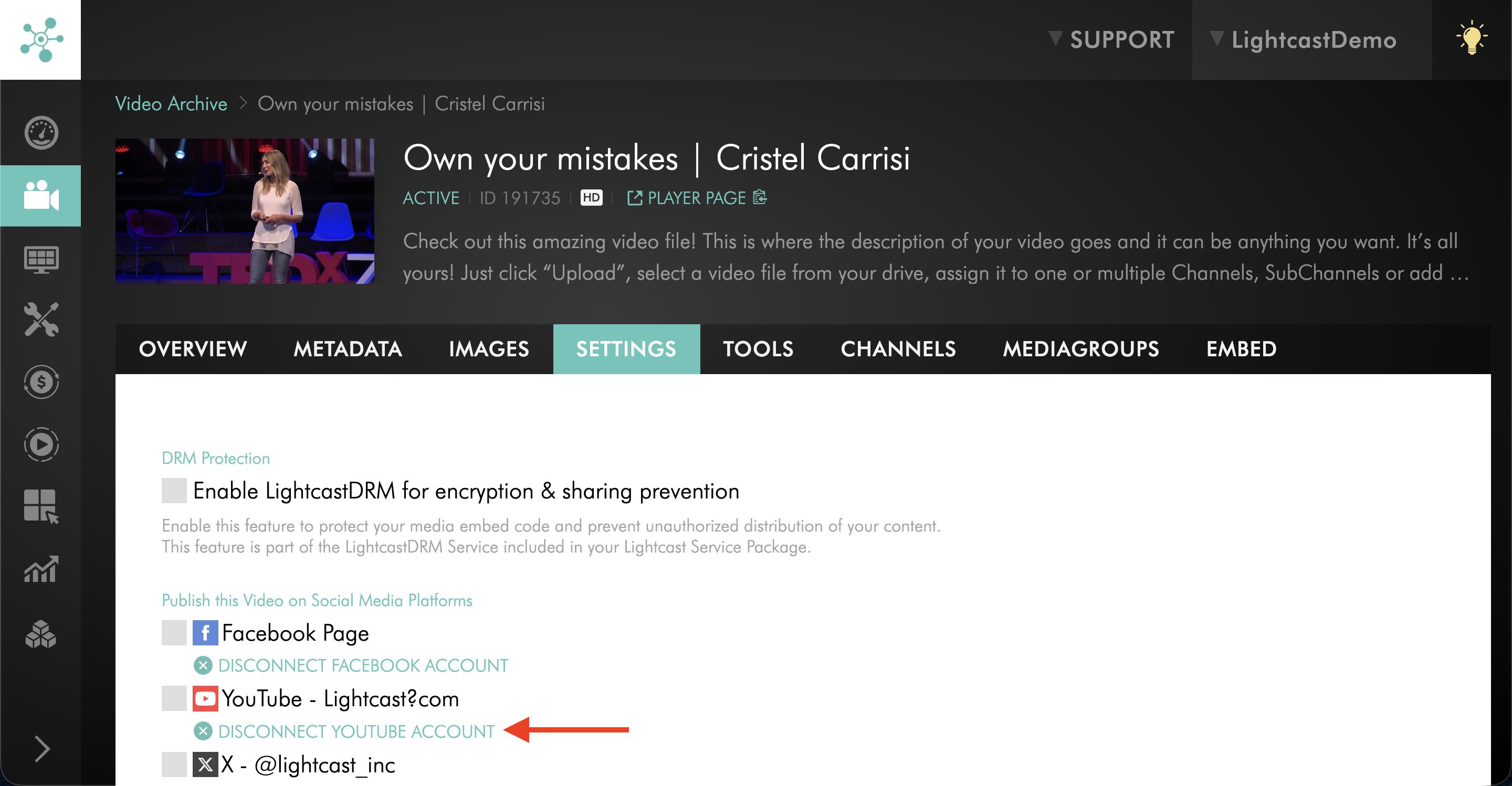
Click Disconnect YouTube Account to remove the currently connected YouTube account.
Step 5
Check the box next to YouTube.
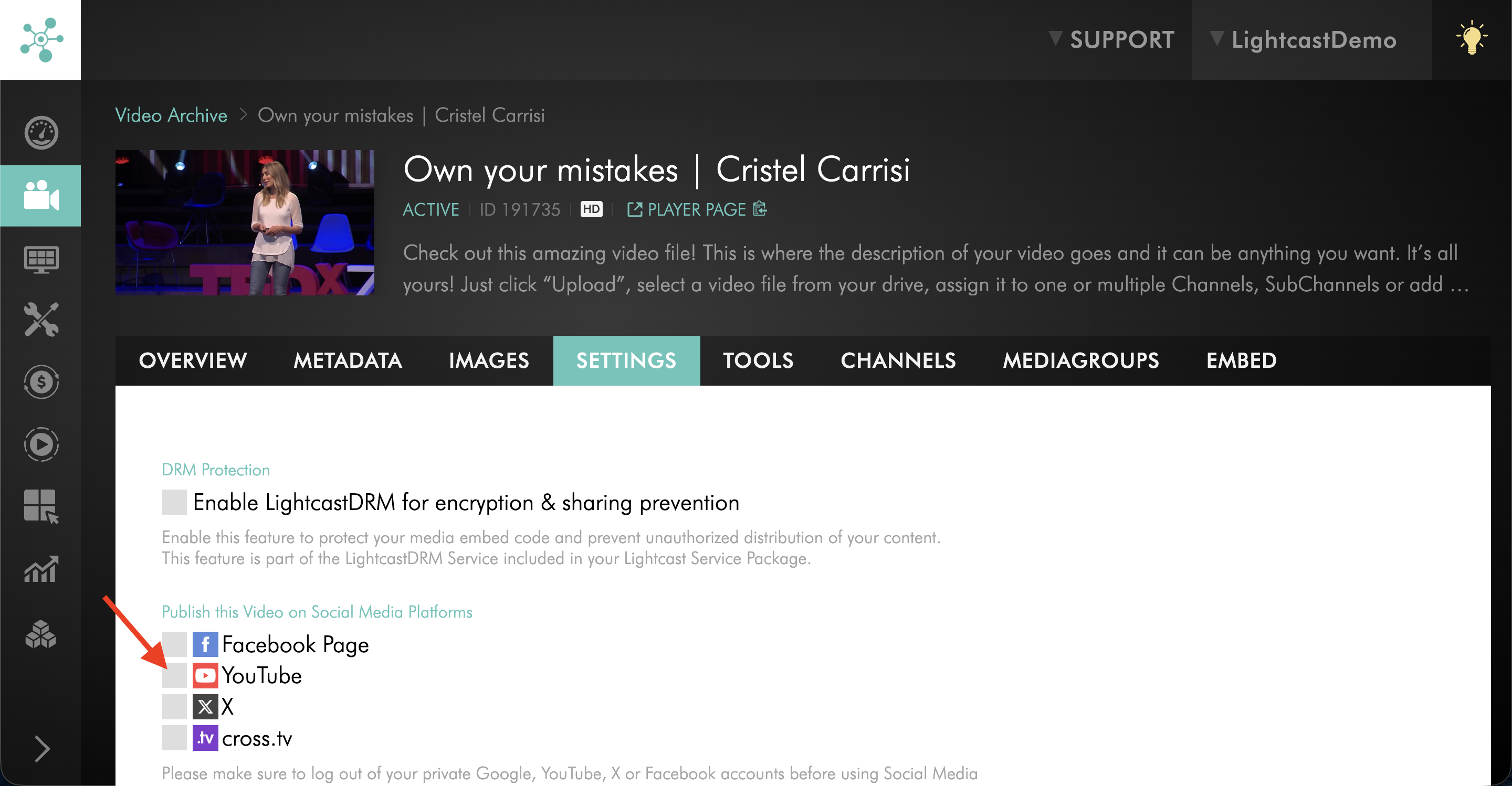
Step 6
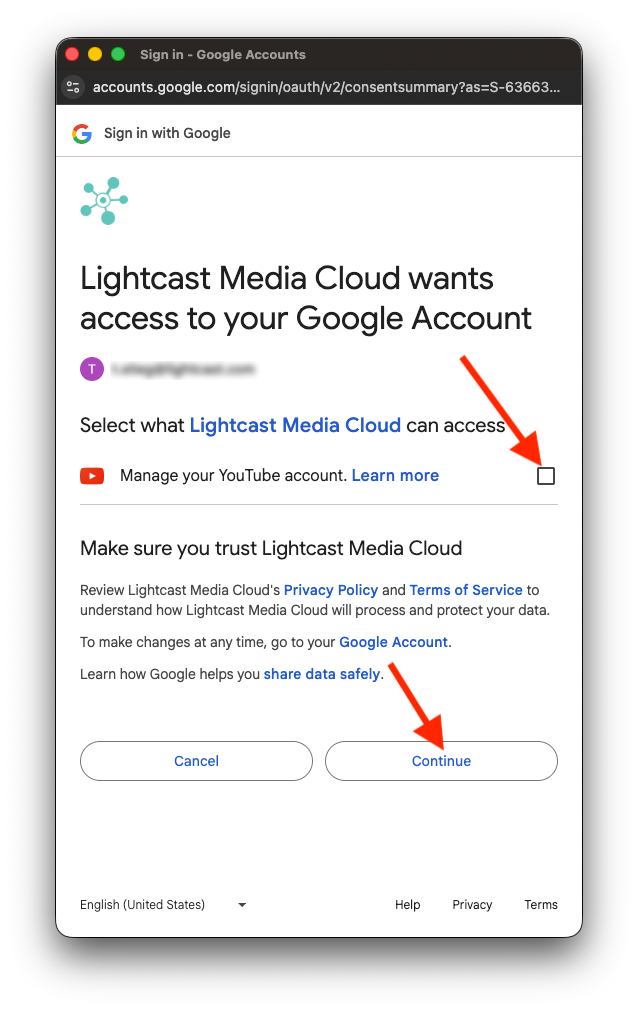
When the pop-up window appears, log in to the YouTube account you want to use.
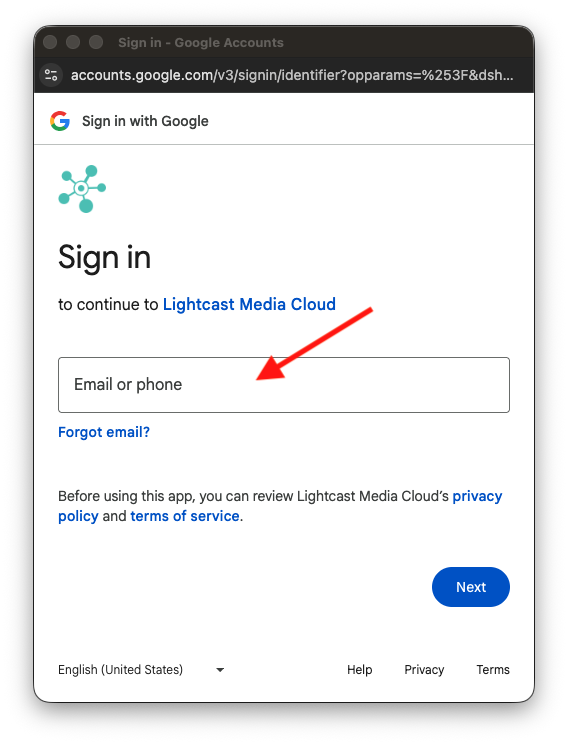
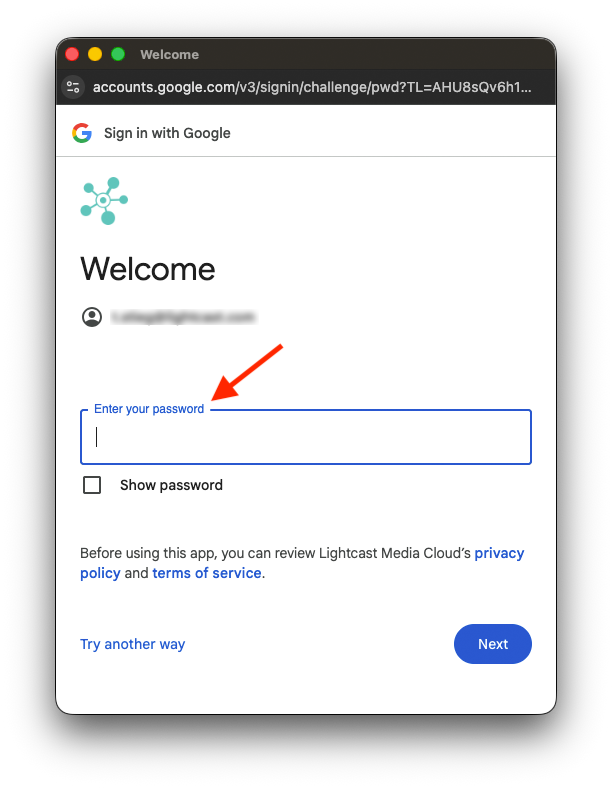
Step 7
Complete the YouTube authorization process.
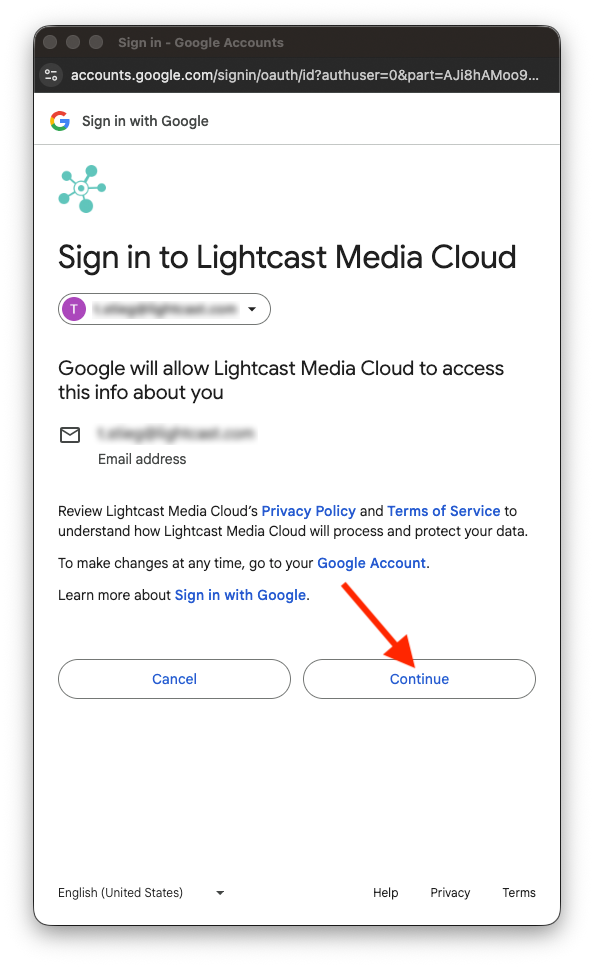
Step 8
Confirm the correct YouTube account is connected.
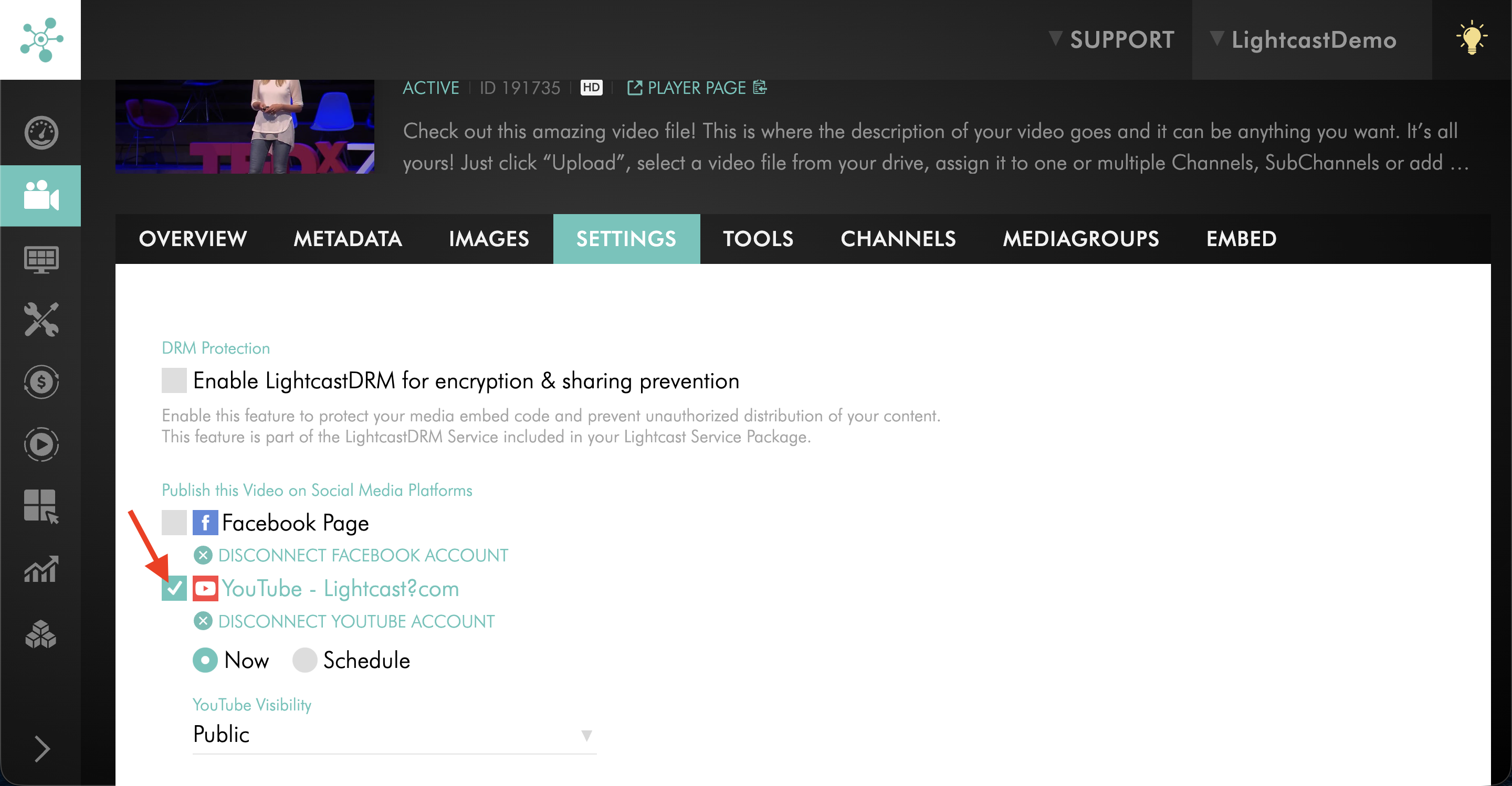
Step 9
Check the box next to YouTube.
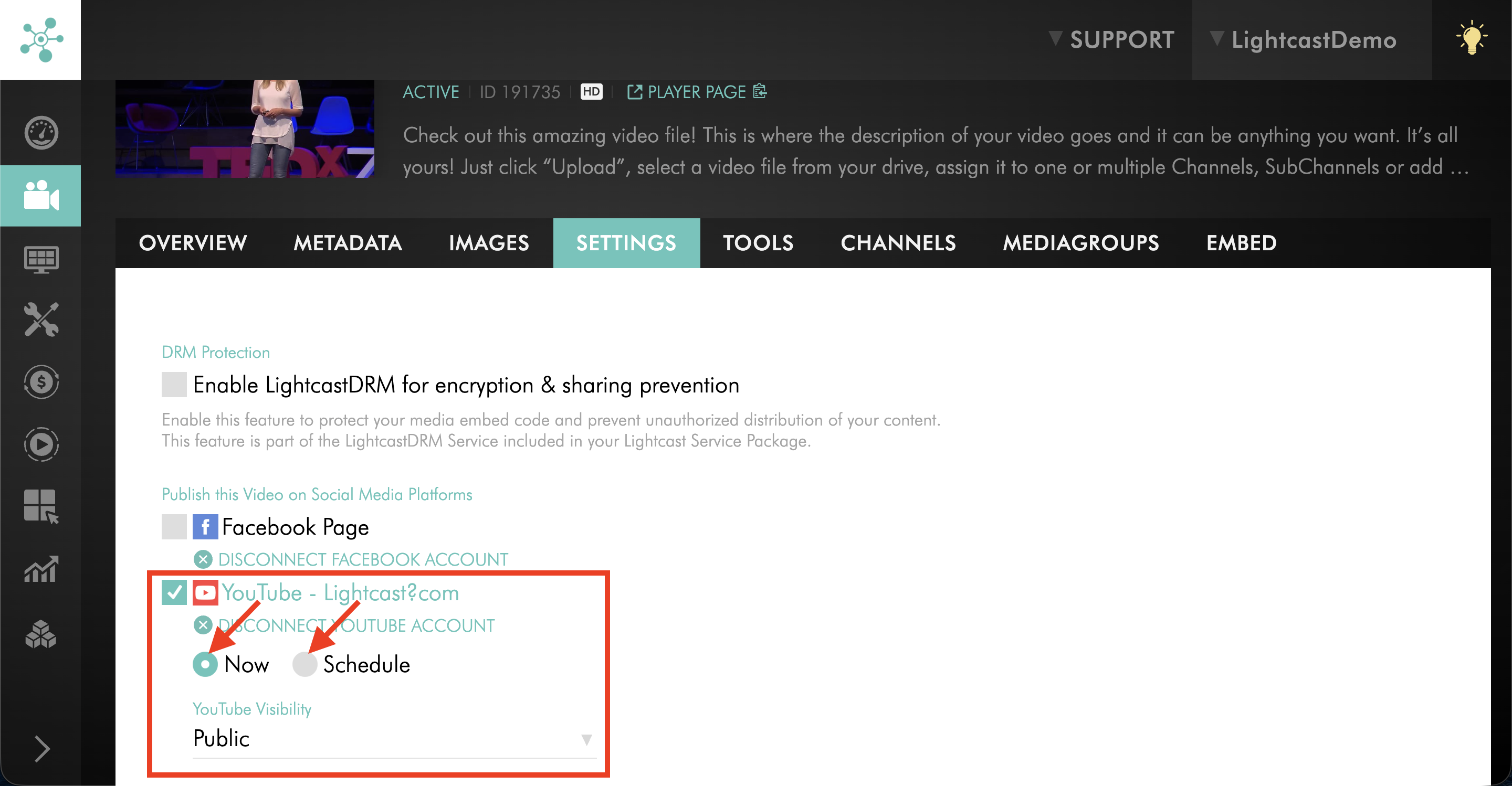
Step 10
Choose your publishing option - Now or Scheduled.
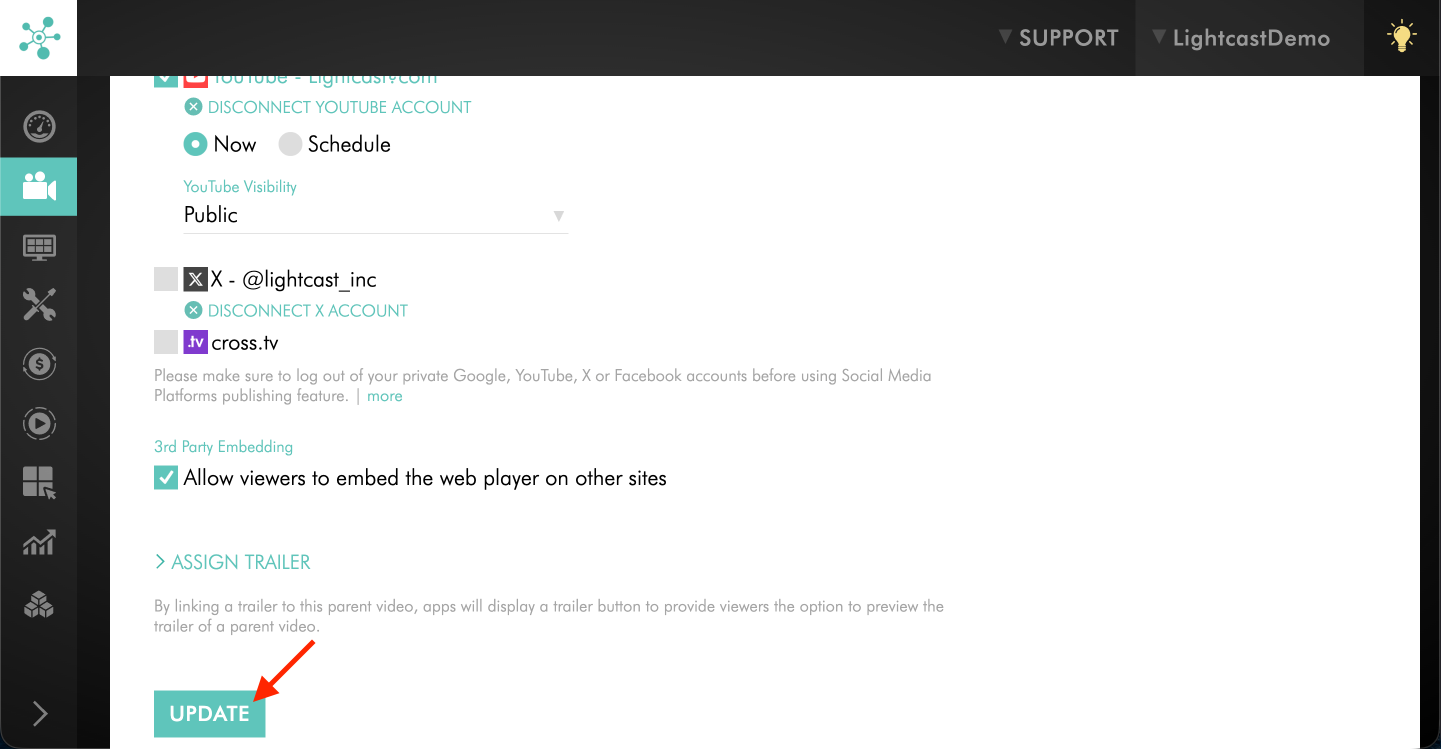
Step 11
Click UPDATE to save your changes.
To avoid connecting the wrong YouTube account, make sure you are logged out of YouTube first if needed.
FAQs
Can I connect multiple YouTube accounts with my Media Cloud account?
Yes. You can use different YouTube accounts for different videos. However, each individual video can only be connected to one YouTube account at a time.
Can I publish the same video to multiple YouTube accounts?
No. A single video can only be published to one YouTube account. If you want to publish the same video to multiple YouTube accounts, you must upload the video multiple times.
Do I need to disconnect the current YouTube account before switching to another one?
Yes. If a video is already connected to a YouTube account, you must disconnect that account before connecting a different one.
Pricing
YouTube Publishing is available on POWER packages and up.
If you don't have access to this feature, you can upgrade to one of our latest plans or contact your account manager.