
Instant Email Capture Reports
Download your email capture reports on demand directly from the App Builder. Access the data you need, whenever you need it, and take action faster.
🔹 What You Can Do
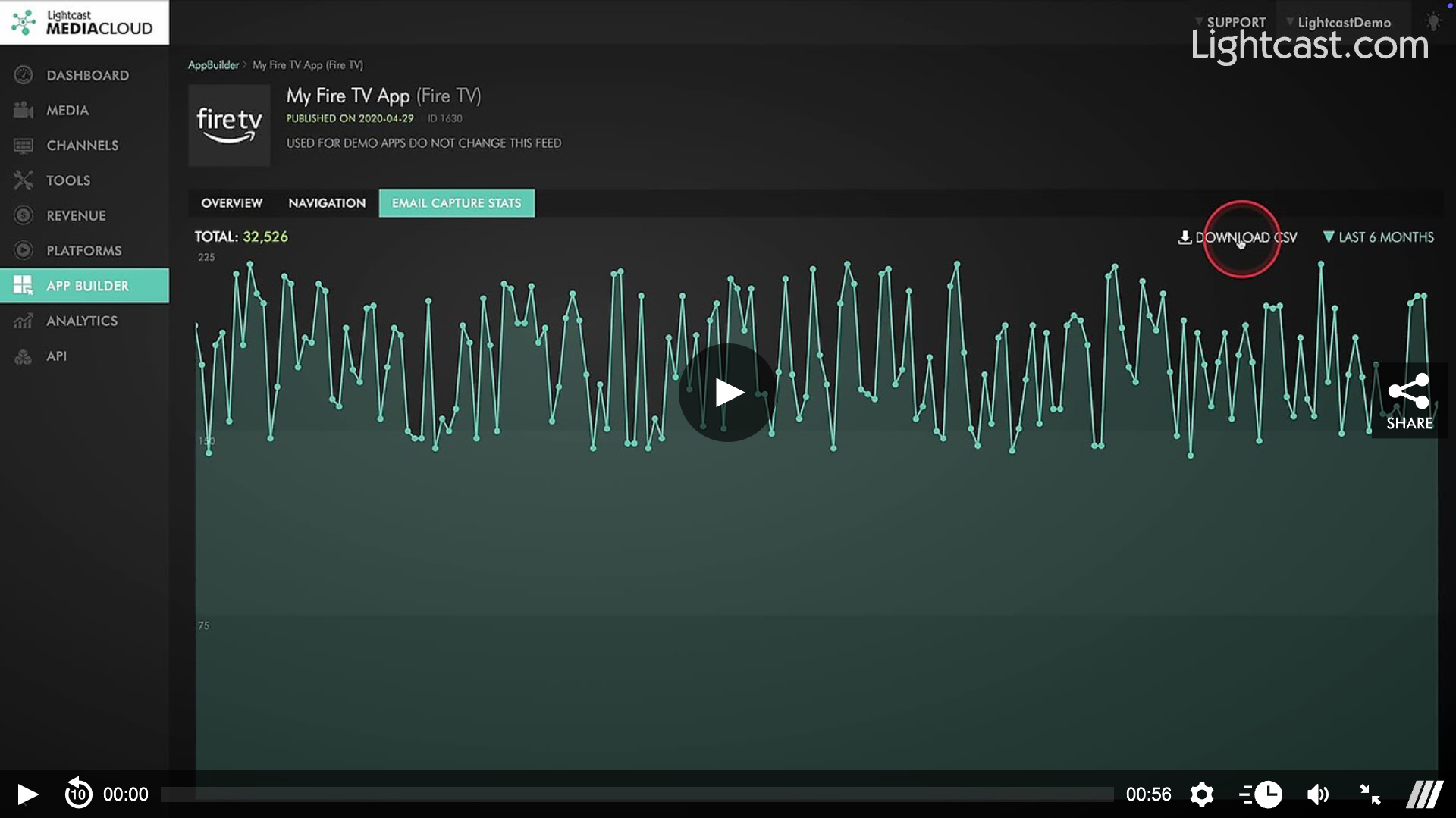
Download CSV option available in the Email Capture Stats tab
CSV includes two key fields: Email and Captured Date (with time)
Flexible timeframes: Last 7 days, 30 days, 3 months, 6 months, or 12 months
🌟 Where This Shines
Enjoy faster access and greater flexibility with your data. On-demand CSV downloads are especially useful when you want to:
Follow up quickly with new leads from recent campaigns or events
Track trends over time to see how your email capture is growing
Combine user data with other analytics for deeper audience insights
Access fresh viewer data within 24 hours to share with your team or marketing partners— new data becomes available after midnight Eastern time
Audit or back up user information on a regular basis
👉🏼 Pro Tip: Download CSVs regularly to track lead-gen growth, monitor engagement, or combine with other data for deeper insights.
Watch this Video to Locate the Download CSV Feature
For previous tips, visit our tips page!
Would you like a specific topic to be covered by an upcoming “Tip of the Week”? Click here to submit your request!

Happy Streaming!
Your Lightcast Success Team