
Realtime Live Stream Status
This week, we're excited to feature our powerful tool that takes the guesswork out of live broadcasting! The Real-Time Live Stream Status feature, which is available for all streams running through the Lightcast CDN, makes it easier than ever to monitor your live streams with confidence and precision.
💡 Locating the Tool: You’ll find the Status Indicator at the very top of your Live Event or Linear Stream Channel when you log into your Media Cloud account. Click here to see where the Status Indicator is located.
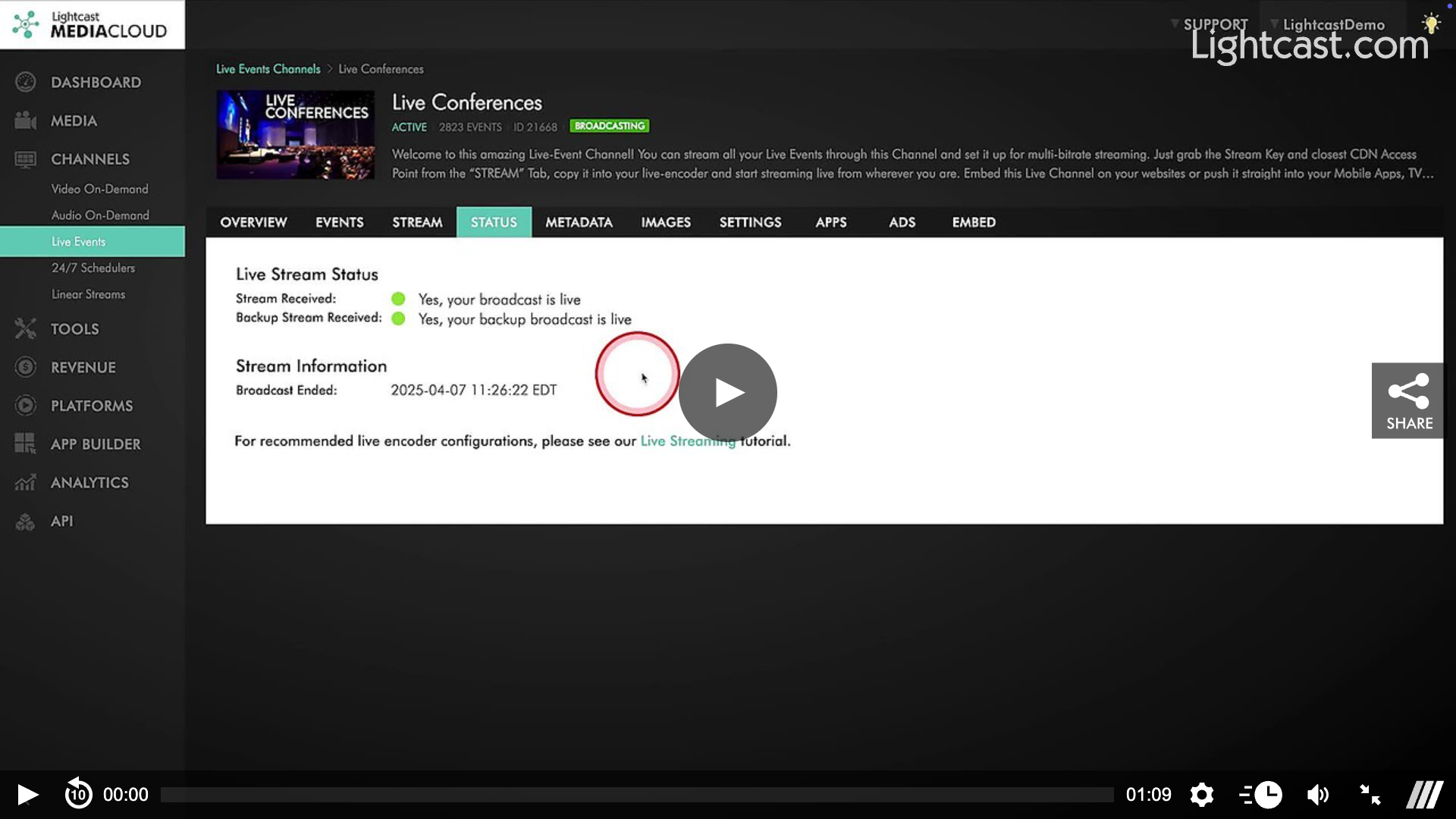
💡 How it Works: Simply click on the indicator, and you’ll be redirected to the new "Status" tab, where you can dive into more details about your stream’s health and gather more information about your stream.
Here’s What Each Status Means:
BROADCASTING: We’re receiving the primary stream for this channel. Everything’s good! 🎥
NO BROADCAST: No stream is being received for this channel, not even the backup. 📴
STREAM ISSUE: Something’s not quite right: ⚠️
We’re receiving a backup stream, but not the primary.
If it’s an MBR channel, we may only be receiving certain quality levels (e.g., getting HIGH, but not LOW).
💡 Real-Time Alerts & Updates: The Status Indicator automatically updates every 7 seconds to provide real-time feedback on the status of your stream. However, please note that in some cases, there might be a slight delay in status updates.
💡 Track & React Instantly: This feature ensures that you have up-to-the-minute information at your fingertips, making it easier than ever to monitor your live streams and respond quickly if something goes awry.
Watch this Video to Learn How to Find the Live Stream Status:
For previous tips, visit our tips page!
Would you like a specific topic to be covered by an upcoming “Tip of the Week”? Click here to submit your request!

Happy Streaming!
Your Lightcast Success Team