
Elevate Your Apps with Poster Images
Poster Images help your content stand out by replacing standard 16:9 thumbnails with vertical 2:3 artwork in supported app rows. Whether you're showcasing video or audio content, Poster Images create a more engaging, professional browsing experience across your apps.
✨ Why Use Poster Images?
Poster Images can help you:
Increase visibility with larger, eye-catching artwork
Boost engagement by encouraging viewers to explore your content
Strengthen your brand with custom imagery, logos, and design elements
📤 Upload Poster Images
Adding Poster Images is simple:
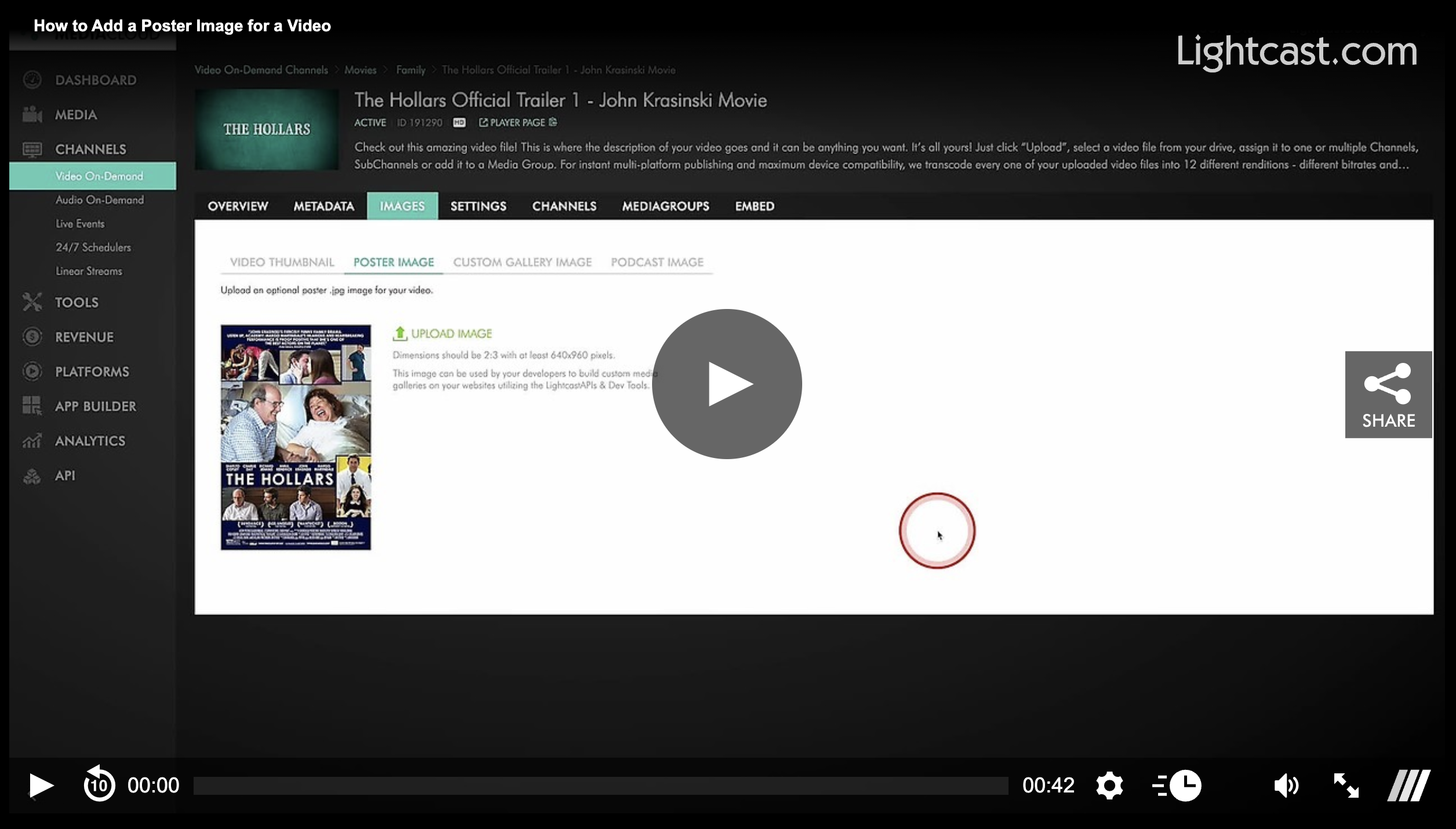
Open a video or audio item in the Media Cloud
Go to the IMAGES tab
Upload a 2:3 Poster Image (minimum 640 × 960 px)
Pro Tip: Use high-contrast, high-quality images for the best appearance across devices.
💡 For the Best Display Experience
Upload Poster Images for every media item in the Channel
Media items without Poster Images may display placeholder artwork.
If you later enable Sub-Channels or Media Groups, the app automatically reverts to standard 16:9 thumbnails
📺 Display Poster Images in Your Apps
In the App Builder, change the Video Image Type from 16:9 Thumbnails to 2:3 Poster Images to display poster artwork in supported app rows.
Keep in mind:
Poster Images are available only on supported app frameworks
The Channel must display media items directly (not Sub-Channels or Media Groups)
If Poster Images aren't supported, the App Builder will provide instructions for updating your app
Changes made in the App Builder are reflected in your apps in real time.
👉🏼 Click here to watch how to enable 2:3 Poster Images in the App Builder
Watch this Video to See How to Add a Poster Image for a Video:
For previous tips, visit our tips page!
Would you like a specific topic to be covered by an upcoming “Tip of the Week”? Click here to submit your request!

Happy Streaming!
Your Lightcast Success Team