
Podcast Channels
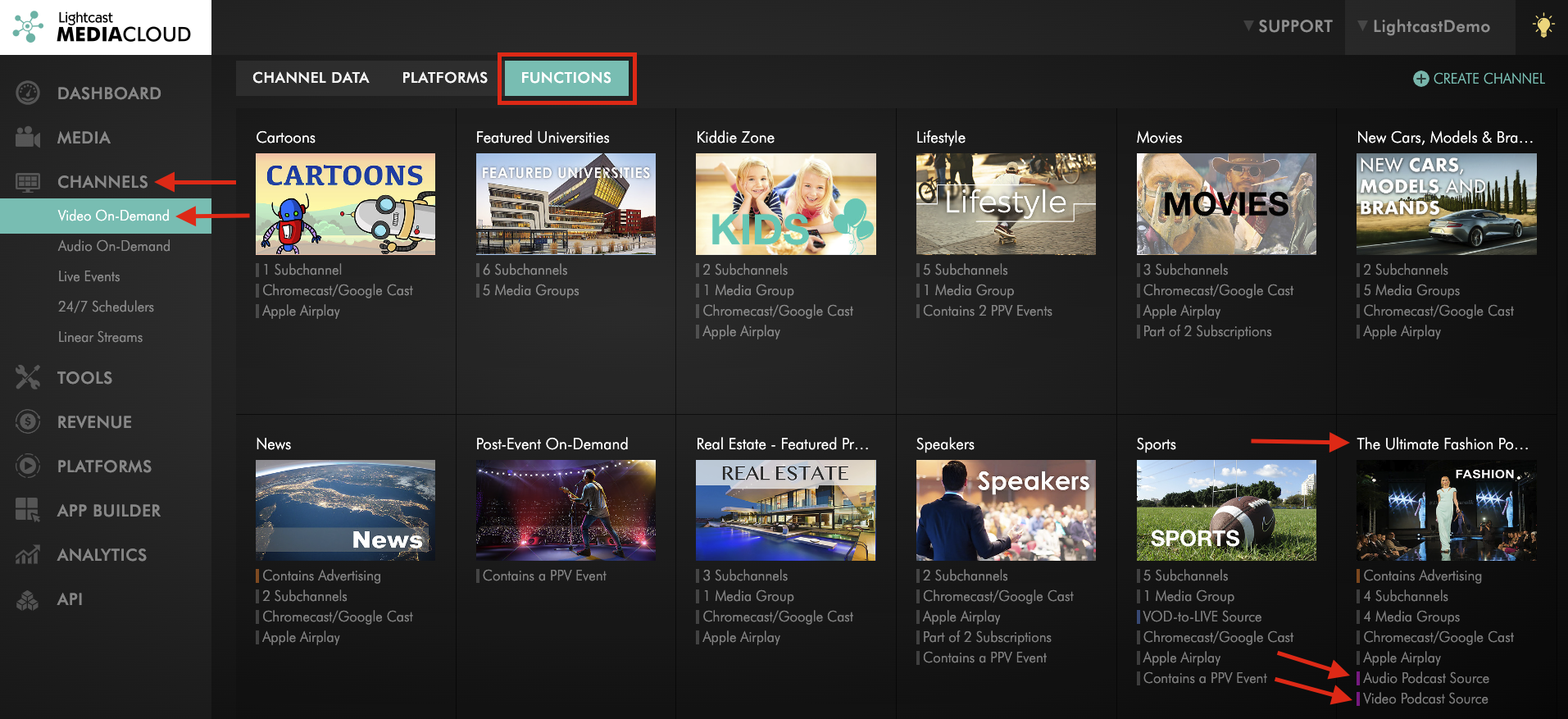
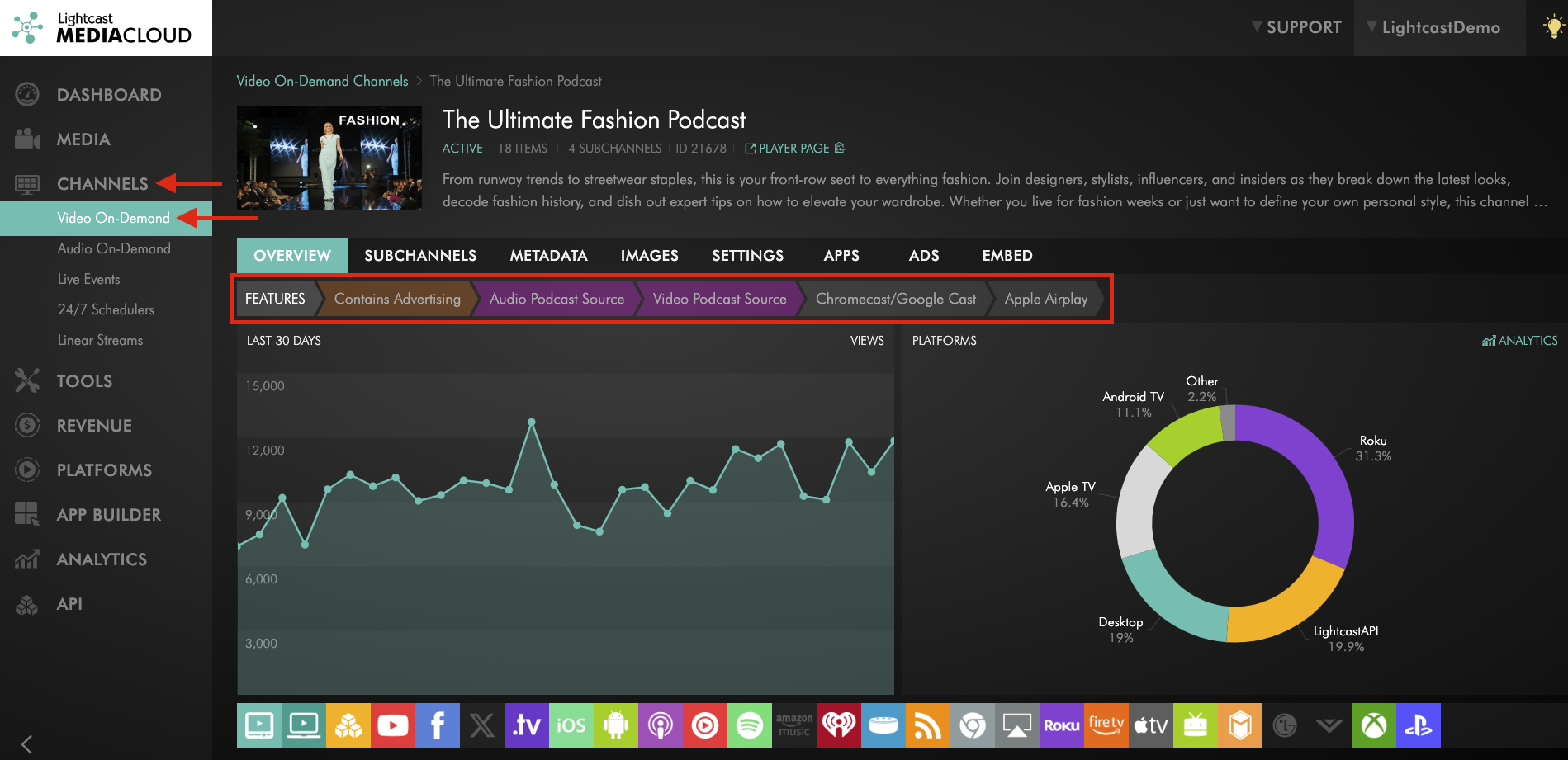
Did you know you can create Podcasts from your Channels? Our premium transcoding automatically generates an audio-only version of every video upload, making it easy to auto-publish Audio Podcasts from your VOD Channels. You can use any VOD or AOD Channel as a Podcast source — just check the functions tab in your Channel overview or the features bar within each Channel to view all functions of your Channels and see which of your Channels are already being used as a Podcast source. 🌍✨
Here's How to Get Started:
💡 Choose Your Channel: Select the VOD or AOD Channel you’d like to use. You can repurpose an existing one you are already using for other platforms, or dedicate a new, empty Channel specifically for Podcasts.
💡 Add Your Branding: Upload your podcast logo or cover image as the Channel's Podcast thumbnail image to ensure your branding appears correctly across each platform. Click here to see how!
💡 Upload Your Content: Add your video or audio Podcast episodes to the selected Channel. Click here to see how!
💡 Inquire Today: Email our Customer Support team to receive your unique RSS feed for the Podcast platform, along with a step-by-step guide on how to submit your Podcast.
Check the FUNCTIONS tab to see your Podcast Channels
Check the FEATURES bar to see all of the functions of your Channels
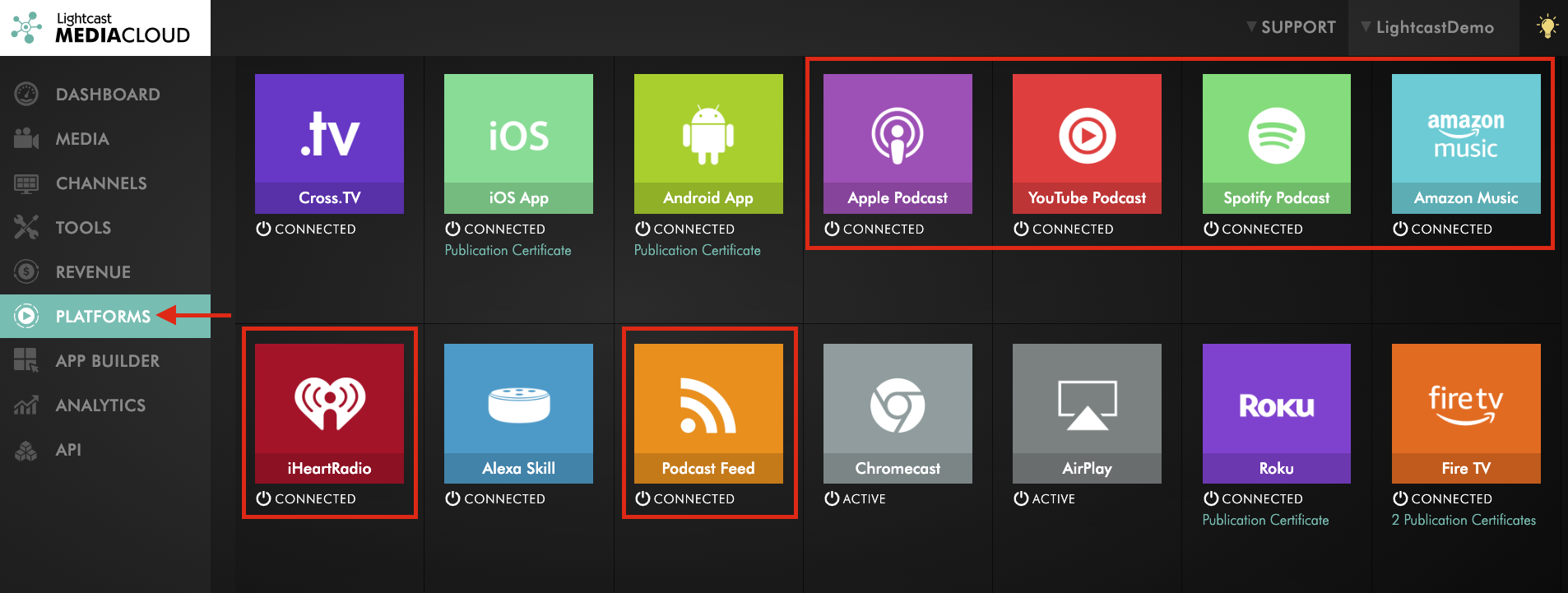
Check the PLATFORMS page to see your Podcast Channels

For previous tips, visit our tips page!
Would you like a specific topic to be covered by an upcoming “Tip of the Week”? Click here to submit your request!
Happy Streaming!
Your Lightcast Success Team