
YouTube Video Publishing
In our last Tip of the Week, we focused on the Facebook Video Publishing feature, showing you how to publish your media content to your Facebook page via your Lightcast Media Cloud account. We hope that this has been helpful to you!
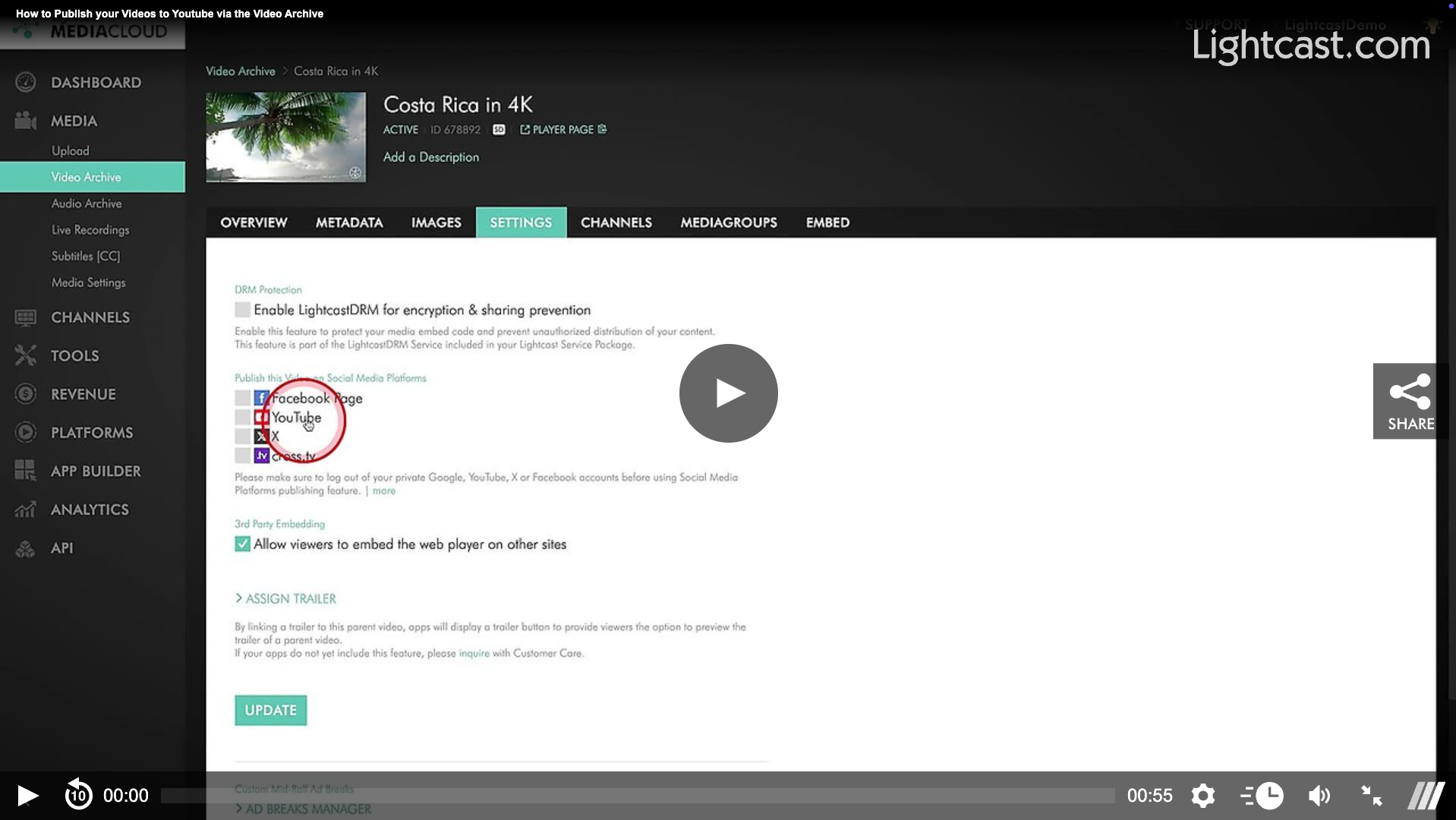
This week, we would like to demonstrate how easily you can publish your videos from Lightcast directly to your YouTube channel. There’s no need to manually re-upload your content—simply publish directly from your Lightcast Media Cloud with a single click and save valuable time. 🤓
💡 For a step-by-step guide on how to connect your YouTube account and publish videos to YouTube, click here.
💡 For more information about our YouTube Publishing feature, click here.
Watch this Video to See how Publishing to YouTube works:
Tired of staying on top of when you need to publish your content to Youtube? Here is another time-saving feature which puts your content distribution on autopilot:
The schedule publishing feature for YouTube!
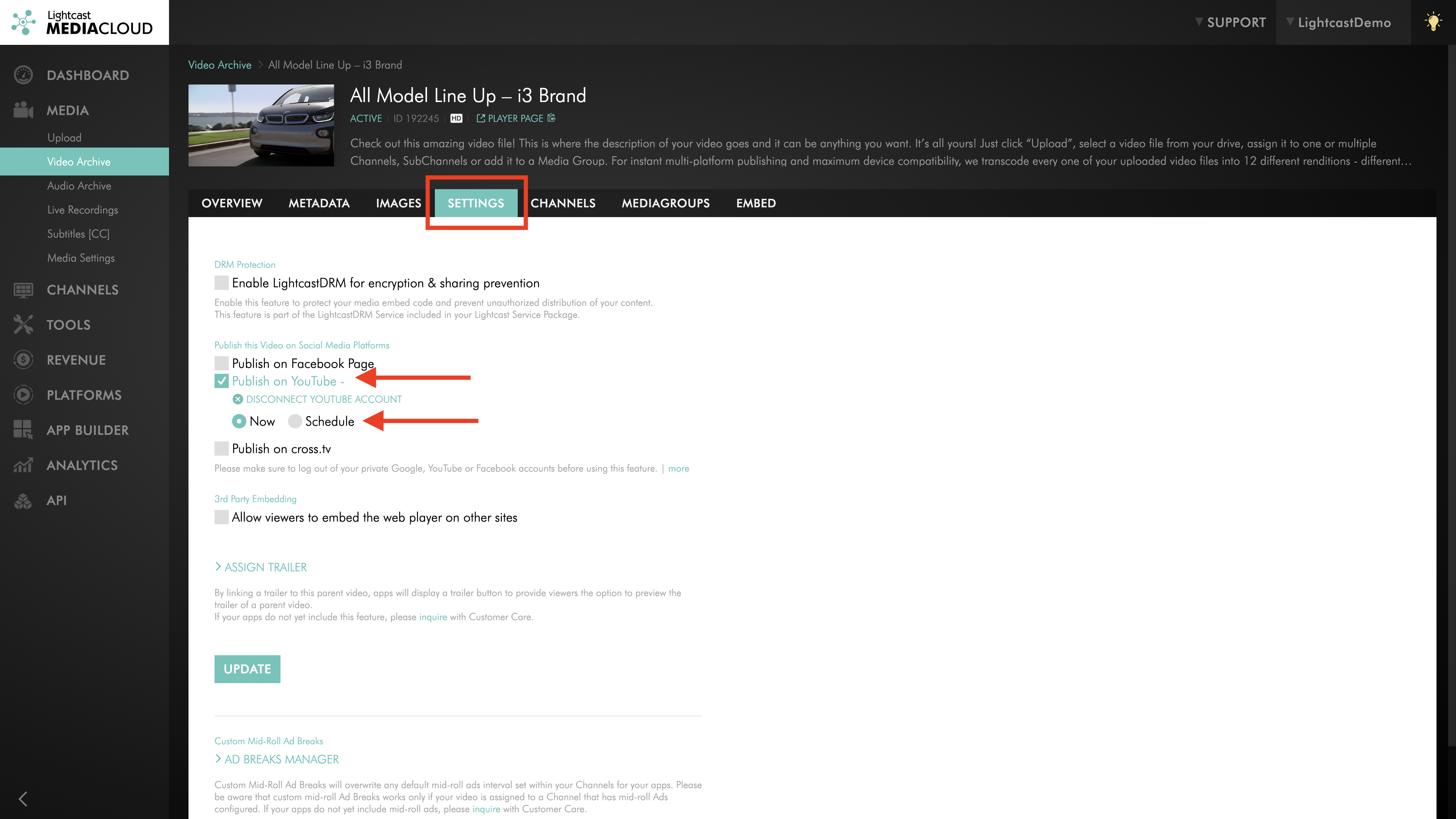
No need to manually publish content to YouTube right at the desired date/time. Instead you can simply schedule the publication with just a few clicks from within the Media Cloud interface. The Media Cloud will then publish your contents to YouTube at your desired date and time, as you programmed it.
You can find this option in the Settings tab of video items in the same spot you are already using to publish to social media sites.
Want to see How you can Schedule the Publishing to your YouTube Channel via a VOD Channel? Click here!

For previous tips, visit our tips page!
Would you like a specific topic to be covered by an upcoming “Tip of the Week”? Click here to submit your request!
Happy Streaming!
Your Lightcast Success Team