
Maximizing Transcoding Efficiency
Following last week's storage tips, this week we're focusing on how to make the most of your transcoding usage in the Media Cloud, helping you save resources while maintaining high-quality playback across all platforms.
🔍 What is Transcoding?
When you upload a video, our Premium Transcoding Service creates up to 10 different renditions of that file to ensure compatibility across devices and platforms. As a result, your transcoding usage is typically around 3x the size of the original upload. This allows for bitrate-adaptive streaming and seamless playback, but it's important to manage it wisely.
✅ Tips to Optimize Transcoding Usage
Shorter Videos = Lower Usage: The longer the video, the larger the file and the more transcoding required.
Pre-Optimize Before Uploading: Use efficient export settings in your editing or compression software. We recommend:
Codec: H.264 (MPEG-4 AVC)
Balanced bitrate, resolution, and frame rate
Reduced File Size Without Sacrificing Quality: Smaller, high-quality files lead to faster uploads, reduced transcoding, and better storage performance.
These steps not only conserve transcoding allotment—they also help keep your content performing at its best.
🔼 Need More Transcoding?
If you're running low on transcoding capacity, you have flexible options:
Purchase a monthly transcoding subscription
👉 Send an inquiry to Customer SupportBuy prepaid transcoding credits
👉 Click here to see how!Upgrade to a Lightcast package with more included transcoding
👉 View package options at lightcast.com/packages
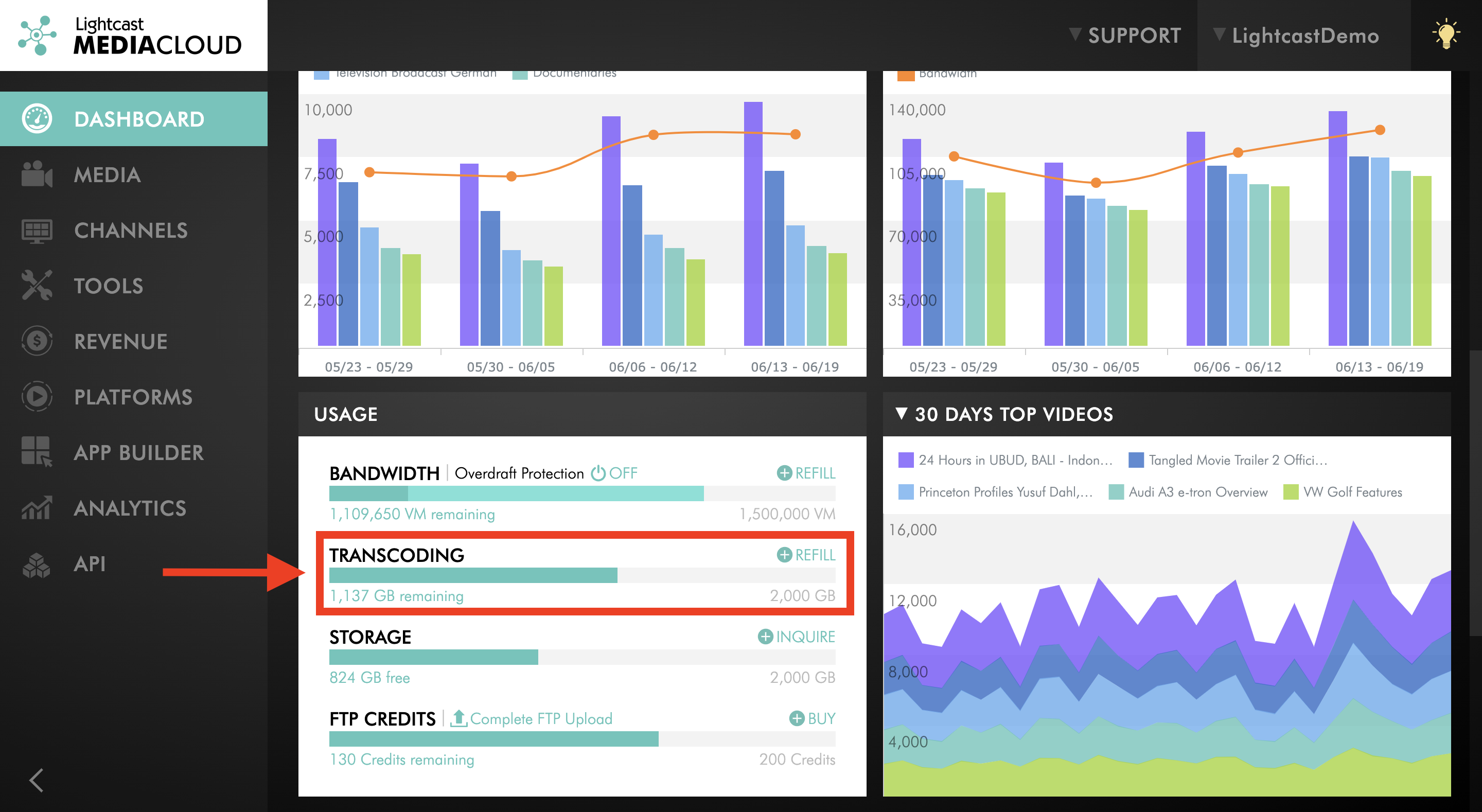
Where to Find Your Transcoding Balance Within the Media Cloud:

For previous tips, visit our tips page!
Would you like a specific topic to be covered by an upcoming “Tip of the Week”? Click here to submit your request!
Happy Streaming!
Your Lightcast Success Team