
24/7 Cloud Scheduler
The 24/7 Cloud Scheduler lets you turn your on-demand video library into a continuous, always-on channel–no live production required. With an intuitive drag-and-drop interface, you can build linear-style programming, set broadcast times, and manage distribution with ease.
🔁 Linear Streaming at a Glance
Linear Streaming delivers continuous, always-on programming to your viewers – just like a traditional TV channel, but fully managed in your Lightcast Media Cloud.
Lightcast supports three Linear Streaming options, depending on how your content is created and delivered:
Ingested Linear Streams – send a live feed directly into Lightcast
Scheduled 24/7 Streams – program content using the 24/7 Cloud Scheduler
VOD-to-LIVE Continuous Loops – automatically loop on-demand content
👉🏼 This week's TOW highlights: Scheduled 24/7 Streams powered by the 24/7 Cloud Scheduler.
⭐️ Key Features You'll Love
Seamless Playback with Automatic Filler Videos
Gaps in your schedule are automatically filled using your uploader filler content – such as commercials, sponsored ads, promotions, or music clips – creating a smooth, uninterrupted viewing experience.
👉🏼 Watch how to assign or remove filler videos
Quickly Replicate Days or Weeks
Build long-term schedules faster by copying existing days or weeks and extending your programming lineup in just a few clicks.
👉🏼 Watch how to duplicate scheduled days or weeks
Batch Scheduling via CSV
Upload a CSV or TXT file with your Video Archive IDs for fast, bumper-to-bumper placement directly into the scheduler – perfect for large libraries or recurring programming blocks.
👉🏼 Watch how to batch upload videos
➕ Optional Enhancements
Electronic Program Guide (EPG)
Show viewers what's coming next with a schedule view up to six days ahead.
👉🏼 Learn more about the EPG
Live Streams in Your 24/7 Channel
Schedule live broadcasts directly into your 24/7 lineup from your live encoder.
👉🏼 Watch how to schedule a live broadcast
Embed Anywhere
Add your 24/7 stream to any website using Lightcast's customizable 24/7 player.
👉🏼 Watch how to embed your 24/7 stream
📺 Stream Everywhere Your Audience Is
Deliver your 24/7 channel across:
TV Apps (Roku, Fire TV, Apple TV, Android TV, LG, Samsung, Vizio)
Web Apps
Mobile Apps
Your content stays accessible – on every screen.
🎓 Explore the 24/7 Cloud Scheduler
Don't have this service yet? Email Customer Support to add the 24/7 Scheduler to your Lightcast Media Cloud. Available for POWER and larger packages for a fee.
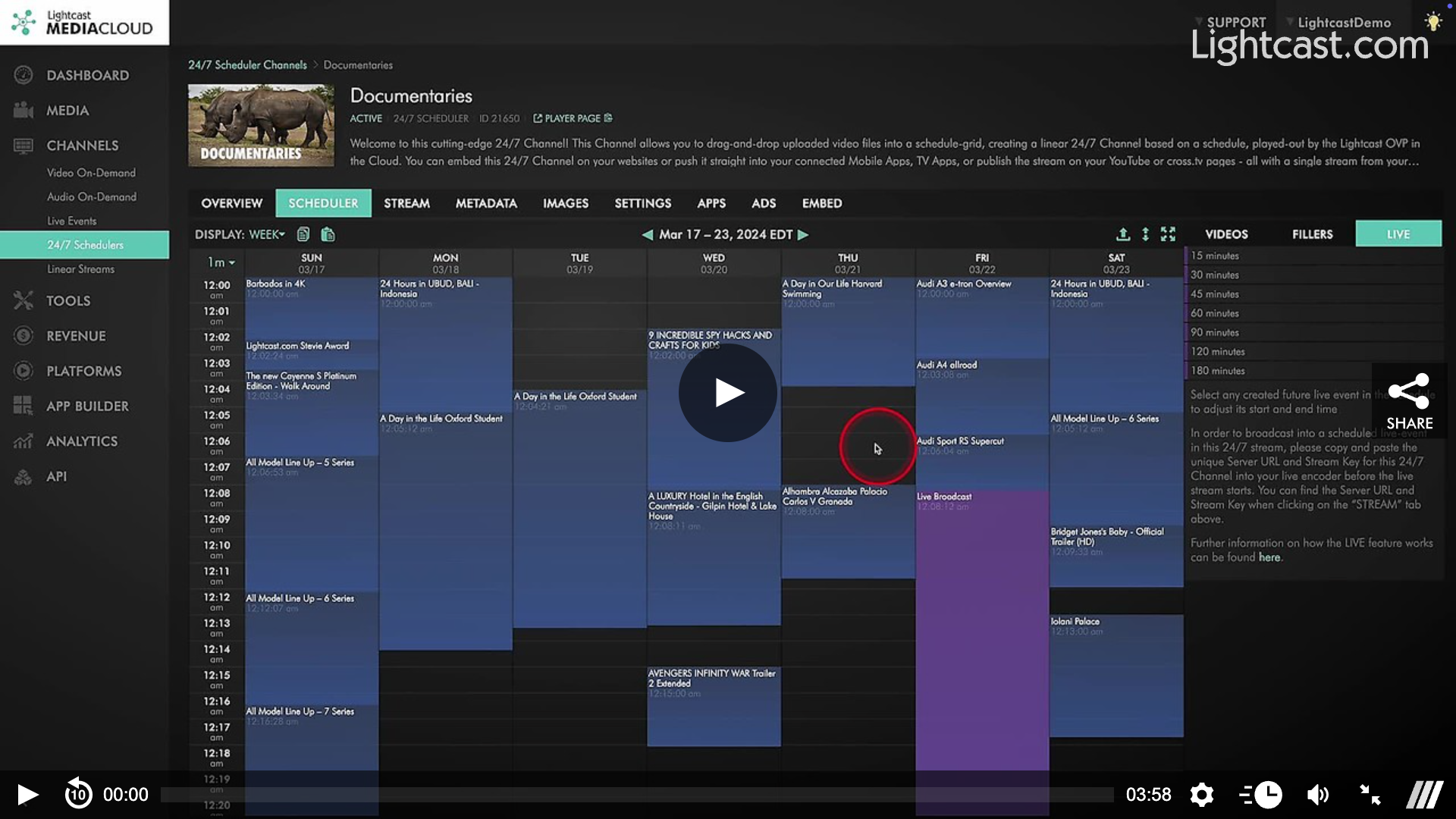
Watch this Video to See How to Create a Scheduled TV Program

For previous tips, visit our tips page!
Would you like a specific topic to be covered by an upcoming “Tip of the Week”? Click here to submit your request!
Happy Streaming!
Your Lightcast Success Team