
Trim the Fat, Keep the Quality
Last week, we covered how to shrink file sizes before uploading. This week, we're highlighting another trick to reduce transcoding and storage – trim unnecessary footage.
🌟 Where This Shines
Live services or events with extra runtime
Webinars with long intros, pauses, or Q&A segments
Sports games with long pre-/post-coverage
✂️ Shorter Videos, Less Storage
Just like compression, trimming extra footage keeps your videos lean while lowering storage and transcoding usage. It's not just about saving space - shorter content is also better suited to today's evolving viewer attention spans.
Shorter files = smaller file sizes = lower costs.
Bite-sized videos can be more easily tailored for different audiences and channels.
☁️ Cloud Trimming for Live Events
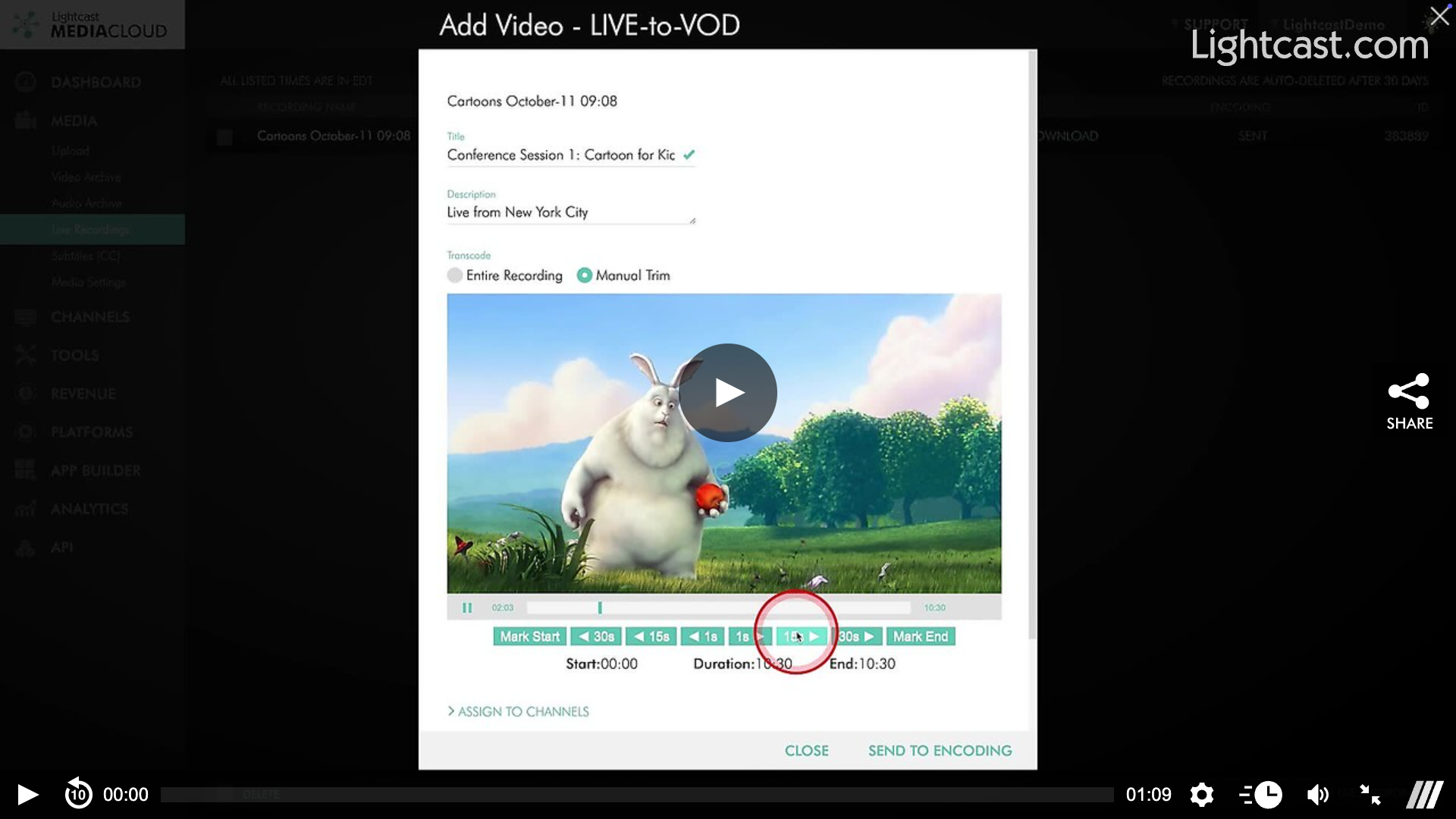
If you're using Lightcast's LIVE-to-VOD recording, take advantage of the cloud-trimming tool to cut unnecessary segments (like intros or dead air) before transcoding begins. This keeps your content lean and optimized right from the start.
No re-upload needed
Trim start and end points
Only save what matters
🎬 Pro Tip: Even when editing locally, keeping content length in mind pays off – every second you trim can translate into long-term savings in both storage and transcoding.
Watch this Video to See How to Trim Live Recordings

For previous tips, visit our tips page!
Would you like a specific topic to be covered by an upcoming “Tip of the Week”? Click here to submit your request!
Happy Streaming!
Your Lightcast Success Team