
Better Naming, Smarter Streaming
Did you know your Channel names (VOD/LIVE/AOD) are one of the first things viewers notice when exploring your media on publishing platforms like:
Roku
Fire TV
Apple TV
Android TV
Smart TV (LG, Samsung, Vizio, etc.)
iOS & Android Mobile
Your Web App
A strong, clear name helps viewers understand what to expect, making it easier for them to find and engage with your content.
💡 Best Practice
We recommend choosing descriptive and relevant Channel names that match the type of content in each Channel. This improves user experience and content discoverability across all platforms.
✏️ Need to Update a Channel Name?
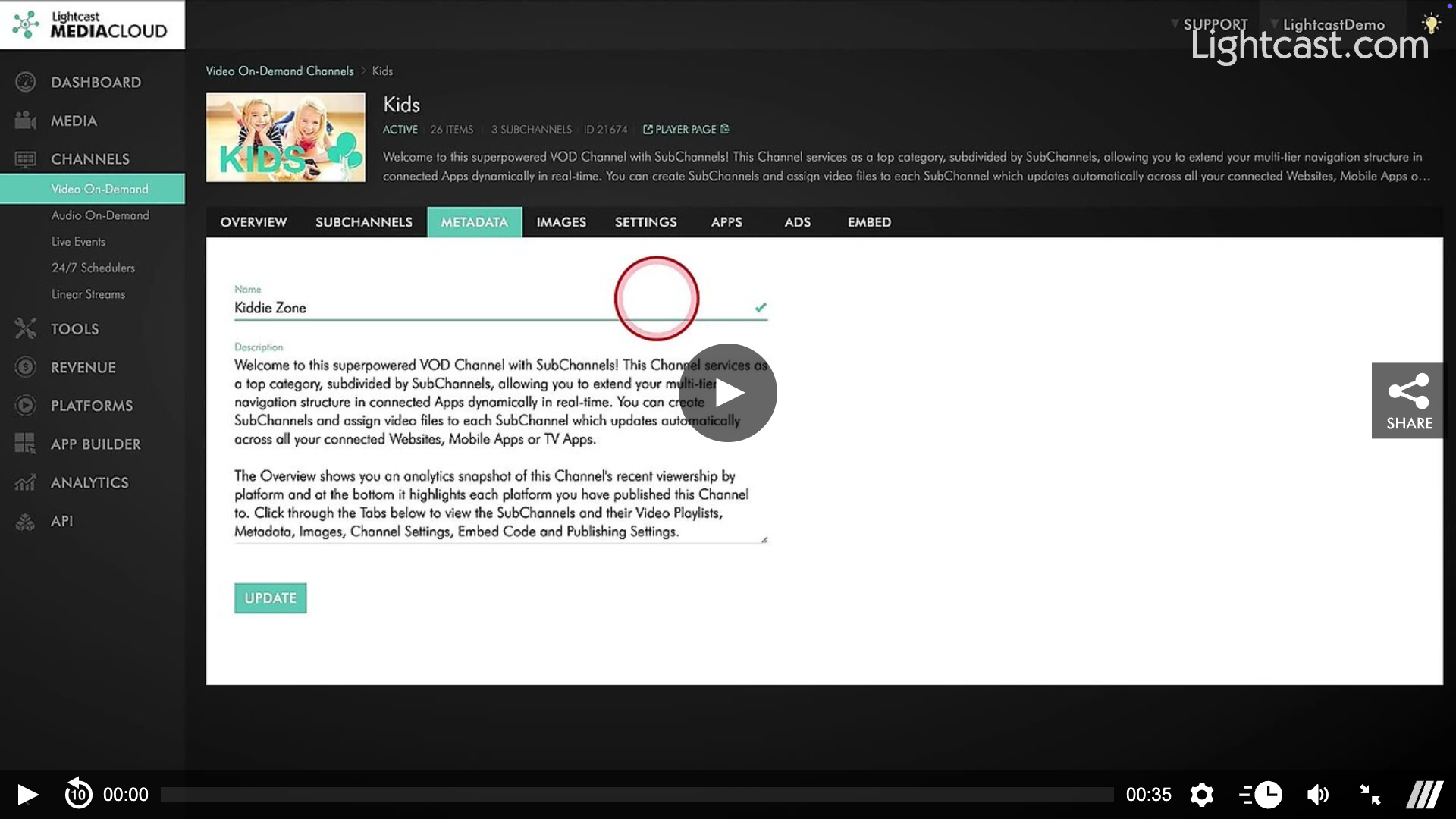
No problem! You can change your Channel name anytime in your Lightcast Media Cloud:
Go to the Channel Manager.
Select the Channel.
Update the name and click Save.
✅ Most updates are dynamically synced, meaning your connected platforms will reflect the changes in real time with no resubmissions required!
🎯 Pro Tip
Keep your Channel names short, clear, and content-specific. This helps attract the right audience and boosts engagement across all your Apps.
Watch this Video to See How to Re-Name a VOD Channel

For previous tips, visit our tips page!
Would you like a specific topic to be covered by an upcoming “Tip of the Week”? Click here to submit your request!
Happy Streaming!
Your Lightcast Success Team