
How to Find Your Channel IDs
We hope you enjoyed our previous Tip of the Week about how to embed your uploaded videos on your website with Lightcast’s customizable, bitrate-adaptive, responsive (and cool looking!) players. There is so much more to say about the players and what they can do for you in previous TOW's!
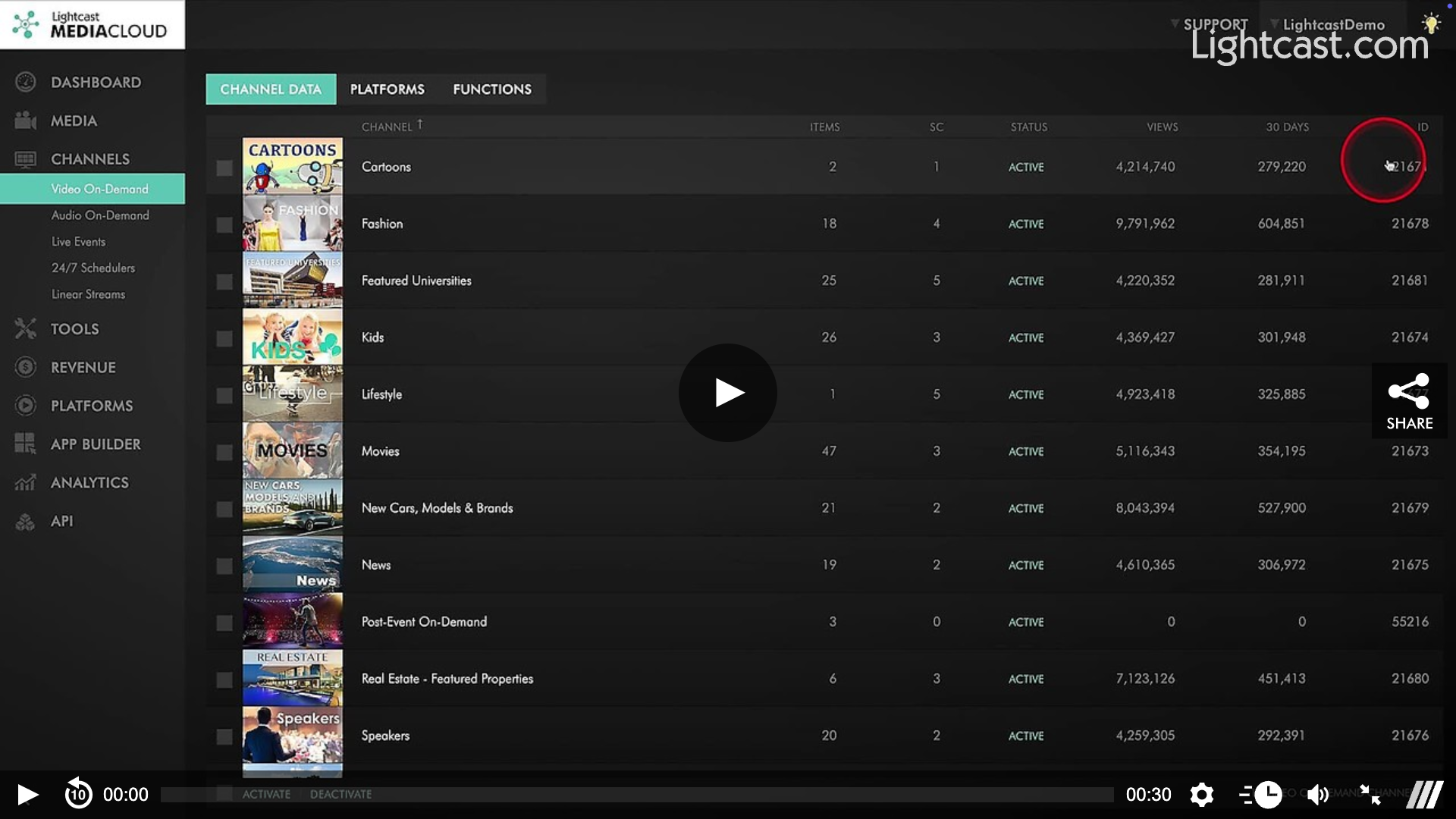
Today we would like to show you how to retrieve your Channel IDs. Every now and then we receive questions from our customers where to find the Channel IDs in their Lightcast Media Cloud. You may wonder why you would need the Channel IDs.
Here are a few common use-cases (but there are of course many more):
💡 You are filling out App Specs forms in your Lightcast Media Cloud account
💡 You would like to order add-ons such as VOD-to-LIVE, Multi-Bitrate, Subscription Management System, Geo-Blocking, etc. An overview of add-ons can be found at: https://mediacloud.lightcast.com/cms/add-on-products
💡 You are planning to use the LightcastAPI
Watch this Video to See How to Find the Channel ID of a VOD Channel
For previous tips, visit our tips page!
Would you like a specific topic to be covered by an upcoming “Tip of the Week”? Click here to submit your request!
Happy Streaming!
Your Lightcast Success Team