
Multi-Bitrate Live Streaming
When live streaming with Lightcast, you can choose between single-bitrate or multi-bitrate (MBR) streams. MBR enhances the viewing experience by dynamically adjusting video quality based on each viewer’s internet speed.
Our CDN automatically delivers the optimal bitrate, reducing buffering for slower connections while providing the best possible quality as network conditions change. This ensures a seamless and adaptive streaming experience for all viewers.
💡 MBR Setup: MBR (also called multi-bitrate cloud transmuxing) is supported with all Lightcast.com packages. An inquiry for configuring your multi-bitrate stream portfolio and enabling the bitrate-adaptive LIVE Player can be sent to Customer Support via the Settings tab of your LIVE Channel. Click here to see how!
💡 Bandwidth & Encoder Requirements: Make sure that your upstream bandwidth at your streaming location and your live encoder can both handle the consistent, non-interrupted delivery of multiple bitrate streams to the LightcastCDN.
💡 MBR Cloud Transrating: Alternatively, you can send a single-bitrate stream to the LightcastCDN, and we’ll transrate your stream into multiple bitrates for you (multi-bitrate cloud transrating is available at a fee).
Please note: Both the free cloud-transmuxing of your ingested bitrates into a bitrate-adaptive stream, as well as cloud-transrating of your high-quality ingestion into multiple lower bitrate streams at a fee, should be requested through Customer Support.
💡 Live Encoder Support: Need assistance with setting up your encoder for your live stream? Don’t hesitate to take advantage of scheduling an appointment with one of our skilled Encoder Support Specialists. Every Lightcast account has at least 1 encoder configuration voucher included. Schedule your encoder configuration call at encoderconfig.lightcast.com.
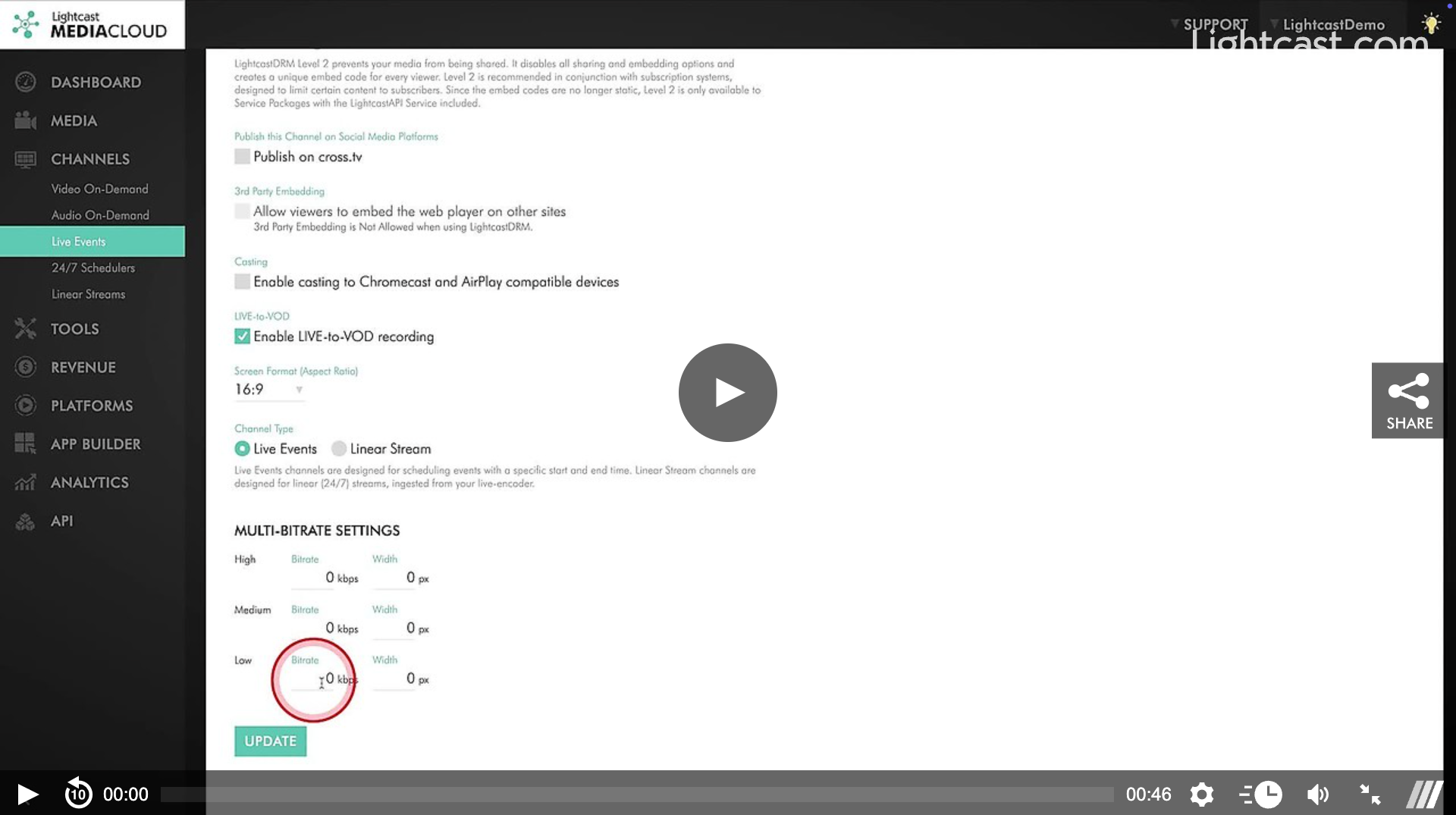
Watch this Video to See How to Adjust the Bitrate and Width Options for an MBR LIVE Channel

For previous tips, visit our tips page!
Would you like a specific topic to be covered by an upcoming “Tip of the Week”? Click here to submit your request!
Happy Streaming!
Your Lightcast Success Team