
Enhance Your Media
Make your videos impossible to ignore! Custom thumbnails give your content a polished, professional look – boosting clicks, engagement, and brand recognition across your website, mobile apps, and OTT/Connected TV platforms.
🖼️ Why Use Custom Thumbnails
Upload branded artwork – like show logos, series creatives, or movie covers – to:
Control gallery appearance
Elevate your visual presentation
Strengthen your brand identity
⚙️ Manage Thumbnails
With the Lightcast Media Cloud, you can:
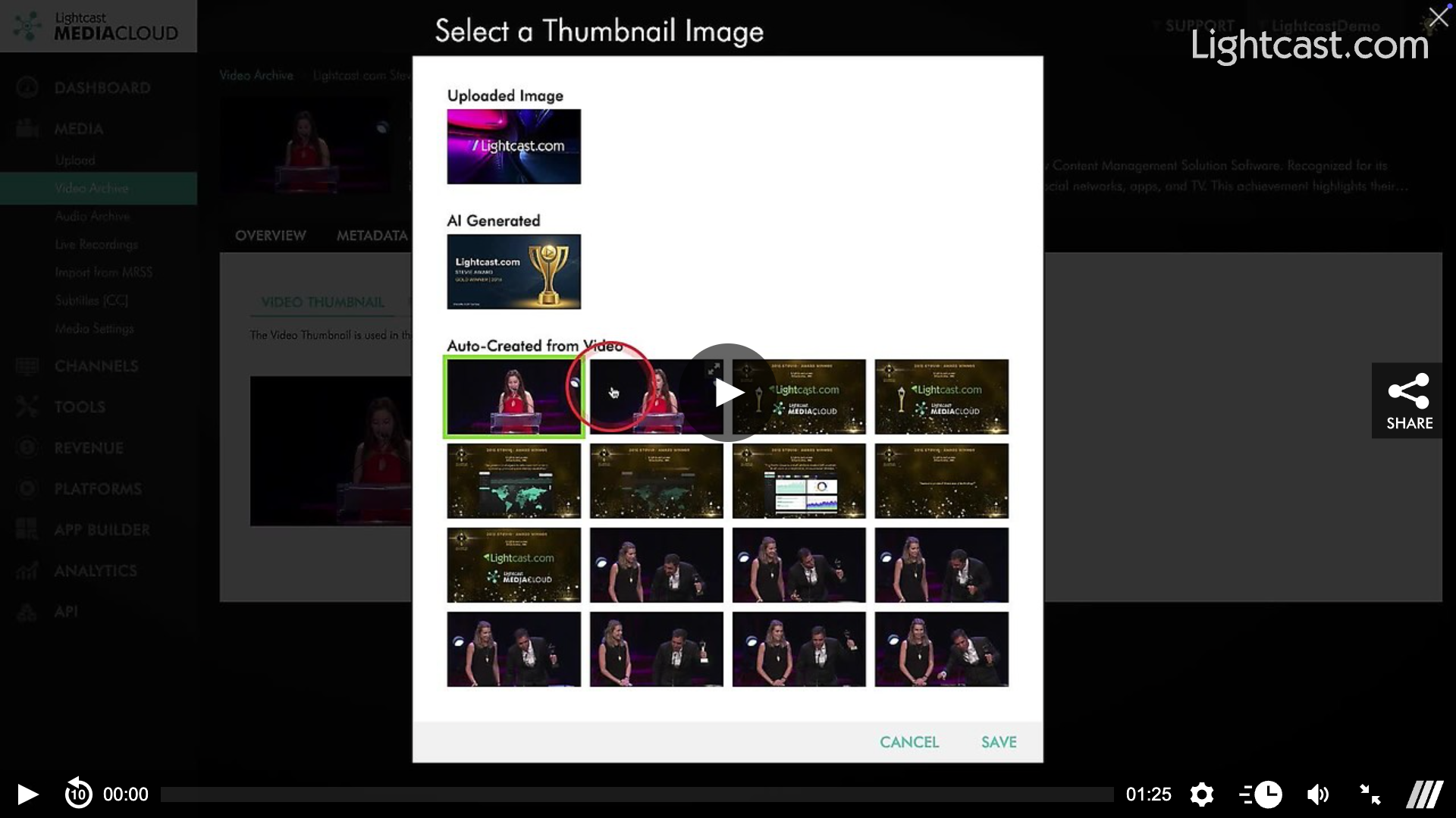
Upload your own custom artwork or use automatically generated thumbnails
Update your thumbnails anytime via the media's IMAGE page
See changes instantly across all connected platforms
👉🏼 Click here to see how to upload custom thumbnails!
🤖 AI Thumbnail Generation
Automatically creates stunning, AI-crafted thumbnails for every video and audio file after encoding. Effortlessly stand out across your website, mobile apps, and OTT/Connected TV platforms.
How it works:
Thumbnails generate only when a title and description are set
Manual uploads or imported images (via API or MRSS feeds) are never overwritten
Any AI-generated thumbnail can be replaced or updated manually
💡 Pro Tip: Try different thumbnail styles – bold images, close-ups, or branded artwork – to see what drives the most views and engagement.
Watch this Video to see How to Use the AI Image Generator for Media Thumbnails

For previous tips, visit our tips page!
Would you like a specific topic to be covered by an upcoming “Tip of the Week”? Click here to submit your request!
Happy Streaming!
Your Lightcast Success Team